
Windshift
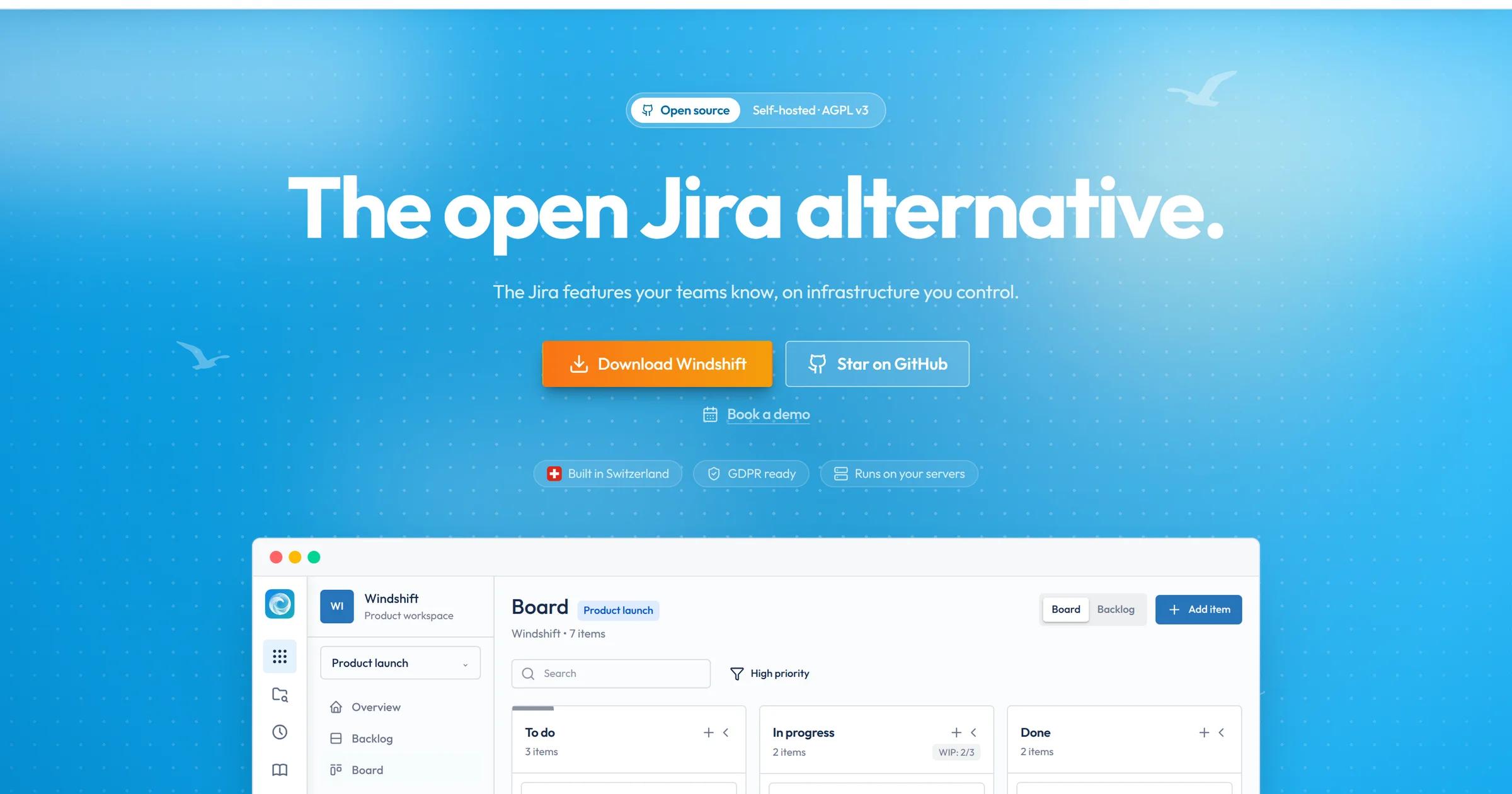
Self-hosted work management for teams leaving Jira
Replaces Jira, Linear, Clickup
Who it's for
Windshift imports your actual Jira Data Center project before you commit to the cutover, so you can evaluate the result with your own work data. The 2029 read-only deadline is fixed; starting a pilot now leaves time to iterate before the window narrows.
Skip if your organization is fully on Jira Cloud and per-seat pricing is acceptable. Windshift's Jira import benefit is most valuable for Jira Data Center teams with a hard migration deadline.
Windshift connects test cases, test runs, and results back to the requirement that prompted them. Delivery and verification share the same context without a separate testing add-on like Zephyr or Xray.
Skip if your QA team runs a mature, standalone test management tool they are not ready to replace. Windshift's test management is integrated but early-stage.
A single binary on a small VPS gives a growing team sprints, backlogs, hierarchies, milestones, and a customer portal. No per-seat licensing and no managed hosting costs: the infrastructure bill is the only variable.
Skip if your team has fewer than five people and no current need for sprints or release tracking. A lighter tool may be sufficient at that scale.
Windshift lets teams choose the region and infrastructure where work data lives and which AI services process it. Using a local model or an internal provider account keeps model costs and data flow under organizational control.
Skip if your organization already uses an approved managed SaaS tool and data residency is not a compliance requirement.
The problem
Work management at the team level has consolidated around Jira's concepts: sprints, backlogs, issue hierarchies, releases, and custom workflows. The problem is that those concepts now come packaged with Atlassian's hosting, pricing, and roadmap. Jira Data Center stops accepting new purchases in early 2028 and goes read-only in March 2029. Teams that have built their delivery process around Jira's structure face a hard choice: migrate to Jira Cloud and accept per-seat pricing and data residency terms they cannot control, or evaluate alternatives and accept rebuilding their process vocabulary from scratch. The second path fails in practice. Teams do not want to abandon sprints, backlogs, hierarchies, or the integration with their code repositories. They want the same mental model on infrastructure they govern, with the ability to decide which AI services process their work data and what happens when pricing changes again.
How it works
Imports Jira Cloud and Jira Data Center projects including issues, comments, attachments, worklogs, boards, sprints, custom fields and field values, and Assets schemas with object types and asset-backed fields. Migration is a pilot you evaluate with your own data before committing to the cutover.
Ships as one executable with the Svelte frontend compiled in. Runs on SQLite by default with no external database dependency. Add PostgreSQL when team size requires it. Designed to run on hardware as small as a Raspberry Pi or as large as a dedicated server.
Write reusable test cases, assemble test runs, record results, and link verification back to the requirement that prompted it. Delivery and validation share the same work context, history, and ownership without a separate testing tool.
Gives customers a branded place to submit requests and follow public updates. One request identifier connects the customer conversation to internal delivery work. There is no second service-desk backlog to reconcile across systems.
Create a linked branch from a work item or let the item key connect existing branches, commits, and pull requests automatically. The work item keeps the repository, change, and current pull-request state together in one view.
Start a timer or enter time manually. Separate billable and internal effort, allocate it to projects and customers, and review the result in reports. Planning, delivery, and reporting use the same work record.
Features
- Jira project import with full context
- Single Go binary with embedded frontend
- Integrated test management
- Customer portal for external requests
- GitHub, Gitea, and Forgejo integration
- Time tracking attached to work items
Recommended for this setup
Strengths
- No rebuild required for Jira teams: Windshift uses the same terminology Jira teams already know: projects, work items, sprints, backlogs, releases, hierarchies, boards, and roadmaps stay part of one familiar system. Teams adopt a new deployment without retraining their process vocabulary.
- Full data governance and AI cost control: Identity, extensions, AI, storage, and deployment remain choices the organization can inspect and govern. Teams can use a local AI model or their own provider account, keeping model choice and spend under their control rather than inside an opaque credit system.
- Runs on minimal hardware without an orchestration layer: The single binary runs on anything from a Raspberry Pi to a dedicated server. No external services are required by default: SQLite is bundled, Docker is available, and PostgreSQL is optional. Teams without a dedicated infrastructure function can deploy it.
- AGPL-3.0: free to self-host for internal commercial use: Organizations can run Windshift internally for any team or commercial use at no licensing cost. The constraint applies only to offering Windshift as a managed service to others, not to running it for your own organization.
Trade-offs
- Self-hosting carries full operational responsibility: There is no managed cloud tier. Your team manages backups, HTTPS termination, secrets, monitoring, and upgrade scheduling. This is the right tradeoff for teams that want data control, but it is real overhead for organizations without infrastructure experience.
- Early-stage project with 37 open issues: Windshift launched in December 2025 and had 131 GitHub stars and 37 open issues as of September 2026. It is under active development but has not yet reached the maturity or ecosystem breadth of established work management tools. Teams with enterprise reliability requirements should pilot carefully before full migration.
- AGPL-3.0 restricts reselling as a managed service: If you modify Windshift and offer it as a hosted service to others, AGPL-3.0 requires distributing those source changes. Running it internally for your own team and organization has no such restriction. Teams building a commercial managed offering on top of Windshift need to factor this into their licensing plan.
- Smaller integration ecosystem than Jira: Jira's Marketplace has hundreds of third-party plugins. Windshift's current verified integrations are GitHub, Gitea, Forgejo, plus REST API and webhooks. Teams that rely heavily on Jira Marketplace apps should audit which workflows they need before planning a migration.
Tech stack
FAQ
Yes. Windshift is AGPL-3.0 licensed and free to self-host for internal use, including commercial team use. There is no managed cloud tier and no per-seat licensing fee. You pay for the server you run it on, nothing else.
Yes. Windshift imports Jira Cloud and Jira Data Center projects including issues, comments, attachments, worklogs, boards, sprints, custom fields, and Assets schemas with object types and asset-backed fields. The recommended approach is to import a representative project, evaluate the result with your own data, then plan the full migration.
For core workflows, yes. Windshift covers boards, sprints, milestones, roadmaps, time tracking, and customer portals. It differs in that it is self-hosted with no managed cloud option, while Linear and ClickUp are primarily SaaS products. Teams leaving those tools for data ownership or cost control will find most core workflows transferable.
SQLite by default, with no external dependency required. Switch to PostgreSQL when your team size or performance requirements call for it. The database choice is yours at deployment time and does not require vendor approval.
Moderate effort. It ships as a single binary with the Svelte frontend built in, so there is no multi-service stack to orchestrate by default. Your team is responsible for backups, HTTPS termination, secrets management, monitoring, and upgrade scheduling. The project documentation notes it is designed to run on anything from a Raspberry Pi to a dedicated server, but ongoing maintenance attention is required.