
Speech To Text
Local speech-to-text that types where your cursor is
Replaces Wispr Flow, Superwhisper, Willow Voice, Aqua Voice
Who it's for
Medical practitioners, lawyers, and financial advisors who cannot send voice data to a third-party server can dictate notes, reports, and correspondence directly in any Mac app. The audio stays on the device; only the finished text exists after transcription.
If your Mac uses an Intel chip, this app does not run. If you need dictation on Windows, iOS, or Android, look at a tool that supports your platform.
Long prompts for AI coding tools are faster to speak than type. The app pastes text directly into the terminal, editor, or AI chat window as if it were typed. The glossary handles file names, function names, and technical acronyms that Whisper would otherwise lowercase or misspell.
If your workflow is primarily on Windows or Linux, this app does not run on those platforms.
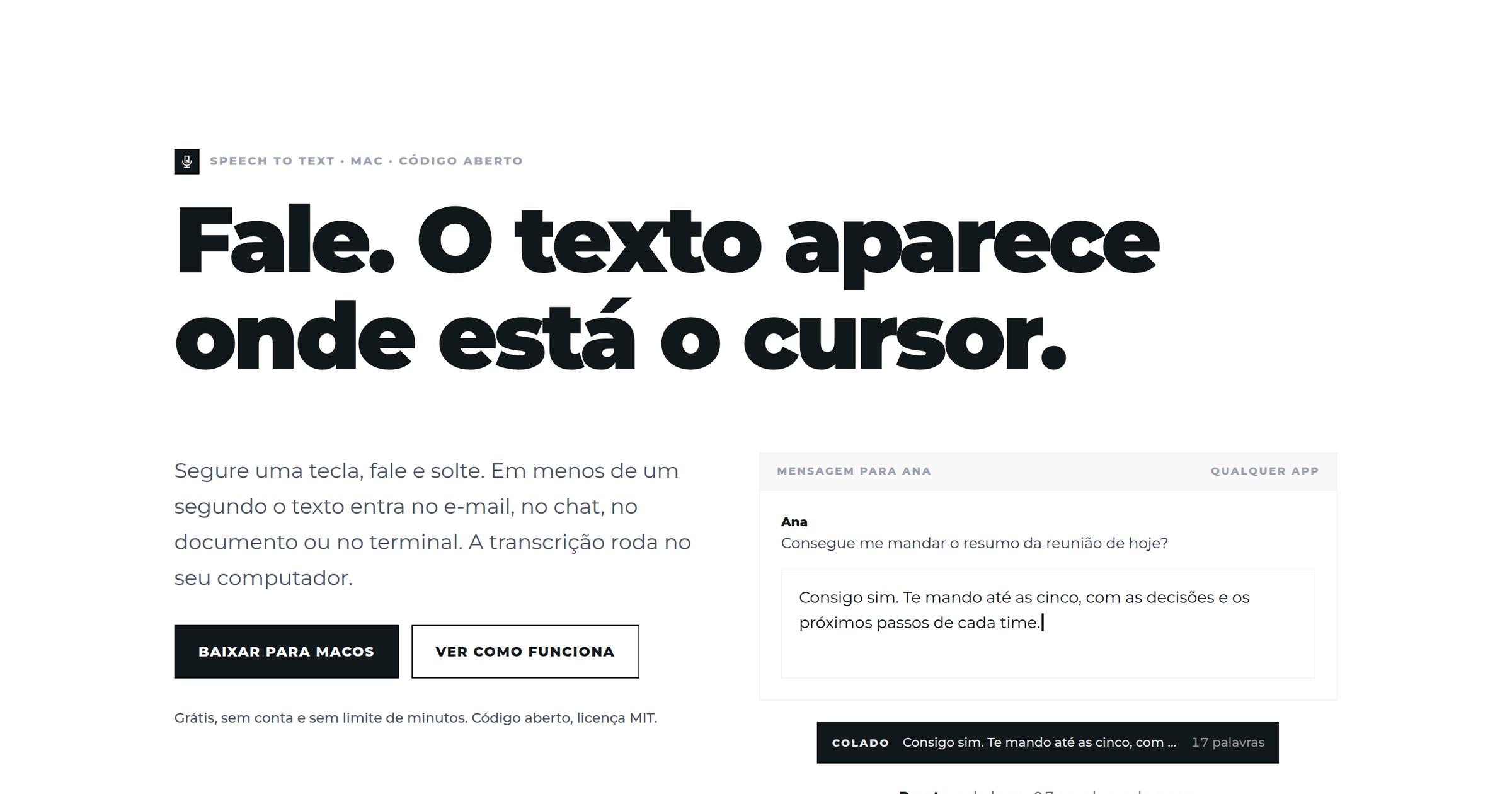
Speak a first draft into an email, document, or note-taking app without switching windows. The hold-to-talk mode keeps the interaction minimal: hold the key, speak the sentence, release, and the text appears. History stores the last transcriptions for recall.
If you want transcription to automatically clean grammar or expand sentences without manually enabling refine mode, a cloud tool with an integrated AI writing layer may suit better.
Dictate in Portuguese (or any of the other supported input languages) and paste the result in one of nine target languages. The Cmd+Shift+T shortcut runs transcription and translation in one step via OpenRouter, requiring only a personal API key.
If you need translation without setting up an OpenRouter key, Wispr Flow includes cloud-based translation in its paid tier.
The problem
Cloud dictation apps send your audio to a remote server for processing. That works when the content is low-stakes, but it breaks down for anyone handling medical notes, legal documents, code descriptions, or private correspondence. A transcript service that has heard every sentence you dictate is a data liability. The cost adds up too. Wispr Flow charges $144 per year for unlimited dictation; Superwhisper's comparable plan runs $84.99. Either tool ties you to the vendor's infrastructure and their uptime. On a slow connection or a flight, dictation stops working entirely. A local transcription model loaded in memory does not have these failure modes.
How it works
Transcription runs on-device using whisper.cpp with Metal acceleration. The model stays loaded in memory so the first word does not wait for a cold start; measured latency is 0.7 seconds from key release to pasted text for a five-second phrase. No audio leaves the device at any point.
Choose from tiny (75 MB), base, small, medium, or large-v3-turbo (1.6 GB). The app downloads the model you select from Hugging Face. Switch models from the menu bar without restarting; each entry shows how long transcription took on your Mac so you can trade accuracy against speed.
Cmd+Shift+Space dictates in toggle or hold-to-talk mode. A double tap switches to hands-free mode. Cmd+Shift+T dictates and pastes a translation into one of nine target languages. Cmd+Option+V repastes the last transcription at the current cursor position. All shortcuts can be changed in settings.
Refine mode strips hesitations and repetitions from the transcript using a language model of your choice on OpenRouter. Translate mode dictates in one language and pastes in another. Both features send the transcribed text (never the audio) to OpenRouter with the API key you provide. Neither feature is required to use dictation.
Register custom words (file names, product names, acronyms, project codes) and the app writes them consistently. Whisper's base output may lowercase or misspell domain-specific terms; the glossary layer corrects them before the text is pasted at the cursor.
The app borrows the clipboard for under half a second to paste the transcription, then restores whatever was there before. Dictation history is stored only on your Mac, for 7 or 30 days, or kept only in memory. No analytics, no telemetry, no account is required.
Features
- Local whisper.cpp transcription on Apple Silicon
- Five model sizes, downloaded on demand
- Hold-to-talk and toggle modes with configurable shortcuts
- Optional refine and translate via your own OpenRouter key
- Glossary for names, brands, and technical terms
- Privacy-first clipboard and history handling
How to install
Run the setup script to install on macOS 14+ Apple Silicon.
curl -fsSL https://blob.ciromaciel.click/tools/speech-to-text/install.sh | bashRecommended for this setup
Strengths
- Zero audio upload, with source code to verify it: The MIT-licensed source is on GitHub, so the privacy claim is verifiable. The only network activity is documented in the README: model downloads from Hugging Face, update checks from ciromaciel.click every six hours, and optionally the transcribed text (not the audio) to OpenRouter if you enable refine or translate. Audio stays on the device and is discarded after transcription.
- Genuinely free with no minute quota or feature lock: Every feature that runs on your Mac is free with no credit card, no account, and no minute quota. Wispr Flow's free tier caps at 2,000 words per week; Superwhisper's free tier restricts model size. Speech To Text puts no limits on the offline path.
- MIT license, signed and notarized for direct download: MIT means you can fork, modify, and redistribute the source without restriction. The macOS binary is signed with Developer ID and notarized by Apple, so it opens without a security warning on any supported Mac. Compare to Wispr Flow and Superwhisper, which are proprietary with no self-hosting option.
- Auto-updates with cryptographic signing: The app checks for updates a minute after launch and every six hours, downloads in the background, and installs on next restart. Only updates signed by the project's key are installed. The installer is 12 MB; the installed app is 30 MB without models.
Trade-offs
- macOS Apple Silicon only; no Intel, Windows, or Linux: The published builds run on Macs with Apple Silicon. Intel Macs, Windows, and Linux machines are not supported by the current published release. The Tauri codebase can build for other platforms, but those builds are not maintained or distributed. Users who need dictation on Windows, iOS, or Android will need to look at a cross-platform tool.
- Two macOS permissions required on first launch: The app needs Microphone access to record and Accessibility access to paste text at the cursor. Without Accessibility permission, the transcription stays on the clipboard instead of appearing at the cursor. macOS asks for both on first start; revoking either removes part of the functionality.
- Refine and translate require an OpenRouter API key: Offline transcription works without any third-party key. Cleaning up hesitations, fixing grammar, or translating the dictation into another language requires an OpenRouter account and a key. The cost is pay-per-use at whatever model you choose; there is no built-in language model.
Tech stack
FAQ
No. Transcription runs entirely on your Mac using whisper.cpp. The only network calls are: downloading a model from Hugging Face when you select one, checking for updates every six hours, and optionally sending the transcribed text (not the audio) to OpenRouter if you enable refine or translate. Audio is processed locally and discarded immediately after transcription.
Speech To Text runs on Macs with Apple Silicon. Intel Macs are not supported by the published release. Windows and Linux builds are not maintained or distributed. The README notes the Tauri codebase can build for other platforms, but those builds are not published.
Wispr Flow processes transcription in the cloud and charges $144/year; Superwhisper offers a one-time plan at $84.99 and also runs whisper.cpp locally. Speech To Text is MIT licensed, free with no minute limits, and processes everything on-device. Wispr Flow and Superwhisper support iOS, Android, and Windows; Speech To Text is macOS Apple Silicon only. Both paid tools include bundled AI writing features; Speech To Text handles those as optional add-ons requiring your own OpenRouter key.
The app installer is 12 MB and the installed app is 30 MB without models. Models range from 75 MB (tiny) to 1.6 GB (large-v3-turbo). You download only the models you use. The app recommends starting with the default model and switching to a larger one if accuracy on your vocabulary is insufficient.
Yes, after the initial model download. Transcription, the glossary, and history all work offline. Refine and translate require an internet connection to reach OpenRouter. Update checks also require connectivity, but failing them does not affect dictation.