
Joplin
Open source note-taking app with Markdown and sync support
Replaces Evernote, Notion, Microsoft Onenote
Who it's for
Joplin gives consultants, researchers, and operators a local-first notebook with optional E2EE and multi-device sync. They can keep client notes, research clippings, and task lists searchable without making one hosted account the only copy.
You need browser-only access from unmanaged computers or shared team editing inside the same document.
Joplin fits developers who want Markdown notes, external editor support, a terminal client, and sync through Nextcloud, S3, WebDAV, or local filesystem targets. It works well for runbooks, snippets, technical journals, and project notes.
Your notes already live cleanly in a Git repo and you do not need mobile apps, clipping, reminders, or encrypted cross-device sync.
Small teams can use Joplin Cloud to share notes, collaborate on selected content, and publish notes to the web when needed. This is strongest for shared reference material, not full project management.
Your team needs granular workspace permissions, embedded databases, or real-time editing as the main workflow.
Joplin is a good fit for users who need to bring over ENEX files, Markdown directories, or supported OneNote exports while keeping a local copy after migration. The import docs make it possible to test one notebook before moving a full archive.
Your archive depends heavily on exact visual formatting, custom fonts, or complex note-to-note links that must survive without manual cleanup.
The problem
Hosted note apps can make your notes depend on one vendor account, one sync service, and one export path. That creates real risk when prices change, storage limits shift, or a team needs to leave a hosted workspace without losing notebooks, attachments, tags, and note history. Users also need offline access on laptops and phones, Markdown editing for long-term readability, browser capture for research, and encrypted sync without handing every note to a single platform. Paid tools like Evernote, OneNote, and Notion can work well, but they rarely give users the same mix of local data, open formats, and sync-target choice.
How it works
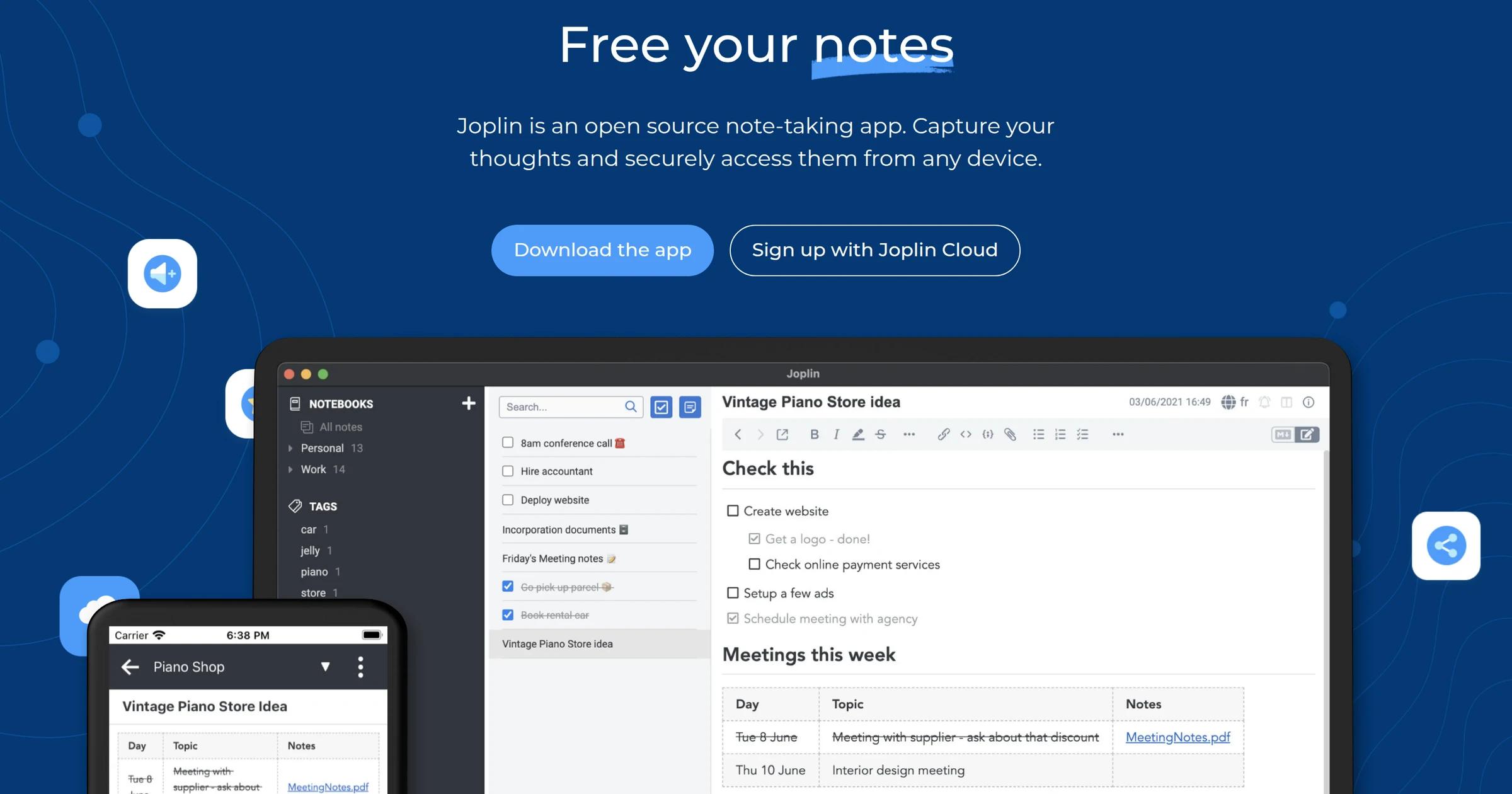
Joplin keeps notes available on the device first, then syncs changes in the background. Notes use Markdown, support notebooks and tags, and can be edited from the app or an external text editor.
Sync works with Joplin Cloud, Nextcloud, S3, WebDAV, Dropbox, OneDrive, or the local filesystem. The sync layer is designed without a hard dependency on one company, so users can move between targets.
E2EE is supported on all Joplin apps and protects notes, notebooks, tags, and resources so only the data owner can read them. Setup starts on one device, then syncs the master key to the rest.
Joplin imports Evernote ENEX exports with notes, resources, tags, and metadata, and it can import Markdown files or directories. The docs also cover OneNote import paths for supported desktop versions.
Browser extensions for Chrome and Firefox save web pages and screenshots as notes. Notes can also include images, videos, PDFs, audio files, math expressions, diagrams, and mobile photos.
Features
- Offline-first Markdown notes
- Multiple sync targets
- End-to-end encryption across apps
- Migration from legacy note apps
- Web clipper and media notes
How to install
# Linux desktop
wget -O - https://raw.githubusercontent.com/laurent22/joplin/dev/Joplin_install_and_update.sh | bash

# Terminal app
NPM_CONFIG_PREFIX=~/.joplin-bin npm install --loglevel=error -g joplin
sudo ln -s ~/.joplin-bin/bin/joplin /usr/local/bin/joplin
joplin
Recommended for this setup
Strengths
- Keeps notes independent from one vendor: Joplin's sync design avoids a hard dependency on Evernote, Google, Microsoft, or any single storage provider. Users can keep local copies and choose the service that fits their privacy and backup model.
- Strong path out of Evernote and OneNote: The importer handles Evernote ENEX files with attachments, tags, and metadata, and the docs include OneNote import workflows. That makes Joplin practical for people leaving older notebook systems instead of starting from an empty workspace.
- Privacy controls without giving up sync: Joplin combines offline access, optional E2EE, and several sync targets. Users can sync across devices while keeping encryption under their own password rather than relying only on the storage provider.
- Works for GUI and terminal workflows: The desktop, mobile, and terminal apps cover Windows, macOS, Linux, Android, iOS, FreeBSD, and WSL. Technical users can manage notes from a command-line interface while non-technical users stay in the desktop or mobile apps.
Trade-offs
- E2EE setup requires care: Joplin's E2EE must be enabled on one device first, then synced to the rest. The docs warn that the master key password cannot be recovered and that the first encrypted sync can take a long time for large note libraries.
- Collaboration is not a Notion-style workspace: Joplin Cloud supports sharing notes and collaboration, but Joplin is still primarily a note app rather than a live team workspace. Teams that need databases, kanban boards, and real-time document collaboration may prefer Notion or Microsoft 365.
- Complex imports can lose presentation details: Evernote imports preserve the text and many resources, but color, font size, font face, and some internal links can be imperfect when converted to Markdown. Users with highly formatted notebooks should test a sample export first.
- Sync still needs a target: Joplin does not remove sync infrastructure decisions. Users must pick Joplin Cloud, a third-party storage service, a WebDAV or S3 target, Nextcloud, or local filesystem sync and maintain that choice over time.
Tech stack
FAQ
Yes. The Joplin repository is licensed under AGPL-3.0-or-later unless a subdirectory has its own license file, and the official apps are built from that codebase. The logo and icon have separate usage restrictions.
Yes. Joplin can sync through Nextcloud, S3, WebDAV, Dropbox, OneDrive, the local filesystem, or Joplin Cloud. The sync system is designed so users are not locked into one storage provider.
Yes. Joplin supports E2EE on all apps, but users must enable it carefully from one device first and then sync the key to other devices. The encryption password cannot be recovered if it is forgotten.
Yes. Joplin imports Evernote ENEX files, Markdown files and directories, and documented OneNote export formats. Some formatting details from Evernote, such as font faces and colors, may not survive Markdown conversion.
Joplin has desktop apps for Windows, macOS, and Linux, mobile apps for Android and iOS, and a terminal app for macOS, Linux, Windows through WSL, and FreeBSD. Browser clippers are available for Chrome and Firefox.