
OpenWhispr
Local-first voice dictation with Whisper, offline mode, and AI cleanup
Replaces Wispr Flow, Superwhisper, Dragon Professional, Ai Dictation
Who it's for
Developers who use Claude Code, Cursor, or ChatGPT for extended sessions can dictate queries, prompts, and follow-ups instead of typing. OpenWhispr's global hotkey works in any text field, including terminal windows and IDE chat panels. The AI agent mode lets you send voice commands directly to a connected model with a single hotkey, bypassing copy-paste entirely.
Your primary bottleneck is not typing speed but thinking speed. Dictation helps with transcript-heavy or prompt-heavy workflows; it adds friction to short, precise commands where typing is faster than forming a complete spoken sentence.
Writers, journalists, researchers, and managers who capture large volumes of spoken content can use OpenWhispr's notes feature with folder organization, semantic search, AI-powered cleanup, and meeting transcription with speaker labels. The custom dictionary learns from corrections, so domain-specific names, medical terms, or technical jargon are recognized accurately over time.
You need real-time collaborative editing on notes with non-technical teammates. OpenWhispr team spaces require signed-in accounts, and collaborative editing is not a documented feature of the current notes module.
Healthcare providers, legal teams, and financial firms that need to document sensitive conversations can run OpenWhispr entirely on local hardware, with no audio leaving the device. The HIPAA compliance documentation and SOC 2 Type II certification support enterprise security review processes. The enterprise tier adds organization-wide policy enforcement, SSO, and SCIM provisioning.
Your organization requires a managed, vendor-supported SLA with guaranteed uptime and formal incident response. OpenWhispr is open source software without a commercial support contract.
Teams that previously used Wispr Flow (macOS-only), Superwhisper (macOS-only), or Dragon Professional (Windows, high per-license cost) can move to OpenWhispr and cover macOS, Windows, and Linux with a single tool. The BYOK model for cloud providers means no per-seat subscription fee for cloud transcription; teams pay only for the API tokens they consume.
Your team relies on Dragon Professional's established macro and command library. OpenWhispr has no macro system and offers no migration path for Dragon command profiles built up over years of customization.
The problem
Every major voice dictation tool at the professional tier is closed, expensive, or both. Wispr Flow and Superwhisper route your audio through proprietary cloud infrastructure to transcribe it. Dragon Professional costs hundreds of dollars per license, runs only on Windows, and has a closed architecture that prevents integration with modern AI workflows. Meanwhile, open source dictation options have historically trailed on accuracy and ease of use, leaving privacy-conscious teams with no practical path forward. The specific pain is twofold: audio privacy and cost. Teams in healthcare, legal, and finance handle sensitive material that should not pass through third-party servers. Developers who want to dictate into code editors, terminal windows, or AI chat interfaces need a tool that works across apps without requiring a proprietary integration. Existing cloud dictation tools charge monthly fees that compound at scale, and their offline modes are limited or absent.
How it works
Press a configurable hotkey from any application and speak; OpenWhispr pastes the transcribed text directly at your cursor. A dedicated translation hotkey lets you dictate in one language and paste the output in another. The app works in any text field at the OS input level, so no switching to a separate dictation window is required.
Run transcription entirely on your own hardware using Whisper (Tiny, Base, Small, Medium, or Turbo variants) or NVIDIA Parakeet. Models range from 75 MB to 1.6 GB and run GPU-accelerated via Metal (Apple Silicon), CUDA (NVIDIA), or Vulkan (AMD and Intel). No audio reaches external servers in local mode. You can also bring your own API keys for cloud providers including OpenAI, Anthropic, Google, and Groq.
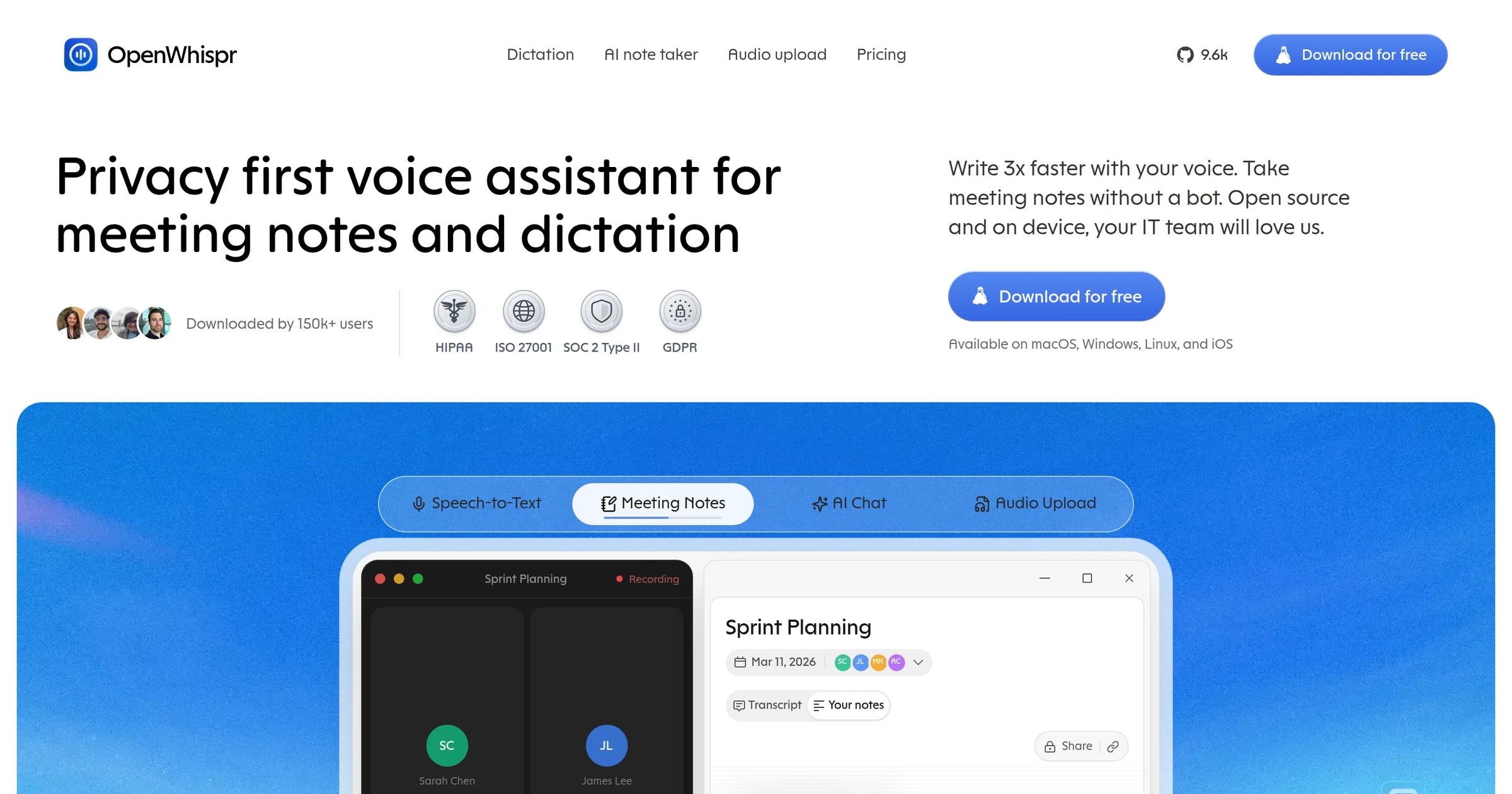
OpenWhispr auto-detects Zoom, Teams, and FaceTime calls and records them with live speaker diarization and voice fingerprint recognition, running on-device with no cloud required. Transcripts sync with Google, Microsoft, or Apple Calendar so meeting metadata is attached automatically. On Intel Macs, speaker identification is unavailable due to ONNX Runtime dropping x86_64 binary support in version 1.24; meetings still transcribe normally.
A dedicated voice agent hotkey sends your dictation directly to an AI model as a command, supporting GPT-5, Claude, Gemini, Groq, Tinfoil, OpenRouter, or local models. You can edit highlighted text in place by voice, or attach a screenshot of your current screen as context. No wake word is needed; a single hotkey triggers the full voice-to-command pipeline.
Create, organize, and search notes with folder structure, semantic search, cloud sync, and AI-powered actions. Share notes on the web with link-only, domain-restricted, or invite-only visibility. Team spaces support role-based access, invitations, and server-enforced membership. These features are free for signed-in users.
Drag in existing audio or video files, batch-upload multiple recordings, or paste a YouTube or audio URL to transcribe them with optional speaker detection. The MCP server and public API let you manage notes and transcriptions programmatically, connecting OpenWhispr to your AI assistant or automation workflow without manual copy-paste steps.
Features
- Global hotkey dictation into any app
- Local model transcription with GPU acceleration
- Meeting transcription with speaker labels
- AI agent with voice commands
- Notes, team spaces, and sharing
- Audio import, public API, and MCP integration
How to install
Install from source using Node.js 24 and npm to run a development build.
git clone https://github.com/OpenWhispr/openwhispr.git
cd openwhispr
npm install
npm run dev
Recommended for this setup
Strengths
- Auditable privacy with independent compliance certification: When using a local model, your audio is transcribed on your hardware and nothing is sent to OpenWhispr or any third party. The product holds HIPAA compliance, SOC 2 Type II certification, and ISO 27001 certification. The MIT-licensed codebase is publicly auditable at any time on GitHub. For teams that need documented proof of data handling, this is the only open source option in the dictation category with independent third-party certification.
- Cross-platform with native GPU acceleration on all major hardware: OpenWhispr runs on macOS (Apple Silicon and Intel), Windows, and Linux, and uses the platform's native GPU acceleration path for local transcription: Metal on Apple Silicon, CUDA on NVIDIA, and Vulkan on AMD and Intel. Most paid dictation tools are macOS-only or Windows-only. A single cross-platform app reduces the overhead of managing separate tools across a mixed team.
- Works in every app without app-specific integrations: OpenWhispr pastes transcribed text directly at the cursor using OS-level input, so it works in any text field: Claude, Cursor, ChatGPT, Slack, Google Docs, Gmail, VS Code terminals, or browser address bars. Paid tools in this category often rely on app-specific integrations that limit where dictation actually works in practice.
- Active maintenance with over 5,000 GitHub stars: The repository reached over 5,000 stars within roughly 14 months of its June 2025 creation and has 214 contributors. The last push was on August 15, 2026, indicating active maintenance. For a dictation tool, active development matters because operating system updates frequently break audio capture and accessibility APIs, and a stale project quickly becomes unusable.
Trade-offs
- 269 open issues; edge configurations may need troubleshooting: With 269 open GitHub issues, OpenWhispr is actively used but not fully stabilized. Users on uncommon Linux distributions or less common audio hardware may hit unresolved bugs. The high issue count relative to the project's age reflects fast adoption rather than neglect, but teams expecting a polished, zero-friction install should be prepared to troubleshoot.
- Intel Mac feature gap for speaker identification: On Intel Macs, live speaker identification and voice fingerprinting are unavailable because ONNX Runtime stopped shipping macOS x86_64 binaries in version 1.24. Meeting transcription still works normally, but speaker labels and semantic search fall back to keyword matching. Teams running Intel Macs as a standard configuration lose a core meeting feature.
- No macro or command library: OpenWhispr does not have a macro system or command library equivalent to Dragon Professional's. Dragon users who have invested years building custom voice commands, application macros, or hands-free navigation workflows cannot migrate those configurations to OpenWhispr. The AI agent mode covers some of this ground, but it requires a live AI model connection and does not replicate Dragon's offline command execution.
Tech stack
FAQ
Yes. OpenWhispr is MIT licensed and free to download and run. Local model transcription is entirely free: download a Whisper or NVIDIA Parakeet model and run it on your own hardware with no ongoing cost. Cloud transcription uses your own API keys (BYOK) and you pay the provider directly at their standard rates. OpenWhispr itself charges nothing for either mode.
Not by default when using a local model. In local mode, transcription runs on your hardware using Whisper or NVIDIA Parakeet; the audio never leaves your device. When you opt into cloud processing, your audio goes to the provider you selected (OpenAI, Anthropic, Google, or Groq) for transcription and is not retained by OpenWhispr. The product website states 0% data retention for cloud mode.
OpenWhispr runs on macOS (Apple Silicon and Intel), Windows, and Linux. Because it pastes text at the OS cursor level, it works in any application that accepts text input: Claude, Cursor, ChatGPT, Slack, Google Docs, Gmail, VS Code, browser address bars, and others. It does not require app-specific integrations to function.
Accuracy depends on the model you run. Whisper Turbo (1.6 GB) is the most accurate local option; community users report near-instant transcription that handles mid-sentence rephrasing cleanly. Cloud mode using OpenAI, Anthropic, or Groq providers typically matches paid proprietary tools on accuracy. Dragon Professional has a strong reputation for accuracy after personalized training, which OpenWhispr does not replicate out of the box; the custom dictionary feature lets it learn your vocabulary from corrections over time.
Yes. The repo is at github.com/OpenWhispr/openwhispr under the MIT license. Building from source requires Node.js 24 or later (git clone, then npm install and npm run dev). The project has 214 contributors as of mid-2026. Full setup guides, platform-specific instructions, and the contributing guide are at docs.openwhispr.com.