
Macro
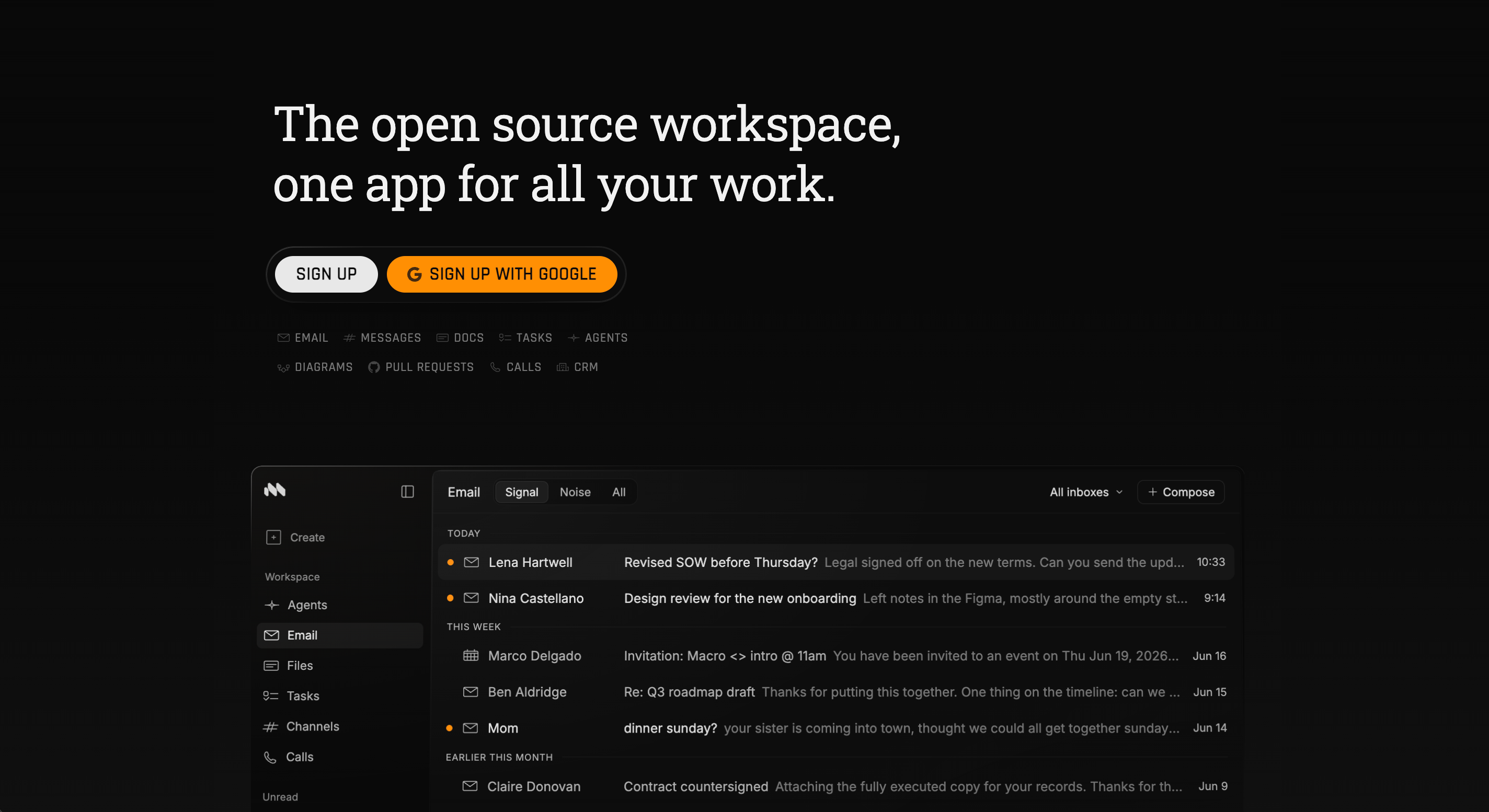
The open source workspace, one app for all your work.
Replaces Notion, Linear, Slack, Superhuman, Hubspot
Who it's for
A small, fast-moving team can run chat, docs, tasks, email, and a light CRM in one app instead of paying for and wiring together five SaaS tools. Keyboard-first navigation and shared memory suit teams who live in their tools all day.
You already have deep, customized workflows in best-of-breed tools and the migration cost outweighs the consolidation benefit.
Teams that want tasks, channel discussion, and GitHub pull requests linked in one place get automatic status updates as branches and PRs move. Agents can read the linked context and act, which fits engineering orgs already using MCP clients like Claude Code.
Your workflow centers on a mature issue tracker with heavy integrations you cannot replace yet.
Organizations that need to own their workspace data and avoid closed SaaS lock-in can adopt an AGPLv3 product they are allowed to self-host and audit. This suits privacy-conscious and compliance-driven teams evaluating open alternatives to Notion and Slack.
You need a turnkey self-hosted deployment today, since the documented self-host path is still developer-oriented and not one-click.
The problem
Most teams run their day across five or six disconnected tools: Slack for chat, Notion for docs, Linear for tasks, a separate email client, and a CRM nobody keeps current. Context is scattered across all of them, so the full picture of a project only exists in someone's head, and the AI assistants bolted onto each app can only see their own silo. That fragmentation has a real cost. You pay per-seat for each tool, you lose time switching and copying context between them, and onboarding a teammate or an AI agent means granting access to a dozen systems that share no memory. When an agent can read your chat history but not the linked doc, task, or call, it cannot actually act on your behalf.
How it works
Emails, channel messages, task assignments, @mentions, and agent responses all land in one inbox instead of five separate apps. Macro sorts them into Signal and Noise so important items surface first, replacing the endless-scroll model of Slack plus a standalone email client.
Agents remember what the whole team is doing across email, messages, tasks, docs, and calls, not just your own chat history. This unified memory is refreshed nightly, so an agent answers questions and takes action with the same context a senior teammate would have.
@mention a doc in a message and both sides know about each other, turning the workspace into a web of context you can navigate in either direction. People, docs, tasks, channels, and calls link automatically, so nothing is stranded in a single tool.
Documents are markdown-native, real-time, and built on CRDTs, with version history and live agent cursors. Unlike Notion's proprietary block store, the docs are open-format and designed for agents to read and edit alongside humans.
Create a task from any chat message in a single keystroke, then link it to GitHub so branches and PRs move task status automatically. Pull requests are embeddable in channels and available to agents, closing the loop between discussion and code.
Calls are recorded, transcribed, and AI-summarized by default, then logged straight into the shared memory layer. A decision made on a call stays queryable later by both teammates and agents, without manual note-taking.
Features
- Unified inbox split into Signal and Noise
- Shared team-level AI memory
- Bidirectional @linking across every object
- CRDT-based collaborative docs
- Tasks linked to GitHub pull requests
- Recorded, transcribed calls in team memory
Recommended for this setup
Strengths
- Fully open source under AGPLv3, not open core: Macro is licensed under AGPLv3 with the whole product in the open, explicitly not open core. You can read the source and self-host it under the AGPL, unlike Slack, Notion, or Linear, which are closed SaaS with no source access and no self-host option.
- One app replaces five per-seat subscriptions: Email, chat, docs, tasks, calls, and CRM live in one product, so a team can drop separate Slack, Notion, Linear, Superhuman, and HubSpot seats. Consolidation cuts per-seat cost and removes the integration glue normally needed to sync those tools.
- AI agents act with full cross-tool context: Because messages, docs, tasks, and transcripts share one memory layer, agents are MCP-compatible and can take action with the same context you see. Assistants bolted onto single-purpose tools only ever see one silo of that data.
- Enterprise-grade security posture: Macro is SOC 2 Type II certified and ISO 27001 aligned, with zero data retention from its model providers and no training on customer data. That is a stronger stated posture than many young open source projects offer.
Trade-offs
- Self-hosting is licensed but lightly documented: AGPLv3 permits self-hosting, but the repository ships no one-command install. Getting started means signing up for the hosted cloud, and running your own instance requires building the Cargo and Bun monorepo from RUNNING_LOCALLY.md. Teams wanting turnkey self-hosting today will find the cloud product far easier than the DIY path.
- Very young project backed by a single startup: Macro launched in late 2025 and is built by an a16z-funded company in NYC, not a broad community. Stars and contributors are still modest, so long-term stability, third-party plugins, and community support are less proven than in mature tools like Notion or Slack.
- Cloud-first with model-provider dependencies: The AI features assume connected model providers and a nightly-refreshed memory service, so the fullest experience is the managed cloud rather than an air-gapped self-host. Organizations with strict on-prem or offline requirements should validate what the self-hosted build supports before committing.
Tech stack
FAQ
Yes. Macro is licensed under the GNU Affero General Public License v3.0 (AGPLv3), and the company states the entire product is open source, not open core. You can read the source, self-host it under the AGPL, or contact them for a different license to build on top of it.
Yes, self-hosting is permitted under AGPLv3. In practice the repository is a Cargo and Bun monorepo you build from source (see RUNNING_LOCALLY.md), and there is no single-command installer yet. Most users start with the hosted cloud, and the docs FAQ covers what self-hosting involves.
Macro is designed to replace a stack of Slack for chat, Notion for docs, Linear for tasks, Superhuman or Gmail for email, and HubSpot for CRM with one workspace. It also adds canvas, calls, file storage, and AI agents that share memory across all of those surfaces.
Macro feeds email, messages, tasks, docs, and call transcripts into one shared, nightly-refreshed memory layer, and its agents are MCP-compatible and can take action. Assistants inside single-purpose tools typically see only that tool's data, so they cannot act across your full workspace context.
Macro is SOC 2 Type II certified and ISO 27001 aligned, with zero data retention from its model providers and no training on customer data. It also runs a security bounty program; report issues to security@macro.com.