
SilverBullet
Programmable markdown wiki with Lua scripting and live queries
Replaces Obsidian, Notion, Roam Research, Confluence
Who it's for
SilverBullet's combination of markdown, git-compatible plain files, and Space Lua fits developers who want their notes in the same workflow as their code. Open a git repository's docs folder as a space, write notes next to the code, and query across the whole space using the built-in query language.
You need a Jira-style project tracker or Kanban board with ticket dependencies. SilverBullet's task support is for personal tasks, not project management with cross-linked issues.
The server deployment gives teams a shared space with real-time edits, @mention task assignment, and comments. Architecture decisions, sprint notes, and runbooks stay in one place accessible from any browser or mobile device.
Your organization requires SSO, fine-grained permission levels (edit vs view per page), or audit logs. SilverBullet's current auth model is simpler than enterprise wiki platforms.
Bi-directional linking and the graph view surface connections that plain folder hierarchies do not. The query language lets you build live reading lists, link maps, and research summaries directly in your notes without a separate database tool.
You need collaborative annotation or multi-user concurrent editing with conflict resolution. SilverBullet works best when one person owns a space or when coordination happens asynchronously.
Open a git repository's docs folder as a SilverBullet space, write documentation in markdown, review it in pull requests, and optionally publish it as a static site. The documentation stays next to the code it describes and is versioned with git.
You need a docs platform with versioned API references, search indexing, and a hosted site out of the box. SilverBullet handles the editing and structure; publishing requires additional setup.
The problem
Most knowledge management tools force a tradeoff. Plain markdown editors give you portable files but no interconnections. A folder of notes has no way to query what links to what, no live tasks aggregated across pages, and no structured data without a separate spreadsheet. Database-style tools like Notion and Confluence give you queries and blocks, but your data lives on their servers, locked behind per-seat pricing, and difficult to migrate when you decide to leave. The result is fragmented knowledge. Meeting decisions end up in Confluence. Quick notes end up in Notion. Code-adjacent documentation ends up in a git repo. These systems do not talk to each other, and moving between them means lossy exports and months of reorganization. Tools like Roam Research built on a unique data model make portability worse. When you leave their system, there is no clean path to standard markdown.
How it works
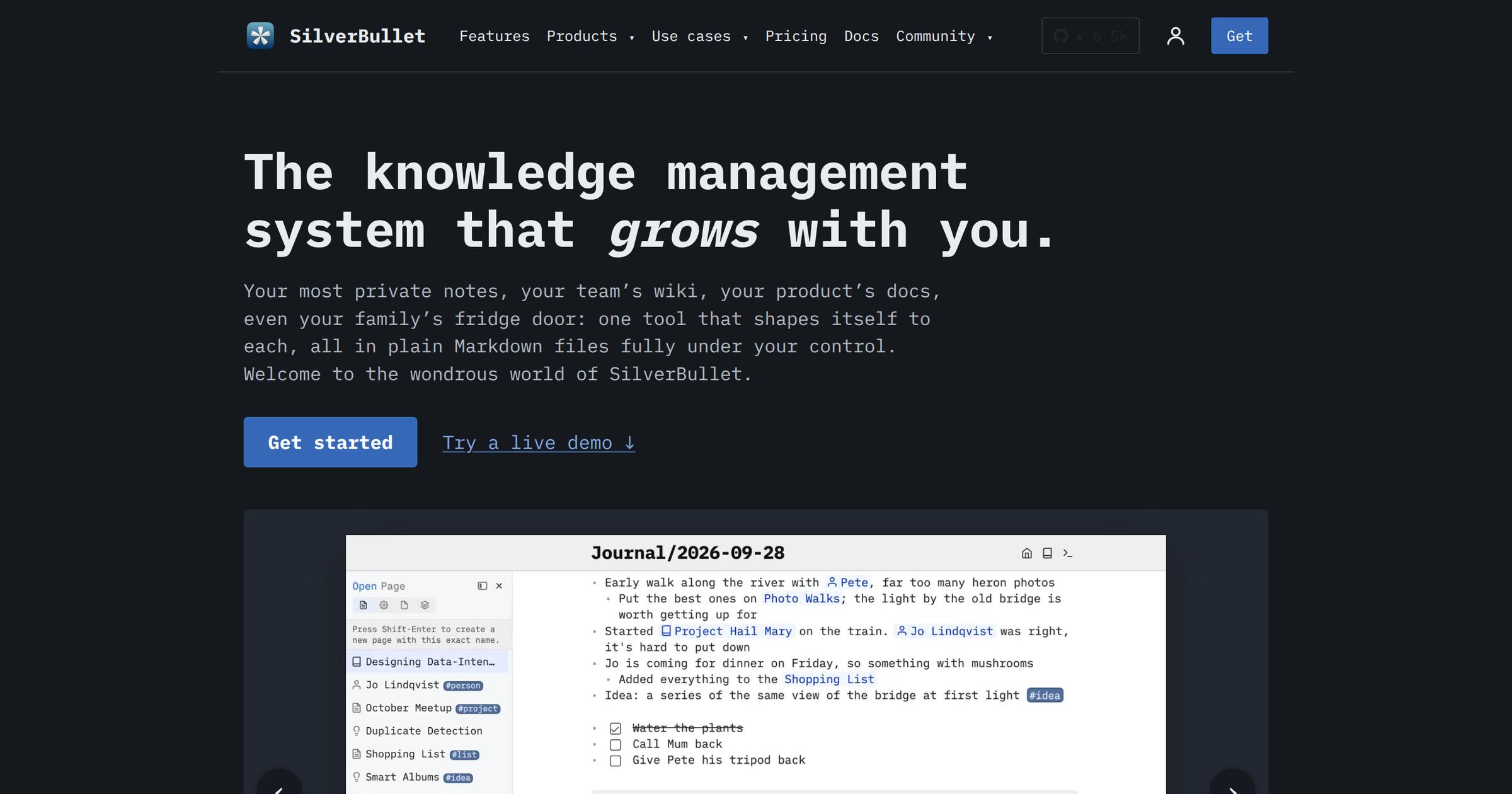
Every page shows the other pages that mention it. Write a link once and both sides of the connection are recorded. When you revisit a note months later, all the pages that referenced it surface automatically, turning individual notes into connected knowledge.
The built-in Lua dialect lives in your space like any other page. Use it to write custom commands, build page templates, create widgets, or generate content dynamically. Scripting is not a plugin layer bolted on; it is the same runtime the built-in features use.
The SLIQ query language lets you write a few lines of Space Lua directly in a page to pull every tagged book, all open tasks across projects, or decisions still pending. Results update live when the underlying notes change.
The editor renders markdown as you type, so formatting is visible without toggling between raw text and preview modes. For structured writing, there is also an outliner mode with collapsible hierarchy.
Run SilverBullet as a Docker container for browser-based access from any device, or as a native desktop app for macOS, Windows, and Linux that keeps data local. Desktop and server can sync, so you can combine both and switch later.
Notes live as ordinary markdown files in a folder on disk, alongside images and PDFs. Open them in any editor, put them in git, back them up with any tool. The data is not locked to SilverBullet's format.
Features
- Wiki-style bi-directional links
- Space Lua scripting environment
- Built-in query language (SLIQ)
- Live-preview markdown editor
- Multiple deployment modes
- Plain-file data model
How to install
Deploy SilverBullet as a Docker server with your data folder mounted at /data.
docker run -p 3000:3000 -v /path/to/data:/data silverbulletRecommended for this setup
Strengths
- MIT license with full self-hosting: SilverBullet is MIT licensed and self-hosted, so you can run it on your own hardware, modify it, and use it commercially with no restrictions. Unlike Notion or Confluence, there are no per-seat fees and no data leaves your infrastructure.
- No proprietary format: Your notes are plain markdown in an ordinary folder. If SilverBullet stopped working tomorrow, your knowledge would still be there, readable in any text editor, importable to any other tool, or versionable in git without an export step.
- In-space scripting, not a plugin API: Space Lua scripts live in your space as regular pages and use the same runtime as the core features. You can read, write, and query any part of your space from a script, which makes customization far deeper than a typical plugin system allows.
- Active development with 178 contributors: The repository has 178 contributors and has been in active development since February 2022, with the last commit on 2026-11-04. With 6,457 GitHub stars and 528 forks, the project has an established contributor base outside the core maintainers.
Trade-offs
- 356 open issues: The project has 356 open issues. Some users report rough edges in the mobile browser experience and intermittent sync behavior. These are actively worked through, but expect occasional instability on the edges of supported features.
- Full scripting requires learning Space Lua: The query and scripting features that differentiate SilverBullet most from plain markdown editors require writing Lua. For users who want note-taking without any scripting, the tool still works as a wiki, but the most distinctive capabilities are behind a learning curve.
- Source builds require Rust and Node.js 24+: Building SilverBullet from source requires both Rust (stable) and Node.js 24+. The official Docker image and desktop installers avoid this, but users who want to modify the codebase need both toolchains.
Tech stack
FAQ
Yes. SilverBullet Server and the sb CLI are MIT licensed and free to self-host on your own hardware. The desktop app is free for personal use. There are no per-seat charges, no paid tiers for core features, and no mandatory cloud subscription.
Yes. The desktop app works fully offline, storing your space as markdown files on your machine. The server deployment is browser-based and requires network access to the host, but the host itself can run locally on your laptop. Your data is never required to leave your machine.
Both tools use local markdown files and support bi-directional links, but differ in architecture. Obsidian is a local-first app with desktop and mobile clients, free for personal use; Sync ($4/user/month billed annually) and Publish ($8/site/month billed annually) are paid add-ons, and commercial use requires a separate license (obsidian.md/pricing). SilverBullet includes a server mode usable from any browser, Space Lua scripting that runs server-side, and a built-in query language. SilverBullet is fully MIT licensed including the server; Obsidian Sync and Publish are commercial add-ons.
Space Lua is SilverBullet's built-in Lua dialect. Scripts live in your space as regular markdown pages and can read, write, and query any part of your space. Use it to build custom commands, page templates, widgets, or live queries that update as your notes change. Scripts run in the same runtime as the built-in features, so scripted behavior is as capable as anything the app ships.
Self-hosting the server runs as a single Docker container. One command maps a local folder to the container and exposes port 3000. The desktop app needs no server setup. Building from source requires both Rust and Node.js 24+, but most users use the pre-built Docker image or desktop installer. For a team, you need a machine to run the container and optionally a reverse proxy for HTTPS.