
openship
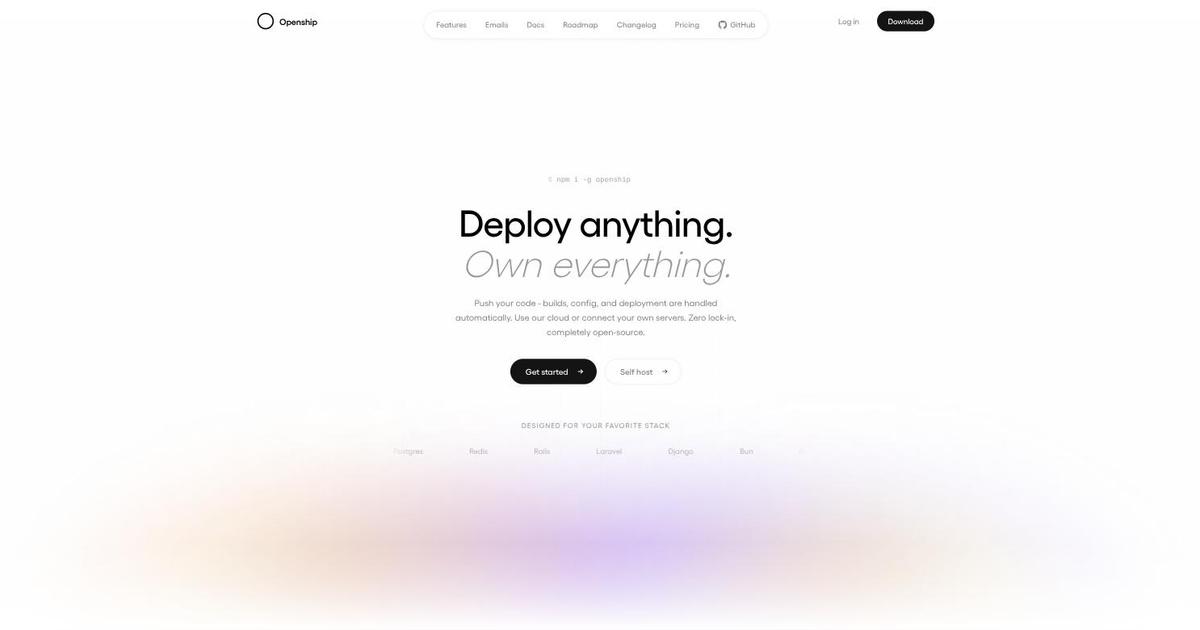
Self-hosted deployment platform with built-in CI/CD
Replaces Heroku, Render, Digitalocean App Platform, Vercel, Railway
Who it's for
The desktop app gives you Vercel-like push-to-deploy on a single VPS without maintaining an always-on control plane. Connect your Hetzner or DigitalOcean server over SSH, point at a GitHub repo or local folder, and deploy. One-click rollbacks and automatic SSL without the $20/month Vercel hobby plan lock-in.
You need team collaboration or push-to-deploy from GitHub webhooks. The desktop app control plane runs only while open, so webhook-triggered deploys require the self-hosted server.
Self-host Openship on a Linux VPS to retain the same developer experience (git push, preview environments, instant rollbacks) while moving workloads off managed platforms. GitHub webhooks trigger builds on every push, and the web dashboard gives the whole team deploy access. Switching from a $50-$100/month Vercel team plan to a $20/month VPS eliminates recurring vendor fees.
Your team depends on Vercel-specific features like Edge Middleware, ISR with stale-while-revalidate, or serverless functions with sub-10ms cold starts. Openship deploys containers, not serverless functions.
Run Openship on your own infrastructure to keep code, builds, and production workloads on servers you control. The Apache-2.0 license means no vendor call-home, no usage tracking you cannot disable, and no feature gates you cannot fork around. Best for regulated industries or teams with strict data residency requirements.
You do not have the in-house ops capacity to maintain a self-hosted deployment platform. Managed platforms handle security patches, database upgrades, and edge network uptime for you. Self-hosting trades convenience for control.
The problem
Deploying modern applications means choosing between managed platforms with vendor lock-in or self-hosting everything from scratch. Managed services like Vercel, Netlify, and Render handle builds, SSL, and routing automatically, but charge per-seat or per-build and keep your workloads on their infrastructure. You gain convenience but lose control over hosting costs, data location, and migration flexibility. A single pricing change or feature removal forces a full platform migration. Self-hosting with Docker Compose or Kubernetes gives you ownership, but you build the CI/CD pipeline yourself: GitHub webhooks, build runners, image registries, reverse proxy configuration, and SSL certificate renewal. For small teams, maintaining this stack is a second full-time job. Most developers want the push-to-deploy experience of managed platforms without surrendering control over where their code runs.
How it works
Openship reads your package.json, framework config, lockfiles, and docker-compose.yml to detect the stack, package manager, build commands, and port automatically. Supports Node, Python, Go, Rust, PHP, Ruby, Java, .NET, Docker, and monorepos with zero config files required. An openship.json file overrides the detection if you need manual control.
Every push to the tracked branch triggers a rebuild and redeploy via GitHub webhooks. The platform rebuilds only the services a monorepo push actually touched, reducing build time for large codebases. Preview environments for pull requests are supported, with auto-teardown on merge.
The OpenResty edge layer terminates your custom domains with automatic Let's Encrypt certificates using HTTP-01 challenge. Supports unlimited apex and subdomains, wildcard certificates, and auto-renewal. Because routing and TLS happen after the app is up, a DNS or cert hiccup surfaces as an action required notice without failing the deploy or taking your app down.
Every deploy produces an immutable, versioned artifact that stays warm. Rolling back to any previous version happens in one click with no rebuild, no waiting, and no lost state. The swap happens with zero downtime using blue-green deployment.
Openship includes managed Postgres (versions 14-17), Redis, MongoDB, MySQL, S3-compatible object storage, and a mail server with SPF/DKIM/DMARC auto-configuration. Services join your app on an isolated private network with no exposed ports. Daily backups, point-in-time recovery, and scheduled upgrades are built in.
Drive deploys from a native Mac/Windows/Linux desktop app, a CLI (openship deploy), the web dashboard, or an AI agent over MCP. The desktop app runs the control plane locally only while open, with no always-on server required until you need team access or push-to-deploy. MCP server support lets Claude, Cursor, or any MCP client trigger deploys.
Features
- Auto-detected stack support
- Push-to-deploy with GitHub webhooks
- Automatic domains and SSL
- Immutable deploys with one-click rollbacks
- Built-in services and databases
- Desktop app, CLI, and MCP support
How to install
Install Openship and run the guided setup to create the first admin and start the platform:
curl -fsSL https://get.openship.io | sh
openship
The install script brings its own Node runtime when your system version is older than 22. For CI or headless servers, skip the wizard and run the server directly:
openship up
openship up --public-url https://openship.example.com
On Linux with Docker, this installs Compose mode (the full stack with automatic domains and SSL). On macOS or Windows, it installs bare mode (control plane only, deploying out to a server via SSH). For the desktop app (solo use, no always-on server required): - macOS Apple Silicon: Download Openship-arm64.dmg from the latest GitHub release - macOS Intel: Download Openship-x64.dmg - Windows: Download Openship-win32-x64.zip - Linux: Download Openship.AppImage, then `chmod +x Openship.AppImage && ./Openship.AppImage` Deploy a project from the CLI:
cd your-project
openship init
openship deploy
Recommended for this setup
Strengths
- Apache-2.0 license with full self-hosting: The entire platform is Apache-2.0 licensed, meaning you can run it on your infrastructure, modify it, and use it commercially with no restrictions. Unlike Vercel or Netlify (managed-only with no self-hosted option), Openship gives you the same push-to-deploy experience on a $10/month VPS. If the project direction changes, you can fork it.
- No agent or daemon on production servers: Openship builds images on the orchestrator (your machine or the control plane), not on your production server. The built artifact streams over plain SSH and starts as a container. Nothing is installed on your production box beyond SSH access. This keeps production servers focused on serving traffic, not compiling code.
- Desktop app for solo developers: The desktop app runs the control plane on your local machine only while the app is open. No always-on server to maintain, no dashboard to secure, no public endpoint to expose. You only need a self-hosted server install once you want push-to-deploy, team access, or to host apps on that box.
- Built-in mail server: Openship includes a real mail server with outbound relay through Amazon SES or any SMTP provider. One-click setup configures SPF, DKIM, DMARC, and reverse DNS for unlimited sending domains. No per-message billing from Resend, SendGrid, or Postmark. Every mailbox, message, and byte stays on your server.
Trade-offs
- Self-hosting requires a Linux server: The full stack (hosting apps on the same box with automatic domains and SSL) requires Linux with Docker. Compose mode only works on Linux because it uses host networking for the OpenResty edge on ports 80 and 443. macOS and Windows can run bare mode (control plane only, deploying out to a Linux server via SSH), but cannot host apps locally.
- Desktop app runs control plane only while open: The desktop app is ideal for solo use, but the control plane runs only while the app is open. If you close it, you lose deploy access until you reopen it. For always-on access, push-to-deploy from GitHub webhooks, or team collaboration, you need to self-host the server with openship up on an always-on box.
- 145 open issues on a 5-month-old project: The repo has 145 open issues as of August 2026, five months after creation. Some issues are feature requests and documentation gaps expected in a young project. Check the issue tracker for blockers in your stack before committing to Openship for production workloads.
Tech stack
FAQ
Yes, the self-hosted version is Apache-2.0 licensed and free to run on your own infrastructure. There are no per-seat fees, build minute caps, or licensing restrictions. Openship Cloud (managed option) is marked as coming soon in the README with pricing to be announced before launch. For most solo developers and small teams, the self-hosted path is sufficient and costs only the VPS hosting fee.
Yes, Openship is designed for self-hosting on any Linux VPS with Docker. Run openship up to install the full stack (Postgres, Redis, API, dashboard, OpenResty edge) as a boot service. The CLI brings its own Node runtime if your system version is older than 22. Hetzner, DigitalOcean, AWS, Linode, and bare metal servers are all supported.
The desktop app runs the control plane on your local machine only while the app is open. It is best for solo developers who want to deploy to a VPS without maintaining an always-on server. The self-hosted server (openship up) installs the control plane as an always-on service with login required. It enables push-to-deploy from GitHub webhooks, team access to the web dashboard, and hosting apps on the same box with automatic domains and SSL. Use the desktop app for solo work; use the self-hosted server for teams or CI/CD.
Yes, Openship can deploy existing docker-compose.yml files as-is. It reads your compose file, brings up the services, and wires them into the routing layer with automatic SSL. You do not need to rewrite your stack to adopt Openship.
Openship, Coolify, and Dokploy are all self-hosted deployment platforms. Coolify and Dokploy run a control plane server that must stay up around the clock even when you are not deploying. Openship offers a desktop app mode where the control plane runs only while the app is open, eliminating the need for an always-on control server until you need team access or push-to-deploy. Openship also includes a built-in mail server with SPF/DKIM/DMARC auto-config, which Coolify and Dokploy do not provide out of the box.