Zephium
Rust browser on your system's own engine, with an AI Work canvas
Replaces Arc, Dia, Vivaldi
Who it's for
Work can open three monitoring tools on their own sites simultaneously, run a local helper to check endpoints, then leave a comparison table, config file, and task list on the canvas. The README uses this exact scenario as a worked example: evaluating Uptime Kuma, Gatus, and OpenStatus.
If your research is a single lookup or your workflow already involves terminal-based comparisons, the Work canvas adds overhead with no benefit. Work is designed for multi-step, multi-source tasks.
Work takes a longer task in plain words and runs helpers in parallel, each browsing real pages you can watch. It produces a plan you can break into linked tasks in one click. Results persist on the canvas across sessions rather than disappearing in a chat scroll.
If the task is a single question, Ask Zephium or any sidebar assistant handles it; Work's parallel-agent canvas is overhead for simple lookups.
Zero first-party telemetry, on-device storage for all browsing data, no required account, and a native tracker blocker make Zephium a practical choice for users who want to limit data exposure. The import flow reads Chrome, Safari, Arc, Brave, Firefox, Zen, and Edge.
Zephium does not yet have a mobile app, so cross-device sync between desktop and phone is not available. If you need a unified history across devices including iOS and Android, another browser is a better fit today.
The source is on GitHub under MPL-2.0. The build follows Tauri conventions: install Rust via rustup, Node.js, and pnpm, then run pnpm dev. Development builds use a separate profile and do not overwrite the installed app, so contributing is low-risk on a daily-driver machine.
If you need a fully stable, enterprise-supported browser on Linux with long-term vendor backing, Zephium's single-maintainer status and missing Linux builds make it a poor choice today.
The problem
AI assistants and agent tools have a visibility problem: they run in sidebars, separate apps, or opaque chat windows, and you cannot see what sources they consulted, what they skipped, or how they reached a conclusion. When you ask an agent to compare options or plan a trip, the reasoning disappears after the answer arrives. The browser is also where most work already happens, yet the major AI tools ask you to leave it to open another app, paste in context, and start a chat. That context transfer erodes the point. A plan built in isolation loses the tabs, history, and notes that shaped the question in the first place.
How it works
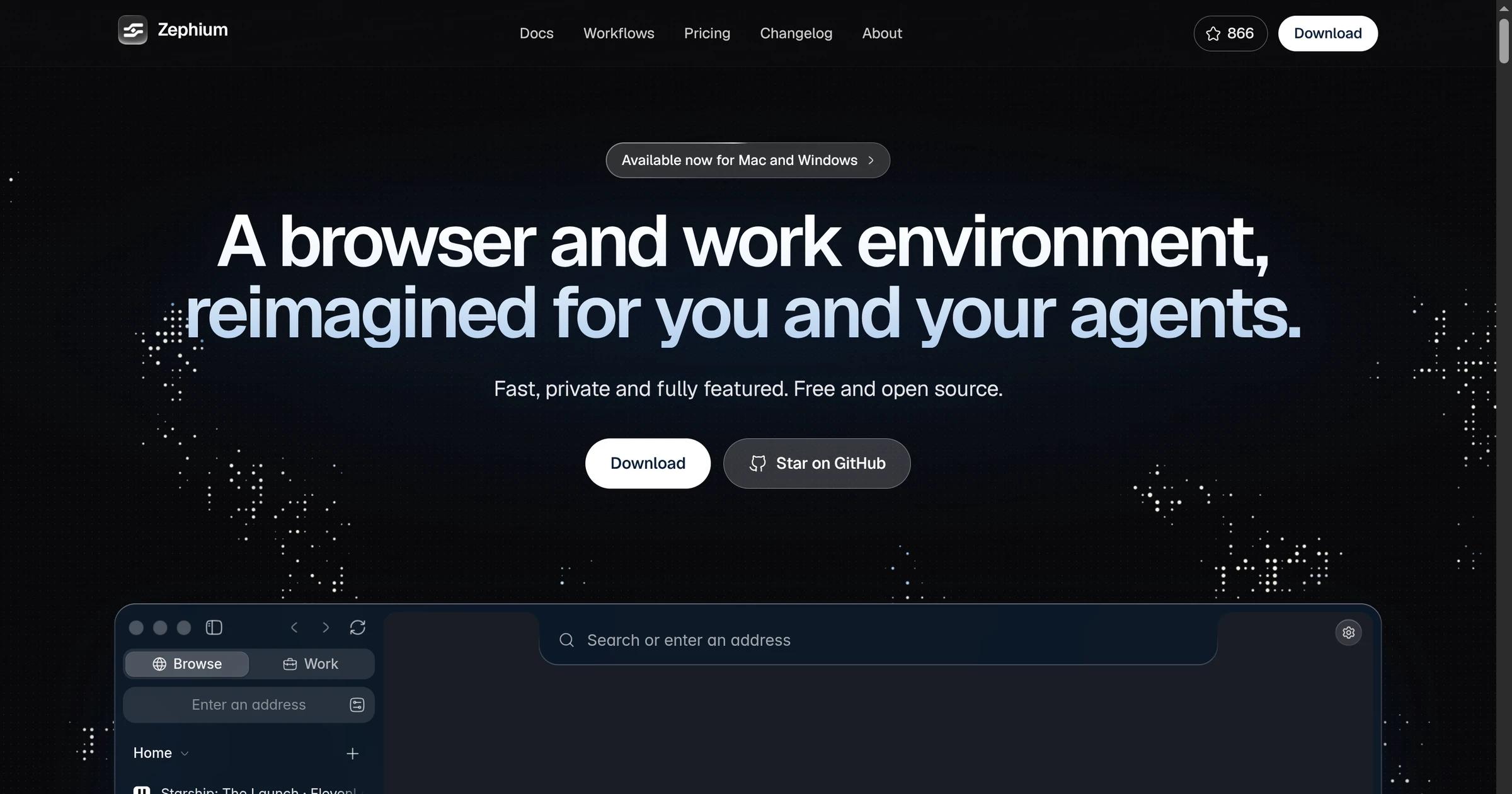
Work lets you describe an outcome in plain words; agents open real pages you can watch, send helpers to run parallel tasks (one checks flights while another finds accommodation), and leave the results as tables, charts, comparisons, and plans on a canvas that persists between sessions. One click converts any step of a plan into a task.
Zephium is built in Rust and renders pages through WKWebView on macOS (the same engine Safari uses) and WebView2 on Windows. There is no bundled copy of Chromium to download or keep in memory, which puts the installed app at around 40 MB and keeps startup time and battery use close to a native app.
A network-level blocker built on Brave's adblock-rust with EasyList and EasyPrivacy blocks ads and trackers before a page can load them. It counts what it blocked on every page and can hide any remaining page element with a click. No extension is required; the blocker ships on by default.
Extensions install directly from the Chrome Web Store. Twenty popular ones are verified to work in Zephium, including 1Password, Bitwarden, Grammarly, Dark Reader, Vimium, SponsorBlock, and Notion Web Clipper. The import flow from Chrome, Arc, Safari, Firefox, and others carries your existing setup with it.
The sidebar assistant (Command E on macOS, Ctrl E on Windows) reads the current page and answers questions, picks out what is worth your attention, and opens links in new tabs. It can restyle or act on a page in place. When a task outgrows a chat, Continue in Work carries it to the canvas with the page.
Tasks live beside the browser and link to the page they came from; write them in plain language and they land on the right day. Notes are Markdown files stored on your device, editable from any app. Time tracks per-site usage on-device only and can start a focus round that keeps distracting sites shut until the break ends.
Features
- Work canvas with parallel agents
- Rust core on system web engines
- Native ad and tracker blocker
- Chrome extension support from the Web Store
- Ask Zephium sidebar assistant
- Built-in tasks, notes, and time tracking
How to install
Download the installer for your platform from the GitHub releases page. - macOS Apple Silicon (Sonoma 14 or later): https://github.com/zephium-browser/Zephium/releases/latest/download/Zephium-macOS-arm64.dmg - Windows x64 (Windows 10 or 11): https://github.com/zephium-browser/Zephium/releases/latest/download/Zephium-Windows-x64-setup.exe On Windows, SmartScreen may show "Windows protected your PC" on first run; choose More info, then Run anyway. To build from the repository source instead, clone and follow the setup steps in CONTRIBUTING.md.
git clone https://github.com/zephium-browser/Zephium.gitRecommended for this setup
Strengths
- No bundled browser engine: Zephium uses WKWebView and WebView2 rather than bundling Chromium, so the installed app is around 40 MB and the rendering engine is kept up to date by Apple and Microsoft respectively. You are not running a second browser engine inside the browser, which keeps memory lower and battery lasting longer compared to Electron or Chromium-based alternatives.
- MPL-2.0 open source license: The browser is open source under the Mozilla Public License 2.0, which permits reading the code, building from it, and filing issues or pull requests. MPL-2.0 allows commercial use and modification; the only obligation is that changes to MPL-licensed files are shared under the same license.
- Zero first-party telemetry: Zephium sends no browsing telemetry. History, tabs, tasks, notes, and activity are stored on-device. Until you sign in for Zephium AI, the browser makes no contact with Zephium's servers at all. On Windows, Microsoft WebView2 diagnostic data follows your Windows settings, but Zephium's own telemetry is zero regardless.
- Bring your own AI model with no lock-in: Work and Ask Zephium accept your own API keys for OpenAI, Anthropic, Gemini, xAI, Mistral, DeepSeek, Groq, Cerebras, and OpenRouter, stored in the system keychain. A local model through Ollama or LM Studio also works with no outbound API calls. You can switch between providers without changing a configuration file.
- MCP server and command-line tool integration: Work connects to MCP servers including Linear, Notion, Sentry, Stripe, and Figma, and to command-line tools such as gh. Agents can read and edit files in folders you grant, run commands, and hand larger coding tasks to Claude Code or Codex. Every action that posts or modifies something waits for your approval before it runs.
Trade-offs
- macOS and Windows only at launch: Zephium runs on macOS Apple Silicon (Sonoma 14 or later) and Windows x64. Intel Mac and Linux are listed as the next planned targets in the README, with mobile following. Teams whose users span Linux, iOS, or Android cannot standardize on Zephium today.
- Windows installer not yet code-signed: The Windows installer is not yet code-signed. Microsoft SmartScreen displays a Windows protected your PC prompt on first run; the fix is to choose More info, then Run anyway. Code signing is listed as planned in the README; until it ships, every new Windows installation requires dismissing the warning.
- Single-maintainer project: The CONTRIBUTING notes that Zephium is maintained by one person with a clear product direction, and asks contributors to discuss larger changes first. With 60 open issues on GitHub, the pace of bug fixes and new features depends on a single maintainer's capacity, which matters for teams evaluating it for sustained daily use.
- Work canvas requires AI credentials: The Work canvas and Ask Zephium assistant require either a Zephium AI account (which starts with 250 free credits) or your own API key for a supported provider. The browser browses the web normally without any account; agents are not available in a purely offline, no-key setup.
Tech stack
FAQ
No. Zephium is written in Rust and renders pages through the web engine your system already ships: WKWebView on macOS, which is the engine Safari uses, and WebView2 on Windows. There is no bundled copy of Chromium, which is why the installer is about 40 MB and the browser starts quickly.
No. The browser works fully without an account or AI subscription. The Work canvas and Ask Zephium need either a Zephium AI account (which starts with 250 free credits) or your own API key for OpenAI, Anthropic, Gemini, xAI, Mistral, DeepSeek, or another supported provider. A local model through Ollama or LM Studio also works with no outbound calls.
The browser is free and licensed under the Mozilla Public License 2.0, which allows reading, building, and modifying the source code. Zephium AI, the hosted agent service, starts you with 250 free credits to try everything; Pro adds 2,000 credits a month ($20) and Max adds 10,000 a month ($100). With your own API keys or a local model, the browser itself costs nothing. Pricing is at zephium.app/pricing.
At launch, Zephium runs on macOS Apple Silicon (requires Sonoma 14 or later) and Windows 10/11 x64. Intel Mac and Linux are listed as the next planned targets in the README, with iOS and Android following after that. Windows builds do not yet include code signing, so SmartScreen shows a warning on first run that requires clicking More info then Run anyway.
Yes. The welcome flow imports bookmarks, history, and passwords from Chrome, Safari, Arc, Zen, Firefox, Brave, and Edge. Extensions also install from the Chrome Web Store, and twenty popular ones including 1Password, Bitwarden, Grammarly, Dark Reader, and Notion Web Clipper are verified to work in Zephium.