
worktrunk
Git worktree management for parallel AI agents
Replaces Conductor, Graphite, Gitkraken
Who it's for
Worktrunk is designed for this workflow. Running `wt switch -x claude -c feature-a`, `wt switch -x claude -c feature-b`, and `wt switch -x claude -c feature-c` in sequence launches three Claude Code sessions in three isolated worktrees, each on its own branch. Hooks handle per-worktree dependency installs and dev server setup automatically.
You run only one AI agent at a time or all your agent work fits on a single branch. The single-agent case gains nothing over a standard checkout.
`wt switch pr:123` checks out a PR's branch in a new worktree without disturbing the main checkout or any other in-progress work. Reviewers can run the PR's code locally and switch between several PRs in the same session using the interactive picker, then remove each worktree when done.
Your review process does not require running the code locally. If reading diffs in GitHub is sufficient, a checkout tool adds no value.
Worktrunk's `wt list` shows staged changes, ahead/behind counts, CI status, and LLM-generated summaries for every active worktree in one view. Engineers juggling a hotfix, a feature, and a dependency upgrade can see the state of all three branches at a glance and switch between them without stashing.
Your team uses short-lived branches merged within a day or two. The benefits of parallel worktrees scale with branch lifespan and count.
Hooks and aliases let platform teams encode standard worktree setup (install deps, start the right dev server, run migrations) into shared config that every engineer on the team gets. New agents inherit the same environment automatically, which reduces per-agent setup friction and onboarding time.
Your team does not use AI agents for development or manages agent environments through a different mechanism such as a container-per-task setup.
The problem
Running multiple AI coding agents in parallel requires each agent to have its own working directory so they do not overwrite each other's changes. Git's worktree feature provides exactly that isolation, but the command interface was not designed for frequent, rapid use. Creating a worktree means typing the branch name three times across a two-command sequence; switching between worktrees means changing directories by path; cleaning up requires three separate git and shell commands in the right order. At the scale of 5-10 concurrent agents, this friction adds up. Every new task needs a worktree created and an agent launched inside it. Every finished task needs the worktree removed, the branch deleted, and the terminal returned to the main checkout. Teams working this way end up writing shell aliases or wrapper scripts to manage what should be a first-class workflow. Worktrunk replaces those workarounds with a stable, tested CLI designed specifically for this use case.
How it works
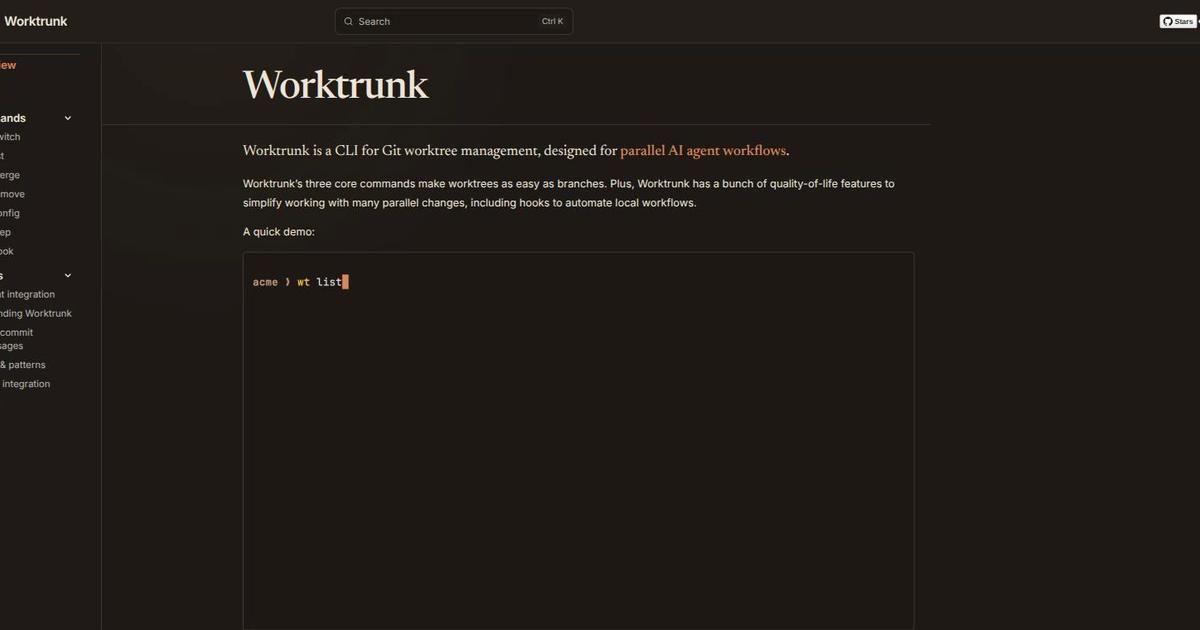
Worktrees are identified by branch name rather than filesystem path. Worktrunk computes the path from a configurable template, so `wt switch feat` navigates to the right directory without the caller knowing or typing the path. Commands that accept a branch name also accept the worktree's path, so either form works.
The `-x` flag runs a command after switching to a worktree and `-c` creates the branch if it does not exist. `wt switch -x claude -c feature-a` creates the branch, creates the worktree, switches to it, and starts Claude inside it in a single command. Any prompt or extra arguments for the launched command are passed directly after the command name. The equivalent plain-git sequence takes four steps.
Hooks run shell commands at defined points: on worktree create, pre-merge, post-merge, and others. Common uses include installing dependencies, starting a dev server tied to the worktree, or running a database migration on branch switch. Hooks are configured per-repo and stored alongside the project.
Worktrunk can generate commit messages from the staged diff using a configured LLM. `wt step commit` stages, generates a message, and commits in one step. The merge workflow (`wt merge main`) does the same automatically before squashing and fast-forward merging to the target branch.
Running `wt switch` without arguments opens an interactive picker that shows all worktrees with live diff previews and recent log entries. The picker lets you browse and jump to any worktree without remembering branch names, which is useful when managing eight or more concurrent agents.
On filesystems that support reflinks (APFS, btrfs, XFS), Worktrunk can copy build artifact directories such as `target/` or `node_modules/` between worktrees using filesystem-level copy-on-write. Ten worktrees share one build cache instead of building independently, which cuts setup time when spawning new agent worktrees.
Features
- Branch-addressed worktrees
- One-command agent launch
- Lifecycle hooks
- LLM commit messages
- Interactive worktree picker
- Shared build caches
How to install
Install via Homebrew on macOS or Linux, then run the shell integration setup.
brew install worktrunk && wt config shell installOr install from source with Cargo:
cargo install worktrunk && wt config shell installRecommended for this setup
Strengths
- Dual MIT/Apache-2.0 license: Worktrunk is released under MIT OR Apache-2.0 at the user's choice. Both licenses permit commercial use, internal tooling, and redistribution without licensing fees or attribution requirements beyond standard copyright notices. Teams that standardize on Apache-2.0 for its patent grant can pick that; teams that prefer MIT simplicity can pick that instead.
- Full lifecycle in four commands: Switch (create + navigate), list (with status, CI state, and LLM summaries), merge (squash, rebase, fast-forward, and clean up in one command), and remove cover the complete worktree workflow. The four commands compose with hooks and the `-x` flag to handle any variant without needing custom shell scripts.
- Active development with 7,000+ stars: Released in early 2026, Worktrunk reached 7,239 GitHub stars by September 2026 and had a commit pushed on 2026-09-12. The project has 39 open issues, which at its star count suggests active community engagement rather than abandonment. The author has publicly stated a focus on reducing any friction in the worktree workflow.
- Cross-platform install: Worktrunk installs via Homebrew (macOS and Linux), Cargo (Rust toolchain required), Winget (Windows, where it installs as `git-wt` to avoid a name conflict with Windows Terminal), pacman (Arch Linux), and Conda or Pixi (community-maintained feedstock). Windows binary signing is provided by SignPath Foundation.
Trade-offs
- Rust toolchain required for Cargo install path: Installing via `cargo install worktrunk` requires a working Rust toolchain. Teams without Rust installed should use Homebrew or another binary package manager instead. The Homebrew and pacman paths install pre-built binaries with no Rust dependency.
- Shell integration needed for directory switching: Worktrunk's ability to change the terminal's working directory requires a shell integration step (`wt config shell install`) that modifies the shell config file. Without it, `wt switch` opens a subshell rather than changing the current shell's directory. The install step is documented and one command, but it is an extra setup requirement on first use.
- No GUI or IDE plugin: Worktrunk is a CLI tool with no graphical interface and no VS Code or JetBrains plugin. Teams that manage Git through IDE UIs rather than the terminal will not be able to use Worktrunk's core features from within their editor. The interactive picker runs in the terminal, not inside an IDE panel.
Tech stack
FAQ
Worktrunk wraps Git's native worktree feature rather than replacing it. It calls `git worktree` under the hood and stores its own metadata alongside the repo. You can still use plain `git worktree` commands alongside Worktrunk; the two are compatible. Worktrunk adds the branch-addressed UX, hooks, the interactive picker, and the merge workflow on top of what Git already provides.
Yes. Worktrunk is dual-licensed MIT OR Apache-2.0. Both licenses permit commercial use, including internal business tooling and redistribution. The Apache-2.0 option requires attribution notices and modified-file notices when redistributing; the MIT option requires the copyright notice be included in copies. There is no paid tier or usage limit.
The README lists bash, zsh, fish, nushell, and PowerShell (pwsh) as tested shells. The shell integration (`wt config shell install`) adds a function to your shell config so that `wt switch` changes the current shell's directory instead of opening a subshell. Without this step the tool still works, but directory switching requires a subshell.
On Windows, `wt` is the default alias for Windows Terminal, which conflicts with Worktrunk's command. The Winget package installs Worktrunk as `git-wt` to avoid the conflict. Alternatively, you can disable Windows Terminal's app execution alias in Settings and use `wt` directly. The Windows binary is signed by SignPath Foundation.
Yes, on filesystems that support reflinks. On APFS (macOS), btrfs, and XFS, `wt step copy-ignored` copies directories like `node_modules/` or `target/` between worktrees using copy-on-write, so each worktree gets its own copy that only stores diffs from the source. This avoids running a full install or build in each new worktree. The feature requires a supported filesystem and does not work on ext4 or NTFS.