
Tidybatch
CLI bulk file renamer with dry-run preview and journaled undo
Replaces —
Who it's for
TidyBatch handles automated file renaming in build pipelines, test fixtures, or export scripts where consistent naming conventions matter. The CLI interface fits into shell scripts and Makefiles, and the dry-run default makes it safe to call in a CI environment with '--apply' only after reviewing the plan.
Your rename logic requires reading file content, database records, or metadata beyond name, date, and EXIF. TidyBatch works from name, date, and EXIF only.
The '{taken}' template reads EXIF date-taken from JPEG, HEIC, TIFF, DNG, CR2, CR3, NEF, RW2, and RAF files without additional libraries. A single command with the '{taken:%Y-%m-%d_%H%M%S}{ext}' template processes an entire shoot and can be undone if the output is wrong.
You need to also organize images into folder hierarchies by date or deduplicate a camera roll. The free Core renames only; folder organization and deduplication require TidyBatch Pro, available as a one-time purchase.
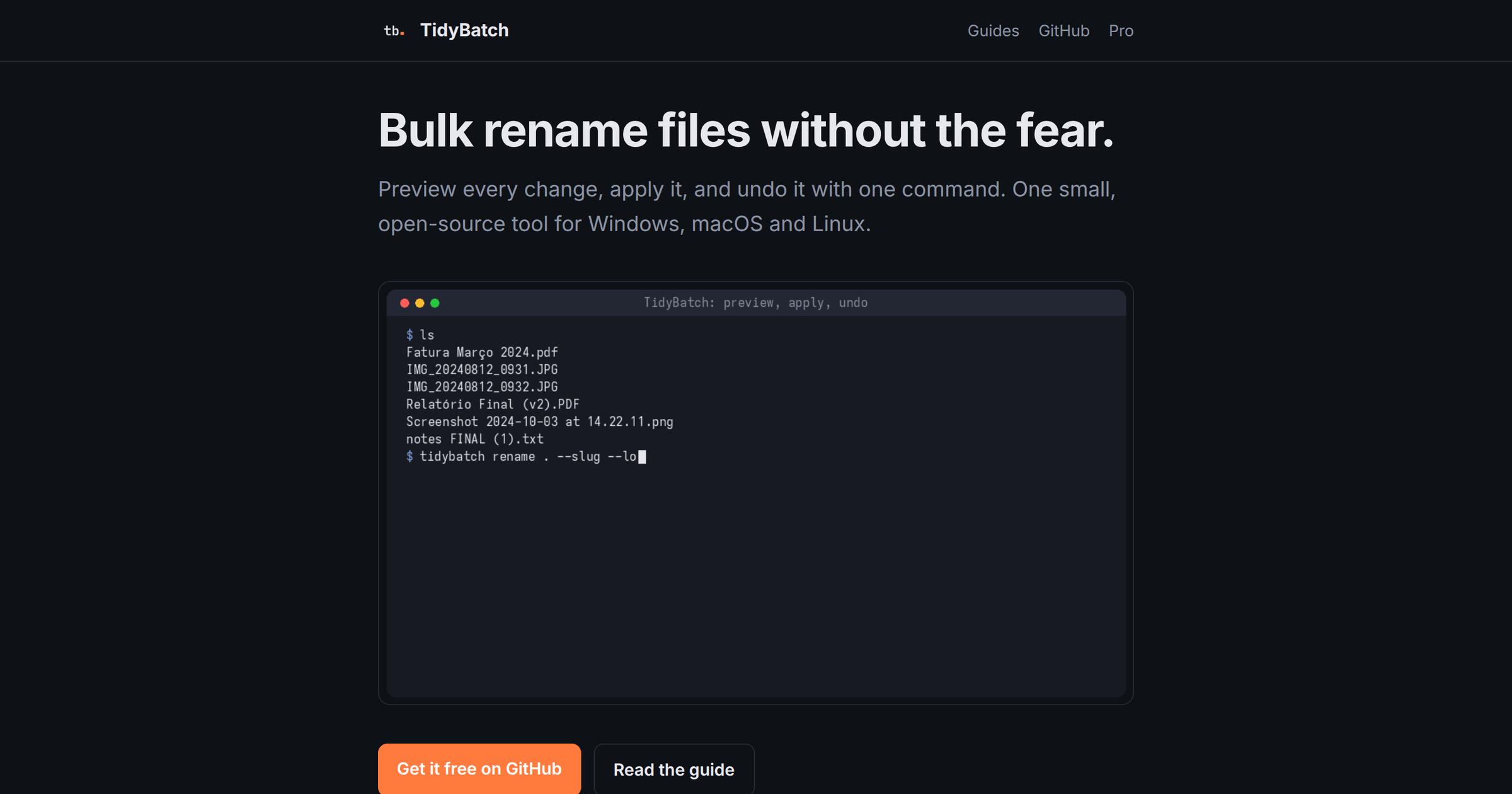
The '--slug' and '--lower' options strip accents, spaces, and symbols from file names and lowercase everything in one pass. A dry-run first shows exactly what changes before '--apply' commits them. 'tidybatch undo ~/Downloads' puts everything back if the result is not what was intended.
You need to move files into category subfolders (Documents, Images, Videos) as part of the cleanup. The Core rename command does not create folders; that is a Pro feature.
The problem
Bulk renaming files seems simple until a name collision silently destroys a file. The standard approach on any OS is to loop through files and rename them one by one, but when renaming A to B and B to C in the same batch, the first move lands on a name that already exists and overwrites the file there. Shell scripts that renumber photo sequences this way drop frames without warning. For photographers, the challenge is deeper. Organizing thousands of images by capture date requires reading EXIF metadata, which varies across JPEG, HEIC, and RAW formats and typically needs a library like Pillow or ExifTool installed separately. Most free CLI rename tools skip EXIF support entirely. Paid GUI tools handle it but are platform-specific and cost money even for occasional use.
How it works
Every rename command shows what would change before touching any file. Add '--apply' to execute. The preview lists every old and new name, flags collisions, and lets you verify the entire plan before committing to it.
Files move first to temporary names, then to final names. A destination slot is only freed once the occupant is itself moving away, making chains like 1 to 2 to 3 safe. Name collisions within a batch get '_1', '_2' suffixes rather than silently overwriting. Case-insensitive collision checks catch 'Photo.JPG' vs 'photo.jpg' conflicts on Windows and macOS.
Every applied run writes a journal to '.tidybatch/journal-*.json' in the target folder before moving any files. Running 'tidybatch undo <folder>' reads that journal and reverses every rename, including chains and swaps. If a run is interrupted by Ctrl+C or a power cut, TidyBatch automatically restores files from the partial journal.
The '{taken}' template field reads the date-taken timestamp from EXIF metadata in JPEG, HEIC, TIFF, DNG, CR2, CR3, NEF, RW2, and RAF files using Python's standard library only, with no Pillow or ExifTool required. Each CI run cross-checks the output against ExifTool on its own sample images. Files with no EXIF date fall back to the modification date.
TidyBatch is a single Python file that imports only the standard library. No third-party packages need to be installed; running 'python3 tidybatch.py --help' works without 'pipx install'. The absence of dependencies means the source is short enough to read and audit before trusting it with important files.
File names are built from templates with fields like '{n:03}' (zero-padded counter), '{date:%Y-%m-%d}' (modification date), '{taken:%Y-%m-%d_%H%M%S}' (EXIF date), '{stem}', and '{ext}'. Regex find-and-replace with capture groups handles patterns like renaming 'IMG_2024_0001.jpg' to '2024-photo-0001.jpg'. Sort order (by name, date, taken, or size) controls numbering.
Features
- Dry-run preview by default
- Two-phase collision-proof rename engine
- One-command journaled undo
- EXIF date support for photos
- Zero external dependencies
- Template and regex rename patterns
How to install
Install TidyBatch as a Python package using pipx (recommended), uv, or pip.
pipx install tidybatch
uv tool install tidybatch
pip install tidybatch
Recommended for this setup
Strengths
- Collision safety that shell scripts lack: TidyBatch's two-phase approach plans the full rename graph, ensures every destination is free before writing, and handles circular chains that would otherwise lose files. The test suite runs on Linux, macOS, and Windows on every push and feeds the EXIF parser 20,000 corrupted files to verify it never crashes or hangs.
- Full undo after any applied run: The journal written before execution makes undo reliable even after a crash or interruption. Most bulk rename tools in this space offer no undo at all; files are gone once moved. TidyBatch's journal records the full rename map, so the undo command reconstructs the original state without relying on the filesystem's own history.
- Cross-platform with one install path: The same Python package runs on Windows, macOS, and Linux. 'pipx install tidybatch' or 'pip install tidybatch' is the full install. GUI rename tools in this category tend to be platform-specific. A-Better-Finder Rename runs on macOS only; Bulk Rename Utility runs on Windows only. TidyBatch handles all three from one codebase.
- No library needed for EXIF photo dates: Reading EXIF date-taken from JPEG, HEIC, and RAW files without installing Pillow or ExifTool is a meaningful convenience. TidyBatch reads EXIF using Python's standard library only, verified on the CI against ExifTool's own sample image set across nine camera raw formats.
Trade-offs
- Command-line only, no graphical interface: Both the free Core and the paid Pro version are CLI tools. Users who prefer a drag-and-drop visual rename workflow will need a GUI alternative. The dry-run output is a text list of old and new names in the terminal.
- Python required on all platforms, no macOS app: TidyBatch requires Python 3.9 or later on all three supported platforms. On macOS, both the free Core and the paid Pro versions run via 'python3 tidybatch.py' or the pipx package; there is no standalone macOS app. On Windows and Linux, TidyBatch Pro includes ready-to-run binaries that do not need Python. macOS users who need a no-Python path will need a different tool.
- EXIF XMP and IPTC dates not read: The '{taken}' template reads EXIF-embedded date fields only. Dates stored in XMP or IPTC sidecars fall back to the file's modification date. Files from some cameras or photo editors that write dates only to XMP may show incorrect capture times when sorted or renamed by date taken.
- Very early stage with no community adoption yet: TidyBatch was created in late October 2026 and has no GitHub stars or forks at the time of writing. The core rename, collision, and EXIF logic are covered by a test suite that runs on every push, but the project has not yet seen broad real-world use. Those who prefer proven tools with an active community should factor this in.
Tech stack
FAQ
No. TidyBatch detects collisions during the planning phase before any files move. Files that would clash get '_1', '_2' suffixes appended to make each name unique. The collision check is case-insensitive on Windows NTFS and macOS HFS+, so 'Photo.JPG' and 'photo.jpg' are treated as the same target.
Yes, if the rename was applied with TidyBatch. Every 'tidybatch rename ... --apply' run writes a journal file to '.tidybatch/' in the target folder before moving any files. Run 'tidybatch undo <folder>' to reverse it. If TidyBatch was interrupted mid-run by Ctrl+C or a power cut, it automatically restores the partial run from the journal. Files renamed by other tools cannot be undone by TidyBatch.
Yes. The '{taken}' template field reads EXIF date-taken from JPEG, HEIC, TIFF, DNG, CR2, CR3, NEF, RW2, and RAF files using Python's standard library. No Pillow, ExifTool, or other library needs to be installed. Files whose date is stored only in XMP or IPTC fall back to the modification date. The EXIF parser is cross-checked on every CI run against ExifTool's own sample images.
TidyBatch Core, free and MIT licensed, covers renaming (templates, regex, EXIF dates), dry-run preview, collision-proof apply, and undo. TidyBatch Pro is a one-time purchase that adds the 'organize' command (sort files into folders by type, date, extension, or EXIF date taken) and the 'dedupe' command (find exact duplicates by SHA-256 content hash, moved to a '_duplicates' folder without deletion). Pro also includes ready-to-run apps for Windows and Linux that do not require Python. macOS requires Python for both editions.
Yes. TidyBatch is a local-first CLI tool with no network calls. It reads files from your disk, renames them, and writes the journal back to disk. No account, no telemetry, and no internet connection is needed for any operation.