
Spacebin
Self-hosted pastebin with encrypted pastes and syntax highlighting.
Replaces Pastebin Com
Who it's for
Deploy Spacebin on an internal server or home lab to share code, configs, and notes with colleagues without sending content to a public service. Configurable rate limits and document expiration let you tune the instance for your team's volume and retention needs.
If your team already shares snippets through GitHub Gists, a wiki, or a tool like Notion, adding a separate pastebin server adds maintenance overhead without clear gain.
The SQLite backend and single Docker command make Spacebin one of the lower-friction self-hosted tools to get running. It suits a personal instance with no external database server, and the public instance at spaceb.in lets you test the interface before deploying.
If you have no server infrastructure or prefer zero-maintenance tools, the hosted instance at spaceb.in removes the deployment step entirely.
For development environments with no outbound internet access, or for teams with strict data policies about where code and configuration live, Spacebin can run entirely on internal infrastructure. Browser-encrypted pastes add a second layer for content that should not be readable even by the server operator.
If your environment requires a commercial support contract or audit-grade access logs, a managed service with formal SLAs is a better fit.
The problem
Most public pastebin services store your content on shared infrastructure with minimal privacy guarantees. Pastes may be indexed by search engines, retained indefinitely under a service's terms, and read by the operator. For developers sharing config snippets, teams exchanging internal notes, or anyone pasting text that should not live on a third-party server, there is no straightforward private option that is also easy to deploy. The service you depend on can change its terms, rate-limit access, run ads against your content, or simply shut down. Having your own pastebin instance removes those dependencies entirely.
How it works
Spacebin highlights code on the server, so syntax coloring works in any browser regardless of JavaScript settings. The interface renders correctly with JavaScript disabled, which the README describes as a deliberate design choice that most pastebin tools do not support.
Password-protected pastes are encrypted in the browser using AES-256-GCM before upload. The key is derived with PBKDF2-SHA256 (600,000 iterations by default, up to 2,000,000). The server stores only the encrypted envelope, so neither the server operator nor anyone with database access can read the plaintext.
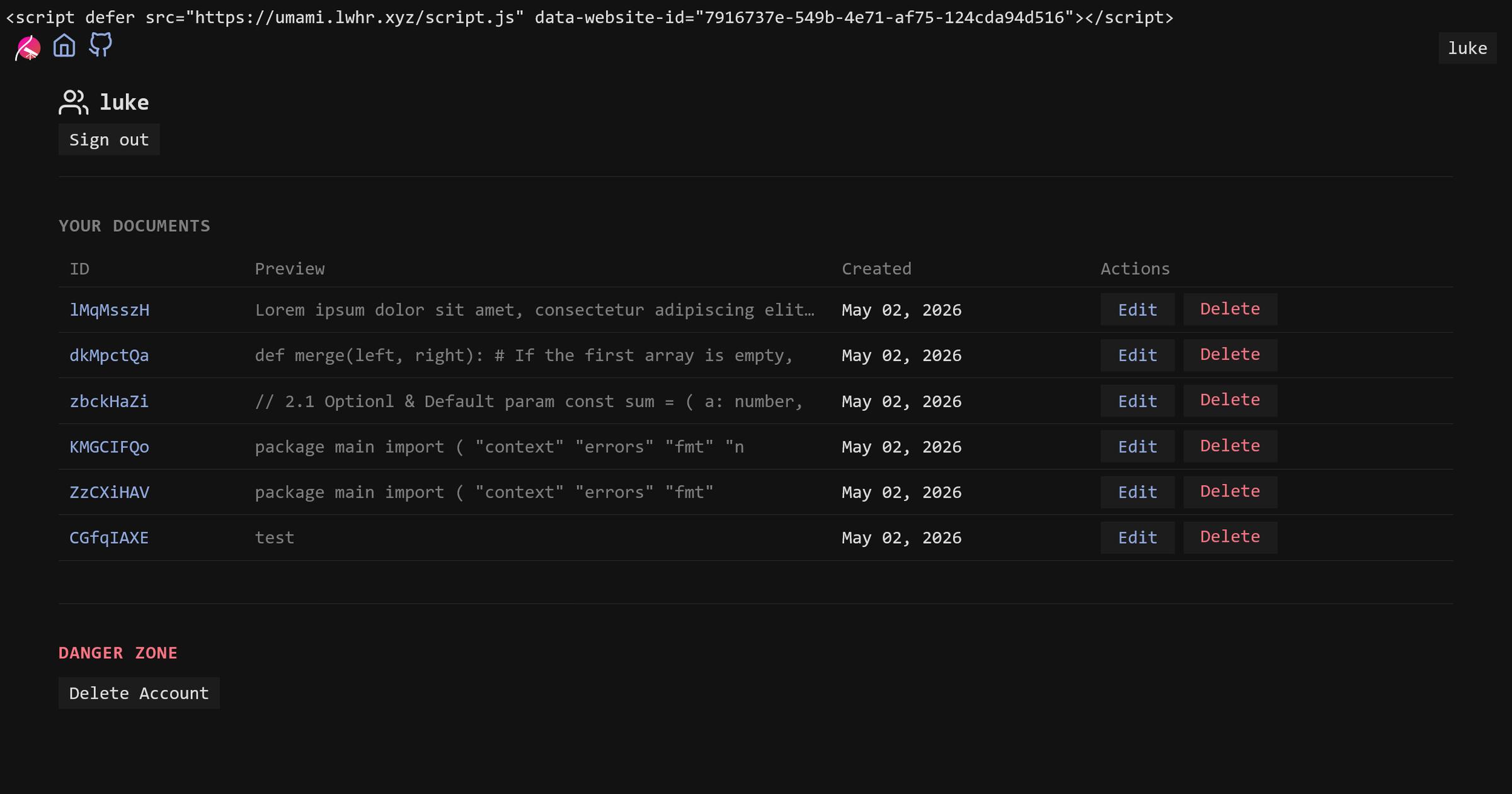
Group several documents under one link, with a tab per document and an optional title. Collections are viewable at /c/{collection}. If you are signed in, the collection appears on your account page and can be deleted without removing the underlying documents.
Runs on SQLite, MySQL, or PostgreSQL, configured via a single SPIRIT_CONNECTION_URI environment variable. SQLite requires no separate server and suits personal instances. MySQL and PostgreSQL handle concurrent writes for team deployments.
The API accepts JSON and multipart/form-data, so you can upload a file or string with curl and extract the document ID using jq. Routes cover document creation, retrieval, raw text, and collection management with no special client required.
Features
- Server-side syntax highlighting
- Browser-encrypted pastes
- Paste collections
- Three database backends
- REST API and curl compatibility
How to install
Deploy Spacebin with Docker using an environment variable for the database connection.
sudo docker pull spacebinorg/spacebin
sudo docker run -d -e SPIRIT_CONNECTION_URI="sqlite://database.sqlite" -p 80:9000 spacebinorg/spacebin
Recommended for this setup
Strengths
- Apache-2.0 license with no network copyleft: Apache-2.0 is an OSI-approved permissive license. You can run Spacebin commercially, modify the source, and deploy it as a service without publishing your changes. Unlike AGPL-licensed alternatives, there is no network copyleft clause requiring source disclosure when you run a modified version.
- Minimal deployment footprint: The README describes the server as 99% self-contained: one binary plus a database. No runtime dependencies, no asset compilation step, and no separate background workers. The Docker image packages this into a single container command.
- Interface works without JavaScript: Core functionality including paste creation, retrieval, and syntax highlighting works with JavaScript disabled. Only encrypted pastes require it, since the cryptographic operations run in the browser. The README notes this as a deliberate architectural choice, not a fallback.
Trade-offs
- Environment variable prefix changes in next major version: All configuration variables currently use the SPIRIT_ prefix. The README notes this will change to SPACEBIN_ in the next major version. Existing deployments will need a configuration update on upgrade, and any scripts, Docker Compose files, or Kubernetes configs that reference SPIRIT_ variables will break until updated.
- Small contributor base: The repository has 158 stars and 18 forks. Community support runs through GitHub Discussions. A small contributor base means feature requests and non-critical bugs may move slowly compared to larger self-hosted projects with dedicated maintainer teams.
- Encrypted pastes lose syntax highlighting and edit support: Because the server stores only the encrypted envelope for password-protected pastes, server-side syntax highlighting and document editing are unavailable for those documents. This is a deliberate constraint stated in the README, and the lock icon is hidden on non-HTTPS instances since browsers require a secure context for the Web Crypto API.
Tech stack
FAQ
Yes. Spacebin supports SQLite with the connection URI sqlite://database.sqlite. This runs the database as a local file alongside the server, with no separate database process required. SQLite suits personal instances or low-traffic deployments; switch to PostgreSQL or MySQL for concurrent-write workloads or if you need external database backups.
Encrypted pastes are processed entirely in the browser. When you set a password, the browser derives a key using PBKDF2-SHA256 (600,000 iterations by default, up to 2,000,000) and encrypts the content with AES-256-GCM before it is sent to the server. The server stores only the encrypted envelope: neither the server operator nor anyone with database access can read the original text. If you lose the password, the content is unrecoverable.
Most of the interface works without JavaScript: paste creation, retrieval, and syntax highlighting all run server-side. The exception is encrypted pastes, which require JavaScript for the in-browser cryptographic operations. The README notes this is a deliberate design choice. The lock icon for creating encrypted pastes is hidden on non-HTTPS instances, since browsers require a secure context for the Web Crypto API.
Spacebin is licensed under Apache-2.0, an OSI-approved permissive license. You can use it for personal or commercial purposes, modify the source, and run it as a service without publishing your changes. The only requirement is retaining the license notice in distributions.
Yes. Setting the SPIRIT_USERNAME and SPIRIT_PASSWORD environment variables enables HTTP Basic Auth on the entire instance. Only requests with the correct credentials will be served. You can also set SPIRIT_HEADLESS=true to disable the web interface and serve only the API, or use SPIRIT_RATELIMITER to control requests per client IP address.