
Portainer
One self-hosted console for Docker, Kubernetes, Swarm, and Podman.
Replaces Suse Rancher Prime, Mirantis Kubernetes Engine, Docker Business
Who it's for
Portainer CE's web GUI replaces SSH-and-CLI workflows for personal lab setups. Deploy containers, manage images, and inspect logs from a browser on any device. The initial setup requires Docker on the management host, then no CLI interaction for routine operations.
Running containers in a business or production context. Portainer CE is explicitly not supported for production use; consider Business Edition or a dedicated production orchestrator.
Portainer gives small teams a GUI for Kubernetes without installing a separate dashboard project. It covers deployment, inspection, and basic access control workflows, which account for most day-to-day Kubernetes operator activity on small clusters.
Your Kubernetes workloads are production-grade and need GitOps, full RBAC, audit logging, or enterprise support. Those features require Business Edition.
Docker Business targets developer-workstation policy management, not server-side container operations. Portainer CE covers the server-side management console use case without per-seat pricing, for teams whose Docker Desktop governance needs are separate from their server infrastructure.
Your primary need is Docker Desktop policy enforcement and developer workstation management. Portainer does not replace Docker Desktop's local development runtime.
Portainer Business Edition centralizes governance across EKS, AKS, GKE, bare metal, and on-premises Kubernetes clusters from one console, with GitOps, RBAC, and edge node management. The Take3 program gives three nodes free, with paid tiers for larger fleets.
You need a full enterprise Kubernetes distribution with a vendor-managed control plane. Portainer is a management console layered over your existing infrastructure, not a Kubernetes distribution like SUSE Rancher Prime or Mirantis Kubernetes Engine.
The problem
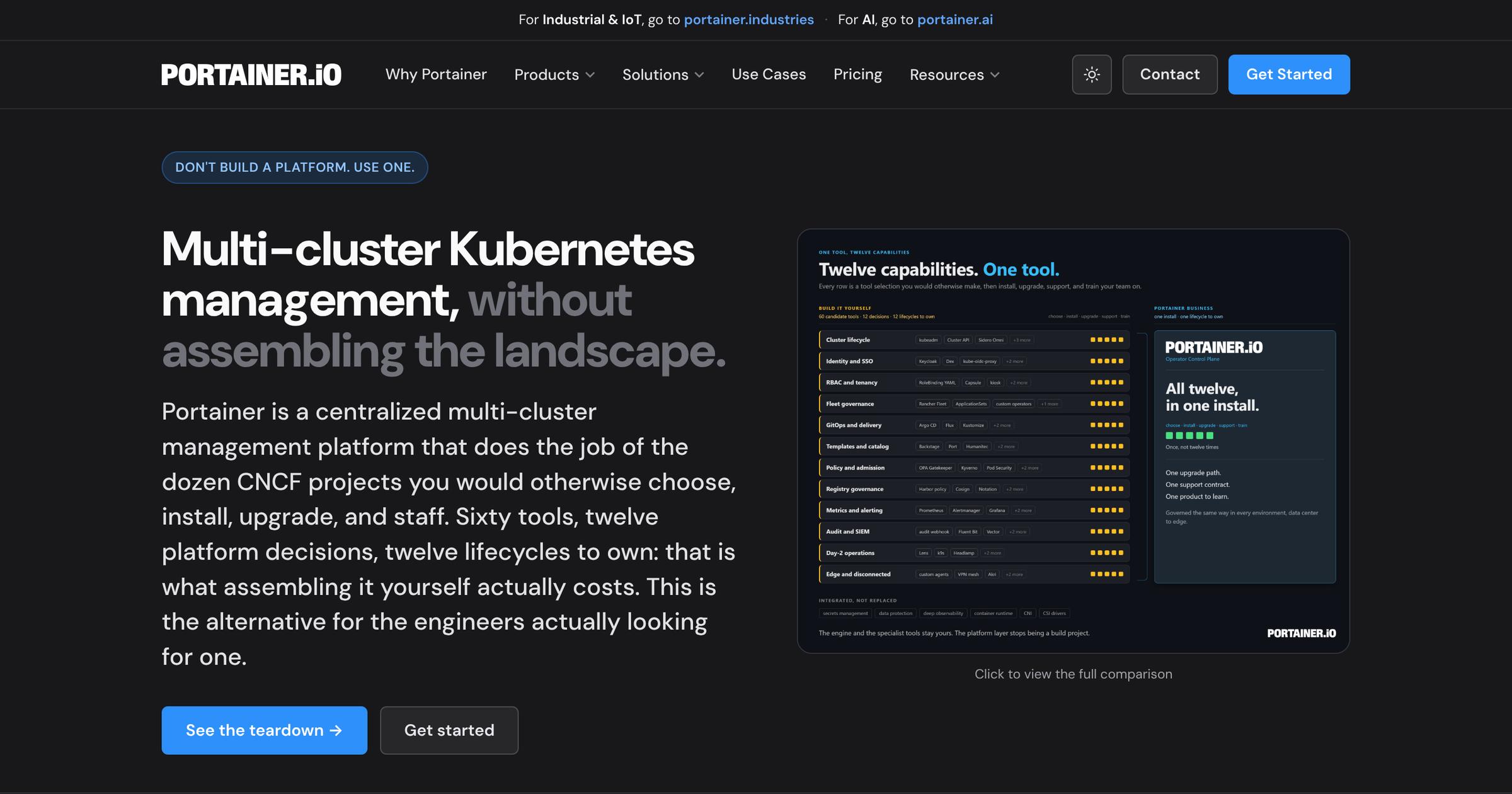
Managing containers across more than one host without a central dashboard means logging into each server separately, running CLI commands to inspect running services, and tracking state manually. That gap grows when your stack spans multiple runtimes: a Kubernetes cluster alongside Docker Compose hosts on bare-metal servers, with no native tool that spans both. The standard response is to assemble separate tools: a web UI for Docker, a Kubernetes dashboard, a GitOps controller, an RBAC layer. Each has its own upgrade cycle and its own incompatibilities. Teams end up maintaining the platform layer rather than the services that run on it.
How it works
Portainer puts Docker, Kubernetes, Docker Swarm, and Podman under a single web interface. Register any number of hosts and clusters, then switch between them from the same console. No separate management tool is needed for each runtime.
Deploy, start, stop, restart, and remove containers from the web UI. Access container logs, exec into running containers, inspect environment variables, and manage volumes and networks, all without touching the CLI on each individual host.
Portainer Community Edition supports LDAP directory authentication and OAuth providers including Microsoft, Google, and GitHub. Active Directory integration is available in Business Edition. Teams can connect their existing identity infrastructure without upgrading for LDAP or OAuth access.
Business Edition includes a centralized GitOps engine on the Portainer server, not a controller running inside every cluster. Changes committed to a Git repository propagate to target environments with rollback support, without running separate Argo or Flux installations per cluster.
Business Edition manages containers deployed to edge locations and remote nodes from the same console as your central clusters. The Portainer agent runs on each edge node, and the central server coordinates deployments and configuration without requiring direct network access to each site.
Business Edition adds role-based access control at the team and namespace level, pre-defined deployment templates, and resource quotas. Developers deploy to approved environments without needing a cluster admin present, while quota enforcement prevents runaway resource consumption.
Features
- Multi-runtime Management
- Container Lifecycle Operations
- LDAP and OAuth Authentication (Community Edition)
- GitOps Deployment Workflows (Business Edition)
- Edge Node Management (Business Edition)
- Self-service with RBAC Guardrails (Business Edition)
Recommended for this setup
Strengths
- Zlib License Permits Commercial and Internal Use: Zlib is an OSI-approved license that permits commercial and internal use with no restrictions on distribution or modification. Running Portainer CE on your own infrastructure for internal team use costs nothing beyond the server and carries no license compliance risk.
- Four Container Runtimes from One Console: Most container management tools handle one runtime. Portainer CE manages Docker, Kubernetes, Docker Swarm, and Podman from the same web interface. Teams running a mix of runtimes avoid the alternative: separate tools, separate logins, and separate access controls for each.
- LDAP and OAuth Available in CE Without Upgrading: Per docs.portainer.io/admin/settings/authentication, LDAP directory authentication and OAuth providers (Microsoft, Google, GitHub, and custom) are available in Community Edition. For teams already running an LDAP directory or using a corporate OAuth provider, authentication integration requires no paid upgrade.
- 38,000+ Stars and Active Maintenance: The portainer/portainer repository has over 38,000 GitHub stars and 2,935 forks. The last commit landed on November 4, 2026. The project has been active since 2016, with consistent release activity from the Portainer team across a decade of container ecosystem changes.
Trade-offs
- Community Edition Is Not for Production Use: Portainer's official README states CE is designed for homelabs, learning environments, personal projects, and other non-production deployments. It is not intended for environments where uptime, security posture, or data integrity matter. There is no SLA, no guaranteed issue response, and no roadmap commitment. Production workloads require Business Edition.
- Enterprise Features Require Business Edition: GitOps deployment workflows, edge node management, full audit logging, Active Directory integration, and commercial support are Business Edition features. The Take3 program provides three nodes free, but any deployment that needs these capabilities beyond three nodes requires a paid tier.
- No Official Support Channel in CE: Portainer CE has no official support. Help from GitHub Issues and the community Slack is voluntary and provided by other users, not the Portainer team. With 721 open issues, resolution timelines are unpredictable. Teams that need guaranteed response need Business Edition.
Tech stack
FAQ
Community Edition is Zlib licensed, free, and designed for homelabs, learning environments, and non-production use. It has no official support and no SLA. Business Edition adds GitOps workflows, edge node management, full RBAC, audit logging, Active Directory integration, and commercial support. The Take3 program provides three Business Edition nodes free for as long as you want them.
Portainer's official README states CE is not intended for environments where uptime, security posture, or data integrity matter. There is no SLA and no guaranteed issue response. Teams running production workloads should use Portainer Business Edition. The Take3 program provides three nodes free as a starting point.
Yes. Per docs.portainer.io/admin/settings/authentication, LDAP authentication and OAuth providers (Microsoft, Google, GitHub, and custom) are available in Community Edition without upgrading. Active Directory integration is a Business Edition feature.
Portainer CE supports Docker, Kubernetes, Docker Swarm, and Podman from the same console. All four are first-class: register hosts running any of them and manage them from one browser-based interface. Docker and Swarm were the original focus; Kubernetes and Podman were added in later versions.
Portainer uses a lightweight agent container that runs on each host you want to manage. You install the Portainer server on one host, then deploy the agent on every other host and register its address in the console. The agent handles communication without requiring direct SSH access from the management server.