
Nushell
Cross-platform shell with typed data pipelines, no string parsing.
Replaces —
Who it's for
Engineers who regularly extract fields from JSON API responses, filter log files, or query CSV exports gain the most from Nushell. The same `where`, `select`, and `get` commands replace a different tool for each format, and the typed pipeline catches malformed data before it flows downstream.
Your workflow is primarily running single commands rather than building multi-step pipelines. Nushell's value concentrates in pipeline composition; for running individual programs, Bash or zsh are simpler to stay with.
Nushell's built-in commands behave identically across Linux, macOS, BSD, and Windows from the same source. Teams that need a single script to work on all four platforms without conditional OS-detection blocks get a consistent model out of the box.
Your scripts must also run on machines where only Bash or sh is available, such as minimal server images or CI runners without Nushell installed. Nu requires installation and is not a drop-in POSIX replacement.
Nushell's autocomplete, table rendering, and clear error messages make it a productive interactive shell for day-to-day terminal use. The book, cookbook, and Discord community provide substantial learning resources for new users transitioning from Bash or zsh.
You need to run existing Bash scripts without modification. Nushell does not execute POSIX shell syntax, so migrating a large scripts library represents a significant up-front investment.
The problem
Bash and zsh treat every command output as a stream of raw text. Extracting a single field from `ls` output requires `awk`, a column offset, and an assumption that the format never changes. When a filename contains a space, that assumption breaks. When the same script needs to query a JSON file, a CSV export, and a REST API response, you add `jq`, a CSV parser, and a custom loop. Each tool has its own syntax, its own edge cases, and no shared data model. The deeper problem is that these parsing pipelines fail silently. A wrong column offset in `awk` produces garbage output rather than an error. A `grep` on a log file that changes format returns nothing but no warning. For developers who rely on shell scripts in CI pipelines or daily workflows, the cost is time spent debugging string manipulation instead of solving the underlying task.
How it works
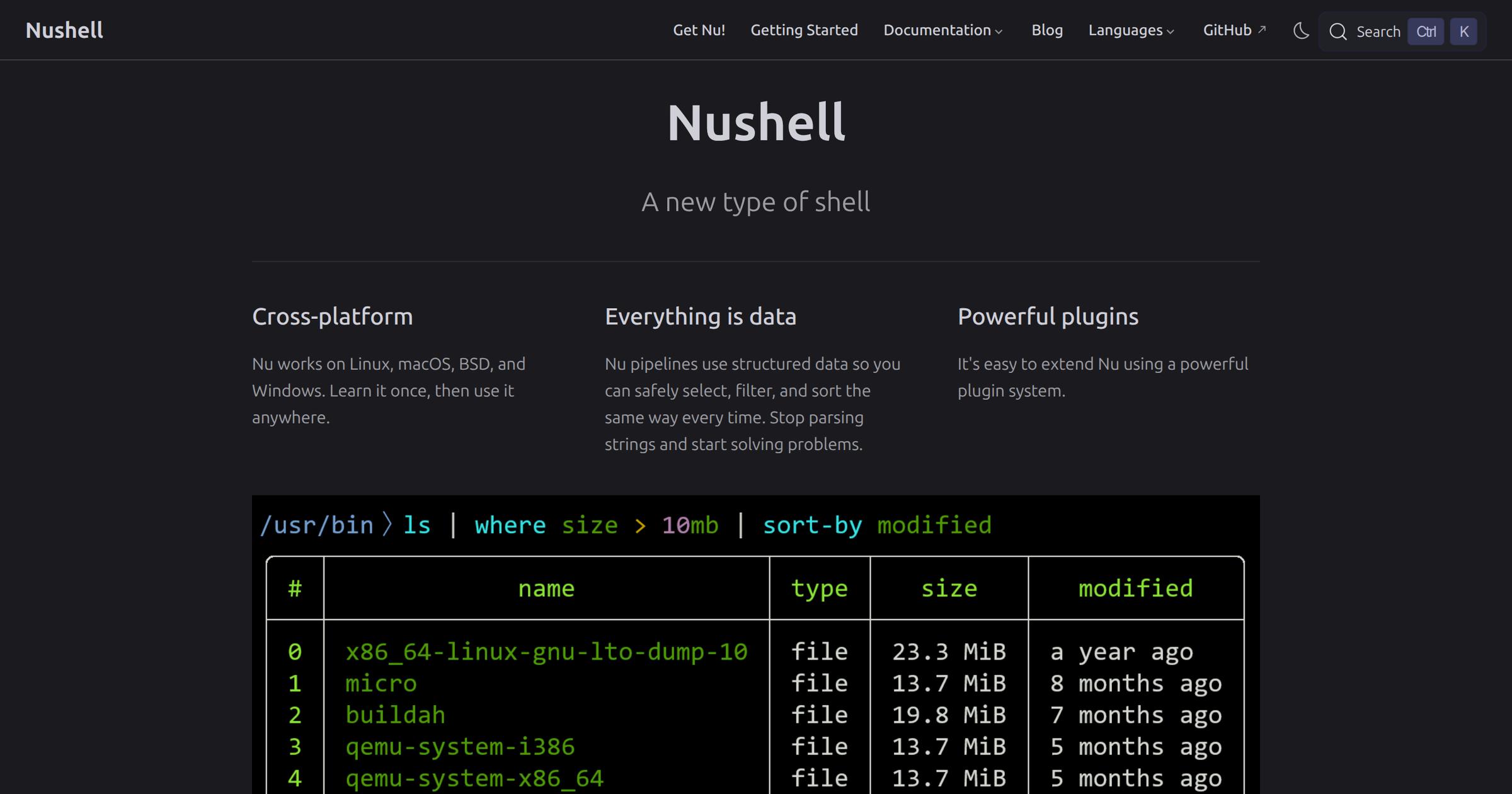
Every Nushell command produces a table of typed values rather than text. `ls` returns a table with `name`, `type`, `size`, and `modified` columns. Pipe it through `where type == "dir"` and you get the same table filtered by value, with no field offset or string parsing required.
Nushell reads JSON, YAML, TOML, CSV, SQLite databases, and Excel files directly into its table model using `open`. The same `select`, `get`, and `where` commands work on all of them, so a script that processes a configuration file needs no format-specific parser.
Because Nu operates on typed data, it catches type mismatches before they produce silent wrong output. When a pipeline fails, the error message names the exact command and position where the type mismatch occurred, rather than producing garbled output with no indication of where things went wrong.
Nushell's built-in commands work identically on Linux, macOS, BSD, and Windows. A `ps | where cpu > 0` pipeline runs the same way on all four platforms, unlike Bash scripts that require different tools and quoting rules on Windows versus Linux.
Plugins extend Nu using a JSON-RPC protocol and follow the same structured data model as built-in commands. Filter plugins receive data one element at a time and stream structured values back; sink plugins get the full data vector. Plugins live in your PATH under a `nu_plugin_*` naming convention.
Features
- Structured data pipeline model
- Native multi-format I/O
- Typed error messages
- Cross-platform commands
- Plugin system with structured data
How to install
Install Nushell with your package manager, then launch it by typing `nu`.
# macOS and Linux
brew install nushell
# Windows
winget install nushell
# Nix
nix profile install nixpkgs#nushell
Recommended for this setup
Strengths
- MIT license with no usage restrictions: Nushell is MIT licensed. You can use it in personal projects, commercial software, and enterprise environments without restrictions, with no per-seat fees, no paid team tier, and no CLA required. The license is confirmed in the GitHub repository's LICENSE file.
- Broad package manager support: Nushell is packaged in Homebrew, Nix, winget, Cargo, and over a dozen other package managers across Linux, macOS, and Windows. This means it installs with a single command on most developer machines without custom setup or manual builds.
- Typed pipeline catches silent failures: Traditional shell pipelines fail silently: a wrong `awk` column offset returns a wrong field without an error. Nushell's typed values mean that accessing a non-existent column or mismatching types produces an error at the point of failure with a clear message, so bugs surface at development time rather than in production.
- Broad ecosystem integration: Tools including zoxide, starship, oh-my-posh, virtualenv, atuin, and clap all officially support Nushell. Developers who already use these tools can keep their existing workflow and add Nu incrementally, rather than starting from scratch.
Trade-offs
- Command stability varies at this MVP stage: The README states: "This project has reached a minimum-viable-product level of quality. Many people use it as their daily driver, but it may be unstable for some commands. Nu's design is subject to change as it matures." Scripts written today may need minor updates as the design evolves.
- Active issue backlog with 1,377 open issues: The repository carries 1,377 open issues, reflecting active use and community engagement but also indicating known rough edges. Users who rely on Nu in production environments should test their workflows before switching and monitor the changelog between releases.
- Existing Bash scripts do not run in Nu without modification: Nushell does not aim for POSIX or Bash compatibility. Shell scripts written for Bash or sh will not run in Nu without modification. Teams that share scripts with users on systems where only Bash is available need to maintain both versions. Migrating a large scripts library is a substantial up-front cost.
Tech stack
FAQ
No. Nushell uses its own syntax and does not execute POSIX shell scripts. Commands that exist in Bash (such as `ls`, `ps`, or `open`) have Nushell equivalents that return structured tables rather than text. Migrating Bash scripts requires rewriting them in Nu's syntax. Nushell can still call external programs and pipe their output through Nu commands, so you can mix external tools with Nu pipelines.
On macOS and Linux, `brew install nushell` installs Nu through Homebrew. On Windows, `winget install nushell` works via the Windows Package Manager. Nushell is also available through Nix (`nix profile install nixpkgs#nushell`), Cargo, and over a dozen other package managers. After installing, type `nu` to start the shell. Detailed installation instructions are in the Nushell book at nushell.sh/book/installation.html.
Yes. Many users run Nushell as their daily driver, as the README notes. Because it is not a POSIX shell, some programs that expect /bin/sh behavior need to be pointed at Bash explicitly, but interactive terminal use works well. The Nushell book covers configuration, including setting Nu as the default shell.
Nushell reads JSON, YAML, TOML, CSV, TSV, SQLite, and Excel (.xlsx) files directly into its table model using the `open` command. URL contents can also be loaded. The structured output from `open` feeds into the same pipeline commands as file system output, so no format-specific parsing scripts are needed.
Yes. Nushell can call any program in your PATH. The output of external commands flows into Nu pipelines, where you can use `lines`, `split column`, or `parse` to bring text output into Nu's typed model. External programs that expect standard arguments work normally. The main incompatibility is with POSIX shell scripts, not with the programs themselves.