
Kimai
Self-hosted time tracker with invoicing and team timesheets.
Replaces Toggl Track, Harvest, Clockify, Timecamp
Who it's for
Kimai tracks time per client and project, generates invoices from recorded entries, and exports timesheets in XLSX or PDF. The customer portal lets you share a read-only view with clients via a private URL so they can review project hours without creating an account.
Skip if you need a mobile-first timer with offline recording and no server to maintain. Kimai is a web application that requires a running server or a cloud subscription.
Team and project-level permission controls let managers scope access so each staff member sees only their assigned work. Configurable billing rates per user, customer, and project produce accurate client invoices with entry grouping by activity or date range.
Skip if your agency primarily needs project task management or sprint boards. Kimai tracks time and generates invoices; task management requires a separate tool.
SAML and LDAP authentication connect Kimai to existing identity providers like Google Workspace or Azure AD so employees log in with existing credentials. Role-based teams and manager-level reporting support department structure, and all data stays on company infrastructure.
Skip if your organization is not ready to maintain a PHP application and MariaDB database on its own servers. The Kimai Cloud subscription removes that operational burden.
The time-clock mode restricts staff to punch-in and punch-out records only, preventing retrospective edits. Budget limits per project let managers set ceiling values before overruns, and exported timesheet records can be locked against further changes after review.
Skip if your compliance requirement involves payroll integration or digital signatures on time records. Kimai does not document a built-in payroll connector.
The problem
Billing clients for time is harder than it should be when hours live in spreadsheets, sticky notes, or rough mental tallies. Freelancers and agencies that bill by the hour lose revenue every time a project runs over scope without a written record, and assembling a monthly invoice from scattered logs takes hours that do not bill. The deeper challenge is that without structured time data grouped by customer, project, and activity, there is no reliable way to know which engagements are profitable, where team members are overallocated, or when a project is approaching its budget ceiling. Commercial time-tracking platforms address these needs but charge per-user fees that multiply with team size and store all billing data on external servers.
How it works
Configurable invoice templates let you group timesheet entries by project, activity, or user and output invoices in PDF or DOCX format. The invoice number format is configurable, and Kimai can generate e-invoices compliant with EN 16931, XRechnung 3.0, and ZUGFeRD/Factur-X for customers in Germany and the EU.
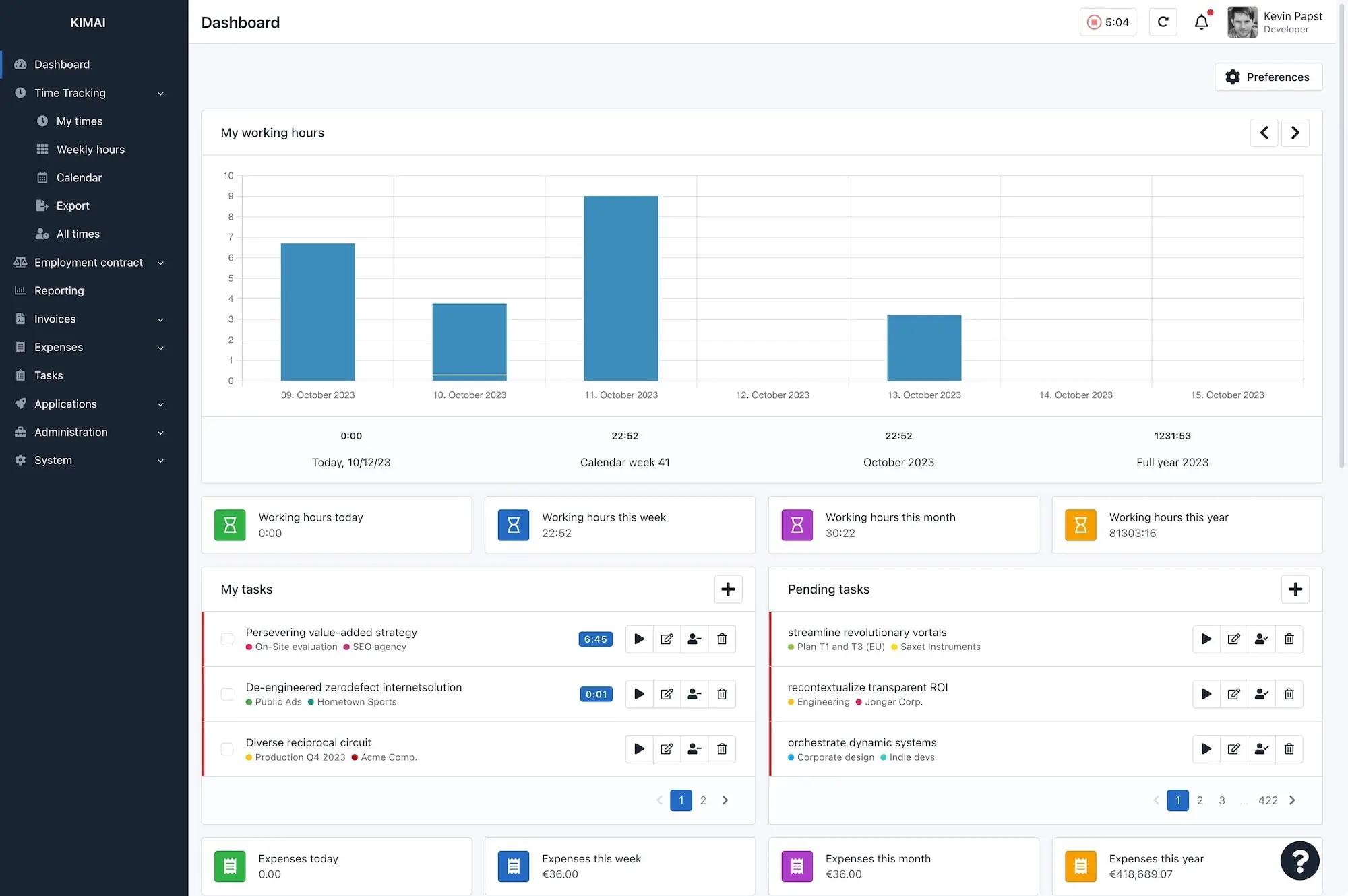
Reports break down recorded hours across any dimension: user, customer, project, activity, tag, or time period. The dashboard shows live statistics on collected data, and all timesheet data can be exported to XLSX, PDF, CSV, or HTML format for use in external billing or payroll systems.
Kimai ships with a JSON API that covers both reading and writing time data. External tools, custom dashboards, and billing integrations can pull or push timesheets, customers, projects, and activities without manual data entry or CSV export.
Teams using Google Workspace, Azure AD, or Authentik can connect Kimai via SAML or LDAP for centralized login. Two-factor authentication via TOTP tokens is available for local accounts, and the permission system supports granular role definitions per team.
Kimai supports unlimited users per installation, organized into teams that reflect departments or client groups. Customers and projects can be scoped to specific teams, so staff only see the work relevant to their role. Each user, customer, and project can carry its own billing rate.
Features
- Invoice generation in PDF and DOCX
- Time reporting by user, project, and activity
- Full read/write JSON API
- SAML, LDAP, and two-factor authentication
- Multi-user teams with role-based access
How to install
Self-hosting Kimai uses Docker with a MariaDB or MySQL database; Docker Compose setups for production are documented at kimai.org.
docker run -d kimai/kimai2:apacheRecommended for this setup
Strengths
- No per-seat pricing with full data ownership: The self-hosted edition is AGPL-3.0 licensed, so installation is free with no user count limits. Commercial alternatives like Harvest charge $12 per user per month and store all billing data on their servers; Kimai runs on your own infrastructure with no recurring seat cost.
- Active project with a decade-long track record: Created in 2016, the repository has 5,119 GitHub stars and 877 forks as of October 2026, with code pushes as recently as October 2026. The active release cadence, a documented plugin marketplace, and community forum reduce the risk of depending on the project for production billing.
- 30+ language translations: Kimai ships with over 30 translations maintained through Weblate by a volunteer contributor community. For multinational teams where staff work in different native languages, this is available out of the box without additional licensing or configuration.
- SAML and LDAP SSO without a paid upgrade: SAML-based login via Google Workspace, Azure AD, or Authentik, and LDAP directory authentication, are available in the self-hosted edition without an enterprise plan. Comparable paid tools like Clockify put SSO behind a premium tier.
Trade-offs
- Requires PHP, a database, and a web server to deploy: Self-hosting Kimai requires PHP 8.2 or newer, MariaDB or MySQL, a webserver, and a subdomain (subdirectory installs are not supported). This is a higher setup bar than tools that ship as a single self-contained container. Teams without server administration experience will need time or outside help to configure and maintain it.
- 310 open GitHub issues: As of October 2026, the repository carries 310 open issues (GitHub issues API, pull requests excluded). For a production billing tool, reviewing open issues in your invoicing or reporting workflow before deploying is advisable.
- AGPL-3.0 restricts offering Kimai as a hosted service: AGPL-3.0 permits running Kimai internally for your own team or clients with no restrictions. The license applies only if you modify the code and offer that modified version as a hosted service to third parties, at which point you must release your changes under AGPL-3.0. Internal self-hosting is unrestricted.
Tech stack
FAQ
Yes. Kimai is open source under AGPL-3.0, which means you can install and run it on your own server at no charge with no per-user fees. A managed cloud subscription at kimai.org is available for teams that prefer not to manage their own server.
Kimai publishes official Docker images on Docker Hub at hub.docker.com/r/kimai/kimai2. There are images with FPM only and images with Apache bundled. The README links to Docker Compose configurations for Hetzner Cloud and DigitalOcean. PHP 8.2 or newer and a MariaDB or MySQL database are the core requirements; the Docker images bundle those runtime dependencies.
Yes. Kimai generates invoices directly from timesheet entries, with configurable templates, entry grouping by project or activity, and output in PDF or DOCX format. Invoice numbers are configurable. For EU customers, it can produce e-invoices compliant with XRechnung 3.0 and ZUGFeRD/Factur-X.
Yes. Kimai supports SAML and LDAP authentication for identity providers including Google Workspace, Azure AD, and Authentik. Two-factor authentication via TOTP tokens is available for accounts using local database login. Both SSO options are part of the self-hosted edition without a paid upgrade.
Both tools offer unlimited users on a base plan and cover time tracking, reporting, and team management. Kimai's self-hosting is free under AGPL-3.0, while Clockify's on-premise edition requires a paid license. Kimai includes invoicing and SAML SSO in the self-hosted tier; Clockify puts both behind paid plans. The trade is Kimai's higher setup cost against Clockify's managed convenience and a richer mobile app ecosystem.