
Freebuff
Free AI coding agent with five tools across desktop, CLI, and cloud
Replaces Cursor, Github Copilot, Conductor
Who it's for
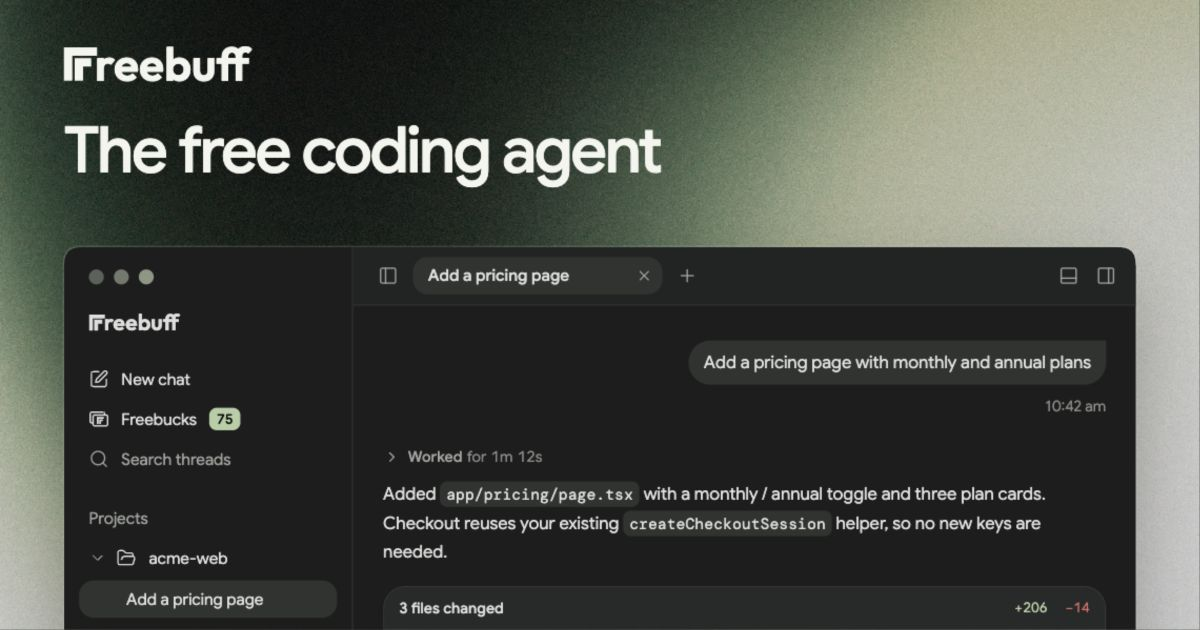
Freebuff's free daily allowance makes it practical for solo developers who want strong AI assistance without monthly fees. The multi-agent system handles tasks end-to-end, surfacing what changed and why, so developers can stay focused on the project rather than managing prompts.
You are on an enterprise plan with Cursor or GitHub Copilot where IDE integration and organizational seat management are already part of the cost.
Thread continuity across desktop, CLI, browser, and mobile makes Freebuff useful for developers who switch surfaces during the day. Starting a task on desktop and continuing it in the browser or from a phone without losing context is the core cross-device capability.
You work exclusively in a single IDE and prefer deep inline completions over a separate agent surface. Freebuff does not offer ghost-text inside an editor.
The Cloud product runs agents against GitHub repositories and Desktop supports parallel agents in separate workspaces. Teams evaluating how multi-agent orchestration fits their workflow can experiment without a subscription commitment, using the 5-hour daily free allowance.
Your team requires enterprise SSO, audit logs, or centralized billing before adopting a new tool.
Freebuff is available in every country. Developers in markets where $20 per month carries more purchasing-power weight gain access to frontier models at no cost on the same free-tier terms, making it a practical alternative to subscription tools that charge the same price globally.
You are in an unsupported region and need premium models like Gemini 4 Argon or GPT-6.1 Sol, which require a paid plan outside supported areas.
The problem
AI coding tools like Cursor and GitHub Copilot have made assisted development faster, but access comes with a recurring subscription: $10 to $20 per seat per month, more for advanced model access or higher usage limits. For independent developers and small teams, those costs add up, and the strongest models are locked behind premium tiers. The harder pain point is model choice. On a free plan, developers make do with lighter models for complex tasks. On a paid plan, they pay the same rate whether they are doing a quick rename or running a multi-file refactor that needs a frontier reasoning model. Switching between tools to find the right model at the right price is its own friction.
How it works
The five products cover the full development workflow: Desktop runs parallel agents locally on macOS, Windows, and Linux; CLI installs globally via npm for terminal work; Web builds and ships full-stack apps in a browser sandbox; Cloud runs agents against any GitHub repository; and Chat handles research and thinking. Each product shares the same model catalog and thread history.
Rather than sending every task through a single model and prompt, Freebuff uses specialized agents for different stages: file-finding agents map the codebase, implementation agents make changes and run commands, research agents browse documentation and test apps in a browser, and review agents inspect the result. This makes complex refactors and multi-file tasks more reliable than single-shot prompting.
The model picker currently includes MiMo v2.6 Flash Fast, GLM 5.3 Flash, DeepSeek V4.1 Flash, GPT-6 Luna, MiMo 2.6 Pro, Solar Mini 4, Solar Pro 4, Gemini 3.8 Flash, Muse Spark 1.3, Gemini 4 Argon, GPT-6.1 Terra, and GPT-6.1 Sol. Models are priced in hours at a multiplier shown in the picker, and the Unlimited section uses no balance.
Conversation threads live in the cloud, so a task started on desktop can be continued in the browser or checked from the mobile app (Android today, iOS coming soon). Context carries across devices without copying and pasting conversation history.
The agent connects to GitHub, Linear, Notion, Stripe, Vercel, Supabase, Sentry, PostHog, and Resend from a single integrations panel. Once connected, the agent can read issues, write commits, trigger deploys, and inspect error traces as part of a coding task without manual copy-pasting.
Every account starts with 5 hours of free model access per day (4 on a VPN). Text ads shown in-session fund the model costs, so there is no credit card, no credits to watch, and no subscription. Referrals and bounties earn extra hours on top of the daily allowance.
Features
- Five-surface product suite
- Specialized multi-agent workflow
- Multi-model catalog
- Cross-device thread continuity
- One-click integrations
- Free daily access via text ads
How to install
Install the CLI globally with npm to run Freebuff in any project.
npm install -g freebuffRecommended for this setup
Strengths
- Apache-2.0 license with public source: The full codebase is Apache-2.0 licensed and public on GitHub. Custom agents and embedded applications are possible via the @codebuff/sdk and Codebuff documentation. Unlike closed coding tools, the underlying orchestration is inspectable and the license permits commercial use and modification without restriction.
- No subscription for frontier models: Cursor and GitHub Copilot both require a monthly subscription to access their strongest model tiers. Freebuff funds the same class of models through text ads, giving every account 5 free hours per day without a card. Earned hours from referrals add on top of the daily allowance.
- Multi-surface deployment flexibility: Most AI coding tools focus on one surface: Cursor is IDE-first, GitHub Copilot is editor-embedded. Freebuff spans desktop (local, parallel agents), CLI (any shell), browser (cloud sandbox), GitHub repositories (Cloud), and mobile (Android), so the same coding session carries across environments.
- Strong early community traction: The repository reached 13,874 stars and 1,478 forks as of October 2026, reflecting developer interest in the ad-funded model and multi-agent architecture. Active development continues with the last push on October 31, 2026.
Trade-offs
- Data may be used for AI training: The README includes an explicit notice: when a model or feature says data may be used for AI training, Freebuff or the provider may keep submissions to train, fine-tune, and test AI models, and Freebuff may share or sell that data to third parties. Developers handling proprietary or sensitive code should review the Privacy Policy before connecting a repository or starting a session.
- Regional access limits on premium models: Full model access is available in supported regions only. Developers in unsupported regions or on a VPN receive limited access to five models (GLM 5.3 Flash, DeepSeek V4.1 Flash, MiMo v2.6 Flash Fast, Solar Mini 4, and Solar Pro 4) with a 4-hour daily allowance. Premium models like Gemini 4 Argon and GPT-6.1 Sol require a paid plan outside supported regions.
- 161 open issues as of October 2026: The repository carries 161 open issues (pull requests excluded). A tool this early in its lifecycle is expected to have rough edges, and the issue tracker reflects active community feedback across the multi-product architecture. Checking open issues before adopting it for production workloads is worthwhile.
- No end-user self-hosted path: Freebuff is designed as a client application backed by hosted infrastructure. The Contributing guide requires Docker and a configured .env.local for local development, which is a contributor workflow rather than a production self-hosting option. Developers who need full data isolation on their own infrastructure will find no documented deployment path for the full server stack.
Tech stack
FAQ
Yes, for most use cases. Every account gets 5 hours of free model access per day with no credit card required. Text ads shown in-session fund the model costs. Referrals and bounties earn extra hours, and paid plans are available for higher limits or premium model access.
The current catalog includes MiMo v2.6 Flash Fast, GLM 5.3 Flash, DeepSeek V4.1 Flash, GPT-6 Luna, MiMo 2.6 Pro, Solar Mini 4, Solar Pro 4, Gemini 3.8 Flash, Muse Spark 1.3, Gemini 4 Argon, GPT-6.1 Terra, and GPT-6.1 Sol. Models are billed in hours at a multiplier shown in the picker; some are in the Unlimited section and use no balance. Availability depends on your region and access tier.
Only when a model or feature states that data may be used for training. The README includes an explicit notice: when that applies, Freebuff or the provider may keep submissions to develop, train, and fine-tune AI models, and Freebuff may share or sell that data to third parties. Developers with proprietary code should check the Privacy Policy before connecting a repository.
Both offer multi-model AI coding assistance, but they start from different surfaces. Cursor is a VS Code fork with deep inline editor integration, including ghost-text completions that Freebuff does not provide. Freebuff runs across desktop, CLI, browser, cloud, and mobile, and offers a broader model catalog at no subscription cost. Cursor is the better choice if you spend most of your time inside VS Code.
Yes. Install the CLI globally with npm install -g freebuff, then run freebuff inside any project directory. Describe what you want and Freebuff finds the relevant files, makes changes, and runs the checks for your project. Desktop apps for macOS, Windows, and Linux are also available as signed installers.