
EmDash CMS
Web-based CMS for creating and managing AI playgrounds
Replaces Wordpress Com, Github Codespaces, Ona, Coder
Who it's for
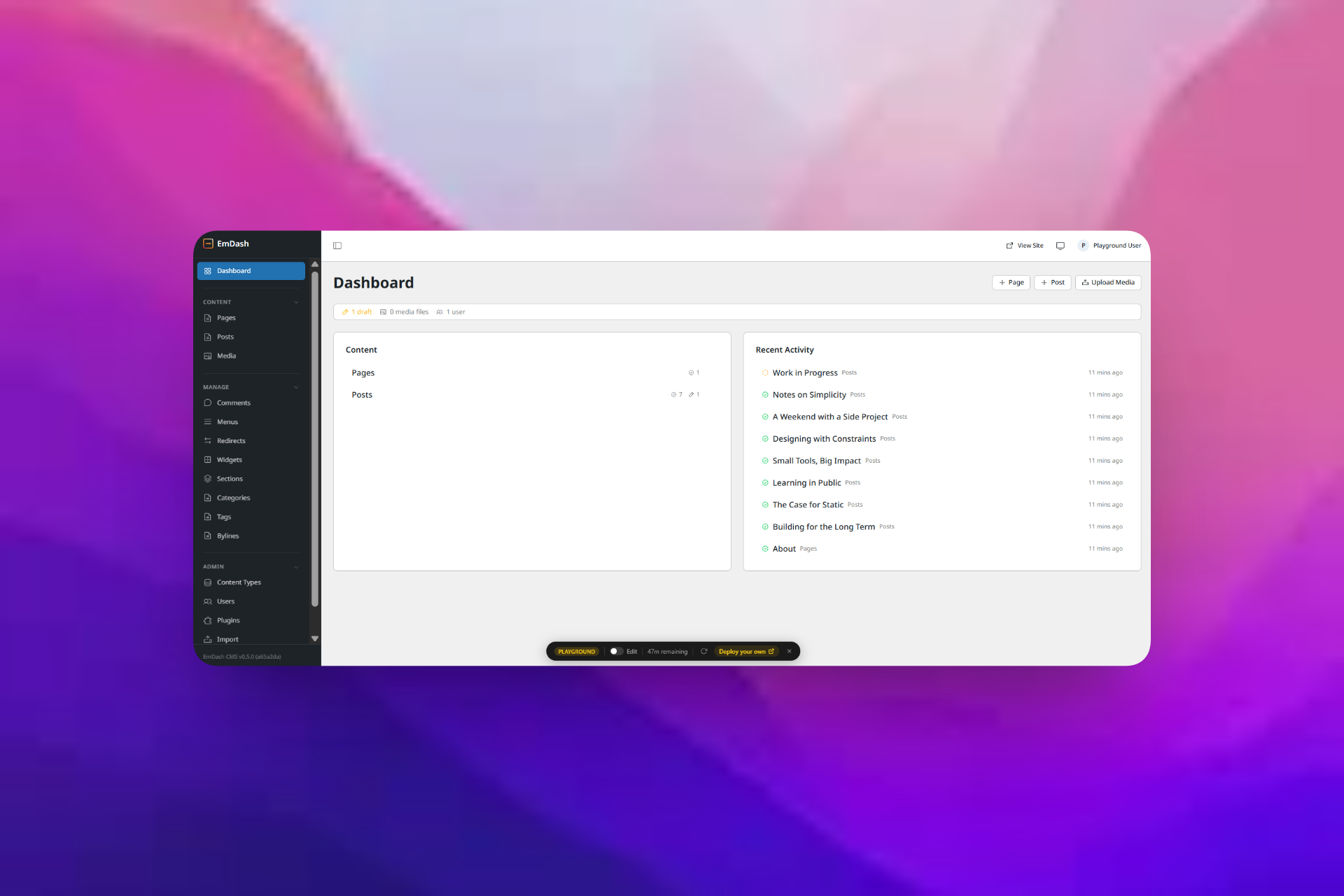
EmDash fits Astro teams that want an admin panel, media library, live content queries, typed models, and preview inside the same codebase as the frontend.
Your site is not built on Astro or you already have a headless CMS workflow that your team likes.
EmDash works well for teams moving blogs, pages, media, taxonomies, widgets, and familiar content concepts from WordPress into an Astro and TypeScript stack.
You depend on WordPress-specific plugins or WooCommerce-scale commerce features.
Teams deploying on Cloudflare can use D1, R2, Workers, KV, and Dynamic Workers to keep content, media, and plugins close to the deployment platform.
You cannot use paid Cloudflare features and need sandboxed plugin execution from day one.
EmDash fits teams experimenting with agent-managed content, schema, themes, or plugins because the project includes CLI workflows, skill files, and MCP support.
You want a no-code hosted CMS where nontechnical users never touch the deployment stack.
The problem
Modern sites often split content editing, frontend code, deployment, media, auth, and plugins across several services. That creates extra API glue, rebuild workflows, webhook failures, and a harder handoff between developers and content editors. WordPress solves editing and plugins, but teams building in Astro inherit PHP hosting, same-process plugin risk, and a content model tied closely to rendered HTML. Headless CMS tools solve some of that, but they add a separate vendor, API layer, and deployment surface.
How it works
EmDash installs as an Astro integration, so content, admin routes, API behavior, and frontend rendering live inside the Astro project instead of a separate CMS application.
The README says rich text uses Portable Text rather than serialized HTML. That keeps content separate from DOM output and makes reuse across pages, APIs, email, or future surfaces easier.
On Cloudflare, plugins can run in Worker isolates with capability manifests. A plugin can request specific capabilities such as read:content or email:send instead of inheriting broad process access.
Docs and README describe support for Cloudflare D1 and R2, plus SQLite, Turso or libSQL, PostgreSQL, S3-compatible storage, Redis, KV, and local filesystem options.
EmDash includes import paths for posts, pages, media, and taxonomies from WXR exports, the WordPress REST API, or WordPress.com, plus docs and agent skills for plugin and theme migration.
The README lists a CLI, agent skills, and a built-in MCP server, giving AI tools a documented way to manage content, schemas, plugins, and themes.
Features
- Astro-native CMS integration
- Portable structured content
- Sandboxed plugin model
- Cloud-portable data layer
- WordPress migration tooling
- Programmatic AI-friendly operations
How to install
npm create emdash@latest

# Generate TypeScript types from your content model
npx emdash types
Recommended for this setup
Strengths
- Better fit for Astro than generic headless CMS: The official docs state that EmDash is built specifically for Astro and is not a headless CMS. That matters when a team wants content updates, queries, and previews inside the same framework.
- MIT license with a TypeScript stack: GitHub reports an MIT license, and the repository is TypeScript-first. Teams can fork the CMS, inspect how admin and content primitives work, and adapt it without moving to PHP.
- Practical WordPress migration bridge: EmDash keeps familiar concepts such as collections, taxonomies, menus, widgets, plugins, and media while moving implementation to Astro, SQL-backed content, Portable Text, and typed developer workflows.
- Deployment choices beyond one vendor: Although Cloudflare is the best-supported path, the README describes Node.js, SQLite, PostgreSQL, S3-compatible storage, Redis, and local filesystem options for teams that need portability.
Trade-offs
- Astro coupling is intentional: EmDash is tightly integrated with Astro. That is a strength for Astro sites, but it makes the CMS a poor fit for Next.js, Rails, Laravel, or existing headless architectures that already work well.
- Plugin sandboxing depends on paid Cloudflare features: The README says secure sandboxed plugins depend on Cloudflare Dynamic Workers, which require a paid Cloudflare account. Teams can disable plugins or use safe mode, but that changes the plugin story.
- Beta preview maturity: The README labels EmDash as beta preview. Teams should expect faster change, fewer battle-tested production patterns, and more need to validate upgrades before using it for critical content workflows.
- Not a WooCommerce replacement: The official docs say EmDash may not be right for e-commerce because WooCommerce-scale features are not yet available. Content sites and marketing sites are a better fit than full storefronts.
Tech stack
FAQ
EmDash is a full-stack TypeScript CMS built for Astro. It provides an admin panel, content engine, REST API, media library, auth, plugin system, templates, and deployment paths for Cloudflare or Node.js.
No. The official docs say EmDash is not a headless CMS because it is tightly integrated with Astro. Content and frontend live together instead of being split across a separate CMS and API.
Yes. The README says EmDash can import posts, pages, media, and taxonomies from WXR exports, the WordPress REST API, or WordPress.com.
No. EmDash runs best on Cloudflare, but the README says it can also run on any Node.js server with SQLite. The docs also mention libSQL, PostgreSQL, S3-compatible storage, and local filesystem options.
GitHub reports EmDash under the MIT License. That makes it permissive for commercial use, modification, and self-hosted deployments.