
Convex
Reactive backend with TypeScript functions and real-time sync
Replaces Firebase, Aws Amplify, Supabase
Who it's for
Convex's reactive query model means every client sees updates the moment data changes, without polling or WebSocket management. Teams building multiplayer tools, collaborative editors, or live dashboards get real-time behavior as a default property of every query, not a separate feature to implement.
Your app does not need live updates or concurrent multi-user editing. If clients can tolerate a full page reload to see fresh data, the reactive model adds infrastructure without clear benefit.
Convex offers Firebase-like developer experience (functions, real-time sync, client SDK) with TypeScript end-to-end and no dependency on Google Cloud. Developers who have outgrown Firebase's pricing model or want to self-host their backend can migrate to a structurally similar workflow without switching to SQL or managing an ORM.
Your team is deeply invested in Firebase's mobile SDKs, Firebase Cloud Messaging, or specific Google Cloud integrations. Migrating those dependencies is a separate project beyond swapping the database layer.
Convex Components include Workpool for fan-out model calls with retries and backoff, Workflow for multi-step processes that checkpoint and resume, and Agent for built-in threads, context, and vector search. These address the most common infrastructure needs for AI-augmented applications without additional services.
Your AI backend is already built on a mature orchestration framework like LangGraph or Temporal, or you need a managed workflow service with dedicated SLAs and enterprise support.
The problem
Building a live-updating web app typically means assembling separate systems: a database with its own query language, an API server for business logic, a WebSocket or SSE layer for real-time push, and a cache for frequently read data. Each service adds a new integration point, a new failure mode, and a new surface for type mismatches between the backend schema and the frontend component. The hardest problem is concurrency. ACID transactions across concurrent writes, type safety from the database schema through to the React component, and real-time push without a separate sync service are three problems most stacks address partially or separately. Managed BaaS tools like Firebase and AWS Amplify abstract some of this but trade off in vendor lock-in, proprietary query languages, and pricing that escalates once an app grows past the free tier.
How it works
Every mutation in Convex runs as a full ACID transaction, so concurrent writes from multiple users never produce partial or inconsistent state. The database guarantees serializable isolation without requiring manual locking or conflict resolution code. This is a meaningful difference from optimistic concurrency models, where the client is responsible for detecting and resolving conflicts.
Server functions (queries and mutations) are written in pure TypeScript and run on the backend. The function signature types flow through to the client library automatically, so a schema change in the database surfaces as a TypeScript compile error in the React component that reads it. No separate ORM, no code generation step, no runtime type mismatch.
Query functions are reactive by default: when the data a query depends on changes, Convex pushes the updated result to every subscribed client over a persistent connection. Building a live-updating feature requires no WebSocket management, no polling interval, and no cache invalidation logic on the frontend.
The self-hosted product includes most features of the cloud platform, including the dashboard and CLI. Docker is the recommended deployment path; a prebuilt binary is also available. The backend works with Neon, Fly.io, RDS, SQLite, Postgres, and other providers as the backing store. Community support is in the #self-hosted Discord channel.
Convex Components are open-source, sandboxed building blocks for adding complex functionality without implementing it from scratch. The official component library includes Workpool (fan-out for model calls and background jobs with built-in retries), Workflow (multi-step processes that checkpoint and resume), and Agent (threads, context, and vector search for AI features).
Features
- ACID Transactions Across Concurrent Writes
- TypeScript Server Functions
- Automatic Real-Time Client Sync
- Self-Hosted Deployment via Docker
- AI Agent and Workflow Components
How to install
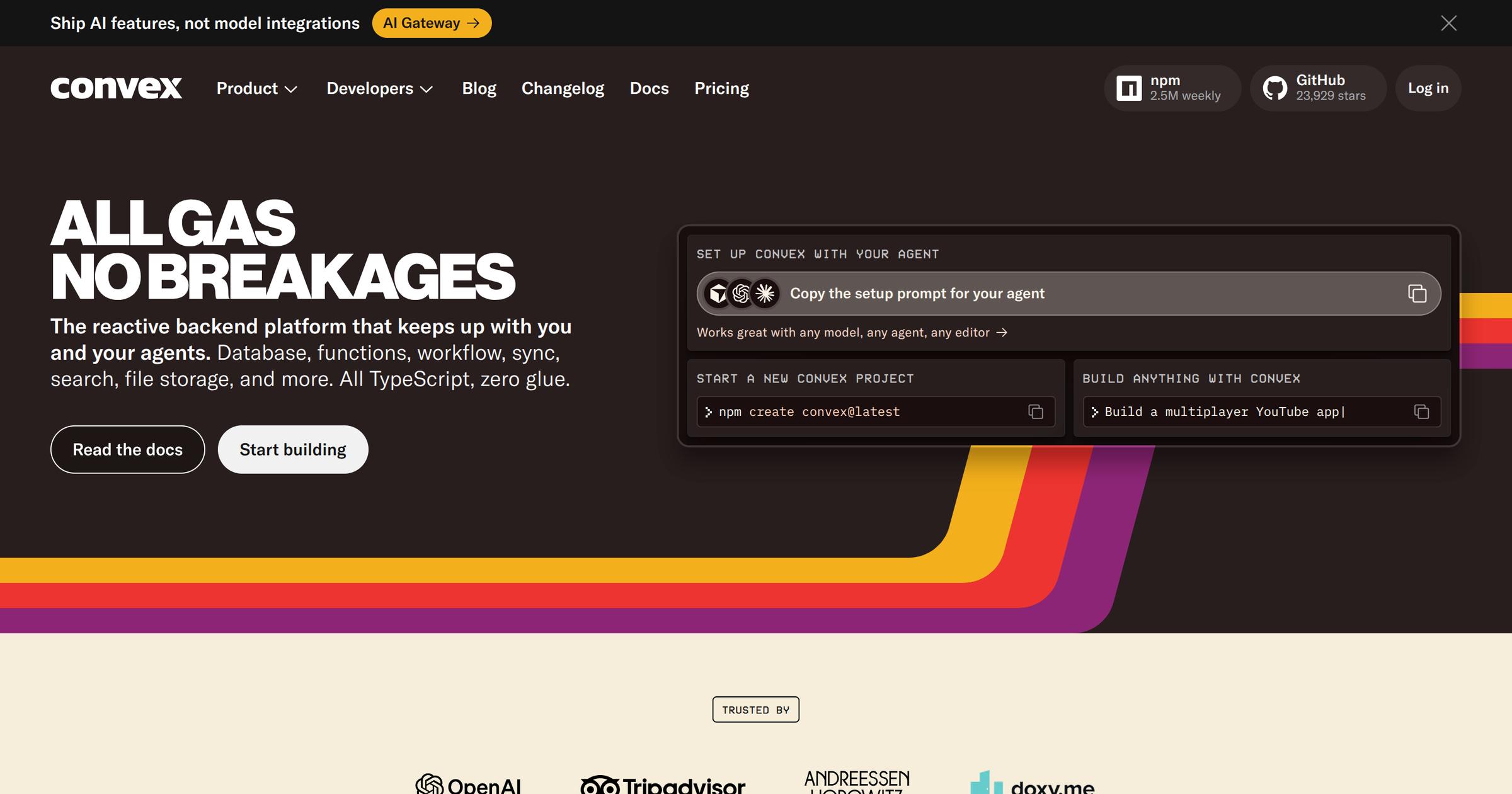
Deploy the backend server with Docker, or scaffold a new project using npm.
npm create convex@latestRecommended for this setup
Strengths
- End-to-End TypeScript Without an ORM: The database schema, server functions, and client library share a single type system. Schema changes surface as TypeScript errors in the components that query the data, before the app ships. Unlike Firebase (JavaScript only, no schema enforcement) or Amplify (GraphQL schema plus codegen), Convex does not require a separate code generation step.
- No Separate WebSocket Infrastructure: Real-time reactivity is built into the query model: every subscribed client receives updates when the data changes. Teams do not need to run a separate WebSocket server, manage subscriptions manually, or add a cache invalidation layer. The same query function serves both the initial load and all subsequent updates.
- Self-Hosted Release Includes Dashboard and CLI: Unlike Firebase and AWS Amplify, which have no self-hosted option, Convex's self-hosted release ships with the full backend, dashboard, and CLI. Teams that need to keep data on their own infrastructure or in a specific region can deploy Convex without depending on the managed cloud service.
Trade-offs
- Fair-Code License Restricts Competing Hosted Services: Convex is licensed under FSL-1.1-Apache-2.0 (fair-code), not an OSI-approved open source license. The restriction is narrow: you cannot make Convex available as a commercial hosted or managed service that competes with the Convex cloud product. Internal use, team deployments, and self-hosting for your own apps are explicitly permitted. Each release converts to Apache 2.0 two years after its release date.
- Open Issues and Limited Public Test Coverage: The public repository has 191 open issues as of November 2026. The README notes that the well-tested internals of the Convex backend are not fully provided in the open source release; several test frameworks exist but are not shipped publicly. Teams that need to contribute fixes or evaluate production reliability at the code level will find the public test surface limited.
- Windows Support and Self-Hosting Setup Complexity: The README notes that Convex is battle-tested on Linux and Mac but has less experience on Windows. Self-hosting beyond the cloud platform requires a server, Docker, and configuration of a backing database (Postgres, SQLite, or a managed provider). First-time deployers should follow the self-hosting guide and expect some configuration work.
Tech stack
FAQ
Yes. The FSL-1.1-Apache-2.0 license permits internal business use and self-hosting for your own apps or your company's internal tools. What is prohibited is making Convex itself available as a hosted or managed service that competes with the Convex cloud product. If you are building an application that uses Convex as its backend, that is permitted. Each release converts to Apache 2.0 two years after its release date, at which point all restrictions lift.
Docker is the recommended path. The self-hosted product includes the full backend, dashboard, and CLI. The official self-hosting guide (linked in the README at github.com/convex/convex-backend) covers setup with Neon, Fly.io, Vercel, Netlify, RDS, SQLite, and Postgres as backing stores. A prebuilt binary is also available if you prefer not to use Docker. Community support is in the #self-hosted channel on the Convex Discord.
All three, combined. Convex provides a document database, a TypeScript server function runtime, and a real-time sync layer as a single system. You write queries and mutations in TypeScript; the framework handles ACID transactions, automatic caching, and pushing updates to subscribed clients. The closest analogy is a BaaS (backend-as-a-service) like Firebase, but with full self-hosting support and TypeScript throughout.
Both are self-hostable Firebase alternatives, but they differ in data model and query style. Supabase is built on Postgres: you write SQL, use row-level security policies, and access data through a PostgREST API or Supabase's client library. Convex uses a reactive document model: you write TypeScript server functions that the framework executes with full type safety and ACID guarantees. Teams comfortable with SQL and relational schemas tend to prefer Supabase; teams that want TypeScript end-to-end and reactive updates without an ORM tend to prefer Convex.