
cmux
Native macOS terminal for running AI coding agents side by side.
Replaces Conductor, Warp
Who it's for
If you run two or more Claude Code or Codex sessions simultaneously across different tasks or git worktrees, the notification rings and sidebar metadata tell you which one needs attention without manual pane-scanning. Session restore with agent resume means your sessions come back after a restart.
You run a single agent session at a time and your current terminal handles it. The notification system is most valuable at two or more concurrent sessions; with one, Ghostty or iTerm2 covers the same ground.
The in-app browser sits next to a Claude Code or OpenCode session. When an agent makes changes to a web app, you can verify the result in the browser pane without switching applications. The browser API lets agents interact with the dev server directly: snapshot the DOM, click through UI flows, read network responses.
Your agent workflow is entirely server-side or CLI-to-CLI with no frontend verification step. If there is no web UI to check, the browser pane adds nothing.
cmux ssh user@remote creates a full cmux workspace for a remote machine, and browser panes route through the remote network so localhost URLs from agents on that host work correctly. You can run Claude Code on a powerful cloud box and drive it from your Mac.
Your workflow is local-only and you have no need for SSH workspaces. The SSH integration is valuable mainly for remote-first or cloud development setups.
The cmux claude-teams command runs Claude Code's teammate mode and spawns each teammate as a native split pane with sidebar metadata and notification rings. No tmux setup required. Each agent in the team is visible and independently controllable from the main cmux workspace.
You are not using Claude Code's teammate mode. For other multi-agent frameworks, cmux works as a standard terminal with splits but the claude-teams integration is Claude Code-specific.
The problem
When you run multiple AI coding agents in parallel, the main bottleneck is knowing which one needs your input. Claude Code's native macOS notification says only 'Claude is waiting for your input' with no context about the task or session. With several panes open in Ghostty, iTerm2, or any standard terminal, finding the right one means checking each pane by eye. The problem scales quickly. Two agents is manageable. Five agents across different worktrees, tasks, and SSH sessions creates a constant loop of switching and scanning. The more sessions you run, the more time you spend monitoring them rather than acting on their output.
How it works
When a process needs attention, cmux draws a blue ring around the pane, adds an unread badge in the sidebar, shows a notification popover, and fires a macOS desktop notification. Notifications fire via standard OSC 9/99/777 escape sequences, so any agent that supports OSC output or hooks (Claude Code, Codex, OpenCode, Pi, Amp) works automatically. Cmd+Shift+U jumps to the most recent unread.
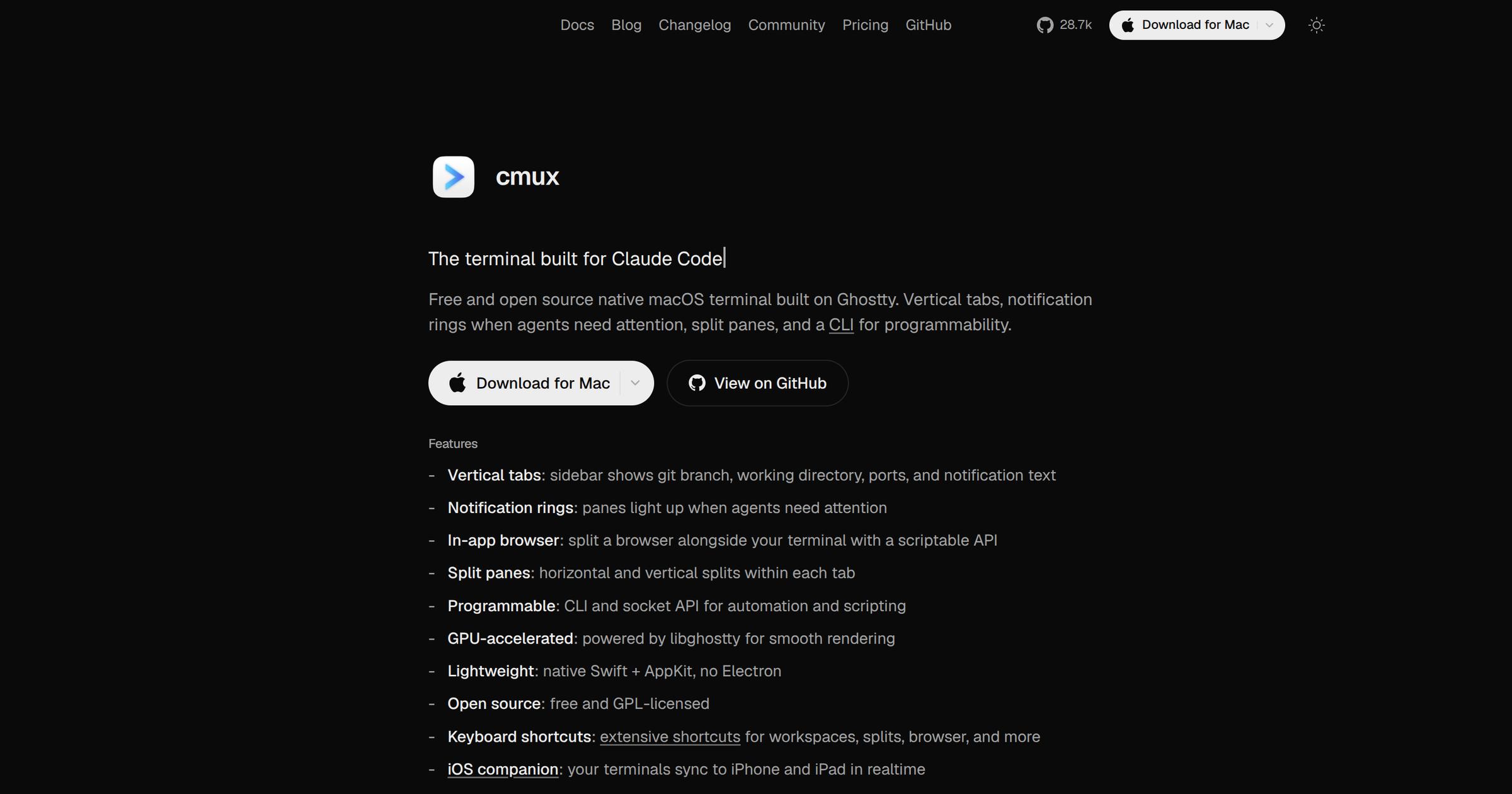
The sidebar shows a tab per workspace with the current git branch, linked PR number and status, working directory, listening ports, and the latest notification text. This makes it possible to track many sessions at a glance without switching between them. Each workspace supports horizontal and vertical splits within it.
Open a real browser pane next to your terminal with Cmd+Shift+L. The browser API (ported from Vercel's agent-browser) lets agents navigate pages, snapshot the DOM, click elements, fill forms, evaluate JavaScript, and read network activity over the same Unix socket used by the CLI. Claude Code can verify its own web changes from within cmux.
Every action in cmux is scriptable: create workspaces, split panes, send keystrokes, open URLs in the browser, and read screen contents from the command line or any language that can write to a Unix socket. Project-specific commands can be defined in cmux.json and launched from the command palette.
cmux saves and restores windows, workspaces, panes, working directories, scrollback, and browser URL when you relaunch or restart your computer. Agent session resume requires running cmux hooks setup after installing the agent CLI. Supported agents include Claude Code, Codex, OpenCode, Grok, Amp, Gemini, Rovo Dev, and others.
The cmux ssh user@remote command creates a full cmux workspace for a remote machine. Browser panes route through the remote network, so localhost URLs from an agent running on the remote host open correctly in the in-app browser. Dragging an image into a remote session uploads it via scp.
Features
- Notification rings and unread badges
- Vertical tabs with per-workspace metadata
- In-app browser with a scriptable API
- CLI and socket API for automation
- Session restore with agent resume
- SSH workspaces with remote browser routing
How to install
Install cmux on macOS using Homebrew.
brew tap manaflow-ai/cmux
brew install --cask cmux
Recommended for this setup
Strengths
- GPL-3.0 macOS app and CLI with no license fees: The macOS app, iOS companion, and CLI are GPL-3.0-or-later, so installation, use, and modification are free for any purpose. Unlike Warp's subscription model, there is no paid tier required to use the core terminal. cmux Pro is an optional paid tier for early access to Cloud VMs and AI features in development.
- Native Swift/AppKit, not Electron: cmux is built with Swift and AppKit and uses libghostty for rendering, the same library behind Ghostty. It reads your existing ~/.config/ghostty/config for themes, fonts, colors, and cursor settings, so your terminal preferences carry over without reconfiguration. Fast startup and low memory compared to Electron-based terminals.
- Works with every CLI agent, no lock-in: cmux is a terminal, so any agent that runs in a terminal works without additional configuration: Claude Code, Codex, OpenCode, Gemini CLI, Kiro, Aider, Goose, Amp, Cline, Cursor Agent, and others. It supports Claude Code's teammate mode (cmux claude-teams) and oh-my-opencode multi-model setups, turning each subagent into its own visible pane.
- Active development with 28,700+ GitHub stars: The repo crossed 28,700 stars and 2,626 forks since launch in January 2026, with active commits through November 2026. It is built in public with feature-request and bug tracking on GitHub and community on Discord. The multilingual README (21 languages) reflects strong international adoption.
Trade-offs
- macOS only for now: cmux runs only on macOS. The team lists Windows and Linux as future platforms with a waitlist. Developers on Linux or Windows cannot use the macOS app today; they can follow the GitHub repo and join the waitlist for their platform.
- 3,649 open GitHub issues: The GitHub tracker shows 3,649 open issues (pull requests excluded, read from the GitHub search API). For a project launched in January 2026, that volume reflects active community use and fast feature development but also an open backlog of bugs and requests. Some edge cases and UI rough spots are known open issues.
- Server infrastructure has a BUSL-1.1 license: The macOS app, iOS app, and CLI are GPL-3.0-or-later and free for any use. The server-side components (web services, relay workers, presence services) are BUSL-1.1 and require a commercial license from Manaflow to self-host those components. Users who install only the macOS app and CLI are not affected by this restriction.
Tech stack
FAQ
Yes. The macOS app and CLI are GPL-3.0-or-later and free to download, use, and modify. cmux Pro is an optional paid tier for early access to Cloud VMs, the iOS app, and AI features in development; the core terminal is free. Source code is on GitHub at github.com/manaflow-ai/cmux.
All of them. cmux is a terminal, so any agent that runs in a terminal works without configuration: Claude Code, Codex, OpenCode, Gemini CLI, Kiro, Aider, Goose, Amp, Cline, Cursor Agent, and others. Session resume hooks are available for Claude Code, Codex, OpenCode, Grok, Amp, and others via cmux hooks setup.
Partially. The macOS app, iOS app, CLI, and cmux-tui are GPL-3.0-or-later and fully open source. The server-side infrastructure (web services, relay workers, presence services) is licensed under BUSL-1.1, which requires a commercial license from Manaflow to self-host those components. Users who install only the desktop app and CLI are not affected.
cmux is not a fork of Ghostty. It uses libghostty as a library for terminal rendering, the same way an app might use WebKit for web views. Ghostty is a standalone terminal; cmux is a separate app built on top of the libghostty rendering engine, adding workspaces, a sidebar, notification rings, an in-app browser, and a CLI and socket API. Your existing ~/.config/ghostty/config carries over directly.
Yes. cmux can attach to remote tmux sessions over SSH. For local sessions, cmux local-tmux opts in to a tmux owner layer for live detach and reattach across restarts; zellij users can use cmux local-zellij instead. Both are opt-in. cmux's own session restore handles most layout and scrollback needs without tmux or zellij.