
BUI
Blender's widget system for Python, Rust, JavaScript and C apps
Replaces —
Who it's for
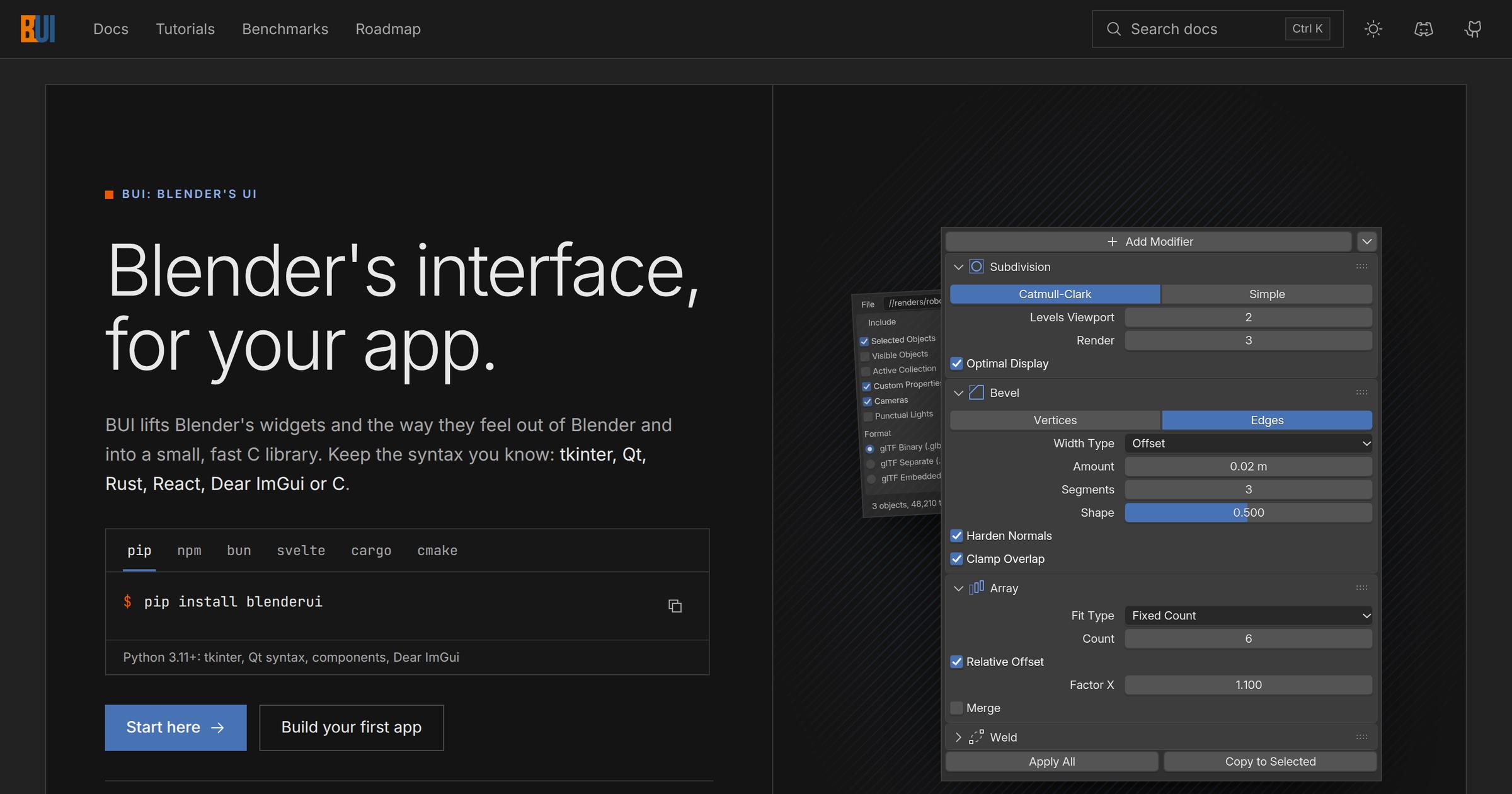
Artists already use Blender's drag-to-scrub number fields, pie menus, and Tab-to-search. BUI lets a tool built in Python or Rust provide those exact gestures without any Blender installation. Panels, sliders, vector fields, and the fuzzy menu search all work from one `pip install`.
If your users are not Blender artists, the UI conventions may be unfamiliar. A toolkit following host-OS design conventions may be a better fit.
React 19.3 renders to BUI's DOM on Node.js or Bun, with hooks that use React's names and Tailwind CSS v4 with compile-time typo errors. The result is a native window, not a webview; idle CPU is 0% and first frames arrive in roughly 5 ms. Svelte 5 runes and scoped styles work the same way.
If your app needs browser-specific APIs (DOM accessibility tree, extensions, Web platform APIs), BUI has no browser engine and those APIs are not available.
Run `blenderui-tk my_app.py` on an unmodified tkinter program and it wakes up looking like Blender. All 7,846 public tkinter and ttk names are mapped; nine real programs are verified to behave identically. No rewrite required to evaluate the library.
If accessibility is required, BUI does not support it yet. The app will also look Blender-themed rather than OS-native, which may not suit all users.
BUI compiles the same Rust source files as Zed's gpui and gpui-fast, so comparing both libraries means one codebase. First-frame time in the benchmark is ~5 ms vs ~220 ms for gpui, and idle CPU is 0%. Teams can run their own gpui code against BUI without a rewrite.
If your project is tightly coupled to Zed's extension model or gpui's concurrency primitives, BUI does not reproduce those. BUI's focus is Blender's interaction model.
The problem
Most desktop UI frameworks force a choice between familiarity and performance. Browser-based options like Electron ship with hundreds of megabytes of Chromium overhead and cold starts measured in seconds. Bare tkinter looks dated. Qt requires a commercial license for proprietary closed-source apps. Meanwhile, Blender ships a UI that starts in milliseconds, redraws only what changed, and carries decades of interaction polish used by millions of artists. For teams building creative tools, the gap is specific: there is no way to give Blender artists the number-field drag gestures, pie menus, or fuzzy search they already know without forking Blender's codebase. For Rust and JavaScript developers, shipping a native window without a browser runtime means writing platform-specific code per OS, or accepting heavier resource overhead from existing native frameworks.
How it works
Number fields drag with a hidden, continuous cursor: Shift for precision, Ctrl to snap. Math expressions evaluate directly in fields: type `2*pi` or `min(4, 3)` and the result appears. The fuzzy menu search finds 'Add Cube' from 'ad cu' and forgives typos, with recent picks ranked first.
Python (tkinter, Qt-style syntax, 45 Blender components, Dear ImGui), Rust (rsx!, gpui-compatible builders, HTML+CSS+Tailwind), JavaScript (React 19.3, Svelte 5, DOM-like API), C, C++ and Dear ImGui all share the same C kit. Every binding gets the same widgets and interactions.
The idle UI costs 0% CPU: BUI sleeps until something changes, then redraws only the widget that changed. In the benchmark on a Ryzen 7 5800U with 3,000 animated cells, idle CPU averages 0 ms per minute on the GPU renderer, vs 743 ms for gpui. The GPU renderer reaches 59.9 FPS.
React 19.3 renders to BUI's DOM on Node.js or Bun, with hooks that use React's names and Tailwind CSS v4 that fails to compile on typos. Svelte 5 runes, snippets, bindings and scoped styles run on BUI's DOM as native windows. No browser engine, no webview, idle CPU 0%.
One decoder set for PNG, GIF, BMP, TGA, QOI, JPEG (libjpeg-turbo), animated WebP, Radiance HDR, PNM and SVG. Thumbnails decode at the size drawn; a 4K JPEG becomes a 256 px thumbnail in ~12 ms using DCT scaling. The `<video>` element plays via OS decoders (Media Foundation, GStreamer, AVFoundation) at 0.99 ms render frames at 1080p.
Every public tkinter and ttk name is there. Run an existing tkinter program on BUI with `blenderui-tk my_app.py` and it wakes up looking like Blender without any code changes. Nine real programs are verified to behave identically on the standard library and on BUI.
Features
- Blender's number-field and menu interactions
- One C runtime, six language bindings
- Damage rendering: 0% idle CPU
- React and Svelte in native windows
- Image and video decoding
- tkinter drop-in: 7,846 public names mapped
How to install
Install BUI using the package manager for your language.
pip install blenderui
cargo add blenderui
npm install @blender-ui/react react
Recommended for this setup
Strengths
- Performance lead over gpui in benchmarks: On a Ryzen 7 5800U with 3,000 animated cells: BUI (GPU) posts ~5 ms first frame and 59.9 FPS vs gpui-fast's ~200 ms first frame and 31.5 FPS. CPU per frame is 11.6 ms vs gpui-fast's 31.9 ms (plus GPU time). RAM is 40 MB (GPU path) or 30 MB (CPU path) vs gpui's 77 MB. Benchmarks ship with the repo and are reproducible.
- Compiles the same gpui Rust files unchanged: The same Rust source file compiles against Zed's gpui, gpui-fast, and BUI without modification. The benchmark's settings window is the same `settings.rs` compiled three ways. Teams currently on gpui can compare performance on their own code without a rewrite.
- GPL-3.0: free for self-hosted and internal use: GPL-3.0 lets you run BUI on your own infrastructure, modify it, and use it for internal commercial tools with no license fee. The constraint applies on distribution: if you ship a binary to users outside your organization, you must also make the GPL-licensed source available.
- Published benchmarks with reproducible results: The README's performance section covers first frame, CPU per frame, RAM, and idle CPU for BUI's GPU and CPU renderers vs gpui and gpui-fast, all from one benchmark source file. Benchmark tools ship with the repo; the README documents the hardware and conditions (Ryzen 7 5800U, Windows 11, AC power).
Trade-offs
- No accessibility or input method support yet: The README states no accessibility support and no input method support in the current release. Apps whose users rely on screen readers, switch access, or platform input methods are not covered. The README lists this as a known limitation before shipping.
- GPL-3.0 requires open source on distribution: BUI is GPL-3.0 licensed. If you distribute a compiled application to users outside your organization, you must also distribute the GPL-licensed source code. Teams building proprietary closed-source apps that cannot release source under GPL-3.0 terms need to find a different library or negotiate a commercial license.
- Apps look like Blender, not the host OS: BUI uses Blender's dark and light themes; it does not follow macOS HIG, Windows Fluent Design, or GNOME HIG. Apps that must feel native to the platform will need significant custom styling or a different toolkit. The README notes this under known limitations.
- Some bindings are partial or planned: The language matrix marks the tkinter and Blender-components Python bindings as 'Complete'; Rust, JavaScript, Dear ImGui, and C as 'Working'; Qt-style Python as 'Partial'; and Go as 'Not yet'. Partial coverage means not all Qt widgets are available. The project was created in August 2026 and is under active development.
Tech stack
FAQ
No. BUI contains its own port of Blender's widget drawing code and runs without Blender on the development machine or on users' machines. The only runtime dependency is BUI itself, which installs as a pip package, a Cargo crate, or an npm package depending on your language.
GPL-3.0 lets you run BUI on your own machines, modify the library, and use it for internal commercial tools with no fee. If you distribute a compiled app to users outside your organization, you must also make the GPL-licensed source code available. Teams building proprietary closed-source desktop apps that cannot release source under GPL-3.0 terms should review the license before adopting.
Electron bundles Chromium, which adds around 200 MB to the app bundle and a cold start measured in seconds. BUI's JavaScript bindings run against a native C runtime. In the benchmark on a Ryzen 7 5800U with 3,000 animated cells, BUI's first frame arrives in roughly 5 ms and idle CPU is 0%. The main tradeoff is that BUI has no browser engine: Web platform APIs that rely on the browser's DOM accessibility tree or extension system are not available.
BUI supports Windows, Linux, and macOS, as listed in the GitHub repository. The GPU renderer uses Direct3D 11 on Windows and OpenGL 3.3 on Linux. macOS support is included; see the repository's platform reference section for details on the macOS rendering path.
For most programs, yes. BUI maps all 7,846 public tkinter and ttk names and has tested nine real programs against both the standard library and BUI without modifications. Run `pip install blenderui` then `blenderui-tk my_app.py`. The app will look Blender-themed rather than OS-native, and some edge-case APIs may not yet be covered; check the repository's coverage table for details.