
Arcmark
Native macOS bookmark manager with browser integration
Replaces Anybox, Raindrop Io, Pinboard
Who it's for
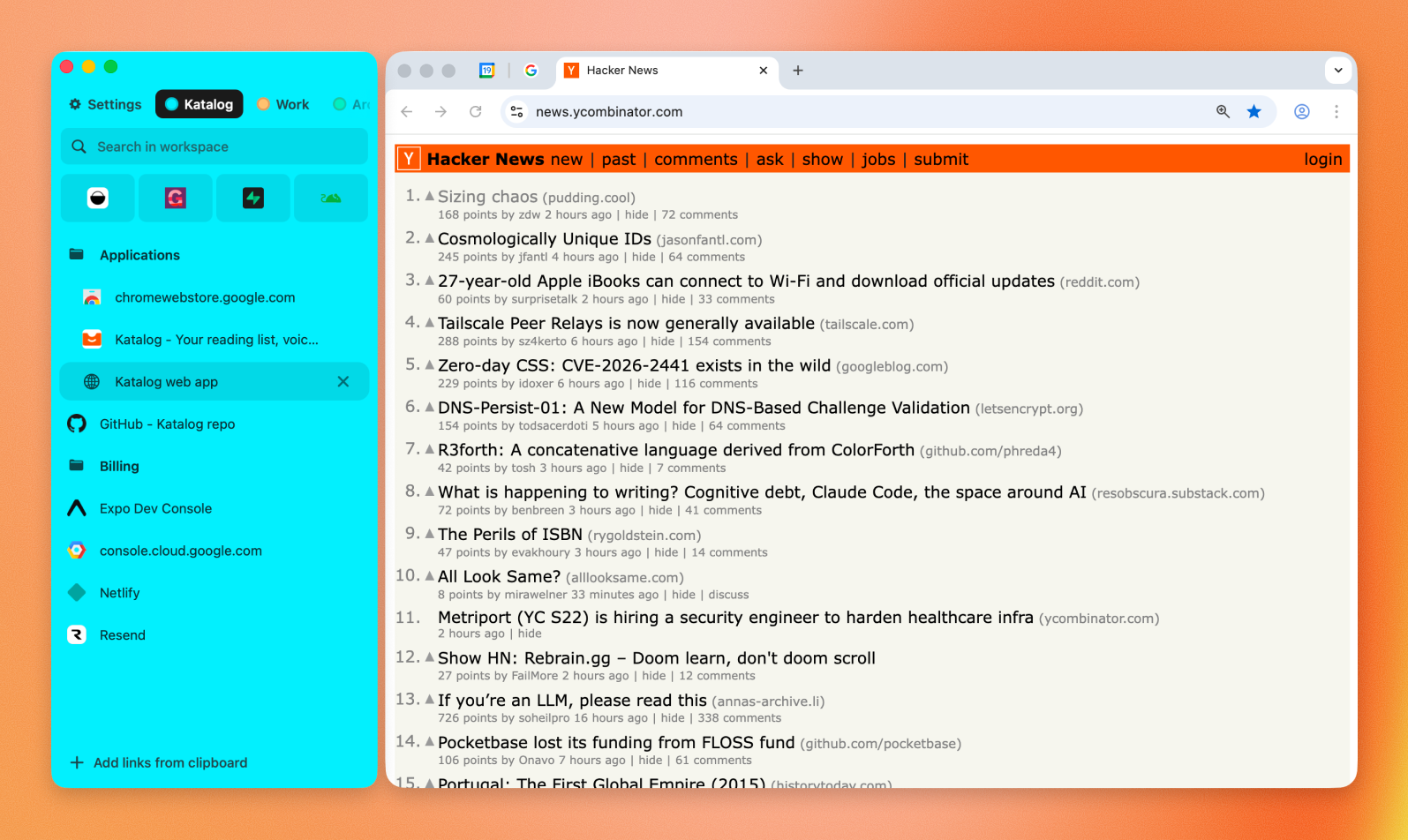
Arcmark fits users who like Arc's sidebar organization but want to use Chrome, Safari, Brave, or another browser.
You need bookmark sync across Windows, Linux, and mobile devices.
The local JSON storage model helps users keep bookmark data inspectable and outside a hosted bookmark service.
You want team collaboration, hosted sync, or browser-extension based sharing.
The problem
Browser bookmarks are usually trapped inside one browser's sidebar and organization model. That becomes frustrating when a user wants Arc-style workspace organization without staying inside Arc or manually duplicating bookmarks across browsers. Power users also need bookmarks to stay local and searchable. A simple browser folder tree can break down when links need to be grouped by workspace, moved quickly, and accessed beside whichever browser is active.
How it works
Arcmark can float alongside supported browser windows and follow them across spaces while still offering a standalone window mode.
Users can organize bookmarks into multiple workspaces with custom colors, nested folders, and drag-and-drop movement.
The README says bookmarks are stored in a single local JSON file under the user's Application Support directory.
Features
- Browser-attached sidebar
- Workspace organization
- Local JSON storage
Recommended for this setup
Strengths
- Browser-independent organization: Arcmark is useful for people who want Arc-like sidebar organization while keeping freedom to use another browser.
- Native macOS feel: Because it is built with Swift and AppKit, Arcmark can behave like a focused local macOS utility rather than a web app.
Trade-offs
- Mac-only utility: Arcmark targets macOS and requires accessibility permissions for browser attachment. Cross-platform teams should not treat it as a shared bookmark platform.
Tech stack
FAQ
The README lists Chrome, Arc, Safari, Brave, and similar browser windows for sidebar attachment.
Arcmark stores bookmarks in a local JSON file in the user's macOS Application Support directory.
GitHub metadata reports MIT licensing for Arcmark.