Synara
Free, local-first desktop workspace for parallel AI coding agents.
Replaces Conductor
Who it's for
Run separate Claude Code and Codex sessions on different branches at the same time. Each session gets its own worktree and terminal, so work on branch A does not interfere with branch B. When both are done, review each diff separately before merging.
You are working on a single task at a time and do not need parallel isolation. For single-session workflows, using an agent tool directly is simpler than managing a workspace.
When you run several coding agents on separate tasks, each session in Synara gets its own worktree, terminal, and task surface. No context bleed, no branch collisions, and a single diff view to review changes before they merge.
You run only one AI coding agent at a time. The parallel isolation features are not needed for single-session workflows, and the overhead of managing tasks in a workspace adds friction to simpler setups.
If your workflow uses Claude Code for planning, Codex for execution, and Cursor for inline edits, Synara lets you run all three from one task surface. The handoff feature passes context between them without manual re-briefing.
You use only one agent runtime and have no interest in switching between providers. The multi-agent coordination features do not add value in a single-provider setup.
The built-in browser pane lets you view the running app next to the diff before you commit. Useful for frontend work where visual verification matters before a change ships to a pull request.
Your work is backend-only or non-visual. For server-side changes, the diff view alone is usually sufficient, and the browser pane adds nothing.
The problem
Managing multiple AI coding agents without a dedicated tool is friction-heavy. Each agent runs in its own terminal or app, with its own context, branch, and working directory. Without isolation, two agents editing the same files create merge conflicts that neither can resolve. Without a unified view, you lose track of which agent is working on what. Switching from one agent to another means manually passing context: copying notes, pasting summaries, re-explaining the task from scratch. The underlying pain is coordination overhead. As AI coding agents get better, the bottleneck shifts from the agent's capability to the developer's ability to run, monitor, and direct multiple sessions at once. Most agent tools assume a single session at a time, leaving the multi-agent workflow to manual terminal management and context-passing.
How it works
Ten or more agents can build and test at once, each in its own managed worktree and branch. File changes stay isolated until you review and merge them, so no two agents overwrite the same working directory.
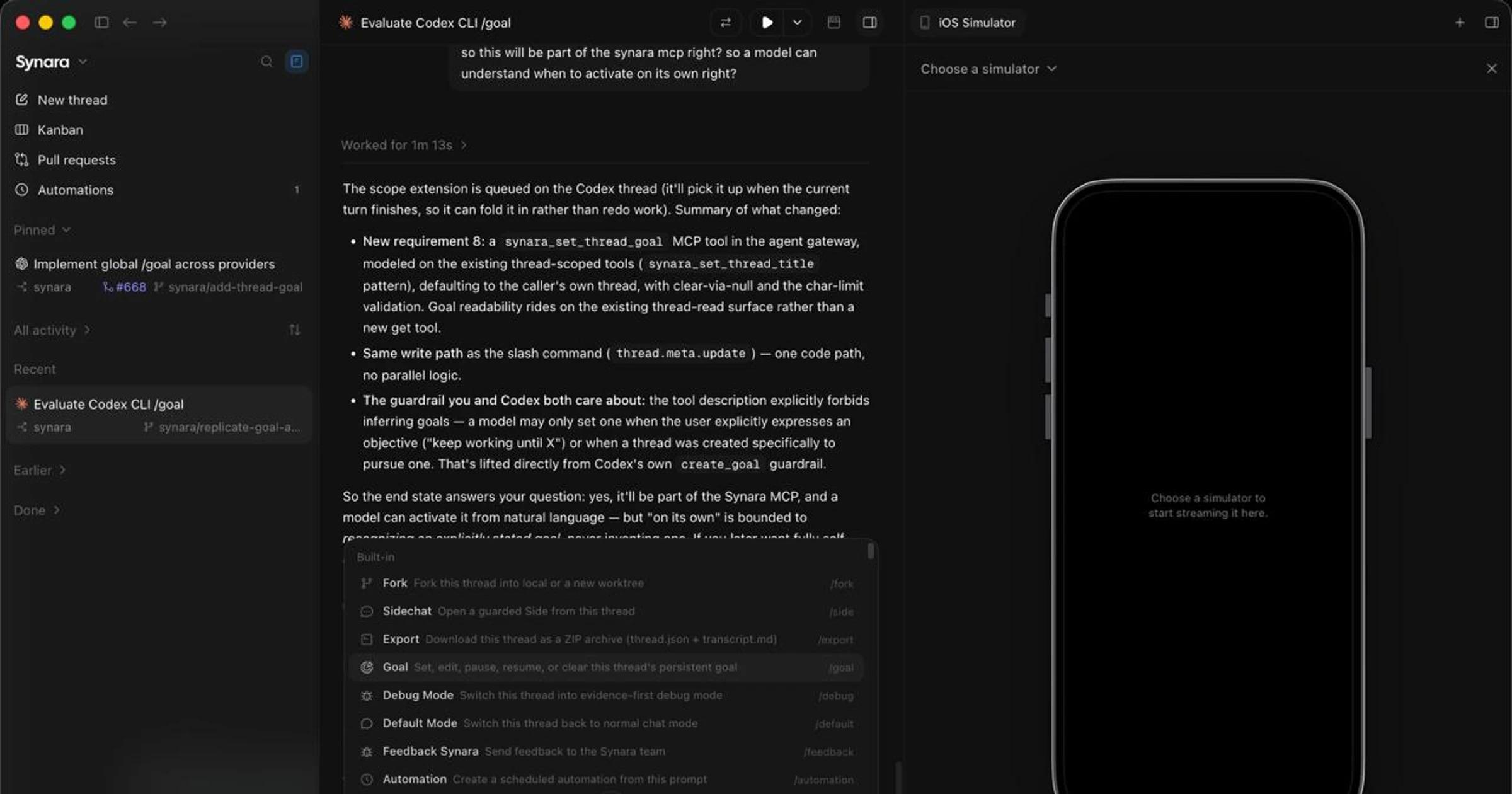
Every task keeps its own terminal and built-in browser session. You can run commands in the project environment and check the running app in the same surface without switching windows.
Switch a task from Claude Code to Codex, Cursor, Grok, or another agent mid-task. Synara passes the project context forward so the next provider starts where the last one stopped, without you re-explaining the work.
Inspect every change as a diff, verify the result in the built-in browser, then commit, push, and open a pull request from the same task surface without leaving the app.
Works with Claude Code, Codex, Cursor, OpenCode, Antigravity, Grok Build, Devin, Pi, and Factory Droid. Each connects to its local CLI or app-server installation.
Scheduled automations run recurring agent tasks and attach outcomes to projects and threads. External MCP integrations give scoped, user-approved access to other local clients.
Features
- Parallel agent sessions with Git worktrees
- Task-scoped terminal and browser
- Provider handoffs
- Diff review and PR delivery
- Nine supported agent runtimes
- Automations and external MCP
How to install
Download the latest installer for Windows x64, macOS Intel, macOS Apple Silicon, or Linux x64 from GitHub Releases: https://github.com/Emanuele-web04/synara/releases/latest
Recommended for this setup
Strengths
- MIT license at no cost: Synara is MIT licensed and free, with no subscription, no per-seat pricing, and no usage-based billing. You can fork it, modify it, and use it commercially without restriction.
- Local-first with no cloud dependency: Workspace state, projects, task history, and settings all stay on your machine. No Synara-hosted account is required for local desktop use, and provider traffic goes directly to the runtime you have installed.
- Nine agent runtimes in one workspace: Run Claude Code, Codex, Cursor, Grok Build, and five other agent runtimes from the same interface. Switching agents does not mean switching tools; handoffs pass context between providers within a single task.
- Active development with strong early adoption: The repo has 2,176 GitHub stars and 326 forks since its March 2026 launch. The project has been downloaded by over 23,000 developers, with active pushes as recently as November 2026.
Trade-offs
- Early-stage software: The README explicitly notes that Synara is early-stage and that APIs and interface details remain under active development. Expect breaking changes between versions; production-critical workflows may need careful version pinning.
- 136 open GitHub issues: The issue tracker has 136 open issues as of November 2026. For early-stage software with active development this is expected, but it means some workflows may have known bugs or missing polish.
- Requires provider CLIs already installed: Synara connects to provider runtimes that are already installed and authenticated on your machine. You need to install and configure each agent runtime (Claude Code, Codex, Cursor, etc.) separately before Synara can use it; it is not a standalone coding tool.
Tech stack
FAQ
Yes. Synara is MIT licensed and free to download and use. There is no subscription, no paid tier, and no usage-based billing. The source code is on GitHub and you can build it yourself. Optional analytics are disabled by default.
Synara currently integrates with Claude Code, Codex, Cursor, OpenCode, Antigravity, Grok Build, Devin, Pi, and Factory Droid. Each connects to the CLI or app-server already installed on your machine. You need to have the provider runtime installed and authenticated before starting a session.
No server is required for local desktop use. Synara accounts are optional and use WorkOS for authentication; they are not needed to run agents or access workspace features. Managed remote connections use Cloudflare and require authorization.
Synara ships native installers for Windows x64, macOS Intel, macOS Apple Silicon, and Linux x64. Download the latest build from GitHub Releases. Git 2.29 or newer is required for workspace Git features.
Yes. The development checkout requires Bun 1.4.4 and Node.js 24.13.1. Clone the repository, run bun install, then bun run dev. The README has the full typecheck and contribution setup. Pre-built downloads from GitHub Releases are the recommended path for most users.