
Spug
Agent-free SSH ops for host management, deployments, and monitoring.
Replaces Red Hat Ansible Automation Platform, Pagerduty Runbook Automation, Pagerduty Process Automation, Teleport
Who it's for
Teams that outgrew SSH one-by-one and need centralized batch execution, deployment pipelines, and monitoring without a dedicated platform engineer. Spug's Docker install means one person can have the control panel running the same afternoon, with no agents to provision on existing servers.
Teams already invested in Ansible or Kubernetes with Helm deployments will find Spug's deployment model less flexible than their existing pipeline tooling.
Spug's deploy configuration handles build steps, pushes to multiple targets, enforces a review gate, and supports canary releases and rollback. Teams deploying Python, Node.js, or Java applications to bare Linux hosts can replace ad-hoc deployment scripts with a reproducible, logged pipeline.
Teams already using a CI/CD platform like GitHub Actions, GitLab CI, or Jenkins for builds and deployments will likely keep the CI/CD system and would only pick up Spug for host management and monitoring.
Spug's native alarm integrations for DingTalk, Feishu, WeChat, and WeChat Work send monitoring alerts and pipeline notifications directly to the channels these teams already use, with no third-party bridge or webhook setup required.
Teams not using any of these platforms and already routing alerts through PagerDuty or Opsgenie will not benefit from the notification integrations.
Spug's online terminal opens an interactive shell to any registered host from the browser, with no SSH client required on the operator's machine. All terminal sessions and batch command runs are logged with timestamps and output, covering basic audit requirements.
Teams with strict compliance requirements around privileged access management may need a dedicated tool like Teleport that offers certificate-based authentication and tamper-proof session recording.
The problem
Managing server infrastructure at small-to-medium scale typically falls into one of two traps. The first is managing hosts ad-hoc with direct SSH sessions and shell scripts, leaving no audit trail, no visibility into what ran where, and no repeatable deployment process. The second is deploying an enterprise automation platform sized for thousands of nodes, which brings license costs, complex agent deployments, and months of setup. Neither fits a team running 20 to 200 servers that needs reliable deployments, scheduled cron tasks, file distribution, and health monitoring without hiring a dedicated platform engineer. The gap is especially sharp in deployment pipelines: pushing a build to multiple hosts, requiring a review gate, and rolling back cleanly if something fails means either paying for a CI/CD platform plus a runbook tool, or stitching together several open source pieces that do not share a common interface.
How it works
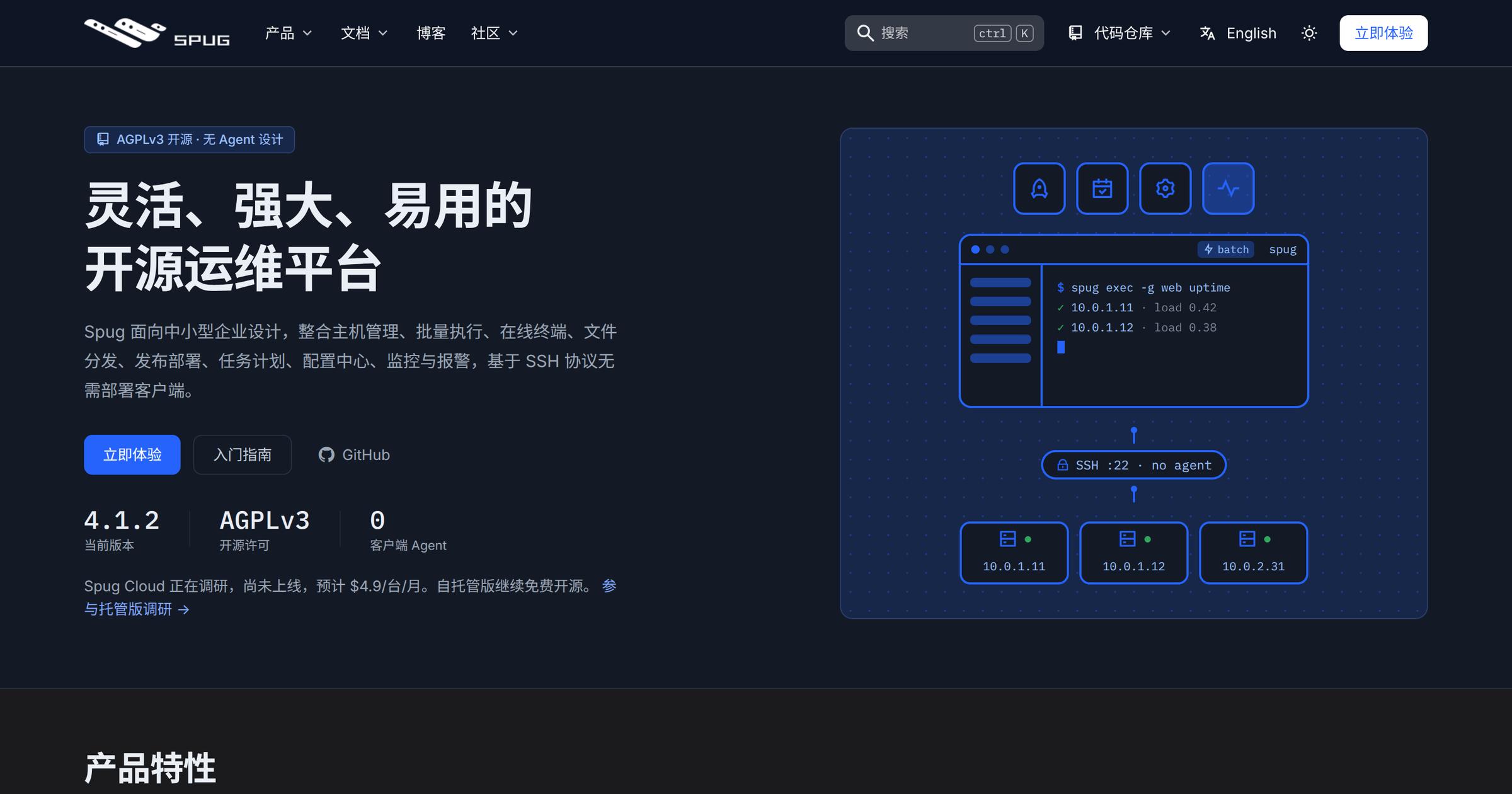
Spug connects to every target host over SSH using stored credentials or private keys. No agent needs to be installed on the managed machines. Hosts can be imported in bulk from cloud providers or an Excel file, grouped by environment or team, and checked for connectivity in batch. The browser-based terminal lets operators open an interactive shell to any registered host directly from the web UI.
The pipeline editor assembles parameterized build steps, remote command nodes, file transfer nodes, upload nodes, and notification nodes (DingTalk, Feishu, WeChat Work, Push Assistant) into a single workflow. Pipelines support conditional branches so a stage can skip or diverge based on the output of an earlier step. A live console streams output in real time as the pipeline runs.
Deploy configurations define how each application is built and pushed to target hosts. Release requests go through a configurable review gate before deployment runs. Canary releases let teams push to a subset of hosts first. One-click rollback returns to the previous artifact without rerunning the build.
Built-in monitoring covers site availability, port status, process health, ping reachability, and custom scripts. Alarm rules trigger notifications over email, WeChat, DingTalk, WeChat Work, or Feishu when a check fails. The monitoring dashboard shows current status and history without requiring a separate APM tool.
Spug stores SSH passwords and private keys in a central credential store and shares them across host definitions, so teams do not scatter credentials across config files. Role-based access control limits which users can run commands, trigger deployments, or view logs, with LDAP login and MFA available for team environments.
The task scheduler supports crontab and interval-based job definitions with execution history viewable in the UI. The configuration center stores environment-specific KV pairs, text blobs, and JSON configs that applications can pull at runtime, replacing scattered environment files distributed across hosts.
Features
- Agent-free SSH host management
- Pipeline builder with conditional branches and live console
- Application deployment with canary release and rollback
- Monitoring center with multi-channel alarms
- Credential management and fine-grained RBAC
- Task scheduling and configuration center
How to install
Self-hosting uses Docker Compose with a Postgres database for production, or a single container for a quick start.
curl -fsSLO https://raw.githubusercontent.com/openspug/spug/4.0/docker-compose.yml
docker compose up -d
docker compose logs spug | grep password
Recommended for this setup
Strengths
- No agents required, full SSH coverage: Because Spug controls hosts over SSH with no server-side software to install or update, adding a new host is as simple as entering its address and credentials. There is no version-skew problem between a control plane and distributed agents, and teams do not need root access to provision software on managed machines.
- Full ops scope at zero license cost: Spug covers host management, deployments, pipelines, scheduling, config, monitoring, and alarms in one AGPL-3.0 tool. Comparable scope across paid tools (a runbook platform, a CI/CD service, an alerting service) would typically cost hundreds of dollars per month per team.
- Single Docker Compose install with no cloud dependency: The entire stack runs from a single docker-compose.yml that the README provides. The image bundles the backend and web UI together and ships pre-built for amd64 and arm64. No data leaves the team's infrastructure; the tool is fully air-gappable.
- Native integrations for DingTalk, Feishu, and WeChat Work: Spug ships native alarm and notification integrations for DingTalk, Feishu, WeChat, and WeChat Work. The bilingual English and Simplified Chinese interface covers mixed international teams without additional configuration.
Trade-offs
- AGPL-3.0 restricts managed-service resale: Spug is AGPL-3.0 licensed, which allows internal team use, including commercial deployments on private infrastructure, with no fee or registration. The restriction is on distributing a modified version as a managed service: a company reselling hosted Spug to customers must release its modifications under the same license. Teams running it for their own operations are unaffected.
- Documentation primarily in Simplified Chinese: The documentation site and change log are primarily written in Simplified Chinese, with partial English translation. The README and quick-start guide are fully bilingual, but users troubleshooting edge cases or reading the change log may need a translation tool for sections not yet translated.
- Older frontend and backend framework versions: Spug's frontend runs on React 16.13 and the backend on Django 4.2 with Python 3.8+. These are older releases of their respective frameworks; teams evaluating Spug for security-sensitive environments should check whether the dependency versions meet their internal policy before deploying.
Tech stack
FAQ
No. Spug connects to hosts over SSH using stored credentials or private keys, so nothing is installed on target machines. The control plane runs entirely on the server where you deploy Spug itself, and managed hosts only need SSH access enabled.
A single Docker command starts the full stack on SQLite: `docker run -d --name spug -p 8080:80 openspug/spug:4.1`. The admin password is printed to the container logs on first start (`docker logs spug | grep password`). The README's Docker Compose path adds a Postgres container for production use. Both images run on amd64 and arm64.
Spug is AGPL-3.0 licensed. Teams can run it on their own infrastructure for internal use, including commercial and team environments, with no fee or registration. The restriction applies to reselling a modified version of Spug as a hosted or managed service to other customers; running it for your own operations is unrestricted.
Spug's monitoring covers site availability, port status, process health, ping, and custom scripts, sending alerts over email, WeChat, DingTalk, Feishu, and WeChat Work. It is not a full APM tool: it has no metrics collection, distributed tracing, or log aggregation. Teams that need detailed application performance data should pair Spug with a dedicated observability stack; Spug handles infrastructure-level health checks.
Spug handles ad-hoc command execution, file distribution, and application deployments, covering much of Ansible's day-to-day ops use. It does not have Ansible's declarative configuration management, idempotent playbooks, or the breadth of Ansible Galaxy modules. Teams that run Ansible playbooks for infrastructure provisioning will find Spug a complement for deployments and monitoring, not a full replacement for configuration management.