
Seafile
Self-hosted file sync with client-side encryption for teams.
Replaces Google Drive, Dropbox, Box, Tresorit, Filecloud, Microsoft Onedrive
Who it's for
Organizations in regulated industries (healthcare, legal, finance) that cannot place patient or client data on third-party cloud infrastructure use Seafile to satisfy data residency requirements. The client-side encryption model means even the server administrator cannot access file contents.
If your compliance framework accepts third-party cloud storage with Business Associate Agreements (BAAs) or similar addenda, tools like Google Workspace or Dropbox Business may be faster to deploy with less internal maintenance overhead.
Small to mid-size teams paying per-seat Dropbox or OneDrive fees who have an available Linux server use Seafile to cut recurring licensing costs. The sync client behavior and version control are comparable to what commercial platforms offer.
If your team has no server administration capacity, the operational overhead of running and maintaining a Seafile instance may outweigh the subscription cost savings. Cloud-hosted Seafile plans exist but shift the trade-off back toward managed hosting.
Teams that need both file sync and a knowledge base in one system use Seafile's built-in wiki alongside library sync. Files referenced in wiki pages stay version-controlled, and access controls apply uniformly across files and documentation.
If your team's wiki needs differ from file-linked documentation (for example, a public-facing knowledge base or a heavily structured internal handbook), dedicated wiki tools may fit better.
Video production teams, design studios, and research organizations with large file collections use Seafile's library model to organize and selectively sync media archives. Version control and download links with password protection support both internal access and controlled external sharing.
If you need direct CDN delivery, public media hosting, or object storage API compatibility rather than sync-based access, a purpose-built object storage system may serve better.
The problem
Teams depending on commercial cloud storage pay per-seat fees that compound as headcount grows, with pricing models subject to change and vendor-controlled encryption keys. Data uploaded to Dropbox, Google Drive, or OneDrive sits on third-party infrastructure, creating compliance friction for organizations with data residency requirements or audit trails that extend to storage vendors. For teams storing client contracts, source code, or medical records, what commercial platforms contractually guarantee often falls short of what security teams require. File encryption on those platforms means the vendor holds the keys, not you. If the provider changes its pricing tier structure, is acquired, or enforces a new data processing agreement, migration is both time-consuming and difficult to reverse.
How it works
Every Seafile library can be encrypted with a user-chosen password before files are uploaded to the server. The server stores only ciphertext, so an administrator or attacker with server access cannot read file contents. Encryption is handled by the desktop sync client, not the server.
Libraries can be synced independently, letting users choose which folders stay local. When two users edit the same file, Seafile resolves conflicts based on file history rather than modification timestamps, reducing false conflicts in concurrent editing scenarios.
The drive client mounts Seafile storage as a virtual filesystem, so files appear as local without occupying disk space until accessed. Files sync on demand when opened, keeping storage footprint minimal on client machines.
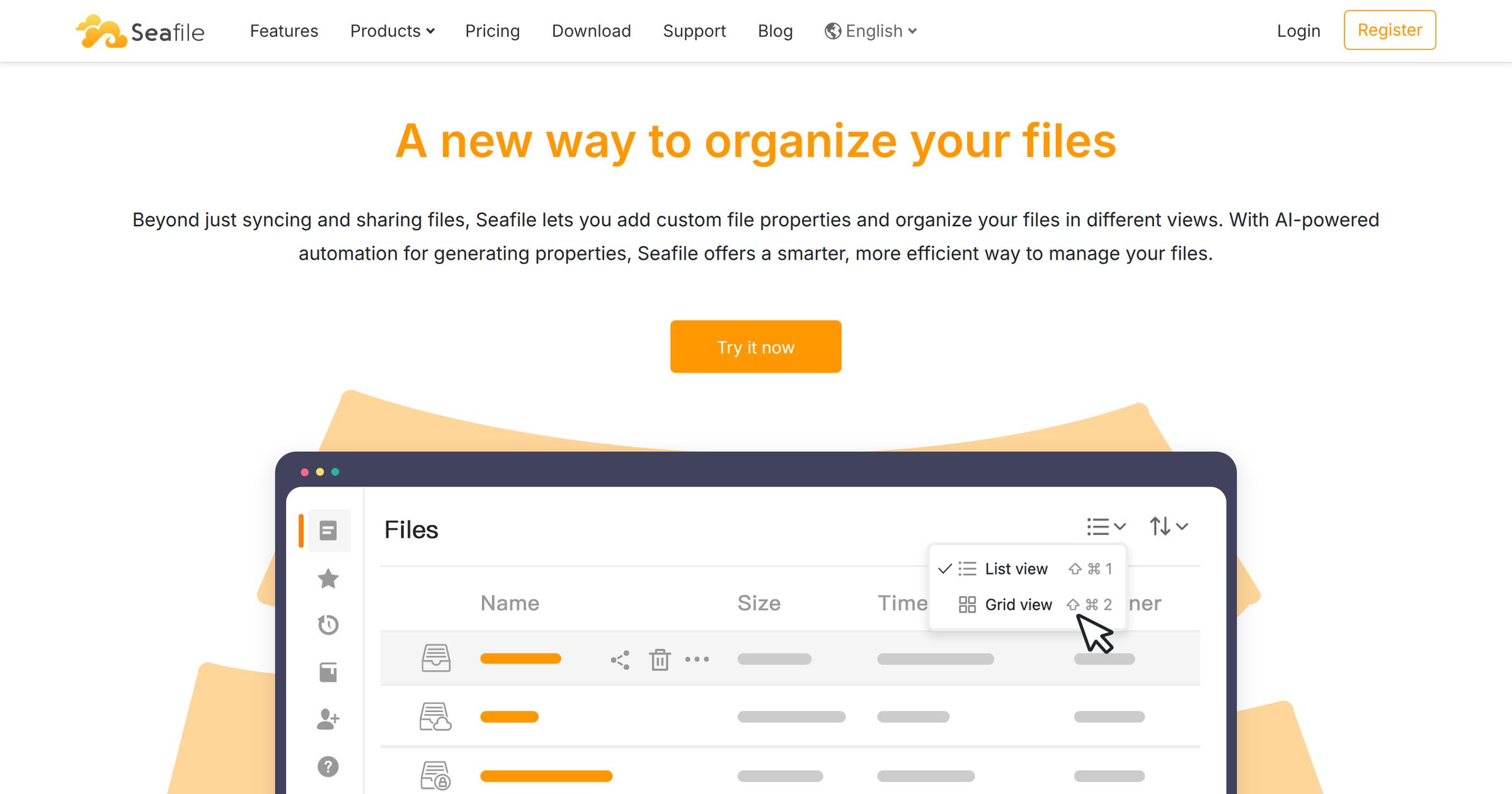
Files can carry custom properties such as owner, deadline, and status beyond standard filesystem metadata. Views include table, Kanban, gallery, map, and statistics modes, letting teams organize the same files under different visual frameworks without duplicating them.
SeaDoc is a built-in collaborative document editor for Markdown and rich text. Seafile also integrates with OnlyOffice and Collabora Online for in-browser editing of Word, Excel, and PowerPoint files, keeping editing inside the tool rather than requiring export.
Seafile includes a wiki module that lets teams build structured knowledge bases from files stored in Seafile libraries. Pages are version-controlled alongside other files, and the wiki uses the same access controls as the library it belongs to.
Features
- Client-side library encryption
- Selective sync with history-based conflict resolution
- Virtual drive client with on-demand sync
- Extensible file metadata and flexible views
- Collaborative editing with SeaDoc and office integrations
- Built-in wiki for team knowledge bases
Recommended for this setup
Strengths
- Data stays on your infrastructure: Unlike Dropbox or Google Drive, where files live on vendor servers, every Seafile library stores on hardware the team controls. This matters for organizations subject to GDPR, HIPAA, or sector-specific data residency requirements where the physical location of storage must be auditable.
- Client-side encryption the server cannot bypass: Encrypted libraries are sealed with a user-chosen password before upload. The server stores only ciphertext and has no access to the decryption key. This is distinct from at-rest encryption on commercial platforms, where the provider holds keys and can comply with legal orders to disclose content.
- No per-seat pricing at scale: Running Seafile on your own server has no licensing fee that scales with user count. Organizations adding dozens or hundreds of team members pay server infrastructure costs rather than per-seat subscription fees, which can mean paying for server capacity instead of monthly seat charges that multiply with headcount.
- Active project with 15,000+ stars and ongoing commits: With 15,424 GitHub stars, 1,676 forks, and a last push in October 2026, Seafile has consistent maintenance. The community forum at forum.seafile.com is the documented support channel for installation and usage questions.
Trade-offs
- Multi-component deployment adds setup complexity: Seafile's server infrastructure spans multiple separate components, including the server core, the Seahub web interface, and optional WebDAV and office integration services. Each component has its own configuration. While Docker simplifies deployment, teams without Linux server administration experience will need to invest time in planning and setup.
- AGPLv3 server license restricts managed hosting resale: The Seafile server core uses AGPLv3, which requires that modifications be published as open source if you operate a modified version as a hosted service for third parties. Organizations running Seafile internally for their own teams are not affected, but managed hosting providers or SaaS builders cannot modify the server without open-sourcing those changes.
- 81 open issues and a learning curve for advanced metadata features: The main GitHub repository carries 81 open issues. The metadata management and view features (Kanban, gallery, map) add configuration surface area and require familiarity with Seafile's library model to use well.
Tech stack
FAQ
The community edition of Seafile is free and open source. The server core is AGPLv3; the desktop sync client is GPL-2.0. You can run it on your own infrastructure at no licensing cost for any team size. A paid Pro edition exists (noted in the official README) with additional enterprise features, but the community edition covers the full sync, share, and collaboration feature set described in the README.
Client-side encryption in Seafile means your files are encrypted on your device before they leave for the server. Each library can have a user-chosen password; the encryption key is derived from that password on the client. The server stores only the encrypted ciphertext and cannot read file contents. This is different from at-rest server encryption, where the provider holds the decryption key.
Seafile comprises multiple components, including the server core (seafile-server), the Seahub web interface, and optional extras like WebDAV and office editing integrations. The official documentation at manual.seafile.com covers Docker-based deployment. Teams with basic Linux administration experience can follow the documented path; teams with no server experience will find the setup non-trivial compared to managed storage services.
Yes. Seafile has official iOS and Android apps. The iOS client is Apache License v2; the Android app is GPLv3. Both support the full sync and share workflow, including accessing encrypted libraries. Source code is in separate GitHub repositories (seafile-iOS and seadroid).
For internal team use on your own network, the AGPLv3 server license places no restriction on running Seafile, including for commercial or business workloads. If you modify the Seafile server core and run it as a network service accessible to external customers, the AGPLv3 requires you to make those modified source files available. Organizations running an unmodified community edition internally have no publication obligation.