
Sand3d
3D modeling in Python, built for LLMs
Replaces —
Who it's for
Teams building AI tools that generate or edit 3D objects can include the Sand3D API in a system prompt and prompt a model to write parametric programs rather than outputting raw mesh coordinates, reducing token cost and improving editability.
Researchers and engineers who need simulation-ready assets for ROS, MuJoCo, PyBullet, or NVIDIA Isaac can export URDF or USDA directly from Sand3D programs, with joints and their limits already declared in code.
you need fully assembled scene graphs or simulation physics beyond joint limits
ML researchers can download the 100,000-program Sand3D Dataset from Hugging Face as a training corpus. Each entry pairs a readable Python program with its rendered mesh, covering diverse object categories and articulation types.
Designers and engineers who want CAD-style parametric control without a full CAD environment can write Sand3D programs where every dimension is a named variable, then export to GLB or OBJ for downstream tools.
you need feature-history trees, constraint solvers, or direct integration with STEP/IGES workflows
The problem
Training or prompting an LLM to generate 3D geometry is expensive and brittle: Blender Python is verbose, CadQuery is moderately compact but still coordinate-heavy, and raw mesh formats give a model no way to reason about parts or dimensions. Sand3D addresses this by providing a named, hierarchical Python vocabulary where the full API fits in a single prompt and every part is a function a model can read, write, and modify.
How it works
The complete Sand3D API fits in about 3,600 tokens. Benchmarks show the same part takes 2 to 6 times fewer tokens in Sand3D than in Blender Python, CadQuery, or FeatureScript, keeping generation and fine-tuning costs low.
Each component of an object is its own named Python function with every dimension as a parameter. Changing a value and re-running the program rebuilds the object instantly, with no manual mesh editing.
Joints are declared directly in the program with axis, kind (hinge, prismatic, continuous), and range. The dataset includes 10,000+ articulated objects covering 36,000 joints, each checked against its source model.
A single `s3d.export()` call writes GLB, URDF, USDA, IFC, OBJ, or STL. URDF targets ROS, PyBullet, MuJoCo, and Isaac; USDA targets Omniverse and OpenUSD pipelines; IFC (ISO 16739) targets Revit, ArchiCAD, and BIM tools.
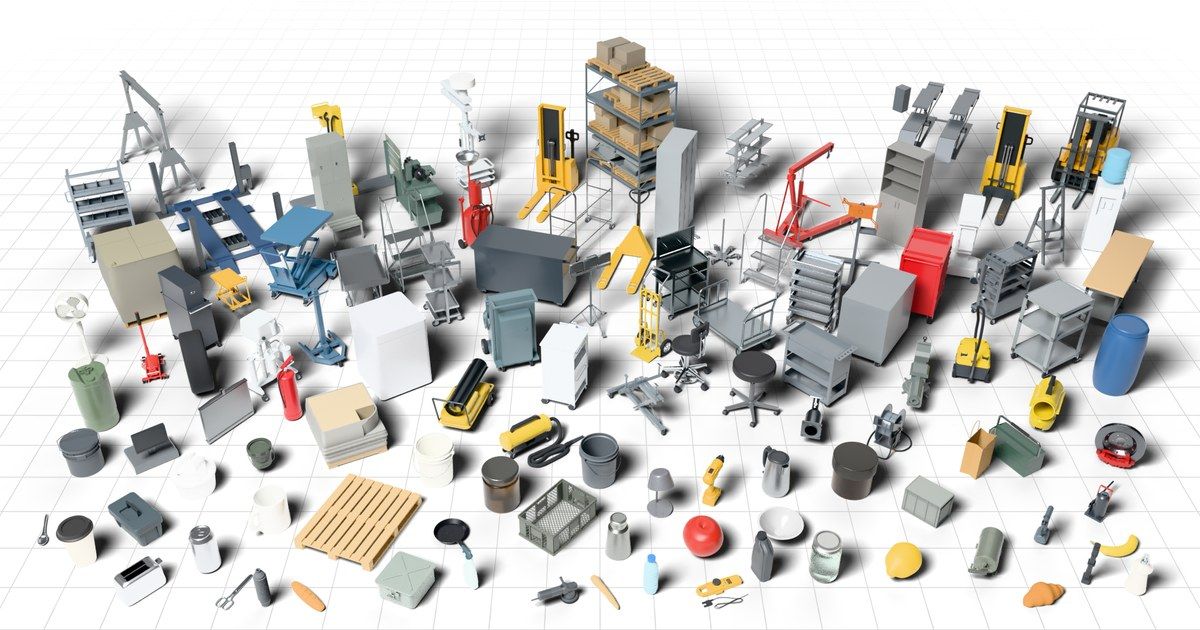
The Sand3D Dataset covers five source collections: 67K everyday objects from Objaverse, 24K mechanical parts from public CAD archives, 9.2K articulated objects from Articraft, 2.3K simulation assets from NVIDIA SimReady, and 3.1K assemblies from AutoMate. All programs are on Hugging Face under CC BY 4.0.
The same Sand3D program produces the same mesh bit for bit on every run, making it safe to version programs in git and reproduce results exactly across environments.
Features
- LLM-optimized token budget
- One function per part
- Articulated joints in code
- Multi-format export
- 100,000-object open dataset
- Deterministic output
How to install
pip install sand3d
Recommended for this setup
Strengths
- API small enough to fit in a prompt: At roughly 3,600 tokens, the full Sand3D API reference can be included in a system prompt without consuming a significant portion of a model's context window, enabling reliable zero-shot or few-shot 3D generation.
- Named parts, not coordinates: Parts, edges, and faces are reached by name rather than hand-computed coordinates. This removes a major source of LLM error and makes programs readable and editable by people without 3D expertise.
- Runs on Blender's proven geometry kernel: Sand3D sits over Blender's `bpy`, inheriting its mature boolean, fillet, chamfer, and mesh operations rather than re-implementing them. The resulting scene is an ordinary Blender scene that any Blender-compatible tool can consume.
- Ready-made training corpus: The 100,000-program dataset with matching meshes provides an immediately usable corpus for fine-tuning or retrieval-augmented generation, covering furniture, vehicles, CAD parts, toys, sports equipment, and mechanical assemblies.
Trade-offs
- Requires Blender's Python environment: Sand3D depends on `bpy`, Blender's Python module. There is no wheel for Python 3.12, and Intel Mac users on Python 3.13 must fall back to 3.11 due to `bpy` packaging constraints.
- No category primitives: Sand3D provides geometric verbs (extrude, revolve, loft, wire) but no higher-level category shortcuts like `chair()` or `table()`. Building a complex object means writing each part as its own function, which is intentional for LLM use but adds upfront authoring work for simple tasks.
- IFC export loses joints: The IFC exporter writes the current pose without joint definitions. GlobalId values depend on geometry and placement, so they are not stable identifiers across separate exports and should not be used to track parts.
Tech stack
FAQ
Sand3D supports Python 3.13 (recommended) with bpy 5.2 LTS, and Python 3.11 with bpy 4.5 LTS. There is no wheel for Python 3.12, and Intel Mac users must use Python 3.11 from bpy 5.2 onward.
Run `pip install sand3d` or, in a uv project, `uv add sand3d`. Blender's `bpy` module is included as a dependency.
The Sand3D Dataset is published on Hugging Face under CC BY 4.0. It includes five sub-datasets (sand3d-objaverse, sand3d-cad, sand3d-articraft, sand3d-simready, sand3d-automate) totalling 100,000 programs. The library itself is Apache 2.0.
Yes. The API reference (`docs/api.md` in the repository) is about 3,600 tokens and is designed to be included in a system prompt. An `llms.txt` file in the repository points models at it. The documentation also provides eight assembly guidelines for multi-part objects.
Sand3D exports GLB, URDF, USDA (OpenUSD), IFC, OBJ, and STL via a single `s3d.export()` call. GLB is suited for web viewers and game engines; URDF targets ROS and physics simulators; USDA targets Omniverse and USD pipelines; IFC targets BIM tools such as Revit and ArchiCAD.