
Who it's for
Run `--dry-run` daily and read the rotating email copy. No install required beyond cloning the repo; the website at ram-altman.lol also cycles through sample emails with real-looking figures.
Install it properly with cron and let the CSV log accumulate. After a few weeks, the one-liner in the README produces your actual average utilization, which may or may not vindicate Altman's claim.
You need structured metrics, alerting thresholds, or integration with an observability stack.
The README suggests pointing it at someone who has been waiting for DDR5 prices to drop. The rotating subject lines and sign-offs give the joke a shelf life longer than a single email.
The recipient has not consented, per the README's explicit guidance.
The problem
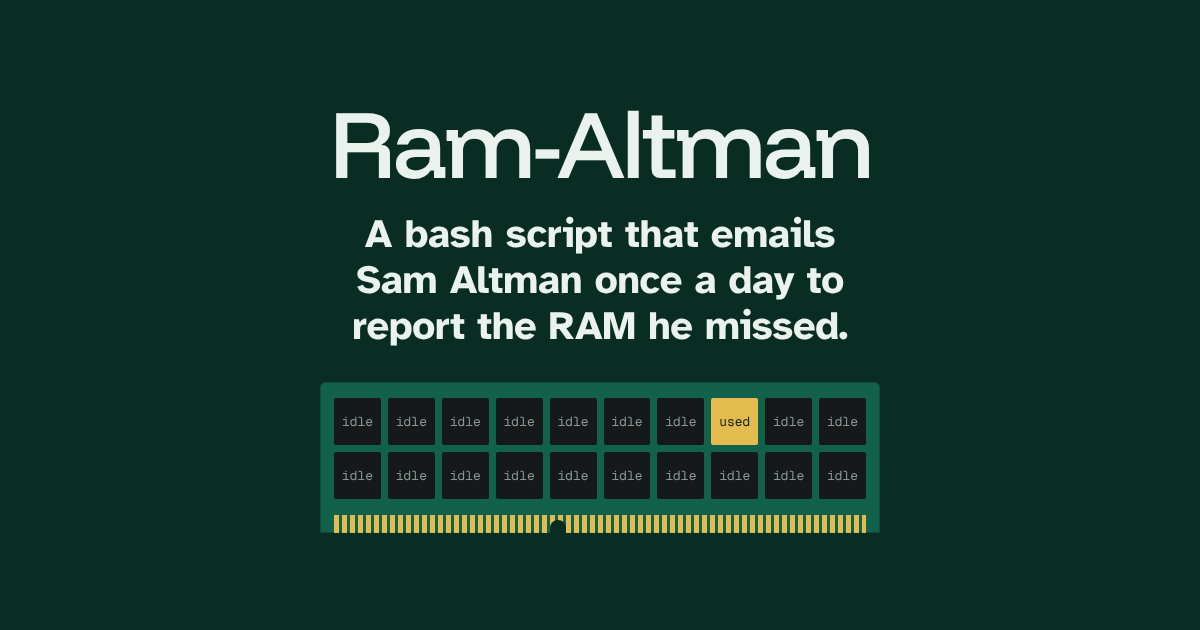
Sam Altman remarked that personal computers holding RAM "being used maybe 5% of the time" represents a poor global allocation of a limited resource. Ram-Altman takes this premise seriously enough to monitor it: if your machine has idle memory, somebody should be filing a daily report.
How it works
Uses `MemAvailable` from `/proc/meminfo`, the kernel's own estimate of reclaim-safe memory, so page cache is correctly counted as available rather than used. On kernels before 3.14, it falls back to free memory plus reclaimable cache.
Samples every five minutes via cron but sends at most one email per day. If a send fails, it retries on the next run rather than silently dropping the report.
Draws from 8 subject lines, 10 message bodies, and 6 sign-offs so successive emails do not repeat verbatim. The variety is designed to let the joke grow old at a carefully managed pace.
Every sample is appended to `~/.local/state/ram-altman/usage.csv`. A one-liner in the README lets you calculate your real average utilization and compare it against the "maybe 5%" claim.
Ships with 14 tests that run against simulated memory figures and a fake `sendmail` binary, so the full test suite can be verified without sending any email or requiring a mail relay.
`--status` prints total, used, and available RAM broken down into free and cache components. `--dry-run` renders a full email without sending it, which the README describes as the best way to enjoy the project.
Features
- Accurate memory accounting
- One email per day
- Rotating message templates
- CSV usage log
- 14-test suite with fake sendmail
- Dry-run and status modes
How to install
git clone https://github.com/IainKay/ram-altman.git cd ram-altman chmod +x ram-altman.sh test-ram-altman.sh # Preview without sending ./ram-altman.sh --dry-run # Check current RAM figures ./ram-altman.sh --status # Add to crontab (crontab -e) to run for real: # RAM_ALTMAN_TO=recipient@example.com # RAM_ALTMAN_FROM=you@example.com # */5 * * * * /path/to/ram-altman.sh
Recommended for this setup
Strengths
- Memory accounting is technically correct: The README notes that most arguments about Linux RAM get page cache wrong. This script uses `MemAvailable` and correctly excludes tmpfs and shared memory, which makes its figures more accurate than many informal discussions of the topic.
- Written in bash with no heavy runtime: The script explicitly notes it is written in bash rather than Electron, the implication being that an Electron version would have solved the stated problem by consuming all available RAM itself.
- Configurable threshold and paths: The trigger percentage, recipient address, sender address, sender name, and state directory are all set via environment variables in the crontab entry. No config file needs editing.
- Safe-by-default for the recipient: The repo ships with no recipient address. Every generated email includes a footer promising to stop if asked, and the README instructs users to honor that promise and to run the script only against addresses whose owners will find it welcome.
Trade-offs
- Linux only: The script reads `/proc/meminfo`, which does not exist on macOS or Windows. The README notes that on macOS, RAM is typically soldered down, which the author describes as making you "the hardest target in the global allocation programme."
- Requires a working mail command: Installation depends on a functional `sendmail`, `msmtp`, or `mail` binary already configured on the system. Setting up a mail relay is outside the scope of the project.
- A joke, not a monitoring tool: The README states plainly: "The memory accounting is. The correspondence isn't." The CSV log provides real data, but the project has no dashboard, alerting integrations, or threshold-based notifications beyond the daily email.
Tech stack
FAQ
No. The repo ships with no recipient address. You configure `RAM_ALTMAN_TO` yourself in your crontab. The README suggests pointing it at a friend who will appreciate the joke, or just using `--dry-run` to read the emails without sending anything.
It reads `MemAvailable` from `/proc/meminfo`, which is the kernel's own estimate of memory that programs could claim without causing swapping. Free RAM and reclaimable page cache count as available; tmpfs and shared memory do not. On kernels before 3.14 that lack `MemAvailable`, it estimates from free memory plus reclaimable cache.
No. The script samples every five minutes but enforces a strict limit of one email per day regardless of how many samples exceed the threshold. The README describes sending more as "a denial-of-service attack with better material."
Yes. The website at ram-altman.lol cycles through real sample emails with plausible figures. No account or install is needed.
Briefly, yes. The README acknowledges this and notes that the memory is returned to the available pool after each run, which is more than can be said for most of the RAM under discussion.