Procedura
Text-to-3D agent that outputs editable OpenSCAD programs
Replaces —
Who it's for
Engineers and robotics researchers who need parametric assemblies from text descriptions can generate an initial model, then open the OpenSCAD source to adjust dimensions, swap parts, or add constraints before fabrication.
You need sub-millimetre precision for manufacturing; the generated geometry is not certified to mechanical tolerances.
Teams building simulation environments can generate articulated 3D objects with OpenUSD and URDF exports. The per-part decomposition and joint definitions feed directly into Isaac Sim or other physics simulators for training robotic manipulation.
You need photorealistic rendering-ready assets; the material stage produces PBR attributes but not hand-tuned shaders.
3D artists exploring mechanical designs can describe an object in plain text and get a multi-part model with materials applied from a reference image, exported as OBJ with MTL. The editable source allows quick iteration on individual components.
You work in a team that needs real-time collaboration on the same model; Procedura is a single-session pipeline.
The problem
Building 3D models with individually editable parts requires manual CAD work in tools like Onshape, Fusion 360, or SolidWorks, and each component must be constrained by hand. Native AI 3D generators (TRELLIS, Hunyuan3D, UltraShape) produce fused meshes where bolt heads, vents, and panel lines merge into the surface, making post-generation editing impractical. For teams that need parametric control, the workflow is slow: sketch each part, define assembly relationships, iterate on fit. Procedural scripting in OpenSCAD is faster but demands expertise most 3D artists lack. The gap between "describe what you want" and "get an editable assembly" has meant either expensive tools or extensive manual effort.
How it works
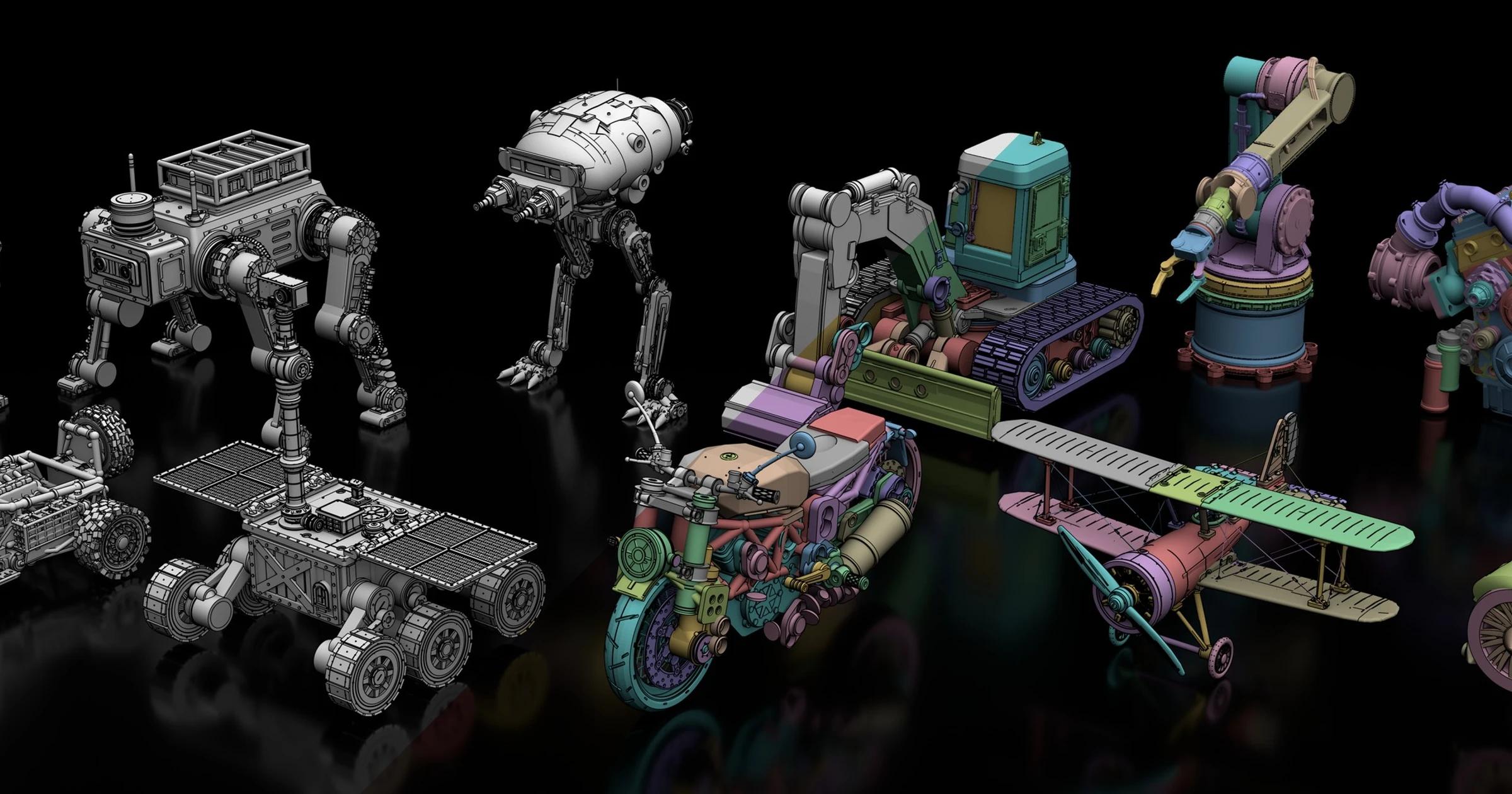
The agent plans an assembly graph, then generates one OpenSCAD module at a time. Each generation call sees the reference image, the full compiling program, and a render of the build so far. A deterministic splice inserts each new part, and three gates (compile, mate, connectivity) decide whether it stays.
Every joint between parts is a typed, machine-checkable mate. Both halves are cut from one shared nominal dimension. The mate gate measures registration area and penetration on the compiled mesh, rejecting parts that hover or gouge beyond fit tolerance.
Four vision calls extract a PBR material library from the reference, assign one entry per named part, run a decoupled material critic for corrections, and split modules into colour blocks where one material is too coarse. Every rewrite is recompiled and rejected if the triangle count changes, so colour never alters the shape.
The mate network serves as a kinematic graph: static mates group parts into rigid links, kinematic mates become joints with measured axes and anchors. The assembly exports as OpenUSD and URDF, then runs through Isaac Sim for validation. Failed verdicts feed rendered simulation frames back for one refine pass.
Every generated part passes through a compile gate (the spliced program must compile), a mate gate (registration area and penetration within tolerance), and a connectivity gate (a span-based floater check rejects parts that create detached components). The shipped mesh is the one the gates graded.
Features
- Part-by-part assembly generation
- Typed mate joints with tolerance checking
- Per-part PBR material painting
- Physics simulation export
- Three-gate verification stack
How to install
Install Procedura locally by cloning the repository and running the setup script.
git clone https://github.com/SpatiaOS/Procedura.git
cd Procedura
bash scripts/install-mcp.sh
Recommended for this setup
Strengths
- Editable output, not fused meshes: The output is an OpenSCAD source file with named modules. You can open it in OpenSCAD, change a dimension, swap a part, or add constraints. Native 3D generators produce a single mesh where individual features are not separable.
- Strong benchmark results: On MechBench-36, Procedura achieved a 0.828 judge composite and 3.1x sharper edge structure (Shrp60 of 158.08) than the next code-emitting method (Adam CAD at 57.35). On P3D-Bench assembly it scored 0.590, first across every published entry.
- No separate API key required: Procedura runs through MCP inside Codex or Claude Code and uses the model already available in your agent session. You do not provision a separate API account or manage additional credentials.
Trade-offs
- Linux x86_64 only for the setup script: The automated setup script supports Linux x86_64. Other platforms require manual installation of Bun, OpenSCAD, Blender, Python 3.11+, and the Python packages, following the MCP guide for platform-specific steps.
- Large models can take hours: The README notes that complex models with many parts require long generation sessions. You must keep the agent session open until the run finishes, and each case needs its own project folder.
- Physics checks need Isaac Sim: Joint validation through physics simulation requires a separate Isaac Sim installation. If Isaac Sim is not present, the pipeline skips those checks and notes it in the report, so articulation is unverified.
Tech stack
FAQ
Procedura uses the model available in your Codex or Claude Code session. The project page shows benchmark results with Gemini 3.7 Flash and GPT-5.6-sol. You choose your model and reasoning effort in the agent; Procedura does not manage model access separately.
The pipeline outputs final.scad (editable OpenSCAD source), final.obj (3D mesh), painted OBJ with MTL (multi-group materials), and motion files in OpenUSD and URDF formats for articulated assemblies. Preview images are generated at multiple stages.
Yes. Isaac Sim is only needed for physics-based joint validation. Without it, the pipeline completes all other stages (planning, generation, material painting) and notes in the report that physics checks did not run. The mesh, materials, and OpenSCAD source are still produced.
The automated install script targets Linux x86_64. For other platforms, follow the MCP guide in the repository (docs/mcp.md) for manual setup of the required dependencies: Bun, OpenSCAD, Blender, Python 3.11+, and the Python packages.