
Open WebUI
Chat interface for Ollama and any OpenAI API, with RAG support
Replaces Typingmind, Cloudiax Managed Llm, Allganize Ai, Tyk Ai Studio
Who it's for
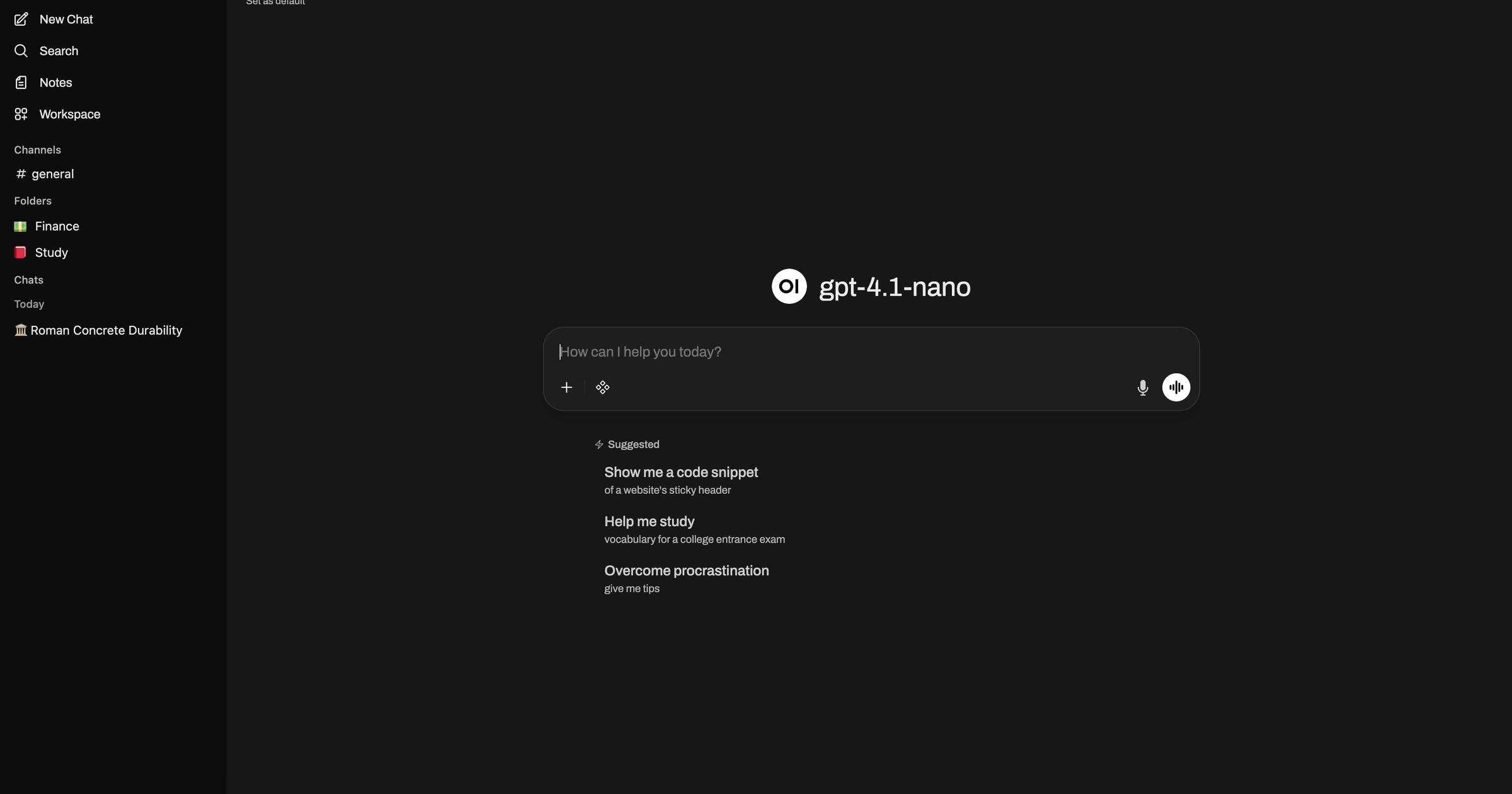
Open WebUI wraps local or compatible models in a browser UI.
your team already accepts a managed AI workspace and does not need self-hosting.
the UI can switch between Ollama and OpenAI-compatible endpoints.
you need only a command-line model runner.
document chat and plugin support help turn model access into a usable workflow.
you need enterprise governance before any pilot.
The problem
Teams adopting local models often end up with a gap between model runners and real users. Ollama or an OpenAI-compatible endpoint can serve models, but non-technical teammates still need chat history, file context, permissions, RAG, and a usable browser interface. Hosted AI workspaces solve the interface problem by moving conversations, documents, and admin controls into a vendor account. That tradeoff is hard to accept when prompts include customer data, internal docs, or regulated information.
How it works
Connects to Ollama and OpenAI-compatible APIs, including local and cloud-based model providers.
Docker quick start runs the UI on port 3000 with persistent backend data stored in a named volume.
Built-in RAG support helps users chat with local documents and knowledge sources.
Plugins, tool calling, task models, and Python function support extend chat workflows beyond plain prompts.
Responsive web UI and PWA support make the same instance usable from desktop and mobile browsers.
Features
- Ollama and compatible API support
- Docker quick start
- Built-in RAG support
- Plugin and tool support
- Responsive web UI and PWA
How to install
Use the official Docker image for a single-node self-hosted install. This command publishes the UI on port 3000 and stores backend data in a named volume.
docker run -d -p 3000:8080 --add-host=host.docker.internal:host-gateway -v open-webui:/app/backend/data --name open-webui --restart always ghcr.io/open-webui/open-webui:mainRecommended for this setup
Strengths
- Chat UI for local models: Open WebUI gives local model stacks the user experience that non-technical teammates expect from hosted AI chat tools.
- Provider flexibility: Provider flexibility makes it practical to mix Ollama, OpenAI-compatible APIs, and other model backends behind one interface.
- Flexible deployment paths: Docker, Python, Kubernetes, and desktop install paths cover hobby setups through larger internal deployments.
- Offline-first positioning: Offline-first positioning helps teams keep private conversations and documents within controlled infrastructure.
Trade-offs
- License review required: The repository reports no standard SPDX license through GitHub, so teams should review the project license terms before commercial deployment.
- Production hosting work remains: Running Open WebUI in production still requires model hosting, storage backups, authentication choices, and network security work.
- Feature breadth adds admin complexity: Feature breadth can create admin complexity if a team only needs a basic local chat UI.
Tech stack
FAQ
No. Open WebUI works with Ollama and OpenAI-compatible APIs, so you can connect local or cloud-based model providers. Ollama is common because it makes local model serving simple.
Yes, Open WebUI is designed for self-hosted and offline operation when paired with local models. Any cloud model provider you connect will still require network access.
Docker is the recommended path for most users. The official quick start runs the container, exposes the UI on port 3000, and stores persistent data in a Docker volume.