Cherry Studio
Local-first AI workstation with agents and multi-model chat.
Replaces Typingmind, Msty Studio, Boltai, Chatwise
Who it's for
Cherry Studio connects every major cloud provider and local model runtime in a single app. Developers who switch between Claude for code review and GPT-4o for documentation can maintain separate conversation threads, compare outputs side by side, and build provider-specific prompt templates without logging into multiple dashboards.
If you work exclusively with one provider and have no local model needs, the provider's own web interface is simpler and avoids the desktop install overhead.
Knowledge bases let researchers ingest PDF papers, Word documents, and web pages into a searchable local index. Conversations and agents can pull from this index without sending source files to any external service. The OCR option covers scanned documents and images.
If your primary need is a shared team knowledge base with collaborative editing across multiple users, Cherry Studio's knowledge bases are personal-only by default on the community edition.
Ollama and LM Studio integrations let Cherry Studio serve as the chat and agent frontend for models running entirely on your machine. Users who have downloaded Llama, Mistral, or other local models get the full agent and knowledge base stack at zero API cost.
If your only goal is basic local model chat, a lightweight dedicated interface may be simpler. Cherry Studio's value scales with how many of its additional features you actually use.
Cherry Studio covers the same ground as paid tools like TypingMind, BoltAI, ChatWise, and Msty Studio. It provides a unified interface for multiple AI models with conversation history, assistant templates, and organization features. The enterprise edition adds centralized model management and per-team access controls.
If your team requires browser-accessible shared workspaces with no desktop install, managed cloud infrastructure, or commercial support with SLA guarantees, the paid alternatives remain a practical choice.
The problem
AI assistants from different providers require separate browser tabs, separate conversation histories, and separate billing accounts. A developer using Claude for code review, ChatGPT for drafts, and Gemini for research manages three interfaces and three sets of exported history, none of which integrate with each other. The knowledge base problem compounds this. Files and documents you want to ground your conversations in live in a different place from the AI chat window, requiring manual copy-paste or expensive third-party RAG setups. Paid multi-model chat tools address the interface fragmentation but introduce per-product pricing, and switching providers later means migrating conversation history, prompt libraries, and configured integrations.
How it works
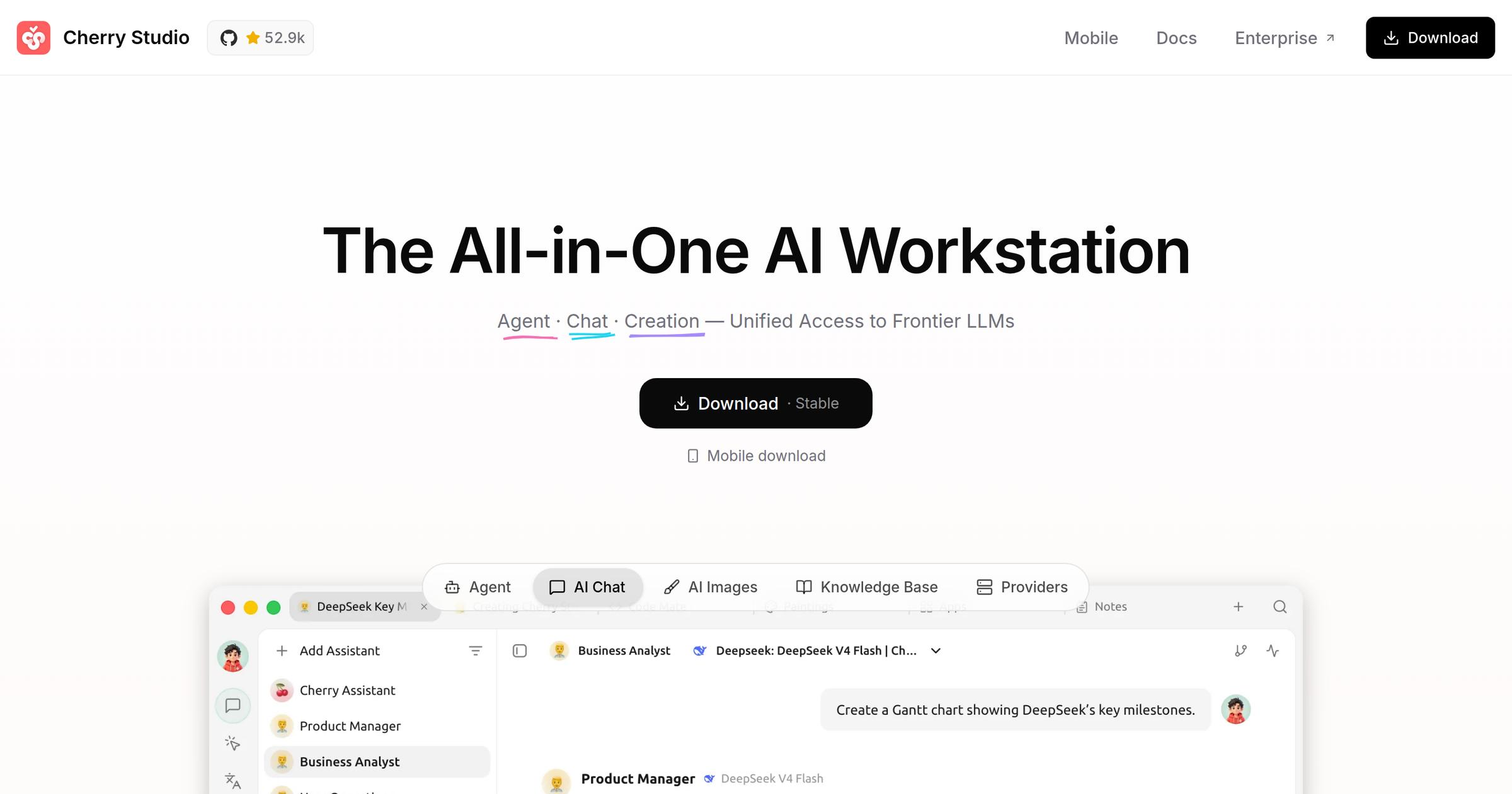
Connect cloud providers including OpenAI, Anthropic, Gemini, and DeepSeek, or add any OpenAI-compatible API endpoint. Local models work through Ollama and LM Studio integrations, so you can run fully offline sessions using models already downloaded to your machine.
Create agents with their own system instructions, model assignments, tool permissions, and dedicated workspaces. Agents can browse the web, run shell commands, process files, and call Model Context Protocol servers. Scheduled tasks and messaging channel integrations let agents run unattended.
Build searchable knowledge bases from local files, folders, and web pages. Cherry Studio processes PDF, Office documents, images, and text with optional OCR support. Knowledge bases connect directly to conversations and agent workflows, keeping your private documents out of any cloud index.
Open a single conversation and compare responses from two or more models side by side. Useful for evaluating a prompt across providers, picking the best output for a specific task, or benchmarking a new model against a trusted one without switching apps.
The built-in API Gateway exposes your configured models to other applications using a standard interface. Third-party tools that support OpenAI-compatible APIs can route requests through Cherry Studio, keeping your key configuration and rate limits in one place.
Conversation history and knowledge bases are stored locally on your device by default. WebDAV backup support lets you sync to a self-hosted storage provider without routing data through any commercial cloud service.
Features
- Multi-Provider Model Access
- Agent Workspace with MCP Server Support
- Local Knowledge Bases with OCR
- Side-by-Side Multi-Model Chat
- API Gateway for External Applications
- On-Device Storage with WebDAV Backup
Recommended for this setup
Strengths
- 52,000+ Stars with Active Ongoing Development: Cherry Studio crossed 52,000 GitHub stars since launching in May 2024, with repository pushes as recent as October 2026. Regular releases and an active contributor community reduce the risk of the project going unmaintained as the AI model ecosystem evolves.
- No Purchase Price for Core Desktop Use: The desktop app is free to download and run. Your AI spend goes entirely to the model providers you connect, not to a software purchase or subscription. The community edition carries no licence cost for personal or team use.
- Model Context Protocol Integration: Cherry Studio supports MCP servers out of the box, allowing connections to any tool that exposes an MCP endpoint, from code indexers to database inspectors to web search providers. This integration becomes more valuable as the MCP ecosystem expands across developer tooling.
- On-Device Data by Default: All conversation history and knowledge base data sit on your local disk by default. No Cherry Studio account is required for basic use, and your prompts do not pass through Cherry Studio's own servers. For work involving confidential documents or unreleased code, this is a meaningful architectural difference from browser-based AI interfaces.
Trade-offs
- Desktop Application Only, No Browser Interface: Cherry Studio is a downloaded desktop application with no browser-based interface. Teams that need a shared workspace accessible from any device without installing software will need the enterprise edition or a different product. The mobile app for iOS and Android is a separate, simpler application.
- Large Open Issue Backlog: With over 2,000 open GitHub issues as of October 2026, the bug backlog is substantial relative to the feature set. Some edge cases in provider integrations, knowledge base processing, and agent workflows remain unresolved. Users with niche provider configurations or complex document types may encounter rough edges before they are addressed upstream.
- AGPL-3.0 Restricts Hosted-Service Redistribution: Cherry Studio uses the AGPL-3.0 license, which permits personal use, internal team use, and modification with no restrictions. Anyone offering Cherry Studio as a managed hosted service to paying external customers must publish their source modifications under AGPL-3.0. A commercial license is available from bd@cherry-ai.com for organizations that need an exemption.
Tech stack
FAQ
Yes. The desktop application is free to download for Windows, macOS, and Linux under the AGPL-3.0 licence. You pay only for the AI model providers you connect; Cherry Studio itself carries no subscription fee or purchase price. An enterprise edition with additional team features is available with separate pricing from the Cherry Studio team.
No by default. All conversation history and knowledge bases are stored locally on your device. WebDAV backup lets you sync to your own storage server. Cherry Studio does not route your prompts through its own servers in the community edition.
Yes. Cherry Studio integrates with Ollama and LM Studio, so any model you have already downloaded runs through the same interface as cloud providers. Local models work fully offline with no API costs.
AGPL-3.0 permits personal use, internal business use, and modification with no restrictions. If you offer Cherry Studio as a managed hosted service to paying external customers, you must release your source modifications under AGPL-3.0. A commercial license exemption is available from bd@cherry-ai.com for organizations that need one.
TypingMind is a browser-based chat frontend with one-time personal licences and a Teams subscription; BoltAI is a Mac-native app with a one-time perpetual licence from $79. Cherry Studio is open source under AGPL-3.0, stores all data locally by default, and is free to download. The key practical differences: Cherry Studio runs as a native desktop app on Windows, macOS, and Linux, while TypingMind requires no desktop install and BoltAI is currently Mac-only.