
Open Feed Sorter
Sort any Instagram or TikTok profile by views or outlier score
Replaces Sort Feed, Feed Sorter For Tiktok Instagram
Who it's for
See which posts outperformed your account's own baseline, ranked by views or outlier score, without manually hovering each tile. Export the full list to CSV or Excel to track performance over time or identify content patterns.
If you only need to check the last few posts and do not need sorting or export, the platform's native Insights view may be sufficient.
Collect and sort a profile's full post history in one run, then export to JSON or Excel. The outlier score flags which posts beat the account's own median, making breakout content easy to identify across a large catalog without manual inspection.
If you need to compare multiple profiles simultaneously or aggregate data across accounts, this tool collects one profile per run with no cross-profile dashboard.
Pull a public profile's full post history ranked by engagement, export to CSV, and feed it into a spreadsheet or analysis pipeline. No server token or API key is required, and nothing is sent outside your browser during collection.
If you need historical posts the platform no longer returns in its feed response, or post metadata not surfaced in the feed JSON, this tool cannot retrieve it.
The source is on GitHub under MIT license. You can read the code, run the 120 tests locally with npm test, and load the unpacked dist/ folder directly into Chrome in developer mode before deciding whether to trust the Web Store build.
If you need a commercially supported tool with vendor-backed uptime guarantees, an individual-author open source project at v0.1 is not that.
The problem
Instagram and TikTok give you almost no access to a profile's performance data. Hovering each post tile individually shows likes and comments one at a time, but view counts only appear on the Reels tab. There is no way to rank a profile's posts, no comparison view, and no export path. For content creators studying their own output, this means clicking through dozens or hundreds of posts to find which ones overperformed. For analysts reviewing a competitor or a creator's catalog, the same manual process applies, with no way to pull the numbers into a spreadsheet. The platforms offer no bulk performance view because doing so would reduce reliance on their paid analytics and advertising products.
How it works
Re-lays any Instagram or TikTok profile grid in your chosen metric order. Switch between views, likes, comments, shares, saves, or date without a second page load. Switching from views to comments is a re-render of already-collected data, not a new scrape.
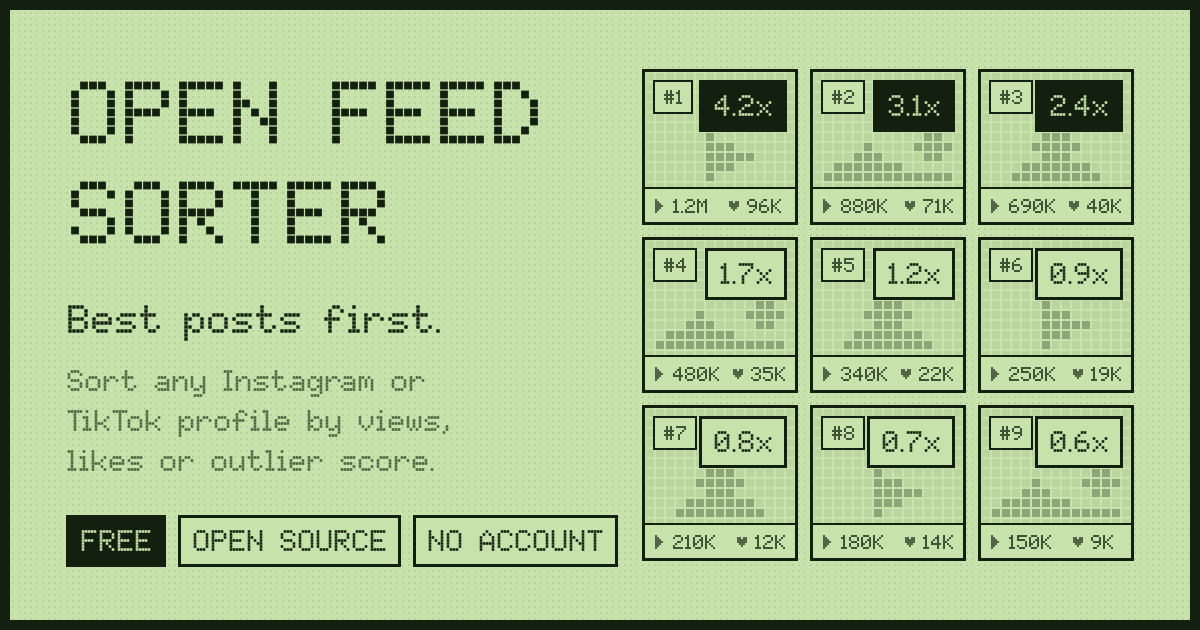
Each tile shows an outlier score: a post that scored 3.4x outperformed this account's recent median by 3.4 times. Pinned posts and anything under three days old are excluded from the median to avoid skew. This measures whether a post beat what this account normally does, not whether it beat the account's follower count.
Generates export files entirely inside the browser tab. No server receives the data and no cloud storage is involved. CSV, .xlsx, and JSON formats are all available at no cost; there is no export tier or row limit.
The extension reads the JSON the platform already sent to your browser for its own rendering, then works only with that data. It makes no outbound requests of its own. The full permission set is one host permission for instagram.com and tiktok.com.
Set a count limit or a date range. Stop mid-run and keep what has been collected so far. The run paces itself with a randomised pause between pages to read at a speed consistent with a person scrolling.
Once the run finishes, all collected data stays in memory. Switching the sort metric is a re-render, not a new collection run. The original feed layout can be restored with one click via the Show original feed button.
Features
- Sort by views, likes, comments, or outlier score
- Outlier score against account's own recent median
- Export to CSV, Excel, or JSON locally
- Zero network requests from the extension itself
- Collect any amount, stop at any point
- Re-sort instantly after collection
How to install
Install the extension from the Chrome Web Store, or build it from source with npm and load it unpacked.
git clone https://github.com/andreadorizza/open-feed-sorter
cd open-feed-sorter
npm install
npm run build
Recommended for this setup
Strengths
- No paywall on any feature: Every sort metric, export format, and collection size is available without a subscription. The README states the extension is free and will always be free, because there is no server cost that scales with collection size. No tiered plan, no sign-up required.
- MIT license, auditable source on GitHub: The code is MIT-licensed and the same code on GitHub is what runs in the Chrome Web Store build. You can audit it, fork it, or build and load it unpacked in Chrome developer mode if you prefer not to install from the store.
- No data leaves the browser: The extension makes zero network requests of its own. It reads responses the page already received, generates exports locally inside the tab, and holds nothing in persistent storage. The only permissions requested are host permissions for instagram.com and tiktok.com.
- Works on both Instagram and TikTok: Supports both platforms with the same interface: open a profile, pick a sort metric, collect. Instagram Posts, Instagram Reels, and TikTok profile feeds are all supported and covered by the test suite.
Trade-offs
- Breaks when Instagram or TikTok changes its internal API: The extension reads from the JSON the platform sends to its own grid. When Instagram or TikTok changes its internal data format, the extension stops working until an update ships. The README is explicit: "Expect breakage when either platform changes its API." This is the fundamental limitation of all browser-extension scrapers that read internal platform responses.
- Early-stage project at v0.1: The repository was created in September 2026 and has one GitHub star. Instagram and TikTok feeds are supported and covered by tests, but the project is young. There is no organizational backer, no paid support tier, and long-term maintenance depends on the original author continuing to work on it.
- No Google Sheets export or transcription: These two features are explicitly not supported. Google Sheets export requires an OAuth client, and transcription requires paid speech recognition. Both need a server, and this extension has none. CSV and Excel export are the export ceiling.
- Against Instagram's and TikTok's terms of service: The README notes that automating a site is generally against both platforms' terms of service regardless of the method used. The extension paces itself to read at a human scroll speed, but large runs still page through significant feed volume. Using your own account for large collection runs carries a platform risk the user must assess independently.
Tech stack
FAQ
Yes. The extension is free and the README states it will always be free, because there is no server cost that scales with how much you collect. Nothing is reserved for a paid tier.
No. It makes zero network requests of its own. It reads responses the Instagram or TikTok page already received, generates exports locally inside the browser tab, and holds nothing in persistent storage beyond the current session. The only permissions it requests are host permissions for instagram.com and tiktok.com.
The extension stops working for the affected platform until the author ships an update. The README is explicit about this: "Expect breakage when either platform changes its API." There is no guaranteed fix timeline, as this is an individual-author open source project at v0.1.
The outlier score compares a post's metric against the account's own recent median for that metric. A score of 3.4x means the post did 3.4 times the account's recent median. Pinned posts and anything under three days old are excluded from the median to avoid skewing it. A short run reads a few extra older posts to ensure enough data to compute a valid median.
Yes. Both Instagram and TikTok profile feeds are supported and covered by tests. The interface is the same for both: open a profile page, click the extension icon, pick a sort metric and collection size, and start the run.