
marketingskills
50 MIT-licensed marketing skills for AI coding agents
Replaces Jasper
Who it's for
A founder already using Claude Code for engineering work can install marketingskills and ask the same agent to run a CRO audit, draft a cold email sequence, or produce a competitor analysis without switching to a separate marketing AI tool. The product-marketing skill anchors every task to the same product context.
The team has a dedicated marketing hire who prefers purpose-built tools with visual interfaces. In that case, a managed platform like Jasper AI or Copy.ai is a better fit for non-technical users.
The seo-audit, ai-seo, programmatic-seo, schema, and analytics skills give an agent structured frameworks for SEO and measurement tasks. A technical marketer can run these inside their coding environment alongside the code changes they produce, without switching contexts.
Your SEO work is primarily strategic or editorial rather than technical. Non-technical SEO workflows are handled better by dedicated SEO SaaS tools with visual reporting and dashboards.
The marketing-loops skill is designed for recurring, self-running marketing workflows. A growth team can wire up repeatable loops that an AI agent runs on a schedule, applying consistent frameworks across content creation, outreach, and analysis tasks.
Your team needs visual workflow builders, no-code automation, or approval flows with non-technical stakeholders. Marketing automation platforms handle those collaboration requirements better than a local skill library.
The problem
Technical marketers and founders using AI coding agents run into a consistent pain: the agent is effective at code but treats every marketing task as a blank-slate conversation. Each time you need a CRO audit, a cold email sequence, or an SEO analysis, you rewrite context from scratch, and output quality depends on how well you framed the prompt that session. The deeper problem is fragmentation. SEO, copywriting, paid ads, analytics, and growth loops each need different frameworks, but most teams have no way to hand that structured knowledge to an agent consistently. Product positioning gets re-explained every session rather than loaded once as shared context. The result is inconsistent marketing output from a tool that could otherwise handle the full stack.
How it works
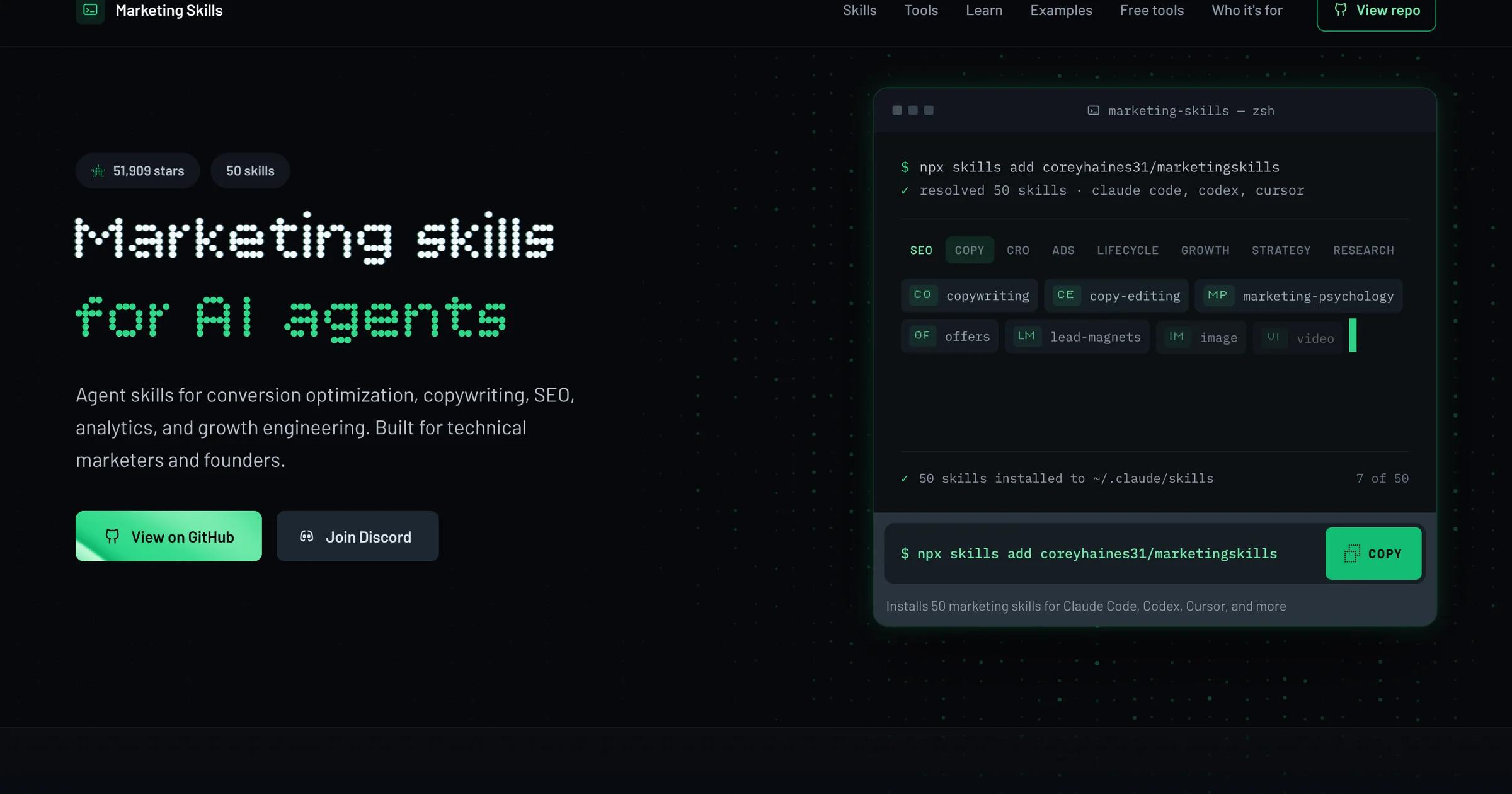
Covers SEO, CRO, copywriting, paid ads, lifecycle emails, growth, sales and GTM, and strategy. Skills are organized into a hierarchy, with the product-marketing skill as a shared foundation that every other skill reads first before executing its own workflow.
Works with any agent that supports the Agent Skills spec, including Claude Code, Cursor, Windsurf, Codex, and Copilot. The CLI detects installed agents and routes skill files to the correct directory automatically: `.claude/skills/` for Claude Code, `.agents/skills/` for universal agents.
The product-marketing skill is a shared context file every other skill reads before executing. It holds your product's audience, positioning, and value propositions so each marketing task starts from the same baseline instead of requiring re-explanation every session.
Skills reference each other and build on shared context. The copywriting skill cross-references CRO and ab-testing; the SEO cluster chains seo-audit, schema, and ai-seo; customer-research feeds into copywriting, CRO, and competitor analysis. A single agent session can work coherently across multiple marketing disciplines.
Install all 50 skills with one command: `npx skills add coreyhaines31/marketingskills`. Selective install via the `--skill` flag installs only the skills you need. A git submodule path is also available for version-controlled updates across projects.
Features
- 50 marketing skill files across 8 disciplines
- Agent Skills spec compatibility
- Shared product-marketing context across all skills
- Skills chain and cross-reference each other
- Multiple install paths including CLI and git submodule
How to install
Install the skill files by cloning the repository and copying skills into your agent's skill directory.
git clone https://github.com/coreyhaines31/marketingskills.git
cp -r marketingskills/skills/* .agents/skills/
Recommended for this setup
Strengths
- MIT license with no per-seat fees for the skill layer: The entire library is MIT licensed, so you can use it for commercial projects, modify skills for your stack, or fork the repo and maintain a private version. There is no SaaS tier, no feature gating, and no licensing cost for the skill files themselves.
- No server or infrastructure to maintain: Unlike marketing AI platforms that require account setup and a browser session, marketingskills installs as local markdown files. If your AI coding agent is running, the skills are available immediately with no additional service to maintain or pay for.
- Consistent output through structured frameworks: Each skill defines the workflow, frameworks, and related skills to consult for a task category. Rather than getting variable results from ad-hoc prompts, your agent applies a consistent marketing framework every time the relevant skill is triggered.
Trade-offs
- Requires an active AI coding agent subscription: marketingskills is a skill library, not a standalone product. It requires an active Claude Code, Cursor, Codex, or compatible agent subscription to function. Teams that do not already use an AI coding agent will need to set one up before the library is useful.
- Output quality depends on the underlying model: The skill files provide structure and frameworks, but the quality of marketing output depends on the model powering your agent. A lower-tier model may not follow complex multi-step marketing workflows reliably. The repository carries 106 open issues, some covering edge cases where skill instructions produce inconsistent results across different models.
Tech stack
FAQ
Yes. The library is MIT licensed and free for any purpose, including commercial projects. You pay for your own AI coding agent subscription (Claude Code, Codex, Cursor, etc.) but the skill files themselves carry no licensing cost.
It works with any agent that supports the Agent Skills spec: Claude Code, OpenAI Codex, Cursor, Windsurf, and Copilot. The CLI install detects your installed agents and routes skills to the correct directory. If you run the install from inside an active Claude Code session, pass `-a claude-code` explicitly to target the `.claude/skills/` directory.
Use the `--skill` flag with the CLI: `npx skills add coreyhaines31/marketingskills --skill cro copywriting`. The `--list` flag shows all available skills with their descriptions before you install. You can also clone the repo and copy individual skill directories manually into your agent's skill folder.
Not directly. marketingskills is a library of agent skill files, not a standalone product with its own UI. It is best for teams already using an AI coding agent who want that agent to handle marketing tasks with consistent frameworks. Jasper AI and Copy.ai are managed SaaS platforms with visual editors better suited to non-technical marketing teams.
The product-marketing skill is a shared context document your agent reads before executing any other marketing task. It stores your product's audience, positioning, and value propositions so every skill starts from the same baseline. You fill it in once and all 49 other skills reference it automatically, preventing repeated re-explanation across sessions.