
Miniforge
Minimal conda installer pre-configured for conda-forge packages.
Replaces Anaconda
Who it's for
Teams that want to standardize their Python data science stack on conda-forge packages and avoid commercial channel license considerations can use Miniforge as the organization-wide conda distribution. Consistent channel configuration makes environment files portable across team members without worrying about where packages were sourced.
Your team already has a standardized Anaconda or Miniconda deployment and conda-forge channel mixing is not a concern for your use.
Miniforge's non-interactive batch install mode makes it a practical choice for CI pipelines. The -b flag skips all prompts, and -p sets the install prefix, keeping the environment contained to a known path. The installer is available via curl from GitHub Releases for straightforward pipeline scripting.
Your CI environment already has a compatible Python installation, or you use a container base image with conda pre-installed.
Researchers using Apple Silicon Macs or POWER workstations can get conda and mamba without building from source or maintaining patched configurations. Miniforge ships architecture-matched installers for these platforms, covering common academic computing environments where Apple Silicon is widespread.
You need a fully tested, non-experimental deployment on Apple Silicon. The experimental label in the README means these builds may have edge cases not yet fully tracked.
The problem
Managing Python package environments is complicated by default channel configurations that tie users to commercial package sources. Installing conda in its standard forms often points to channels managed by commercial vendors, mixing open source packages with proprietary infrastructure. Teams running on non-standard hardware, including Apple Silicon, RISC-V, or POWER, have historically needed to manually reconfigure channel defaults or find specialized installers. Miniforge addresses this by shipping with conda-forge set as the only default channel, guaranteeing that every package comes from the community-governed conda-forge repository rather than any commercial source. The installer ships as shell scripts for Linux and macOS, signed PKG files for macOS, and an EXE for Windows, tested across a wide range of Linux distributions and operating system versions.
How it works
Miniforge installs both conda and mamba in the base environment. Mamba is a reimplementation of conda in C++ that offers faster dependency solving and package installation, running as a drop-in replacement for the conda command. Having both available from the start means you can use whichever fits your workflow without a separate install step.
The installer pre-configures conda-forge as the sole default channel. Package searches, installs, and updates pull exclusively from the community-governed conda-forge repository rather than mixing in packages from commercial vendor channels. Teams that want a fully community-sourced toolchain get a clean starting configuration without manual channel reconfiguration.
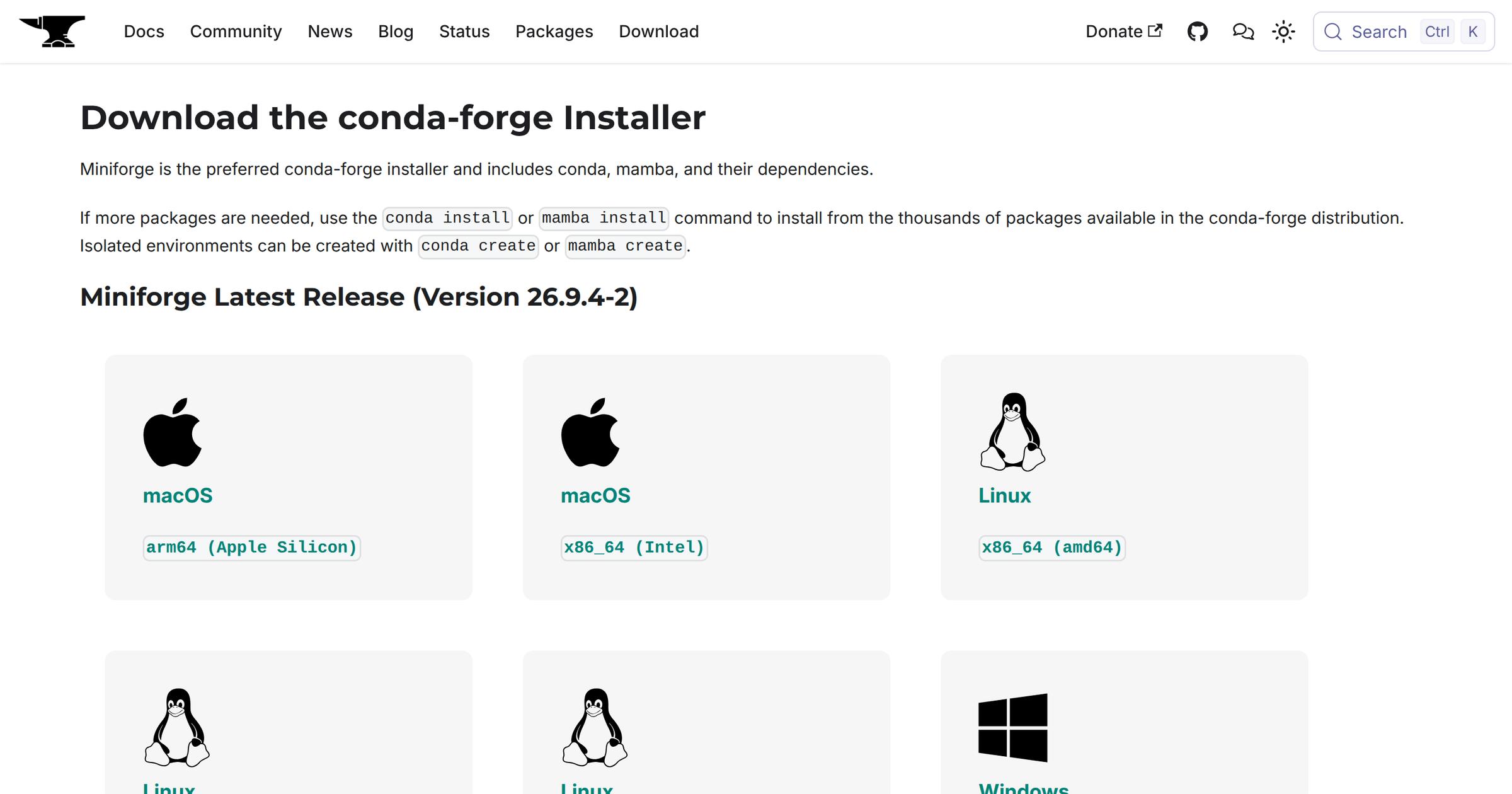
Miniforge ships installers for Linux on x86_64, aarch64 (ARM64), ppc64le (POWER8/9), and riscv64; macOS on x86_64 and arm64 (Apple Silicon); and Windows on x86_64 and ARM64. macOS installers are available as both shell scripts and signed PKG files, with the PKG signed and notarized with NumFOCUS certificates.
The installer accepts a -b flag for batch installation, skipping all prompts and conda shell initialization steps. This makes it practical for CI pipelines that need to provision Python environments without manual intervention. Combined with the -p prefix flag, the installation directory can be set programmatically to any path.
The base environment ships Python 3.14 by default, but this only affects the base. Using 'conda create --name my_project python=3.13' creates a fully isolated Python instance with any supported version. The base environment's Python version places no constraint on what Python versions other environments use.
Features
- conda and mamba bundled together
- conda-forge as the default and only channel
- Multi-platform installers including Apple Silicon and POWER
- Non-interactive batch install for CI pipelines
- Independent Python environment management
How to install
Download the installer for your platform (signed PKG for macOS, shell script for Linux, or EXE for Windows) from GitHub Releases: https://github.com/conda-forge/miniforge/releases/latest
Recommended for this setup
Strengths
- Fully community-governed package source: By defaulting to conda-forge only, Miniforge ties package availability to a large, community-run repository with thousands of packages maintained by contributors rather than a commercial vendor. This avoids the commercial licensing questions that come with Anaconda's default channel for organizations wanting a clean open source dependency chain.
- Active maintenance with broad distribution testing: With over 10,000 GitHub stars and regular releases, Miniforge maintains active support across a broad set of target platforms. The CI pipeline tests each built installer against multiple Linux distributions including CentOS 7, Debian Bullseye through Trixie, and Ubuntu LTS releases from 18.04 through 24.04.
- Signed macOS PKG installers with NumFOCUS certificates: macOS users can download PKG installers signed and notarized with NumFOCUS certificates, available for both Apple Silicon (arm64) and Intel (x86_64). Signed installers reduce Gatekeeper friction compared to running an unsigned shell script and integrate with standard macOS installation workflows.
Trade-offs
- Windows has known path and character installation issues: Windows installations have documented problems with special characters and spaces in the installation path. PATH modification is not enabled by default due to potential software conflicts. Windows users who need conda available outside the Miniforge Prompt require extra configuration steps, and the README links to several open tracking issues covering these cases.
- Apple Silicon, RISC-V, and Windows ARM builds are experimental: ARM64 (Apple Silicon), Linux RISC-V, and Windows on ARM builds are described in the README as experimental with less testing than the x86_64 and aarch64 Linux builds. Teams relying on these architectures in production should verify their specific workloads against the experimental caveats in the documentation.
- Windows maintainer capacity is limited: The README explicitly notes the need for active users and willing maintainers for Windows support and links to an open tracking issue. Windows-specific problems have workarounds but no guaranteed resolution timeline, which is a consideration for Windows-first teams evaluating long-term support.
Tech stack
FAQ
Miniconda is Anaconda's minimal conda installer and defaults to Anaconda's proprietary channels. Miniforge is the conda-forge equivalent: it ships conda and mamba pre-configured to use conda-forge as the only default channel. Packages installed through Miniforge come from the community-maintained conda-forge repository rather than from Anaconda's commercial channel infrastructure.
Mambaforge was a predecessor installer that added mamba on top of Miniforge. After Miniforge 23.3.1 (August 2023), Miniforge and Mambaforge became functionally identical, with Miniforge shipping mamba as well. Mambaforge was deprecated in June 2024 and retired in January 2025. Users still on Mambaforge should switch to Miniforge3.
Yes. The base environment ships Python 3.14, but this only affects the base. You can create a separate conda environment with any supported Python version using: conda create --name my_project python=3.13. The base environment's Python version places no limit on what Python versions other environments run. This applies to any Python version that conda-forge packages.
Download the appropriate installer for your platform and run it with the -b flag for batch mode and -p to set the installation prefix. For example: bash Miniforge3.sh -b -p ${HOME}/conda. After installation, source the conda and mamba profile scripts to make them available in the current shell. The README provides detailed CI pipeline instructions including commands for different Linux and macOS architectures.
Miniforge is licensed under the BSD 3-Clause license. You may use, redistribute, and modify the software in source or binary form for any purpose, including commercial and self-hosted production use. You must retain copyright notices and disclaimers in redistributions. You may not use the copyright holders' or contributors' names to endorse derived products without explicit permission.