
FunClip
Clip video by text or speaker with local AI transcription
Replaces Descript, Wayinvideo, Taption, Exemplary Ai, Tinrec, Trint
Who it's for
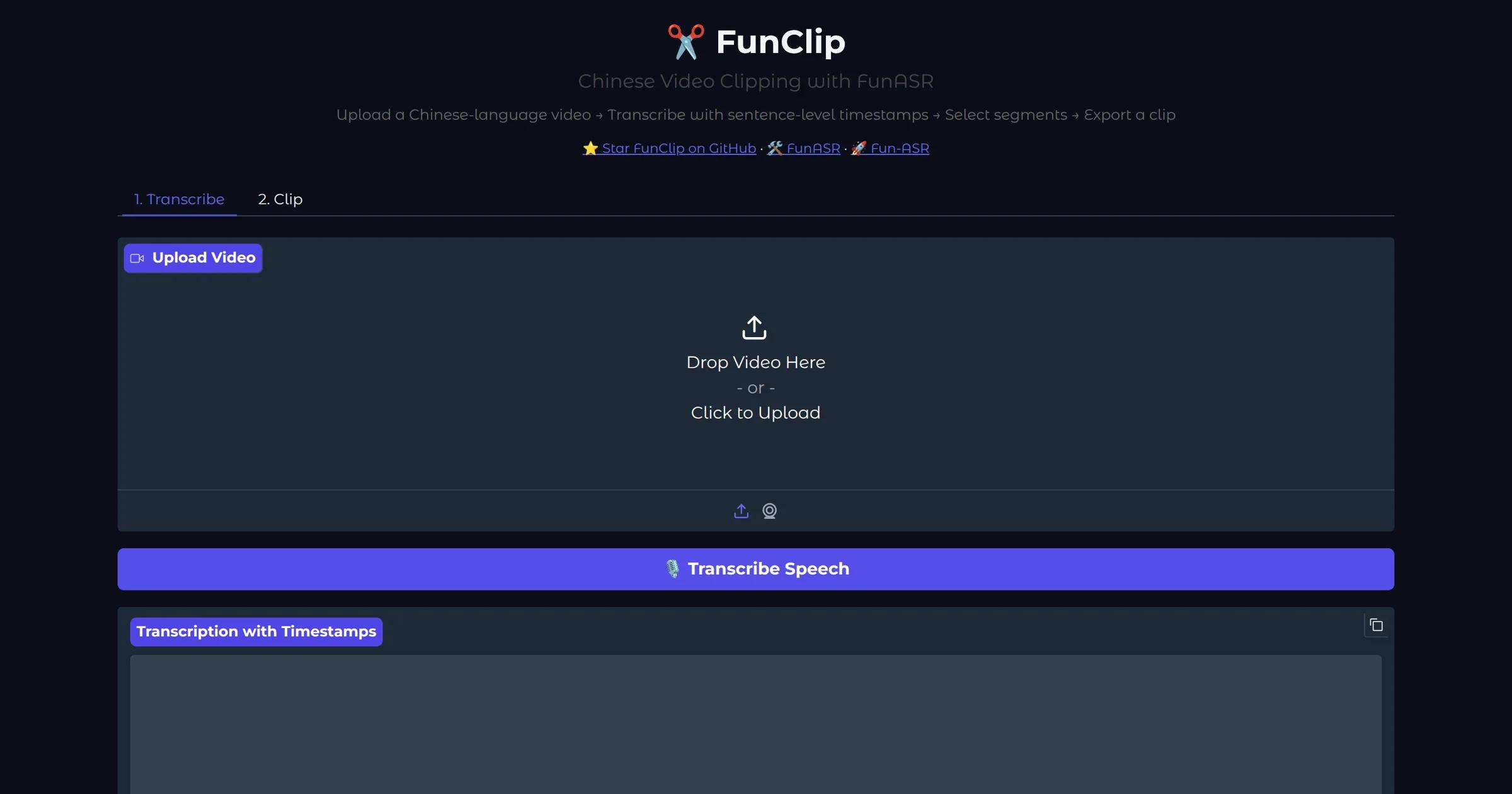
Upload a long interview, conference talk, or podcast episode, run ASR, then select the specific sentences you want to keep. FunClip generates the clipped video and its SRT file in one step, without needing a separate editing tool for basic cuts.
If your source video is primarily English and you need the highest possible ASR accuracy, a Whisper-based tool may produce better transcripts for the clipping step.
All processing runs locally with no external API calls for the core ASR and clipping workflow. Footage from interviews, legal proceedings, or proprietary corporate content stays on your machine throughout the entire process.
Skip FunClip if you need cloud collaboration on transcripts, where multiple editors review and annotate the same video remotely in a shared workspace.
FunClip's command-line interface supports scripted recognition and clipping as separate stages, making it composable with other Python tooling. The Gradio service can also run on a dedicated server and be accessed via browser over a LAN using the listen flag.
If you need real-time streaming transcription rather than file-based batch processing, FunClip is not designed for that use case.
FunClip passes the full SRT subtitle file to a connected LLM (Qwen, GPT, or MiniMax M2.7) and uses the model's output to automatically select and clip the most relevant segments. This eliminates manual segment selection for long recordings where you want an AI-generated highlight reel.
LLM-assisted clipping requires an API key for the chosen LLM provider. If you need a fully offline pipeline with no external API calls, use standard transcript-based clipping instead.
The problem
Cloud transcription and clipping tools bill by the minute and require uploading footage to third-party servers. For teams handling confidential interviews, research sessions, or sensitive video content, that data exposure is a real problem. Services like Trint and Taption charge subscription fees that compound quickly for anyone transcribing more than a few hours per month. Manual clipping without transcription is slow: you watch the video, mark in and out points, export, and repeat for every segment. When the footage is in a language with limited tooling, or when you need to clip a specific speaker rather than a specific time range, the problem gets worse. Most paid tools offer no speaker-based clipping at all.
How it works
Uses Alibaba's Paraformer-Large model, one of the highest-accuracy open-source Chinese ASR models with over 13 million downloads on Modelscope. Produces sentence-level timestamps that feed directly into the clipping workflow, so the text you select maps precisely to the video segment.
Integrates the CAM++ speaker recognition model to identify individual speakers in the video. Once the transcript is labeled by speaker ID, you can clip all segments from a specific speaker (for example, 'spk0') or combine multiple speakers into a single export.
Connects to large language models including the Qwen and GPT series and MiniMax M2.7 to automatically select the most relevant segments from the transcript. You provide a prompt; FunClip passes the SRT subtitles to the LLM, which returns timestamps for the clip. The 'AI Clip' button applies those timestamps directly.
Automatically generates two SRT files on each clip: the full-video subtitle file and a targeted subtitle file for the clipped segment. Optional ffmpeg and ImageMagick dependencies let you burn subtitles directly into the exported video.
Supports Chinese (default Paraformer), English (Paraformer English model), and multilingual audio including Japanese and 7 Chinese dialect groups via Fun-ASR-Nano. SenseVoice adds emotion recognition and audio event detection on top of standard speech-to-text output.
Uses SeACo-Paraformer to accept user-specified hotwords during ASR, which improves accuracy on entity names, brand names, and technical terms that general models frequently misrecognize. Hotwords are set before recognition and apply to the full transcript.
Features
- FunASR Paraformer Speech Recognition
- Speaker Diarization and Speaker-Based Clipping
- LLM-Assisted Smart Clipping
- SRT Subtitle Generation
- Multilingual and Multi-Model Support
- Hotword Customization
How to install
Install FunClip by cloning the repository and installing Python dependencies.
git clone https://github.com/modelscope/FunClip.git
cd FunClip
pip install -r ./requirements.txt
python funclip/launch.py
Recommended for this setup
Strengths
- Fully local processing with no data upload: Video files are processed entirely on the local machine. No footage is sent to external servers, which matters for interviews, research footage, or any content that cannot leave a controlled environment. Unlike Trint or Taption, there is no cloud storage dependency and no account required.
- MIT license with no usage restrictions: The source code is MIT licensed, meaning you can run it commercially, modify it, and integrate it into larger pipelines without licensing fees. The bundled Paraformer-Large and CAM++ model weights use Apache 2.0; check the applicable model page before redistribution.
- Active development with versioned releases: Version 2.1.1 shipped in August 2026, with code pushed as recently as August 3, 2026. The 2.1.0 release introduced a formal versioned release track with checksum-protected archives for stable rollbacks. The project has 6,141 stars and 736 forks on GitHub.
- Text-based and speaker-based clipping in one tool: Most transcription tools let you select time ranges. FunClip lets you select by the actual recognized text or by speaker ID, which is faster for long interviews or multi-speaker recordings where you want a specific person's segments without scrubbing through timecode.
Trade-offs
- Local machine must handle ASR model inference: Running Paraformer-Large locally requires enough CPU or GPU memory to load a full ASR model. Lightweight edge machines will be slow. Fun-ASR-Nano is available for smaller hardware but does not provide character-level timestamps, which limits precise text-based clipping.
- Python environment setup required: Installation requires cloning the repository, installing Python dependencies from requirements.txt, and optionally installing ffmpeg and ImageMagick for subtitle burn-in. There is no one-click installer or Docker image in the official instructions. Users unfamiliar with Python environments will need to follow the setup steps carefully.
- Primary ASR strength is Chinese, not English: The default Paraformer-Large model is trained for Chinese ASR. English is supported via a separate model flag and Fun-ASR-Nano extends to Japanese and dialect groups, but English accuracy does not match specialized English ASR models like Whisper large-v3 for non-Chinese content.
Tech stack
FAQ
Yes. FunClip's source code is MIT licensed and free to run on your own hardware. There are no per-minute fees or subscription tiers. Model weights (Paraformer-Large, SeACo-Paraformer, CAM++) are available under Apache 2.0. Running it locally costs only your own compute.
Yes, with caveats. Pass `-l en` to load the Paraformer English model, or use Fun-ASR-Nano for multilingual input including English, Japanese, and Chinese dialect groups. For text-based clipping specifically, use Paraformer rather than Fun-ASR-Nano, since the current Nano checkpoint does not provide reliable character-level timestamps.
Yes. Start the Gradio service with `--listen` to bind all network interfaces for LAN access. Add `--share` to create a public Gradio tunnel for access from outside the local network. Without the share flag, the service stays private to your local network.
FunClip processes video files through ffmpeg, which handles most common formats including MP4, MKV, MOV, and AVI. The core transcription step works on the audio extracted from the video file. Subtitle burn-in into the output video requires both ffmpeg and ImageMagick.
FunClip uses the FunASR Paraformer models rather than Whisper. Paraformer-Large is one of the highest-accuracy Chinese ASR models available, with over 13 million downloads on Modelscope. It also integrates speaker diarization and hotword customization that Whisper does not provide natively. Whisper generally performs better on English and many non-Chinese languages.