Easy!Appointments
Self-hosted appointment booking, GPL-3.0, with no per-seat pricing.
Replaces Calendly, Acuity Scheduling, Simplybook Me, Setmore, Square Appointments, Appointy, Youcanbook Me
Who it's for
A clinic or law firm with multiple providers gains a customer-facing booking page, role-based staff access, and all appointment data in a database on their own server. GDPR or HIPAA documentation references infrastructure the organization controls rather than a vendor's data processing terms.
If the practice needs online payment collection before confirming an appointment, Easy!Appointments does not include this in the free release and requires custom development to add it.
A team of five or more providers paying per seat at Calendly or Acuity can replace that expense with a one-time server setup. No booking limits and no per-seat fees mean the per-appointment cost approaches zero above the fixed server cost.
If the team depends on Calendly's native Zoom, Salesforce, or Stripe integrations and cannot build equivalent connections through Easy!Appointments' REST API, switching requires significant integration work.
The official plugins for WordPress, Joomla, and Drupal let customers book directly on the organization's existing site. The booking interface matches the installed theme and customers never leave the site domain.
If the site is built on a framework with no official plugin support, embedding requires custom integration via iframe or the REST API.
Teams whose staff authenticates against an LDAP directory can connect it to Easy!Appointments so providers sign in with existing credentials. No separate account provisioning or deprovisioning is needed when staff join or leave.
If the organization does not use LDAP and has only a few providers, the built-in account management is sufficient and LDAP is not needed.
The problem
Hosted booking tools price by seat, so a practice with multiple providers faces compounding subscription costs. Each additional staff member adds to the monthly bill with no ceiling. Calendly and Acuity Scheduling both use per-seat pricing; SimplyBook.me caps bookings on its free tier and charges above that threshold. For a small clinic or agency with five providers, the annual cost runs into hundreds of dollars with no way to reduce it except removing staff from the tool. The harder problem is data control. Customer names, email addresses, appointment history, and clinical or consultation notes all sit in a third-party database. GDPR compliance then depends on a data processing agreement with the vendor, not on who physically holds the data. Organizations in regulated industries or with strict data-residency requirements have no path to genuine data ownership without running their own software.
How it works
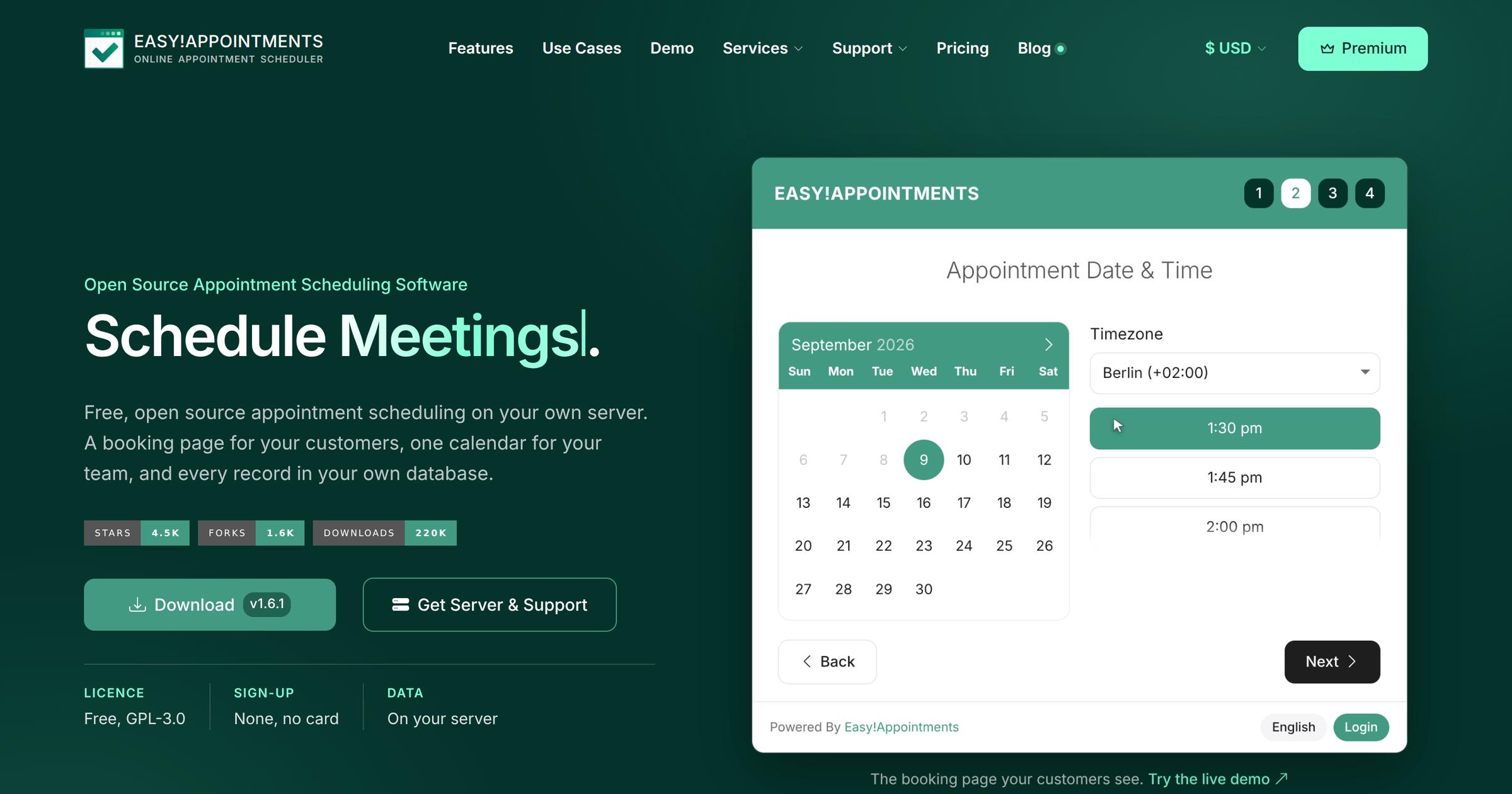
Customers pick a service, select a provider, and choose a time slot without creating an account or installing an app. They enter their name, email, and phone number, then confirm. A confirmation email goes out automatically, and the booking appears in the team calendar immediately.
Admins, providers, and secretaries each see an appropriate view of the shared calendar. Admins manage services, providers, and global settings; providers see their own schedule and customer records; secretaries can book on behalf of providers. All roles sign in with their own account.
Providers connect their personal Google Calendar to Easy!Appointments so appointments appear alongside other events. Sync runs on a cron job; booking rules in Easy!Appointments control availability, and the Google Calendar connection keeps both sides consistent.
Every booking operation is available through a REST API: list providers, check free slots, create or update appointments, and retrieve customer records. Webhooks push each new booking, change, or cancellation to a URL you configure, so external systems like n8n or Zapier can respond without polling.
Connect an LDAP directory and providers log in with their existing corporate credentials. No separate account to create, manage, or disable in Easy!Appointments when staff join or leave the organization.
Official plugins embed the booking interface directly inside a WordPress, Joomla, or Drupal site. Customers book without leaving the page, and all data still flows into the same Easy!Appointments installation on your server.
Features
- Customer booking page, no sign-up required
- Multi-provider calendar with role-based access
- Google Calendar synchronization
- REST API with webhook notifications
- LDAP integration for staff authentication
- Official CMS plugins for WordPress, Joomla, and Drupal
How to install
Download the latest Easy!Appointments release from GitHub Releases and upload it to your PHP 8.2+ web server: https://github.com/alextselegidis/easyappointments/releases/latest
Recommended for this setup
Strengths
- No per-seat fees and no booking limit: The GPL-3.0 release has no seat count restriction and no cap on the number of appointments. A practice with twenty providers and a thousand bookings per month pays nothing beyond server costs. Paid competitors like Calendly and SimplyBook.me charge monthly per active user or per booking volume.
- All data in your MySQL database: Every customer name, email address, appointment note, and scheduling record writes to a MySQL database on your own server. Nothing is sent to external services by default; the product website notes the only external call is an About page blog feed. GDPR or HIPAA documentation then references infrastructure you control.
- More than ten years of active development: The first release appeared in 2014. The repository received its most recent push in November 2026 and has accumulated over 4,400 GitHub stars and 1,500 forks. The booking page and back office are translated into more than 40 languages by the community.
- Booking interface in 40+ languages: The customer-facing booking page and the administrative back office are both translated into more than 40 languages maintained by the community. Organizations operating across language regions can serve customers without a custom translation or a third-party localization add-on.
Trade-offs
- PHP 8.2+ and MySQL server required: Running Easy!Appointments means maintaining a web server with Apache or Nginx, PHP 8.2+, and a MySQL database. Shared hosting plans that offer PHP and cron jobs can support it, but VPS or dedicated server configuration is the more reliable path. Teams without PHP experience or existing server infrastructure will face a setup cost not present with hosted alternatives.
- SMS reminders and online payments are not in the free release: Scheduled SMS reminders and payment collection at booking time are not included in the GPL-3.0 release. The product website lists both as custom development services available from the core team at a separate cost. Teams that require native payment processing before confirming an appointment will need to either contract custom development or choose a different tool.
- 149 open GitHub issues: The repository carries 149 open issues. Active development continues, but users should check the issue tracker against their specific requirements before deploying to production. Known bugs or feature gaps for a given use case are worth confirming before committing to a migration.
Tech stack
FAQ
Easy!Appointments runs on a web server with Apache or Nginx, PHP 8.2+, and a MySQL database. Many shared hosting plans meet these requirements if they allow PHP 8.2+ and cron jobs. Docker images are available for containerized setups. The website also offers a managed hosting option from the core team at a fixed annual price.
Yes. The GPL-3.0 license allows personal and commercial use, modification, and distribution without a licensing fee. There are no per-seat charges and no booking limits in the free release. GPL-3.0 requires publishing source code when you distribute copies of the software to others; running Easy!Appointments as a hosted service without distributing the software does not trigger this requirement (that is the AGPL-3.0 network-use clause, which GPL-3.0 does not contain).
Yes. The system supports three roles: admin, provider, and secretary. Admins manage the full installation; providers see and manage their own schedule; secretaries can book on behalf of providers. LDAP integration lets staff sign in with existing corporate credentials instead of a separate Easy!Appointments account.
Yes. Each provider can connect a personal Google Calendar to Easy!Appointments. Appointments in Easy!Appointments appear in the Google Calendar, and availability can reflect existing Google Calendar events. Sync runs on a scheduled cron job configured during setup.
All data lives in your MySQL database on your own server. You can export it directly from the database at any time, or use the REST API to extract records in structured form. There is no vendor to request an export from and no account to deactivate.