
dograh
Open source voice agent builder with telephony and BYOK AI support
Replaces Vapi, Voiceflow, Retell Ai, Botpress
Who it's for
Dograh's visual workflow builder covers the full inbound call flow: greeting, routing, tool calling, knowledge base lookup, and human handoff. Teams can test agent behavior in the browser with Test Audio before connecting to a production telephony number on Twilio, Vonage, or Telnyx.
Your support volume is low and a no-code SaaS chatbot with no infrastructure to manage is more appropriate. Dograh's value is in customization and self-hosting; teams that only need a simple hosted bot do not need to run the Docker stack.
The outbound call API and Python/Node SDKs let you trigger calls programmatically, making Dograh a fit for automated outreach, appointment reminders, or lead qualification campaigns. BYOK LLM support means you can use any model for the voice agent's reasoning layer.
You need a simple hosted outbound dialer with no engineering work required. Dograh requires programming effort to set up programmatic call triggering and workflow logic.
Because Dograh runs on your own infrastructure, call recordings and transcripts never leave your servers. Artifacts store in bundled MinIO or any S3-compatible bucket you configure, which satisfies data residency requirements that SaaS voice AI tools cannot meet.
Data residency is not a requirement for your use case. If call data on a vendor's cloud is acceptable, a fully managed SaaS service carries less infrastructure overhead than running your own Dograh deployment.
Dograh's MCP server lets Claude Code, Cursor, or Codex inspect agents, create new workflows, and edit node configurations from natural language prompts. Teams that already use coding agents for infrastructure tasks can extend that workflow to voice agent design without switching contexts.
You do not use MCP clients or AI coding agents in your engineering workflow. The MCP integration is a meaningful differentiator, but it requires MCP tooling to deliver value.
The problem
Commercial voice AI services like Vapi and Retell charge per minute of call time, which scales costs unpredictably for teams running high-volume inbound or outbound calling. Every call that flows through their infrastructure leaves call data on their servers with no option for self-hosting, no access to the underlying code, and no way to customize behavior at the source level. Teams that hit pricing ceilings or need data residency find themselves either paying enterprise fees to unlock features, or patching together a custom stack of LLM, TTS, and STT providers with no visual tooling. Building a production voice agent that handles telephony, call routing, tool calling, and context management reliably requires significant engineering effort when there is no workflow builder that runs on your own servers.
How it works
Design voice agent call flows with a node-based editor covering start nodes, agent nodes, global instructions, tool calling, transitions, and end-call outcomes. The Test Agent panel includes Test Audio for browser-based voice testing and Test Chat for faster prompt iteration, with the ability to replay and edit user turns mid-conversation.
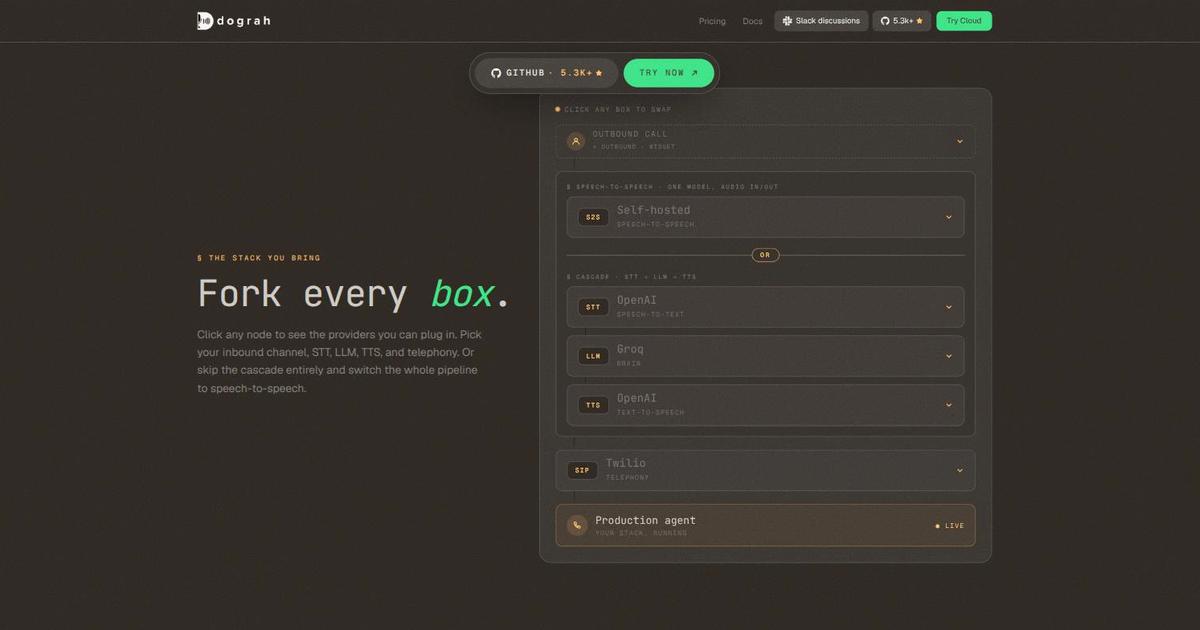
Connects to Twilio, Vonage, Telnyx, Plivo, Vobiz, Cloudonix, and Asterisk ARI out of the box. Supports inbound and outbound calls with human handoff and call transfer on compatible providers, without requiring a separate telephony middleware layer.
Dograh ships with auto-generated keys and its own LLM, TTS, and STT stack, so no external API keys are needed to build and test your first voice agent. You can connect your own LLM, TTS, STT, or telephony credentials at any time to replace the defaults with your preferred providers.
An MCP server lets Claude Code, Cursor, Codex, and other MCP clients inspect existing agents, search docs, fetch node schemas, create new workflows, and save edits from natural language prompts. Teams using coding agents for infrastructure work can extend that workflow to voice agent design.
Self-hosting runs from a startup script that downloads docker-compose.yaml and launches the full stack. The UI is available at localhost:3010 after a 2-3 minute first-run image download. Remote server deployment with HTTPS is covered in the documentation for production use.
The Python SDK (dograh-sdk on PyPI) and Node SDK (@dograh/sdk on npm) support programmatic agent creation and outbound call triggering. The Python backend uses a modular provider architecture, so telephony and AI provider integrations can be customized or extended.
Features
- Visual Workflow Builder
- Built-in Telephony Integrations
- BYOK AI Providers
- MCP Server for AI Coding Agents
- One-Command Docker Deployment
- Python and Node SDKs
How to install
Dograh self-hosts via Docker Compose; clone the repo and run the startup script to pull all images and start the platform on localhost:3010.
git clone https://github.com/dograh-hq/dograh
cd dograh
./scripts/start_docker.sh
Recommended for this setup
Strengths
- Self-hosted with no vendor lock-in: Unlike Vapi and Retell, which are SaaS-only, Dograh runs entirely on your own infrastructure with one Docker Compose command. Call data stays on your servers, not on a third-party cloud. The BSD-2-Clause license carries no per-minute fees on the self-hosted path and allows commercial use without restriction.
- No API keys needed to get started: Dograh includes its own LLM, TTS, and STT stack by default, so you can build and test a voice agent without setting up external provider accounts first. This removes the onboarding friction common to SaaS voice AI tools that require credential setup before any calls can be made.
- MCP-native workflow editing: The built-in MCP server allows coding agents to create, inspect, and modify Dograh workflows from natural language. This capability is absent from commercial voice AI tools, making Dograh a natural fit for AI-first teams that already use tools like Claude Code or Cursor in their engineering workflow.
- Broad telephony provider coverage: Seven telephony providers are supported out of the box: Twilio, Vonage, Telnyx, Plivo, Vobiz, Cloudonix, and Asterisk ARI. This covers most enterprise and startup telephony stacks without additional integration work for teams that already have a preferred provider.
Trade-offs
- Docker-based self-hosting requires setup time: The default local deployment path uses Docker Compose and a startup script. First startup downloads all images and takes 2-3 minutes on a fresh machine. Teams evaluating quickly may find this slower than signing up for a SaaS voice AI API. Remote server deployment with HTTPS requires following separate documentation steps.
- Newer project with a smaller community: Dograh launched in September 2025 and has been publicly available for under a year. While it shows strong momentum with 5,341 GitHub stars and an active Slack community, the third-party resources, community tutorials, and ecosystem of prebuilt integrations are less extensive than those of established SaaS voice AI providers.
Tech stack
FAQ
Yes. The self-hosted version is free to run on your own infrastructure under the BSD-2-Clause license with no per-minute fees. A managed cloud version at app.dograh.com is available with usage-based pricing. For most development and moderate production workloads, the self-hosted path has no ongoing licensing costs.
Dograh includes built-in integrations for Twilio, Vonage, Telnyx, Plivo, Vobiz, Cloudonix, and Asterisk ARI. Human handoff with call transfer is supported on compatible providers. You can also bring your own telephony credentials and connect additional providers through the configuration.
No. Dograh ships with auto-generated keys and its own LLM, TTS, and STT stack, so you can build and test voice agents without any external API keys. You can connect your own LLM, TTS, STT, or telephony credentials at any time to replace the bundled defaults.
Dograh is open source under BSD-2-Clause and fully self-hostable with one Docker command; Vapi is SaaS-only and proprietary. With Dograh, call data stays on your infrastructure, there are no per-minute fees on the self-hosted path, and you can modify the source code. Vapi is the easier starting point for teams that prefer a managed API with no infrastructure to run.
Yes. Dograh ships with an MCP server that lets Claude Code, Cursor, Codex, and other MCP clients inspect existing agents, search the Dograh docs, create new workflows, and save edits from natural language. See the MCP guide at docs.dograh.com for connection instructions.