
CleanYourTV
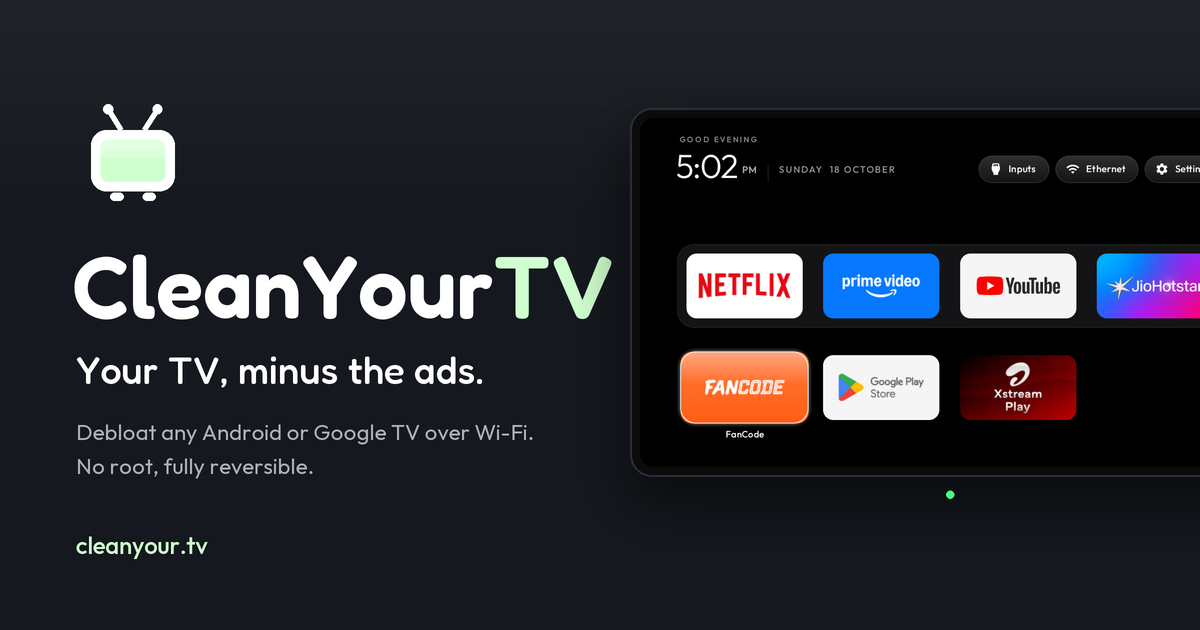
Debloat any Android or Google TV over Wi-Fi and get an Apple TV-style home.
Replaces Atv Launcher Pro, Projectivy Launcher
Who it's for
Xiaomi, TCL, and similar sets show sponsored rows before installed apps load. CleanYourTV disables the OEM ad and telemetry packages using a community-tested list for the specific model, then installs the custom launcher. The process takes about fifteen minutes on a supported model.
Skip if your TV already runs a clean launcher such as NVIDIA Shield, where there are no OEM ad rows to remove and the stock interface is already uncluttered.
The debloat step targets telemetry packages that report viewing data back to the manufacturer. Owners who monitor their home network can verify the effect by watching DNS queries before and after the debloat run. The launcher itself makes no network requests after installation.
Skip if the TV is on an isolated network segment with telemetry already blocked at the router. CleanYourTV adds device-level disabling on top, but network-level blocking alone may be sufficient for your needs.
The launcher source is plain Java with AndroidX RecyclerView, no Compose. The module card spec in `docs/specs/card.md` lets any TV app declare its own tile. The themes system in `themes/` shows how to change layout, colour, and wallpaper without a rebuild.
Skip if you need Compose-based UI or OEM-specific APIs. The launcher targets 1 GB devices, which limits some animation techniques available on higher-end hardware.
If you have two or more TCL or Xiaomi sets on the same model line, the same debloat list and theme config apply to all of them. The TV_HOST environment variable is the only value to change between runs.
Skip if your sets are different brands or firmware versions. Debloat lists are model-specific; applying a Xiaomi list to a Sony TV will likely break core TV functions.
The problem
Modern Android TV and Google TV home screens are designed to generate ad revenue before they serve the viewer. Sponsored content rows appear above installed apps, telemetry packages report viewing data to the manufacturer, and preloaded apps occupy the launcher grid without any supported path to remove them. On sets from Xiaomi, TCL, and other Android TV manufacturers, the home screen itself is a monetized product. Paid placements can appear before the user reaches Netflix, and no setting removes them. The ADB debug bridge is the only standard escape route, but it requires hours of forum research to use safely on a specific model. Package names differ between firmware versions, some services are interdependent, and disabling the wrong package can break core functions like HDMI switching or voice input. Without a model-specific list and a known-good procedure, the practical options were buying a premium streaming device or accepting the stock experience.
How it works
Connects to the TV over the local network using the ADB debug bridge built into Android TV. Enable USB debugging in Developer Options, allow the computer once, and the tool handles device discovery and authentication. No physical cable, no root, and no hardware modification is required.
Uses `pm disable-user` to disable bloatware rather than uninstalling it. All disabled packages stay on the device in a suspended state. The bundled restore script re-enables every package in reverse order, returning the TV to its factory launcher in one step. Nothing is permanently deleted.
A native Android TV app (`com.gathin.tvhome`) written in plain Java with AndroidX RecyclerView. Targets sets with 1 GB of RAM and avoids blur effects, video playback, network requests, and background services. The dock sits where Apple TV places it; a top shelf names the focused app over an ambient glow in the app's artwork colour.
The `examples/` folder holds one debloat list per tested model from contributors. Brands include TCL (14 lists), Xiaomi (14), Sony (9), Philips (4), and Hisense (3), plus Amazon Fire TV Stick, NVIDIA Shield, and Chromecast with Google TV. A model not in the list can still be debloated using the AI-guided discovery flow that identifies packages on the specific TV.
Themes set background colour, wallpaper, dock order, and column count via a JSON file pushed over ADB without a rebuild. Three themes ship in `themes/`. Module cards let any installed TV app declare its own tile in the grid; the launcher prompts the user once per app and remembers the answer tied to the app's signing key.
Every step the assistant automates can be run by hand. `tools/tv.py` is a pure-Python ADB client that probes the TV, runs shell commands, and pushes files. `tools/disable.sh` and `restore.sh` apply and undo a debloat list. PowerShell equivalents ship for Windows users with Android Studio installed.
Features
- Wi-Fi ADB debloat, no root or cable
- Non-destructive package disabling
- Apple TV-style launcher, 300 KB installed
- 66 community-tested TV models across 25 brands
- Themes and module cards
- Python tooling for manual operation
How to install
Setup requires Python 3 on a computer connected to the same Wi-Fi network as the TV.
git clone https://github.com/Gathin23/cleanyourtv
python3 -m venv tools/venv && tools/venv/bin/pip install -r tools/requirements.txt
export TV_HOST=192.168.1.50
tools/venv/bin/python -I tools/tv.py --probe
tools/disable.sh examples/xiaomi-mi-tv-4a/debloat.txt
TV_HOST=192.168.1.50 launcher/build-and-install.sh
Recommended for this setup
Strengths
- Fully reversible, no permanent changes: The debloat step uses disable-user rather than uninstall, so the restore script can re-enable every package. The launcher install script checks which launcher owns Home before switching and rolls back automatically if the handoff fails. The TV stays in a state the manufacturer's factory reset can also undo.
- Works on sets with 1 GB of RAM: The launcher APK is about 300 KB installed and avoids blur effects, video playback, and background services. This keeps it usable on budget Android TV hardware like the Xiaomi MiTV-ASTP1 and TCL 40S5400A, where heavier launchers cause lag or memory pressure on 1 GB devices.
- MIT license, no account, no cloud component: The code is MIT licensed, allowing free use, modification, distribution, and commercial use. No sign-up is required to run it, no data leaves the local network, and the launcher makes no network requests after installation. The ADB session is local only.
- Community coverage across 66 tested TV models: Contributors have submitted debloat lists and build notes for 66 specific models, including rare regional variants like the AiPro2K (Changhong AI PONT) and the RCA AI PONT SA. Each list is tested by the person who submitted it. A TV not in the list can be catalogued through the contribution flow so the next person with that model skips the discovery step.
Trade-offs
- Requires Developer Options and ADB access on the TV: You must enable Developer Options by pressing OK on the Build number seven times in the TV settings, then turn on USB debugging or Network ADB. A few China-market TCL sets ship with Developer Options hidden by firmware. The tool cannot work on those sets.
- Building the launcher needs JDK 17 and Android SDK 34: Compiling the launcher APK from source requires JDK 17 and Android SDK platform 34. On macOS that is a brew install of two packages; on Linux the install script expects a standard Android SDK path. Owners who only want the debloat step can skip the build entirely by using a community list.
- Fire TV gets debloat only, no launcher replacement: Amazon's Fire OS does not allow a third-party launcher to own the Home screen. The debloat lists for Fire TV Stick and Toshiba Fire TV work, but the CleanYourTV launcher cannot replace the stock Fire TV interface.
- Very new project, created October 2026: The repository was created on 17 October 2026 and had 38 open issues at the time of writing. The core debloat flow and launcher are functional and tested across 66 models, but edge cases and firmware-specific bugs are still being reported and addressed by contributors.
Tech stack
FAQ
No. It uses the ADB debug bridge, which is available in Developer Options on every Android TV and Google TV device. No root, no bootloader unlock, and no hardware modification is needed. Enabling USB debugging in the TV settings is the only prerequisite.
The `examples/` folder contains tested debloat lists for 66 specific Android TV and Google TV models across 25 brands, including TCL, Xiaomi, Sony, Philips, Hisense, and Chromecast with Google TV. Amazon Fire TV Stick and Toshiba Fire TV are supported for the debloat step only. A model not in the list can still be debloated using the AI-guided discovery flow, and you can contribute the resulting list so the next person with that model skips discovery.
Yes. The debloat step uses pm disable-user rather than uninstall, so the restore script re-enables every package in reverse order in one command. The launcher install script rolls back automatically if the Home handoff fails. The TV's factory reset undoes everything CleanYourTV changed.
No. Amazon's Fire OS does not let a third-party launcher take over the Home screen. The debloat lists for Fire TV Stick and Toshiba Fire TV are included and work for removing bloatware, but the CleanYourTV launcher cannot be installed as the default Home on Fire OS.
MIT allows free use, modification, distribution, sublicensing, and commercial use of the code. The only requirement is keeping the copyright and permission notice. The bundled Outfit font is separately licensed under SIL OFL 1.1, which also permits free use and distribution.