
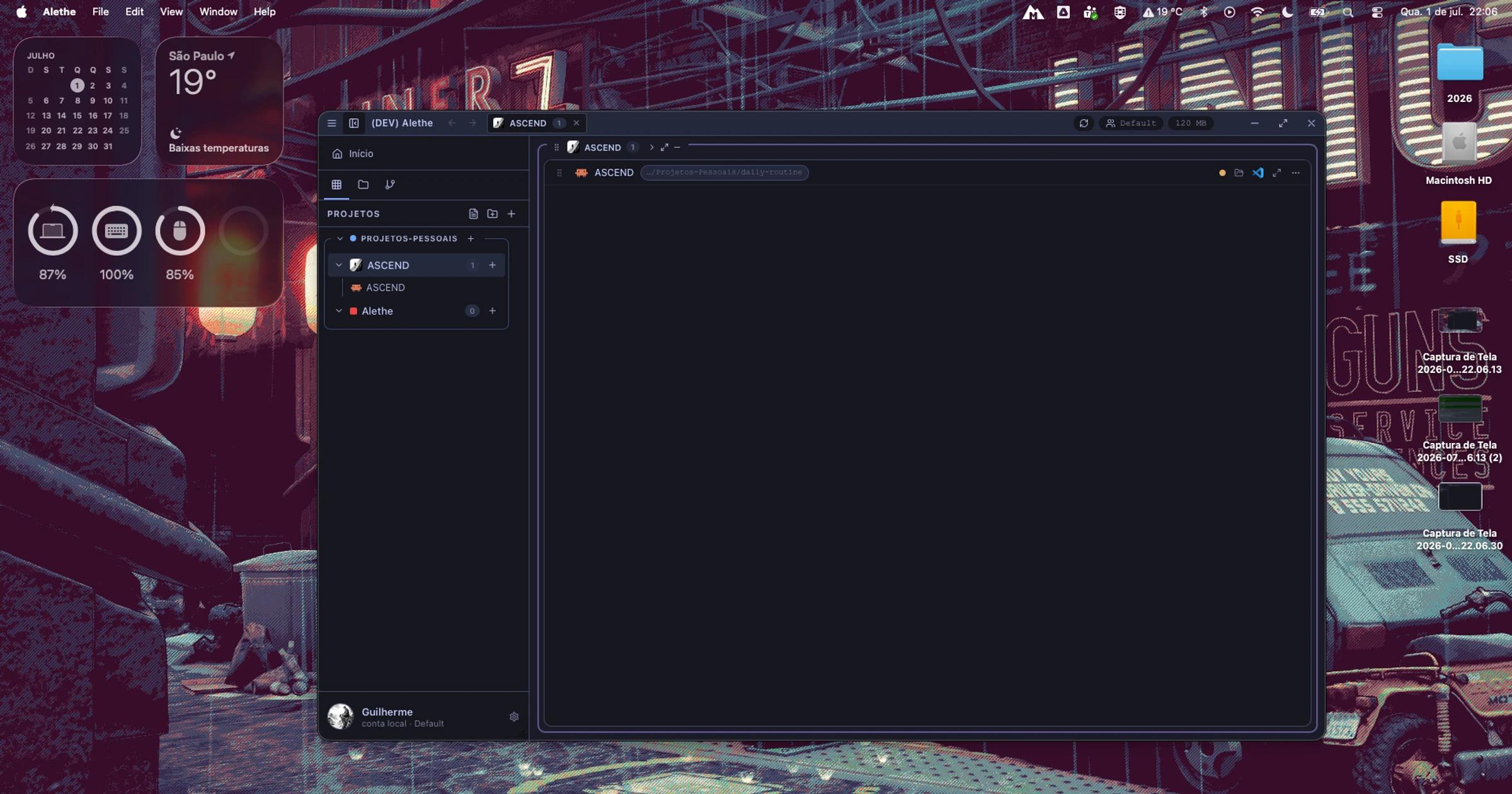
Alethe
Multi-agent coding workspace with real PTYs and MCP management
Replaces Conductor
Who it's for
A developer working on separate tasks can open Claude Code, Codex, and a plain shell in the same project container, each with its own PTY, session history, and MCP configuration. Session resume means a restart does not wipe context; handoff packets let work move between agents without manual copy-paste.
If you run only one agent at a time and do not use shared MCP servers, a standard terminal emulator is simpler. Alethe's value scales with the number of agents and the complexity of shared configuration.
The orchestration board lets a lead agent delegate bounded tasks to Claude and Codex workers running in separate git worktrees, each reporting status, cost, and diff on its card. Playbook canvases define workers, checks, and cost or quota conditions so the pattern is repeatable.
Orchestration is off by default and requires installing the official alethe skill. If your tasks are sequential or do not benefit from parallelism, the overhead adds complexity without benefit.
When several agents share the same MCP servers (a code graph server, a database MCP, or a custom tool), keeping configurations consistent across Claude Code, Codex, and Cursor JSON files by hand is error-prone. The MCP tab reads all configs in one view, copies entries between agents, and verifies connectivity.
If you use a single agent with one or two MCP servers, editing the JSON config file directly is faster. The MCP tab's value is managing servers shared across three or more agents.
The problem
Running one coding agent in a terminal is easy. Running five at once, across three different repositories, each with its own context, MCP configuration, and session history, is where the terminal-tab model stops working. Sessions get lost between restarts, MCP servers configured for one agent are not visible to another, and tracking which agent is doing what requires constant manual overhead. The workflow breaks down even before orchestration. A developer switching between Claude Code for one task and Codex for another must manage two separate terminal windows, manually track each session's history, and re-enter context each time an agent loses its state after a restart. At scale, this becomes a reliability issue, not just a productivity one.
How it works
Each agent runs in its own backend process (PTY), not a simulated shell. Sessions stay alive when you rearrange the workspace, and scrollback persists per PTY so reattaching shows what happened before the disconnect. Closing a container hides it; the process keeps running in the background.
The MCP tab reads configurations from Claude Code, Codex, Cursor, OpenCode, and Antigravity. Add, remove, and copy servers between agents; search the official registry; and ask each agent to verify it can reach a server. Every write is backed up and committed atomically.
Claude Code, Codex, Cursor, and OpenCode sessions resume after a crash or restart. A Claude Code conversation can be handed off to Codex (and back) through a locally redacted context packet. The README notes that redaction is best-effort, so review the packet before starting the target agent.
An orchestration board lets a lead agent delegate bounded tasks to Claude and Codex workers running in parallel git worktrees. Playbooks are configurable as visual canvases: workers, checks, and cost or quota conditions per step. Workers hand back result files only, not full transcripts, so the lead agent's context stays small.
Features load as plugins with declared permissions. Official plugins (Todo List, Git Control, Theme Pack) ship inside the installer; community plugins are listed in the in-app catalogue with SHA-256 checksums pinned per version, so what runs matches what was reviewed. An installed plugin arrives switched off and goes through a trust dialog before it runs.
A git panel per project covers status, staging, commits, branches, diffs, and worktrees for parallel tasks. The PR merge panel finds the open GitHub PR for an agent worktree through the local gh CLI, opens its metadata, and can start a read-only AI review inside the same isolated worktree. Squash-merging stays an explicit human action.
Features
- Real PTYs per agent pane
- Cross-agent MCP management
- Session resume and agent handoff
- Orchestration with visual playbooks
- Plugin system with SHA-256 checksum verification
- Integrated git panel and PR review
How to install
Download the installer for your platform (Windows, macOS, or Linux) from GitHub Releases: https://github.com/Kc1t/alethe-agents/releases/latest
Recommended for this setup
Strengths
- No cloud account required for core functionality: All workspace data, session history, and agent configurations stay on your machine. Cloud sync of preferences through GitHub is optional. Unlike cloud-based agent orchestration services, Alethe requires no sign-in, no subscription, and no remote server to run agents in parallel.
- Supports twelve coding agents in one workspace: Claude Code, Codex, GitHub Copilot CLI, Cursor, Antigravity, OpenCode, Kiro CLI, Kimi Code, Grok Build, Codewhale, Mimo, and standard shells all run in the same workspace with one consistent pane model. Missing CLIs can be installed from inside the app, using the vendor's official installer where available.
- AGPL-3.0 open source with auditable code: The source is available under AGPL-3.0, so you can audit every file, fork the project, and contribute fixes upstream. AGPL-3.0 is an OSI-approved license, which means no proprietary hidden behavior and no license fees for personal or team use on your own infrastructure.
- Orchestration savings through bounded worker transcripts: In the playbook model, workers hand back result files rather than full transcripts, so the lead agent's context stays small. A published example from the README shows two workers producing 5.0 KB of transcripts on disk while the lead read only 595 bytes of results.
Trade-offs
- Early public release with 39 open issues: Alethe was released as an early public release and had 39 open GitHub issues (pull requests excluded, from the GitHub search API) at the time this was written. Expect rough edges, especially around less-common agents and plugin APIs. The project is active (last pushed November 2026), but breaking changes are likely in early versions.
- Desktop app only: no server or headless mode: Alethe is a desktop application, not a server. Teams that need a shared remote workspace or CI integration where agents run on cloud hardware will need to run it on each developer's machine individually. There is no Docker deployment or headless mode.
- Agent context handoff is best-effort: When handing a conversation off between agents (for example, Claude Code to Codex), Alethe creates a locally redacted context packet. The README explicitly notes that redaction is best-effort. Review the packet before starting the target agent to avoid leaking credentials or sensitive paths.
Tech stack
FAQ
Yes. Alethe is free to download and use. The core desktop app is AGPL-3.0 licensed and runs on your hardware at no cost. Update checks and provider usage polling are on by default; all other network features are optional or action-triggered.
Alethe supports Windows, macOS, and Linux. Signed installers for all three platforms are available from the GitHub Releases page at https://github.com/Kc1t/alethe-agents/releases/latest.
No cloud account is required for core functionality. All workspace data, session history, and MCP configurations are stored locally. Optional cloud sync of preferences requires a GitHub sign-in, but the workspace, agents, and MCP configurations work without it.
Alethe supports Claude Code, Codex, GitHub Copilot CLI, Cursor, Antigravity, OpenCode, Kiro CLI, Kimi Code, Grok Build, Codewhale, Mimo, plain shell (bash, zsh, PowerShell), and WSL. Missing CLIs can be installed directly from inside the app, which probes the host for Node, npm, WinGet, Scoop, and Chocolatey.
In Alethe's orchestration mode, a lead agent delegates bounded tasks to cheaper worker agents running in parallel git worktrees. Workers hand back result files only, not full transcripts, so the lead's context stays small and cost is what each CLI reported. Without orchestration, the lead agent reads all context itself, which increases token spend on long tasks.