
Xum
Parallel coding agents in isolated workspaces, LLM-agnostic.
Replaces Conductor
Who it's for
Run one agent per branch simultaneously, then review each agent's changes in Xum's central git status view before deciding which approach to merge. The worktree runtime keeps branches independent so agents cannot overwrite each other.
You only run one agent at a time. Standard Claude Code or a single terminal session is simpler when there is no parallelism to manage.
Point two or three workspaces at the same codebase with different models, run the same prompt, and compare their outputs using Xum's git divergence view. Useful for benchmarking model quality on your actual codebase before committing to a provider.
You have a fixed model contract and no interest in multi-model comparison. The overhead of managing multiple workspaces does not pay off for a single-model workflow.
Xum's server mode exposes a responsive web UI accessible from a phone or tablet. Start a fleet of agents on your workstation, then check their status and review output from a mobile browser without installing anything on the mobile device.
You only use Xum at your desktop. Server mode adds a hosting step that is not worth the setup for local-only workflows.
The SSH runtime runs each workspace on a remote server you control, keeping source code off local machines. This suits teams with centralized infrastructure policies who want agents executing on the server rather than individual laptops.
Your team already uses Coder's remote development tool for workspace management. The overlap may make native Coder integration a better fit than a separate Xum installation.
The problem
Running multiple coding agents on the same codebase exposes a gap in existing tools: agents share the filesystem, overwrite each other's edits, and their outputs are scattered across separate terminal windows with no unified way to track what each one actually changed. Reviewing three agents' work means switching between sessions, manually comparing branches, and discovering conflicts only after the fact. The core problem is coordination overhead. Each agent may produce good code independently, but without isolated workspaces and a shared status view, the developer spends as much time managing the agents as evaluating their output. Scaling to five or more concurrent agents with standard CLI tools quickly reaches a point where coordination cost erases the productivity gain from parallelism.
How it works
Local, Worktree, and SSH runtimes give three levels of workspace isolation. Local runs the agent in your project directory. Worktree creates a git worktree per agent so each one works on a separate branch copy. SSH runs agents on a remote server you control, keeping source code off local machines.
Connect Claude (sonnet-4-*, opus-4-*), GPT (gpt-5-*, gpt-6-*), Grok, any OpenRouter model, or a local Ollama instance. Model selection is per-workspace, so you can run a faster model on one branch and a more capable one on another at the same time.
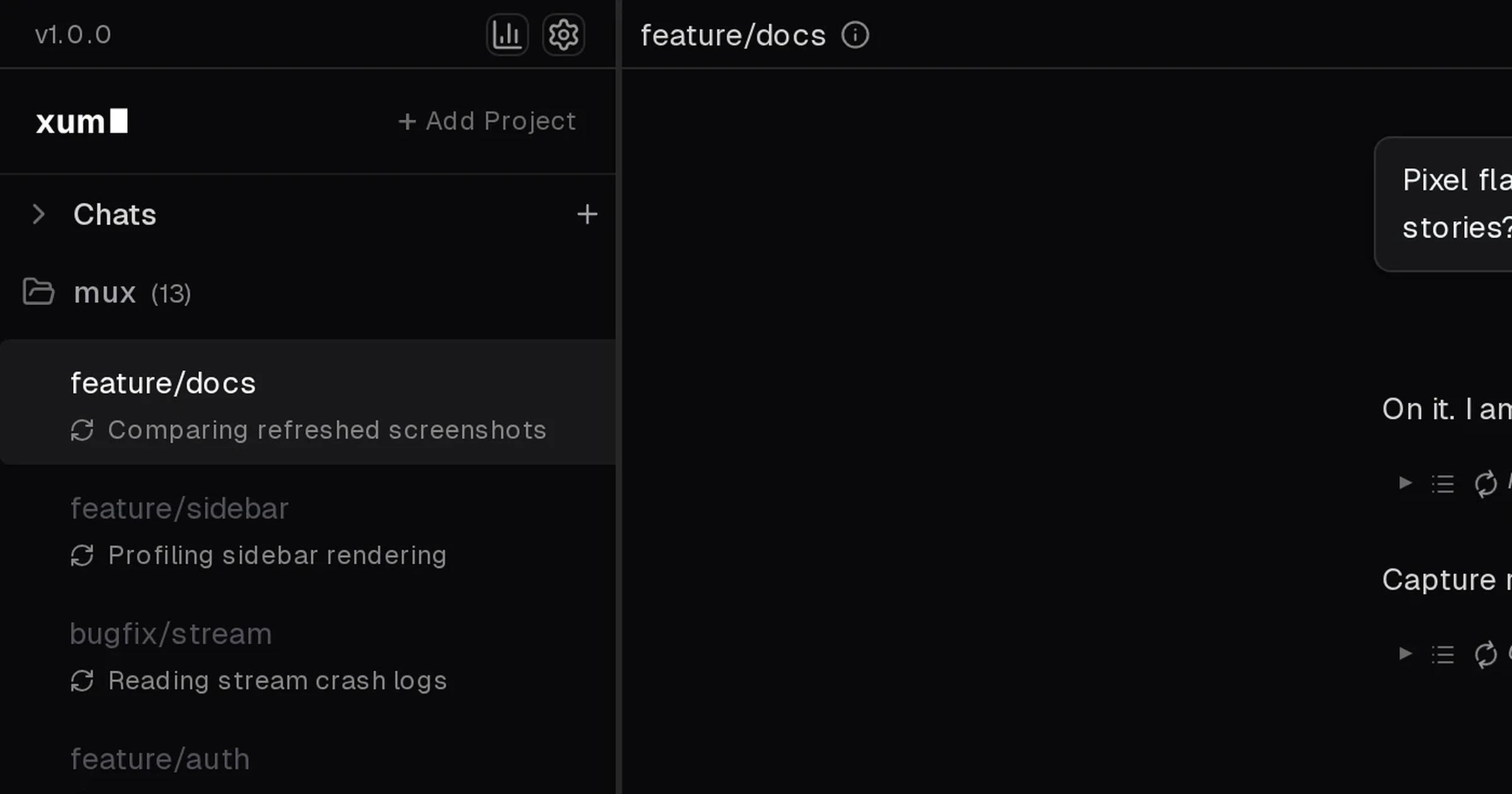
The main dashboard shows every agent's git status and branch divergence at a glance. As agents commit changes, you see what each modified without switching windows or running manual git commands, which speeds up code review and merge planning.
Xum's agent loop includes Plan/Exec mode, vim-style inputs, and a full keyboard shortcut reference. The interface is designed for keyboard-first workflows to manage a large fleet of agents without reaching for the mouse.
Agents' proposals and plans render as formatted markdown with Mermaid diagrams and LaTeX math. This makes it practical to review a complex refactoring plan or algorithm description directly in Xum's output panel without exporting to another tool.
A costs tab shows each workspace's token consumption and estimated spend in real time. When running multiple models simultaneously, you see which workspaces are consuming the most context before budgets spike unexpectedly.
Features
- Isolated Workspaces with Three Runtime Options
- Multi-Model Support with Local LLM Option
- Central Git Divergence View
- Plan/Exec Mode and Keyboard Shortcuts
- Rich Markdown Output with Mermaid and LaTeX
- Cost and Token Consumption Tracking
How to install
Download the pre-built binary for macOS or Linux from GitHub Releases: https://github.com/coder/xum/releases/latest
Recommended for this setup
Strengths
- LLM-Agnostic by Design: Xum treats model selection as configuration, not a constraint. Claude, GPT, Grok, Ollama, and OpenRouter work out of the box, so you can switch providers or test models side-by-side without changing your workflow. No API key lock-in to a single vendor.
- Self-Hosted with No Subscription: There is no managed service, no seat pricing, and no data leaving your machine when using local or git-worktree runtimes. The AGPL-3.0 license permits commercial internal use; the copyleft clause applies only if you offer Xum as a hosted service to others.
- Git Worktrees Prevent Mid-Session Conflicts: The worktree runtime gives each agent a full copy of the branch tree, so agents never write to the same files at the same time. Conflict resolution happens at merge time with full git history, not mid-session when two agents clobber the same file.
- Actively Maintained by Coder Technologies: Coder Technologies, the company behind the open source Coder remote development tool, maintains Xum. The project reached over 2,000 stars in roughly 14 months and was last pushed on 2026-11-05, indicating active maintenance at the time of this writing.
Trade-offs
- AGPL-3.0 License Restricts Hosting as a Service: The AGPL-3.0 license requires distributing source code modifications to any user of a network service you build on Xum. For teams running it internally this has no practical effect. Anyone offering Xum as a managed or hosted product to others must comply with the network-service copyleft clause.
- macOS and Linux Only: Pre-built binaries are available for macOS and Linux. There is no documented Windows installer from the maker. Windows users need WSL2 or a remote Linux server to use Xum in its documented install path.
- 247 Open Issues on an Early-Stage Project: The project has 247 open issues. Xum was created in September 2025 and is still early in its maintenance lifecycle. Expect some rough edges in edge-case workflows; check the issue tracker before adopting it for a critical production pipeline.
Tech stack
FAQ
Yes. Xum is free to download and self-host. The binary is available from GitHub Releases for macOS and Linux with no license key or subscription. The AGPL-3.0 license permits commercial internal use without restriction. The only limitation applies if you offer Xum itself as a hosted service to others, in which case you must distribute your source modifications.
Xum supports Claude (sonnet-4-* and opus-4-*), GPT (gpt-5-* and gpt-6-*), Grok, and any model via OpenRouter. Ollama is also supported for running LLMs locally without an API key. Model selection is per-workspace, so different agents can use different models in the same session.
The project was originally called Mux, a common technical abbreviation for multiplexer. Mux.com raised a trademark concern, and Coder Technologies chose to rename the project to Xum rather than pursue a dispute. The underlying code and GitHub organization are unchanged; only the name and repository path moved.
Xum ships pre-built binaries for macOS and Linux only. There is no documented Windows installer. Windows users can run Xum via WSL2 or point it at a remote Linux server over SSH.
Local runs the agent directly in your project directory, sharing the filesystem. Worktree creates a git worktree for each agent so each one works on a separate branch copy with no overlap. SSH runs agents on a remote server you connect to, keeping source code off your local machine. Most individual developers start with Worktree; teams with centralized servers use SSH.