
stremio-web
Open source web UI for media streaming, powered by community addons.
Replaces Plex, Netflix, Amazon Prime Video, Jiohotstar, Crunchyroll
Who it's for
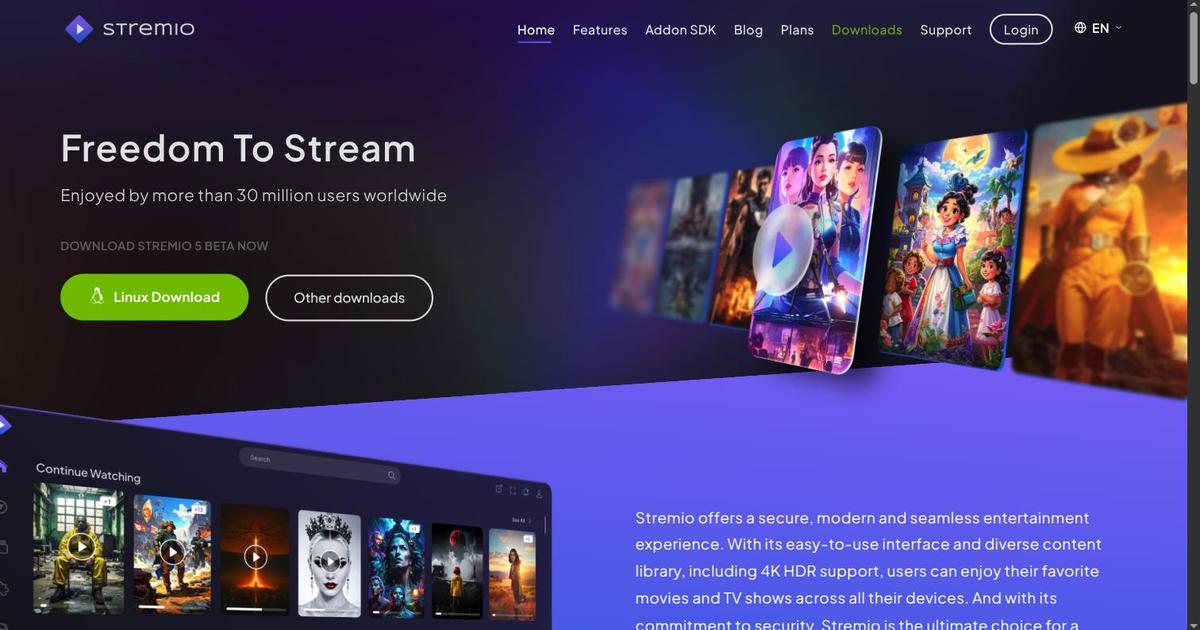
Stremio Web provides a browser-based replacement for proprietary media centers, letting you browse and watch content from addon catalogs without installing or paying for a closed platform. Chromecast support means you can still get content onto a TV.
Skip if you have a large personal media library you need to transcode and organize. Stremio Web has no local library management or transcoding; a dedicated media server is a better fit for that use case.
The repository is a React application backed by a Rust/WASM core, with a complete dev environment (Node.js 22+, pnpm, hot reload), a translation toolchain, and a contribution guide. The modular architecture lets you modify the UI layer independently of the core engine.
Skip if you need to change the core streaming logic or addon protocol. That lives in stremio-core, a separate repository.
With 50+ community-translated languages available through stremio-translations, Stremio Web is usable by non-English speakers out of the box. Teams deploying it for diverse audiences can extend language coverage by contributing to the translation project.
Skip if your required language has incomplete coverage in the community translation project; check the stremio-translations repository before committing.
Stremio Web runs as a PWA and installs as a standalone app from the browser, bypassing app stores. It is an option for environments where installing native Stremio clients is restricted or impractical.
Skip if you need hardware-accelerated video decoding or DRM-protected content. Browser-based media playback has capability limits that native apps do not share.
The problem
Personal media streaming is fragmented. Content lives across dozens of catalog sources, and commercial media servers require a dedicated machine, library management, and ongoing maintenance. Paid platforms charge monthly or annual fees for features like mobile sync, hardware transcoding, and multi-device access. For users who stream from online catalog sources rather than a personal library, this setup is overkill. The real challenge is catalog access: getting a unified discovery interface that spans multiple sources without paying per-catalog subscription fees or managing a full media server installation.
How it works
Connect community-built addons that provide movies, series, live channels, and subtitle sources. Each addon exposes its catalog through a standard protocol, so you combine multiple sources in one library view without separate subscriptions or custom integrations.
Your library and Continue Watching list follow your Stremio account across every device. Pick up where you left off in the browser, desktop app, or mobile app without manual sync or state management.
Cast any stream to a Chromecast-enabled TV directly from the web player. The web interface handles device discovery and session handoff; no separate desktop or mobile app is required.
Subtitles load from addon providers or from local subtitle files. Font, size, color, and background styling are adjustable per viewing session to match viewer preferences.
Stremio Web is a Progressive Web App and installs as a standalone window on desktop or mobile. Install directly from the browser without an app store or native package manager.
Full playback control is available via keyboard shortcuts without touching the mouse. Useful for living room setups with a wireless keyboard or for accessibility workflows.
Features
- Addon-powered catalog discovery
- Cross-device library sync
- Chromecast support
- Customizable subtitles
- Installable as a PWA
- Keyboard-first player controls
How to install
Self-hosting Stremio Web requires building the Docker image from the repository.
git clone https://github.com/Stremio/stremio-web.git
docker build -t stremio-web .
docker run -p 8080:8080 stremio-web
Recommended for this setup
Strengths
- GPL-2.0 licensed and self-hostable: The web front-end is released under GPL-2.0, meaning you can inspect, fork, and run it on your own infrastructure. Self-hosting is a Docker build away, giving you control over the web layer without paying for a commercial media platform.
- Rust/WebAssembly core for reliability: Business logic runs in stremio-core, a Rust engine compiled to WebAssembly that executes in a Web Worker. Rust's memory safety and WebAssembly's sandbox keep the core predictable and portable across browsers without native binaries.
- 50+ languages via community translations: The interface ships in 50+ languages maintained through the separate stremio-translations repository. Missing or incomplete translations can be contributed directly; no approval gate from the core team is required.
Trade-offs
- Content availability depends entirely on the addon ecosystem: Stremio Web has no built-in content catalog. What you can watch depends on which addons are available and maintained at any given time. Community-maintained addons can disappear or stop working without notice, leaving gaps in catalog coverage.
- Self-hosting covers only the web front-end: Deploying Stremio Web only gives you the UI layer. Account sync, library state, and the addon network still depend on the Stremio API operated by Smart Code OOD. A fully independent media stack requires additional server infrastructure and self-hosted addon sources.
- No pre-built image: self-hosters must build from source: The repository provides Docker build commands but does not reference a pre-built image on a public container registry. Self-hosters must clone the repository and build the image locally before running it, adding a step compared to tools that ship a ready-to-pull image.
Tech stack
FAQ
Yes. Stremio Web is GPL-2.0 licensed and free to self-host. The hosted version at web.stremio.com is also free to use with a Stremio account. The repository does not describe paid tiers for the web front-end itself.
Stremio Web is an addon-driven media front-end with no local library management or transcoding. Plex is a full proprietary media server built for personal libraries. Stremio Web fits better if you stream from catalog sources and want a browser-based interface; Plex fits better if you have a large local collection you need to transcode and serve to multiple devices.
Yes. Clone the repository, build the Docker image with docker build, and run it on port 8080. Note that self-hosting covers only the web front-end: account sync and addon discovery still depend on the Stremio API maintained by Smart Code OOD.
Addons are catalog providers built on the Stremio Addon SDK. Each addon exposes movies, series, channels, or subtitle sources through a standard protocol. Community members publish addons for different content sources, and anyone can build a new one using the Node.js stremio-addon-sdk.
GPL-2.0 means you can run, study, share, and modify Stremio Web freely. If you distribute a modified version, you must release those changes under GPL-2.0 as well. Copyright is held by Smart Code OOD (2017-2026). Running it privately or for internal use carries no distribution obligation.