
Spotifast
Spotify, native and fast, for Linux, macOS, and Windows.
Replaces Spotify Premium
Who it's for
The official Spotify app on Linux has a history of rendering glitches, tray icon issues, and input lag tied to its Electron base. Spotifast installs via Flatpak, AppImage, AUR, or Nix, integrates with MPRIS for media keys and desktop controls, and stores credentials in the OS keychain.
If you rely on social listening features like Group Sessions or Spotify-exclusive Canvas animated covers, Spotifast does not document those capabilities.
Install via Homebrew with a single command and get a native binary that opens faster and uses less RAM than the Electron Spotify app. Light, dark, and system-matched themes integrate with macOS appearance settings.
If the official Spotify macOS app already performs well on your machine and memory overhead is not a concern, the migration effort is unlikely to pay off.
At 100-250 MB of RAM, Spotifast frees the headroom that the official Electron client consumed. It runs alongside IDEs and build tools without competing for the same memory budget, which matters most on machines with 8 GB or less.
If your machine has 16 GB or more of RAM and the official client already launches quickly, the performance difference is unlikely to be noticeable in practice.
Spotifast ships a full Winamp 2 mini-player with .wsz skin support, an equalizer, and animated sound displays, alongside MilkDrop music visualizations with more than 10,000 presets. These features are not present in the official Spotify desktop app.
If you have no interest in the Winamp mini-player or MilkDrop visuals, the main Spotifast interface covers library, playback, and Connect without requiring those modes.
The problem
The official Spotify desktop app runs on Electron, which bundles a Chromium browser engine. On most machines this means the app takes several seconds to open and keeps several hundred megabytes of RAM allocated to play audio. On Linux, Electron-based apps have well-documented tray, input, and rendering issues that the official Spotify client has never fully resolved. This overhead matters on machines where memory is tight. A music player that consumes the same resources as an active browser tab is a friction point that compounds over a workday, especially when running IDEs, build tools, or virtual machines alongside it.
How it works
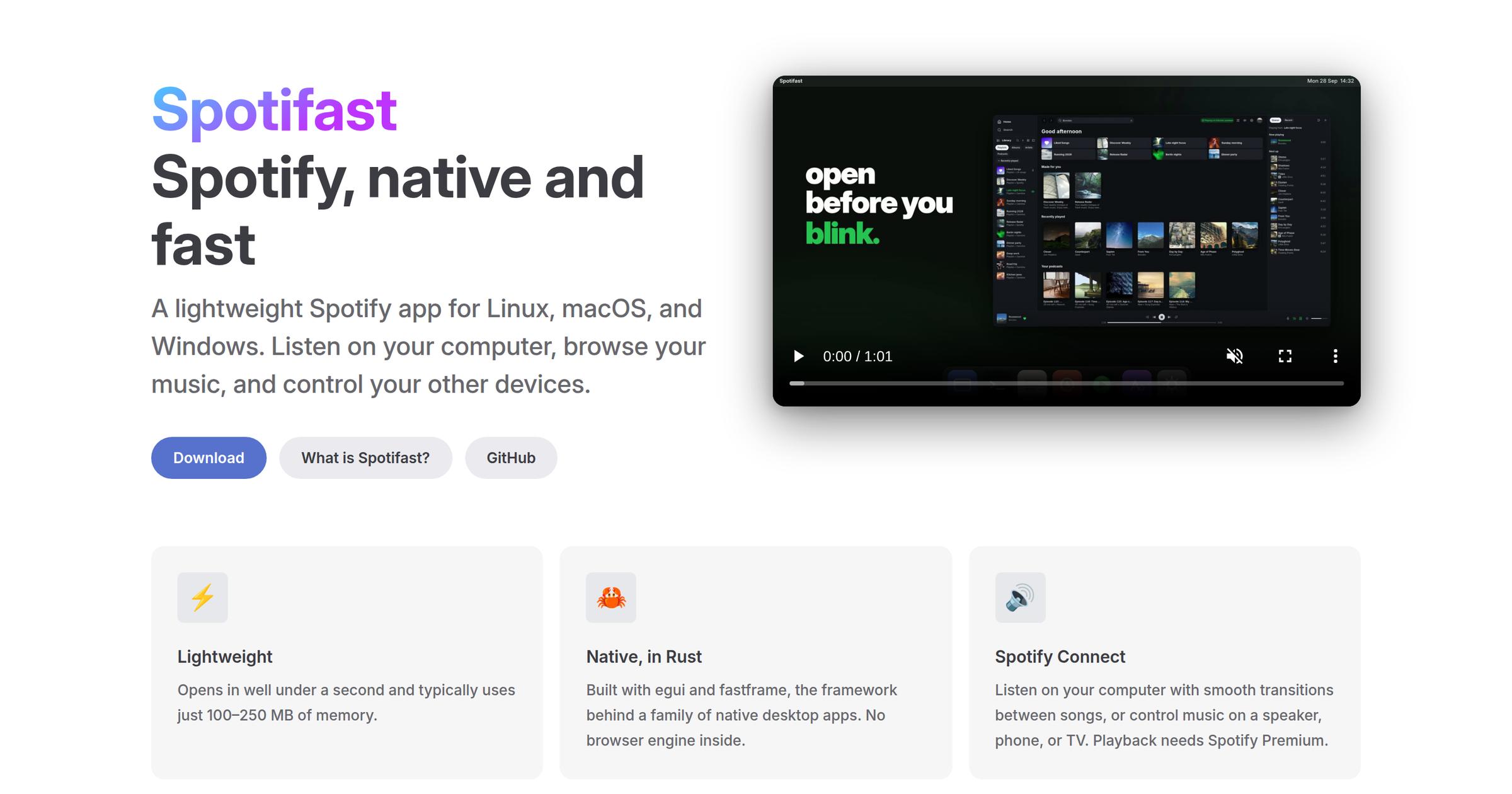
Browse Liked Songs, playlists, albums, artists, and podcasts from your Spotify library. Search the full Spotify catalogue and edit playlists you own directly in the app, without switching to a browser or the official client.
Play music on your desktop or control playback on any connected Spotify device, including Google Cast speakers and speaker groups, from the device menu in the player bar. Your computer appears as a named Spotify Connect device called Spotifast.
Choose from light, dark, system-matched, or custom color themes. On Omarchy-based Linux setups, the theme follows your desktop automatically. The interface ships with complete Spanish, Turkish, and Ukrainian translations built into the binary.
Full keyboard shortcut and media key integration across platforms. On supported desktops, Spotifast can minimize to the system tray and keep music running in the background. Linux desktop integration runs via MPRIS.
A Winamp 2-style mini player with .wsz skin support, an equalizer, a playlist view, and animated sound displays. Toggle between the main player and the mini player with Ctrl+M on Linux and Windows, or Cmd+Shift+M on macOS. Multiple window sizes are supported.
Displays music-reactive visuals in a separate window or fullscreen mode, with more than 10,000 presets downloaded on first run. Available on Linux, macOS, and Windows Intel/AMD builds. Not included in the Windows on ARM download.
Features
- Library and playlist browsing
- Spotify Connect device control
- Themes and localisation
- Desktop controls and tray support
- Winamp mini player
- MilkDrop music visualizer
How to install
Spotifast installs from a package manager on most platforms; Windows and other Linux options are on the download page.
# macOS
brew install --cask crmne/tap/spotifast

# Arch Linux
yay -S spotifast-bin
Recommended for this setup
Strengths
- No browser engine overhead: Spotifast compiles to a native Rust binary on each platform, skipping the Chromium runtime the official Spotify Electron app bundles. It runs in under 250 MB of RAM and starts in well under one second, versus the higher memory footprint and slower cold start of the Electron client.
- MIT licensed with active development: MIT license lets you run, modify, and distribute Spotifast without restriction, including for internal commercial use. The project has 7,747 GitHub stars and 399 forks. Created in August 2026, it received its most recent push on October 13 2026, indicating active maintenance.
- Cross-platform from a single Rust codebase: Linux, macOS, and Windows support ships from one codebase. Linux coverage includes Flatpak, AppImage, Nix, and AUR packages alongside the default binary, making it available on distributions that have no official Spotify package.
- Spotify Connect with Google Cast support: Spotify Connect works across the full range of connected devices, including Google Cast speakers and groups, from the same interface used for local playback. No phone required to switch devices mid-session.
Trade-offs
- Playback requires Spotify Premium: Free Spotify accounts can sign in, browse playlists, and search the catalogue, but cannot play music through Spotifast. Playback uses librespot, which is bound by the same restrictions Spotify enforces on its Connect protocol. A Premium subscription is required before any audio plays.
- 124 open issues as of listing date: The GitHub tracker shows 124 open issues at the time of this listing. Given 7,747 stars and active development on a recently released project, this is expected volume, but some reported bugs may affect specific desktop environments, window managers, or hardware configurations.
- MilkDrop absent from Windows ARM builds: The MilkDrop visualizer is included in Linux, macOS, and Windows Intel/AMD builds but is not present in the Windows on ARM download. Windows ARM users lose this feature with no workaround within Spotifast.
Tech stack
FAQ
Playback requires Spotify Premium. Free accounts can sign in, browse playlists, albums, and artists, and search the Spotify catalogue, but cannot play music through Spotifast. This is a librespot limitation that applies to all third-party Spotify clients using the Connect protocol. A Premium subscription is required before any audio will play.
Spotifast connects to Spotify using librespot, which communicates via the Spotify Connect protocol. It is not a scraper and does not modify the official app. The project is not affiliated with Spotify AB. Spotifast's documentation covers account risk in detail at spotifast.rocks/what-is-spotifast/#will-my-spotify-account-get-banned; reading that page before using the app is advisable.
Spotifast is a native Rust binary that skips Electron and the Chromium browser engine the official app carries. It starts in well under a second and uses 100-250 MB of RAM. The official app includes some features such as Group Sessions that Spotifast does not document as supported.
Spotifast supports Arch Linux via the AUR (yay -S spotifast-bin) and other Linux distributions via Flatpak, AppImage, and Nix packages. The project's download page at spotifast.rocks/download/ lists all options. MPRIS integration is included for media key and desktop control support across window managers.
Spotifast includes a Winamp 2-style mini player with support for .wsz skin files, an equalizer, a playlist view, and animated sound displays. Toggle it from the main player with Ctrl+M on Linux and Windows, or Cmd+Shift+M on macOS. The mini player supports multiple window sizes. A dedicated guide is available at spotifast.rocks/winamp/.