
Sonarr
Smart PVR for Usenet and BitTorrent TV fans
Replaces —
Who it's for
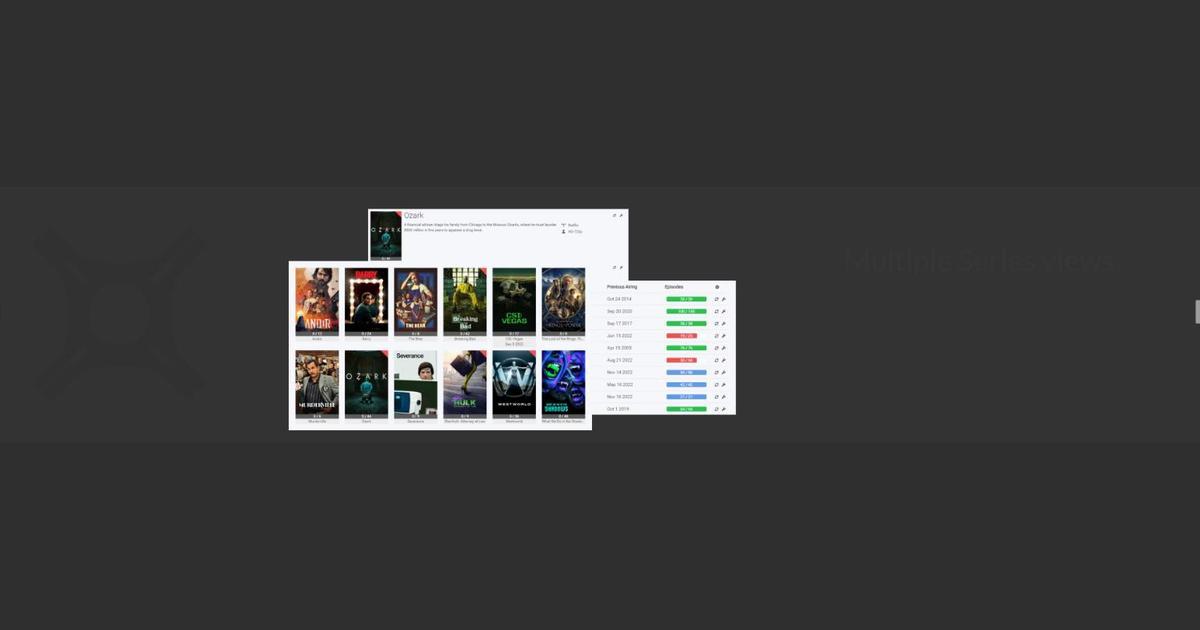
Sonarr automates the full acquisition pipeline for TV shows and integrates with Kodi and Plex to keep libraries current. New episodes appear in the media server UI as soon as they are downloaded and renamed, without any manual steps.
If you primarily watch live broadcast TV, a traditional DVR with a tuner card fits better. Sonarr works only with pre-recorded releases from Usenet and BitTorrent sources.
Users with paid Usenet provider access can configure Sonarr to grab high-quality NZBs automatically via SABnzbd or NZBGet. The quality management system handles upgrade paths without additional scripting or manual monitoring.
If you have no existing Usenet or BitTorrent infrastructure, plan on setting up those services first. Sonarr adds automation on top of them but does not replace them.
Sonarr's low resource requirements make it suitable for always-on ARM devices. A Raspberry Pi 4 or a NAS running Linux can host the Sonarr daemon alongside other services in a home lab stack.
If your NAS does not support running external software or Docker containers, verify compatibility before building a workflow around Sonarr.
For users who want access to a large TV library without ongoing streaming fees, Sonarr combined with a media server provides an automated, locally hosted setup for managing acquired content.
Sonarr does not acquire licensed streaming content. Users who want access to commercially licensed shows via legal streaming platforms should continue using those services.
The problem
Managing a TV show library manually is time-consuming and error-prone. Staying current on multiple series means checking torrent or Usenet sources daily, downloading releases individually, renaming files to match your media server's expectations, and revisiting older downloads when higher-quality versions come out. Missed episodes, inconsistent file naming, and cluttered download queues pile up fast. Failed download recovery adds another layer of complexity: when a release is corrupt or incomplete, most users have to manually search for an alternative and start over. For anyone running more than a handful of shows, the overhead of keeping a library current consumes more time than the shows are worth.
How it works
Watches multiple RSS feeds simultaneously and triggers a download the moment a new episode matching your watch list appears. Covers regular episodes, specials, and multi-episode releases without requiring manual checks between feeds.
Tracks the quality of every file in your library and automatically fetches a better version when one becomes available. For example, if you have a DVD rip and a Blu-ray encode is released, Sonarr downloads the upgrade and removes the older file.
When a grabbed release fails to download or is corrupt, Sonarr automatically retries with the next best available release from your configured sources. Failed downloads resolve without manual intervention.
Applies custom naming templates to every downloaded episode, including series name, season and episode number, and quality tags. Renames happen automatically before files land in your library, keeping your media server's metadata in sync.
Integrates natively with SABnzbd and NZBGet for Usenet downloads and with BitTorrent clients for torrent-based sources. Both download paths are configured through the Sonarr web UI without editing config files manually.
Notifies Kodi or Plex when new episodes arrive so their libraries update immediately. Pushes episode metadata and triggers library scans automatically, keeping your media server current without manual refreshes.
Features
- Automatic episode monitoring
- Quality upgrade automation
- Failed download recovery
- Configurable file renaming
- SABnzbd, NZBGet, and BitTorrent client integration
- Kodi and Plex media server integration
Recommended for this setup
Strengths
- Runs on any platform including Raspberry Pi: Sonarr supports Windows, Linux, macOS, and ARM devices. Running it on a low-power Raspberry Pi or NAS device means the automation runs continuously without dedicating a full desktop or server to the task.
- GPL-3.0 license with no subscription required: Sonarr is free to run with no licensing fees. Unlike commercial DVR services that charge monthly subscriptions, a self-hosted Sonarr instance costs only the hardware it runs on. The GPL-3.0 license allows modification and redistribution under the same terms.
- Actively maintained since 2011: With over 15,700 GitHub stars, 1,900 forks, and a last push in September 2026, Sonarr has a decade-long track record of active development. The servarr community maintains a shared wiki, translation infrastructure, and active Discord and Reddit channels.
- Existing library scanning on first setup: Sonarr scans an existing TV library on first setup and identifies missing episodes automatically. Users migrating an existing collection do not need to re-download files they already have; Sonarr matches them and only fetches what is absent.
Trade-offs
- Requires an external download client and indexer: Sonarr does not download files itself. It needs at least one configured download client (SABnzbd, NZBGet, qBittorrent, or similar) and access to Usenet indexers or torrent trackers. Users new to Usenet face a setup learning curve before Sonarr adds value, and quality Usenet indexers typically carry their own subscription fees.
- No built-in live broadcast or streaming support: Sonarr works exclusively with pre-recorded releases from Usenet and BitTorrent sources. It has no support for recording live broadcast TV from a tuner, and it does not interact with streaming platforms. Users whose primary use case is live TV need a separate DVR tool.
- Self-hosting means you own the uptime: Running Sonarr on your own hardware means managing updates, backups, and availability. There is no managed hosting option. If the server goes offline, new episodes are not grabbed until it is restored, and there is no cloud fallback.
Tech stack
FAQ
Sonarr integrates with SABnzbd and NZBGet for Usenet downloads, and connects to most BitTorrent clients including qBittorrent, Deluge, Transmission, and uTorrent. Configuration is done through the Sonarr web UI without editing config files manually.
Yes. Sonarr supports BitTorrent as well as Usenet, so it works with public or private torrent trackers without requiring a Usenet account. Usenet is a popular choice among Sonarr users for download speed and reliability, but it is not a requirement.
Yes. Sonarr monitors your existing library files and compares them against your configured quality profiles. If a better quality version of an episode becomes available, it downloads the upgrade and removes the older file automatically. For example, it can replace a DVD rip with a Blu-ray encode when one is released.
Sonarr integrates with Kodi and Plex for library updates and notifications. When a new episode downloads, Sonarr triggers a library scan and sends a notification so the episode appears immediately in your media server without a manual refresh.
Yes. Sonarr is open source under the GPL-3.0 license and free to run on your own hardware. There is no subscription or licensing fee for the software itself. The main costs are the server hardware and any Usenet indexer subscriptions you choose to use.