
Rsc Harness
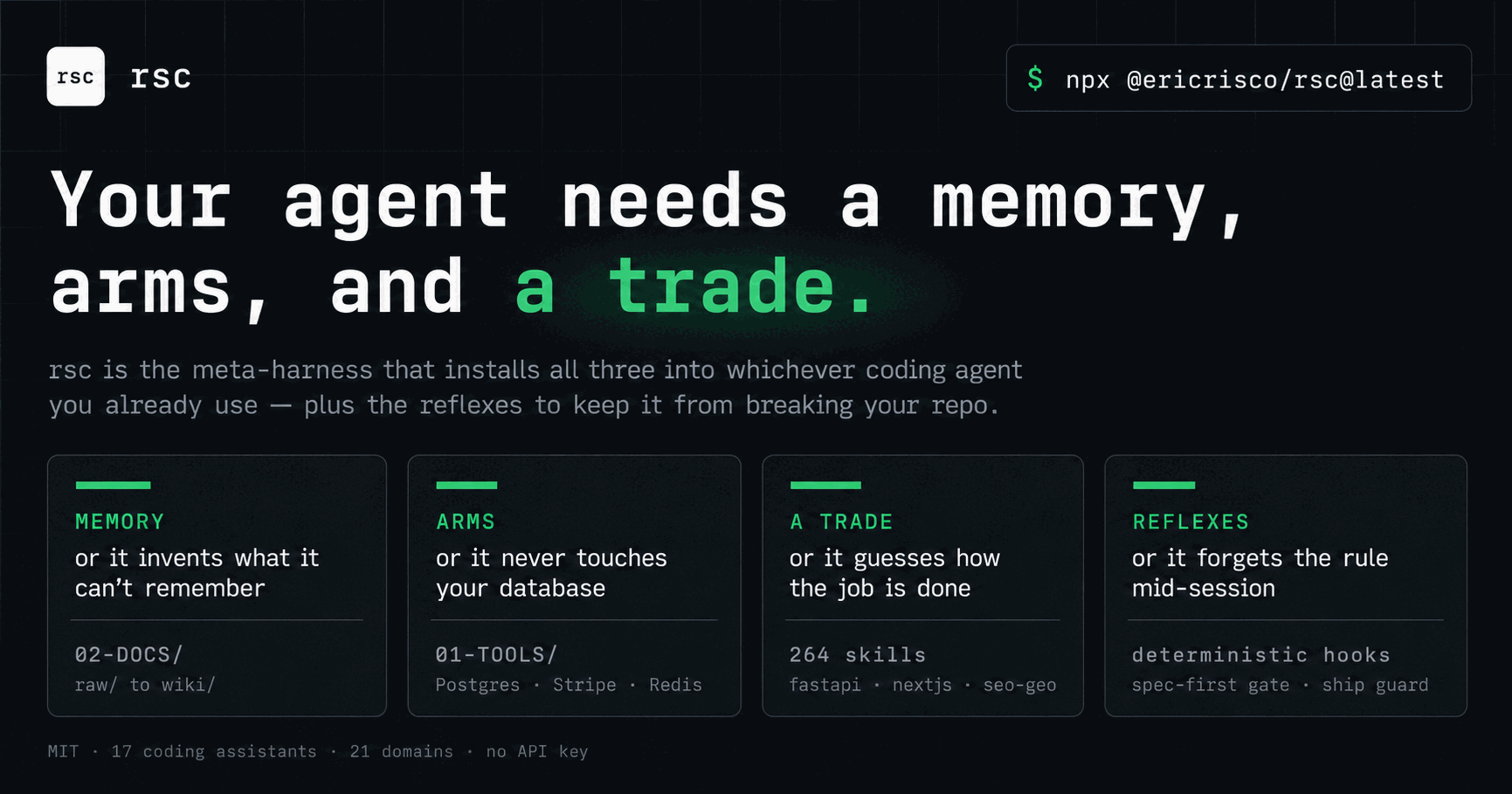
Project harness for AI coding assistants
Replaces —
Who it's for
A developer who switches between Claude Code, Cursor, and Codex across a project can run `npx @ericrisco/rsc@latest onboard` once, select all three targets, and get a single skill base with per-assistant symlinks. Session memory means the next chat in any assistant starts with the current branch, HEAD, and changed paths without manual recap.
You use only one assistant and do not switch between sessions
Teams with multiple contributors and assistants can commit `.rsc.json`, `02-DOCS/`, and `01-TOOLS/` to git. Knowledge syncs through the `rsc/knowledge` branch between teammates' feature branches and lands in main inside normal pull requests. A new team member who clones gets the same harness at the pinned catalog version.
The project has a single contributor or no ongoing assistant-driven development
For work spanning auth, billing, CI, or database migrations, ASDD enters automatically. The agent writes a spec answering four questions (what the user can do, what result they get, what it must respect, how it proves it), you approve it, and every task is reviewed with three adversarial reviewers for high-risk paths before the agent can merge.
All planned work is small, self-contained changes with no coupled decisions
The 273-skill catalog includes business workflows: finance-ops, invoicing, bookkeeping, sales-pipeline, customer-support, hiring, and SOP-builder. A non-software project (operations harness, CRM workflow) can be equipped with the same `onboard` command; the plan will not install software-development skills unless project evidence justifies them.
The workflow is purely software and needs no business or operations skills
The problem
AI coding assistants start each session without memory of yesterday's decisions, stack constraints, or files that must stay untouched. Manually putting everything into a single giant system prompt causes important details to compete with unrelated rules. Hand-built setups accumulate duplicated instructions, premature hooks, and unnecessary MCP connections. rsc-harness addresses this by reading project evidence, selecting appropriate components, and presenting a reviewable plan before installing anything.
How it works
Every component is classified as Selected, Deferred, or Excluded with an explicit reason. The first pass writes nothing and prints a SHA-256 plan ID. Changes apply only after you run `--accept-plan <id>`. If project evidence changes between preview and acceptance, rsc returns `RSC_PLAN_CHANGED` and writes nothing.
Skills cover software development (Next.js, FastAPI, Go, Postgres, Docker), business operations, marketing, AI pipelines, and game development. Only skill descriptions are loaded until a task needs the full content. The always-on `suggest` skill notices when a task requires a skill not yet installed and offers to add it on a one-word yes.
On Claude Code, Codex, Gemini CLI, OpenCode, and DeepSeek Harness, rsc checkpoints observable repository state (branch, worktree, HEAD, changed paths, commits, SDD status) and injects it before the first action of a new session in the same checkout. The journal never stores prompts, responses, tool output, file contents, or secrets. It stays in a git-excluded local path and keeps 30 days.
Hooks enforce what instructions only ask for: lane classification on every turn, a commit refusal on a closed main branch, a confirmation before destructive commands, and a nudge to write the feature document before the first code edit. Every refusal explains how to continue. The rules only see what the agent runs; a person committing in their own terminal is never touched.
Knowledge folders (`01-TOOLS/`, `02-DOCS/wiki/`, `02-DOCS/attachments/`) sync across teammates through a single exchange branch `rsc/knowledge`. When a turn ends, changes are committed as `docs(auto):` commits and sent to that branch. Before each message, what teammates sent comes in as a sync commit. It never pushes to main, pushes your code, or overwrites a file you are editing.
Three files carry the harness through git: `.rsc.json`, `.claude/settings.json`, and `.claude/rsc-bootstrap.mjs`. A teammate who clones the project runs `npx @ericrisco/rsc@<catalogVersion> sync` to get the exact harness at the version the project pinned. The assistant reports what is missing and the exact command on the first message after a clone.
Features
- Plan before install
- 273-skill progressive catalog
- Session memory
- Hook enforcement in Claude Code
- Team knowledge sync
- One-command clone restore
How to install
npx @ericrisco/rsc@latest onboard
Recommended for this setup
Strengths
- Inspect before you commit: The installation plan shows every selected, deferred, and excluded component with its reason before a single file is written. Deferred components record what evidence would justify adding them later; `rsc reassess` surfaces new needs without installing anything.
- No duplication across assistants: Real skill files are written once to `.rsc/skills/<id>/`. Each of the 19 supported assistants gets a symlink (or a converted copy on Windows) pointing back to the shared base. Adding a second or third assistant to an existing project does not duplicate skill content.
- Risk-proportional review in ASDD: In Agent Spec-Driven Development, review depth scales with risk: none for documentation, one fresh-context reviewer for ordinary code, three adversarial reviewers (correctness, security, tests) for auth, billing, CI, or migrations. `rsc review consolidate` merges duplicate findings and routes serious ones to a fresh finding-verifier agent whose starting position is that the finding is false.
- Hard guards stay hard in Claude Code: Commit guards, destructive command confirmations, and lane enforcement are hook-enforced in Claude Code, not just instruction-based. The same rules travel as skills and session memory in Codex, Gemini, Cursor, and OpenCode, where they are followed but not hook-enforced. The README states this limit plainly.
Trade-offs
- Hard guards only in Claude Code: Hook enforcement (lane decisor, commit guard on closed main, destructive command confirmation) runs only in Claude Code. In Codex, Gemini, Cursor, and OpenCode the same rules travel in skills and session memory and are followed, but no hook enforces them. The README states this limit explicitly.
- One-off questions may not need a harness: The README notes that for a one-off question, a maintained project harness may be unnecessary. The overhead of onboarding, plan review, and ongoing `doctor` checks is designed for projects with ongoing assistant-driven development, not single queries.
- OpenCode 2 and Windows have had less testing: The README explicitly notes that OpenCode 2 and Windows have had less real-world testing than macOS and Linux. Teams on those platforms should verify harness behaviour before relying on it for production workflows.
Tech stack
FAQ
No. The first pass of `npx @ericrisco/rsc@latest onboard` writes nothing and prints a SHA-256 plan ID. Files are only written after you run the command again with `--accept-plan <id>`. If project evidence changes between preview and acceptance, rsc returns `RSC_PLAN_CHANGED` and writes nothing.
Skill files are written once to `.rsc/skills/<id>/`. Each assistant gets a symlink (or a converted copy on Windows) pointing to the shared base. Picking multiple assistants during onboarding or via `--target a,b` does not duplicate skill content.
On Claude Code, Codex, Gemini CLI, OpenCode, and DeepSeek Harness, rsc checkpoints observable repository state (branch, worktree, HEAD, changed paths, commits, SDD status) and injects it before the first action of a new session. The journal never stores prompts, responses, tool output, file contents, or secrets. It stays in a git-excluded local path, keeps 30 days, and injects at most 4,096 bytes. Run `rsc memory off` to disable it.
Commit `.rsc.json`, `01-TOOLS/`, `02-DOCS/`, and any skills or agents you wrote by hand. rsc ignores `.rsc/` (machine state) and symlinked skill entries for you. Whoever clones runs `npx @ericrisco/rsc@<catalogVersion> sync` and gets the same harness at the version the project pinned. The assistant reports the exact command on the first message after a clone.
Yes. The README explicitly notes you can install an individual skill into an existing rsc project rather than adopt a whole workflow. Use `npx @ericrisco/rsc add <skill-name>` to add skills by name, and `rsc consult` to rank the catalog against your words and detected project files.