
Pipeshub Ai
Self-hosted enterprise search with cited answers across 50+ apps.
Replaces Glean, Guru, Gosearch
Who it's for
PipesHub exposes a company knowledge graph as an MCP server, letting coding agents query incident postmortems, pull requests, Slack threads, and design docs by name. After indexing, connecting Claude Code or Cursor takes a Personal Access Token and one config change.
Your codebase is the only knowledge source you need agents to access. PipesHub's value is cross-system context; code search alone is better served by GitHub Copilot or a direct GitHub connector.
Organizations paying per-seat fees for tools like Glean or GoSearch can migrate to PipesHub and self-host the same search across all connected apps. Apache 2.0 licensing removes per-seat costs, and permission inheritance means security controls carry over without manual re-configuration.
Your team has no capacity to operate Docker-based infrastructure. PipesHub Cloud is an option if on-premises operation is not feasible.
PipesHub supports air-gapped, VPC, or on-premises deployments and holds SOC 2 Type I and II certifications with full audit trails per the website. Teams in regulated industries can run it entirely within their security boundary.
Air-gapped deployment is not a constraint. PipesHub Cloud offers the same functionality with less operational overhead.
The SDKs for Python, TypeScript, and Go expose search and retrieval operations programmatically. Teams can build agents that answer support questions, generate reports from internal data, or trigger cross-system operations without manual querying.
Your agents only need public data or a single data source. PipesHub's value is cross-system permission-aware context.
The problem
Enterprise knowledge is fragmented across dozens of systems: code lives in GitHub, tasks in Jira, conversations in Slack, documentation in Confluence or Notion, and files in Google Drive or SharePoint. When teams ask questions that require pulling from multiple sources, finding the answer means logging into several tools, running separate searches, and manually reconciling results. Paid enterprise search tools like Glean and GoSearch address this but come with enterprise subscription costs and require sending data to a vendor's cloud. Teams with compliance requirements, sensitive IP, or tight budgets face a real choice: accept the cost and data-exposure tradeoffs of a commercial product, or leave knowledge fragmented. The pain grows as teams add more AI tooling, because agents that query one app at a time are slower and miss cross-system context.
How it works
Combines semantic vector search with keyword matching and knowledge-graph navigation. The graph links documents, people, tickets, and conversations, so a question about an engineering decision can trace through a pull request, a Slack thread, and the design doc simultaneously.
Out-of-the-box connectors for Slack, Google Drive, Jira, Confluence, GitHub, Microsoft 365, Notion, Salesforce, and more. Each connector syncs permissions from the source system, so if a user cannot see a document in Drive, they cannot find it in PipesHub either.
Exposes the connected knowledge graph as an MCP server, allowing Claude Code, Cursor, Codex, and any MCP-compatible client to query company knowledge directly. Each query runs as the authenticated user, so results respect per-person permissions.
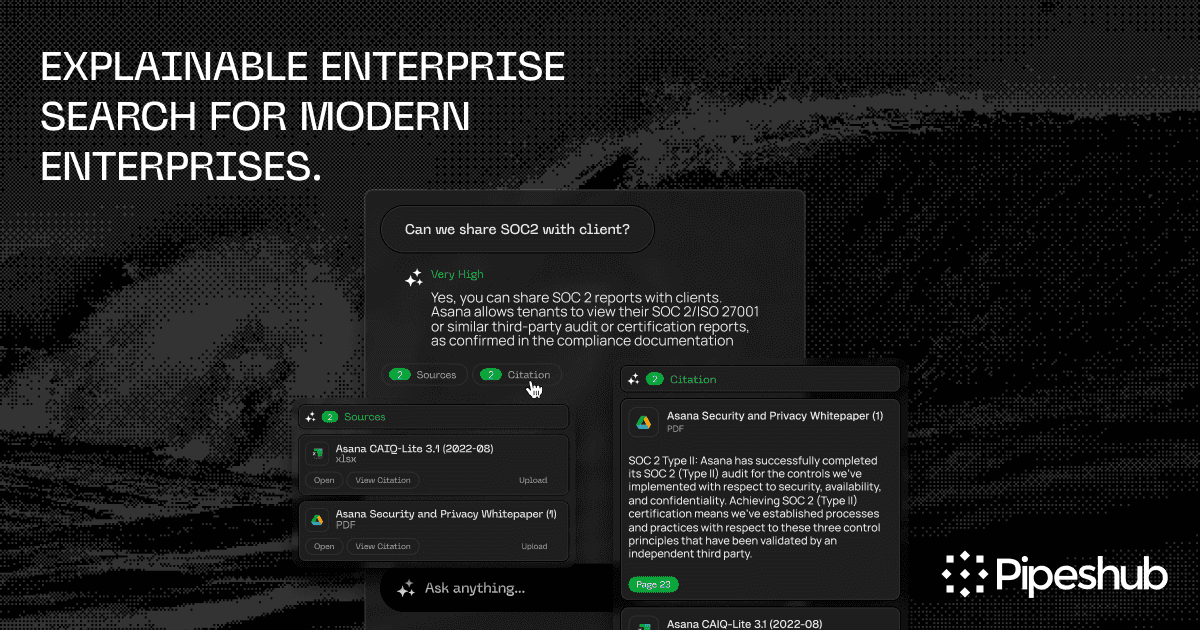
Every answer includes page-level and paragraph-level citations pointing back to the source document. Confidence scores accompany each answer so teams can distinguish high-evidence responses from tentative ones.
Visual interface for building department-specific agents with event-driven and scheduled workflows. Agents can create Jira tickets from emails, sync notes to Confluence, and trigger cross-system operations across any connected app.
Runs with OpenAI, Anthropic, Google, Mistral, or any locally hosted model through Ollama. No lock-in to a single provider; teams choose the model and control spend directly by using their own API keys.
Features
- Hybrid Search with Knowledge Graph
- 50+ Pre-Built App Connectors
- MCP Server for AI Agents
- Pinpoint Citations with Confidence Scores
- No-Code Agent Builder
- Model-Agnostic with Bring-Your-Own API Keys
How to install
Self-hosting runs on Docker Compose with an interactive installer that handles configuration.
curl -fsSL https://get.pipeshub.com/install | bashRecommended for this setup
Strengths
- #1 on EnterpriseRAG-Bench: PipesHub ranked first of 39 systems on the independent Onyx-run EnterpriseRAG-Bench leaderboard (93.24), ahead of OpenAI File Search (61.03), Amazon Q (48.96), and Azure AI Search (48.42).
- Full Data Ownership Under Apache 2.0: Apache 2.0 licensing means teams can run PipesHub on their own infrastructure with no per-seat fees, modify the source, and distribute it internally without restriction. Data stays within the organization's own cloud, VPC, on-premises hardware, or air-gapped environment.
- Permission Inheritance from Source Systems: Access control is enforced at query time against each source system's own permissions, not approximated at index time. A user searching PipesHub sees only records they are authorized to access, mirroring their access in Slack, Drive, or Jira.
- Active Development with 4,100+ Stars: The repository reached 4,117 stars and 670 forks on GitHub, with commits as recent as November 15, 2026. SDKs for Python, TypeScript, and Go ship alongside the core, covering the main integration paths.
Trade-offs
- Multi-Service Deployment Complexity: Self-hosting requires Docker Compose with multiple services including the application, a graph database, a message broker, and a key-value store. The interactive installer handles initial configuration, but teams will need to manage upgrades, monitor service health, and handle storage growth themselves.
- 100 Open Issues on a Maturing Codebase: The issue tracker has 100 open issues. Launched in March 2025 and under active development, some edge cases in connector behavior or search accuracy may surface in production before they are resolved.
- HTTPS Required for Cloud Deployments: Deploying on a cloud server requires an HTTPS endpoint. Browsers block certain requests over plain HTTP, and a white screen after HTTP-only deployment is a documented known issue. Teams need a reverse proxy (Cloudflare, Nginx, or Traefik) for TLS termination before PipesHub is usable on cloud infrastructure.
Tech stack
FAQ
Yes: the self-hosted version is Apache 2.0 licensed and free to run on your own infrastructure. PipesHub Cloud is a managed option for teams that prefer not to operate their own stack. The Apache 2.0 license permits commercial internal use and modification without restriction.
Glean is a closed, vendor-managed enterprise search product with enterprise subscription pricing. PipesHub is open source under Apache 2.0, meaning you deploy it on your own infrastructure, pay no per-seat licensing fees, and retain full data ownership. Glean offers a fully managed service, while PipesHub requires you to operate the Docker-based stack.
PipesHub inherits permissions directly from each connected source system. If a user cannot access a file in Google Drive or a channel in Slack, that record does not appear in their PipesHub search results. Permissions are enforced at query time, not at index time, against the source system's own controls.
PipesHub is model-agnostic. It integrates with OpenAI, Anthropic (Claude), Google, Mistral, and any model hosted locally through Ollama. Teams bring their own API keys, so they control spend and can switch models without changing the rest of the stack.
Yes. Beyond the 50+ pre-built connectors, PipesHub provides SDKs for Python, TypeScript, and Go, plus an MCP server interface, so developers can build custom connectors and expose internal data sources to agents and search.