
Oya Browser
Records portal tasks once; replays with no model and no bot detection
Replaces Browserbase, Cloudcruise, Anchor Browser, Simple Fractal
Who it's for
Payer portals for prior authorization and eligibility verification are the primary stated use case. Oya records a human completing the workflow, then replays at scale with new patient inputs and no model calls per run. The self-hosted path with HIPAA controls keeps patient data within the team's own infrastructure.
Your portal workflows are handled by an EDI connection or a vendor API, and you do not need a browser path. Oya's value is in automating portals that provide no machine-readable interface.
The SDK, MCP endpoint, and Playwright compatibility let developers connect Oya to existing agent frameworks (Claude Code, Codex, Cursor) without writing browser infrastructure from scratch. Persistent profiles mean agents start signed in without handling login flows in application code.
Your agents browse publicly accessible sites without bot detection and do not reuse authenticated sessions. A lighter headless library is simpler for public-web scraping without portal authentication.
The community edition deploys on Docker, ECS, Kubernetes, or GKE with egress allow-listing and an audit trail, covering basic controls needed for SOC 2 evidence. The host allow-list bounds what URLs any managed browser can reach, reducing the blast radius of a compromised agent workflow.
You need full HIPAA BAA coverage from the browser infrastructure vendor on day one. The community edition does not include that; the enterprise edition requires a separate sales engagement.
Non-technical users or ops staff can record a portal workflow once through the desktop app and hand it to engineering as a playbook with Playwright code attached. The desktop app runs on Mac and Windows and needs no coding knowledge to record a task.
Your back-office staff work with vendors that provide APIs or structured data exports. The browser recording path adds complexity not needed when a machine-readable interface already exists.
The problem
Payer portals, EHR systems, and insurance registries have no public APIs. The only way in is a real browser, logged in as a staff member. Standard browser automation tools drive Chrome over the DevTools Protocol, and that pattern is exactly what anti-bot systems detect. Sessions get blocked before a single form field fills. The second pain is cost. Agent frameworks that reason through portal steps on every run pay model costs on every run, and those costs compound when the same eligibility check runs thousands of times per day. The task does not change between runs, but the model reruns it anyway, spending tokens on steps that were already solved.
How it works
The automation runs inside the browser process, not attached via the Chrome DevTools Protocol. Anti-bot systems see a real Chrome session with genuine device emulation rather than a process driven over CDP. The product website reports 0% flagged on CreepJS, a fingerprinting benchmark used by bot-detection services.
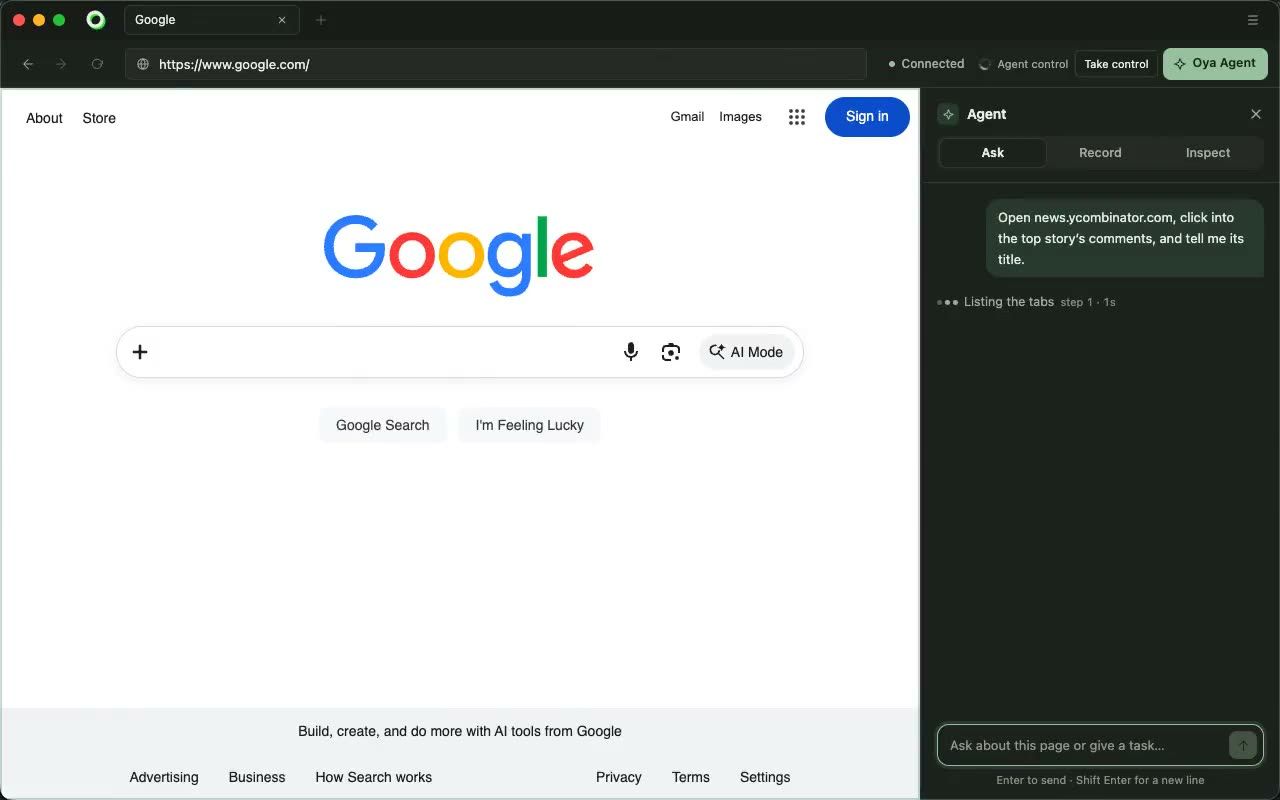
A completed task becomes a playbook, with input values as variables and each step exported as Playwright code. Subsequent runs execute the playbook with new inputs and no model calls. When a portal changes a button or field, the replay stops, the agent completes that step, and the fix becomes the playbook for all future runs.
The desktop app imports sessions from Chrome, Arc, Brave, Edge, or Firefox and syncs cookies and localStorage into managed profiles. Cloud and self-hosted browser instances start already signed in, including MFA replay using stored credentials, so agents do not handle fresh logins on each run.
Agents drive browsers through the Node.js SDK (@oya-ai/browser), a remote MCP endpoint, or standard Playwright. The SDK connects with Claude Code, Codex, Cursor, and VS Code. Every recorded playbook exports as portable Playwright code the team owns and can run independently of Oya.
The control plane runs on Docker, Amazon ECS, Kubernetes, or GKE for HIPAA and SOC 2 workloads. Community deployments include host egress allow-listing and a hash-chained audit trail. The SDK and CLI are MIT licensed; the control plane is under the Sustainable Use License, free to self-host for internal use up to 5 cloud browsers.
Features
- Real headful browser, not CDP-attached Chromium
- Record once, replay with zero model calls
- Persistent signed-in browser profiles
- SDK, MCP, and Playwright API compatibility
- Self-hosted deployment with governance controls
How to install
Deploy Oya's self-hosted control plane or install the Node.js SDK.
curl -fsSL https://raw.githubusercontent.com/OyadotAI/oya-browser/main/install.sh | sh
npm install @oya-ai/browser
Recommended for this setup
Strengths
- Anti-bot bypass built into the browser, not bolted on: Because the automation runs inside the browser process rather than controlling it over CDP, every standard fingerprint (user agent, device metrics, canvas fingerprint) comes from real Chrome. The product website measures 0% flagged on CreepJS in their portal runs.
- Zero token cost on replayed runs: After recording, replays run as pure compute with no LLM calls and no per-run token spending. Teams running high-volume portal workflows such as eligibility checks or prior authorizations avoid the model costs that accumulate in agent frameworks that re-reason each run.
- MIT-licensed SDK and CLI with no commercial restrictions: The TypeScript SDK (@oya-ai/browser) and CLI are MIT licensed, so client code carries no commercial or usage restrictions. Only the control plane carries the Sustainable Use License. Teams with strict open-source licensing requirements for application code can use the SDK freely.
- Multi-provider browser routing under one SDK: The same SDK calls work whether browsers run on Oya Cloud, a self-hosted instance, Browserbase, Steel, Anchor, or a locally connected desktop browser. Switching providers requires a config change, not a code rewrite, which keeps vendor flexibility as requirements change.
Trade-offs
- Sustainable Use License restricts commercial resale: The control plane is licensed under the Sustainable Use License 1.0, not an OSI-approved open source license. Self-hosting is permitted for internal business or personal use, free up to 5 simultaneous cloud browsers. Running more than 5 concurrent cloud browsers requires a commercial license. Reselling a hosted Oya service is not permitted without a separate agreement with OyadotAI.
- Daily anonymous usage report cannot be disabled: Self-hosted instances send a daily anonymous usage report to OyadotAI that cannot be disabled. Organizations in environments where outbound telemetry to a third-party vendor is prohibited by security policy need to evaluate this requirement before deploying the self-hosted edition.
- Enterprise HIPAA edition requires a private repository and sales contact: The community edition in the public repository does not include the full HIPAA BAA controls. The enterprise edition, which adds those controls, is in a private repository and requires a sales engagement. Teams with HIPAA compliance as a hard requirement before deployment will need to contact sales@getoya.ai before choosing Oya over a fully managed alternative.
Tech stack
FAQ
The SDK and CLI (@oya-ai/browser and @oya-ai/cli) are MIT licensed and fully open source. The control plane, desktop browser, and server are available under the Sustainable Use License 1.0, a source-available fair-code license that is not OSI-approved. Self-hosting for internal business or personal use is free up to 5 simultaneous cloud browsers. Reselling a hosted Oya service requires a separate commercial license from OyadotAI.
Yes. The desktop app connects directly to Claude Code, Codex, Cursor, and VS Code. For assistants that support remote MCP, connect to the Oya MCP endpoint with your API key. The SDK supports any agent that can call a Node.js library.
The community edition self-hosts on Docker, ECS, Kubernetes, or GKE and includes egress host allow-listing and a hash-chained audit trail. These cover basic SOC 2 controls. For full HIPAA compliance with a Business Associate Agreement, the enterprise edition in a private repository is required; contact sales@getoya.ai.
A replay that meets a changed step stops at that point. The agent completes the task from there using the model, and its fix becomes the updated playbook. Future runs of that task are model-free again. A failed replay step triggers a live agent run that repairs the playbook in place, so the next run proceeds without a model.
The free tier includes 1 cloud browser hour and 500 agent steps per month. The Developer plan is $20/month for 100 browser hours, 1 GB of proxy bandwidth, and 5,000 agent steps. The Startup plan is $99/month for 500 hours, 5 GB of proxy, and 50,000 steps. Self-hosting is free for up to 5 simultaneous cloud browsers; beyond that a commercial license is required.