
OpenInvento
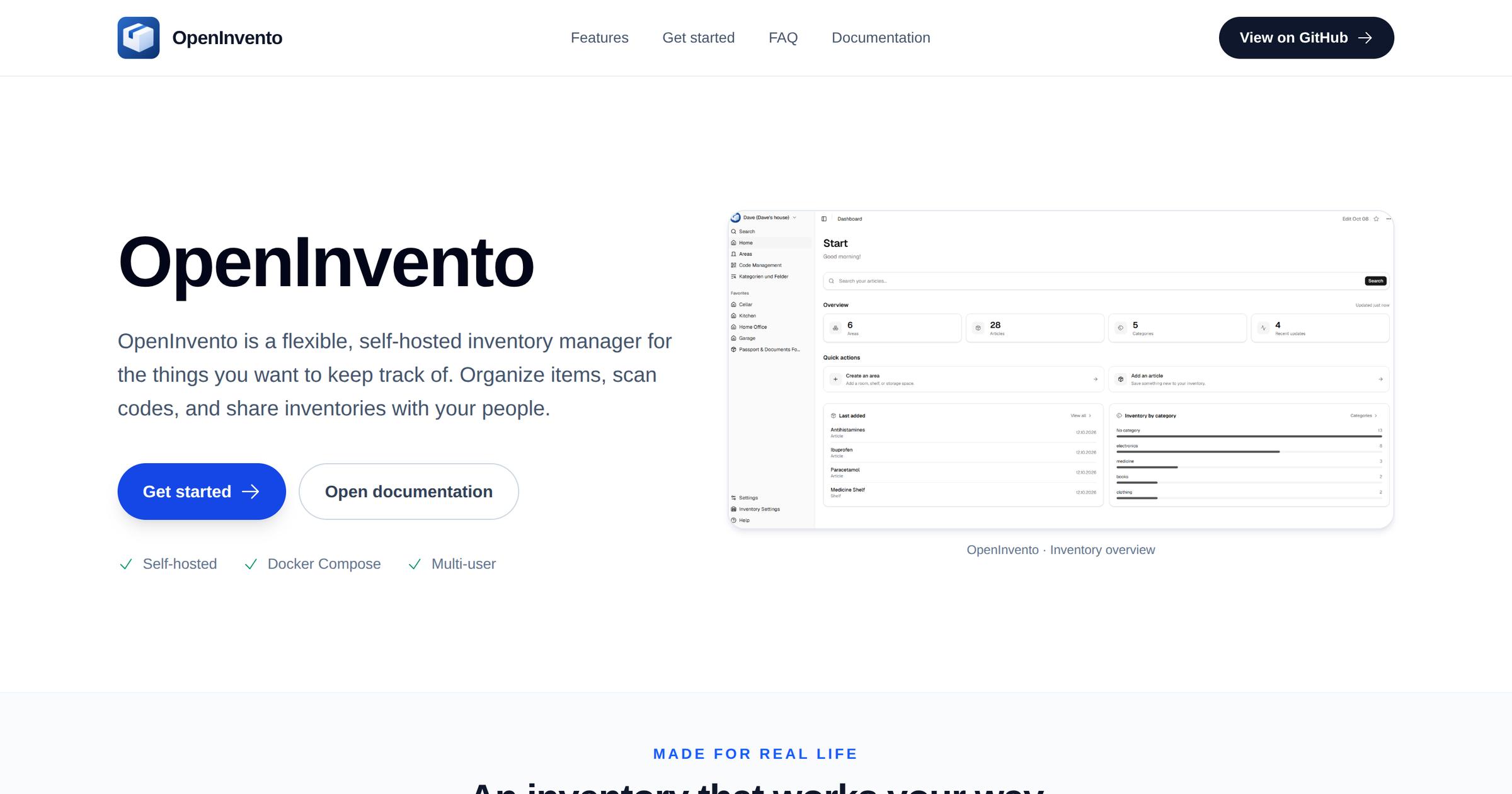
Self-hosted inventory manager with QR scanning and shared inventories.
Replaces Sortly, Itemit
Who it's for
If you already run Docker services at home, OpenInvento drops into your stack with one Compose file. It tracks parts, cables, drives, and peripherals with QR labels for physical items and photo attachments for quick identification.
You need a mobile-first experience with a dedicated native app. OpenInvento runs as a web application; no dedicated mobile app is documented.
Multi-user shared inventories let a workshop or small business track who has what. Custom fields handle serial numbers, purchase dates, and location. The shared inventory keeps everyone on the same list without a separate subscription.
Your team needs GPS tracking, RFID asset tags, or mobile field workflows. Those capabilities are core to dedicated asset tracking tools like Itemit and are not documented in OpenInvento's current feature set.
A family managing a pantry, a craft supply room, or a media collection can share one inventory across multiple accounts. QR scanning speeds up item lookup, and custom categories keep different areas of the home organized separately.
You need a hosted, zero-maintenance option. OpenInvento requires a server to run. For simple household lists with no server available, a hosted tool is more practical.
The problem
Most households and small teams manage physical inventory with spreadsheets or generic note-taking apps, which break down as soon as more than one person needs to update the list. QR codes get applied to items but nothing reads them in context. Photos and attachments live in a separate folder. When a team member or family member wants to look something up, they have to ask the person who manages the spreadsheet. Paid commercial inventory tools address this, but they come with per-user monthly subscriptions that make them expensive for small teams. Hosting inventory data in a commercial cloud service also means your stock levels, item photos, and category structure sit on a third party's servers.
How it works
Physical items can be tagged with QR codes or barcodes and looked up through the inventory interface. The scanner connects physical labels to digital records, letting you identify items quickly without manually searching through a list. Both QR and standard barcodes are supported.
Each inventory item supports custom fields and configurable categories, so you can shape the record structure around what you actually track. Serial numbers for equipment, purchase dates for home supplies, or condition tags for a collection all fit without extra configuration.
Items support uploaded images and file attachments stored directly in the record. A photo of the item and a scanned receipt or product manual can live together in the same entry, reducing the need to search external folders or drives.
OpenInvento supports multiple user accounts and shared inventories, so a household or team can stay synchronized on one install. Members can view and update shared lists without each person maintaining their own copy.
The project ships a Docker Compose file for the full service. Download the Compose file, configure environment variables including initial admin credentials, and start OpenInvento with one command. No repository checkout is required.
Features
- QR Code and Barcode Scanning
- Custom Fields and Flexible Categories
- Article Images and File Attachments
- Multi-User Accounts and Shared Inventories
- Docker Compose Deployment
How to install
Self-hosting OpenInvento uses Docker Compose; download the project's docker-compose.yml, configure environment variables, then start the service.
docker compose up -dRecommended for this setup
Strengths
- Full data ownership on your own server: All inventory data stays on the server you operate. The website explicitly states: 'Your inventory and account data stay under your control, with no hosted service in the middle.' If the project were abandoned tomorrow, every record stays in your own storage.
- No subscription or per-user fee: Running OpenInvento on your own server costs only the server it runs on. There is no subscription fee, no per-user pricing, and no commercial cloud plan to buy. For a household or small team already running infrastructure, the incremental cost is zero.
- Flexible structure for homes, homelabs, and small businesses: The website describes OpenInvento as working for 'your home, workshop, or team'. GitHub topics include both homelab and smes. Custom fields and configurable categories cover everything from a household pantry to a small business tool crib without different plans or separate deployments.
Trade-offs
- Early-stage project with limited adoption: OpenInvento was created in September 2026 and has 60 GitHub stars with one fork. The codebase has 12 open issues and limited community testing. The project is young, and it has not yet had the breadth of real-world use that surfaces edge cases in a more established product.
- PolyForm Shield 1.0.0: source-available, not OSI-licensed: Self-hosters and teams running OpenInvento internally may use, modify, and distribute it freely, including for commercial internal use. The one thing the license forbids is using it to provide a product that competes with OpenInvento itself or with a product the licensor provides using it.
- Requires self-hosted infrastructure to run: OpenInvento has no hosted or managed option; you need a server or home machine running Docker Compose. You are responsible for updates, backups, and uptime. For anyone without an existing home server or VPS, that is non-trivial setup and ongoing maintenance.
Tech stack
FAQ
OpenInvento is self-hosted, so it runs on infrastructure you control. Its Docker setup stores application data in the directory you configure for the service. Your inventory and account data stay on your server with no third-party cloud service involved.
Self-hosters (individuals, teams, and businesses running it internally) may use, modify, and distribute OpenInvento freely, including for commercial and internal use. The one thing the license forbids is using it to provide a product that competes with OpenInvento itself or with a product the licensor provides using it. Personal homelab use, household use, and internal business inventory tracking are all permitted.
OpenInvento uses Docker Compose. Download the project's docker-compose.yml, create an environment file with the required settings including initial admin credentials, and run 'docker compose up -d'. No repository checkout is needed. Full setup instructions are in the official documentation at https://openinvento.github.io/docs/.
Yes. OpenInvento supports multiple user accounts and shared inventories, so a household or small team can stay synchronized on one install. Members can view and update shared lists without each person maintaining a separate copy.
OpenInvento works for any items you want to organize: everyday supplies, tools, equipment, collections, and more. Custom fields let you add structure specific to what you track, such as serial numbers for equipment or purchase dates for home supplies. QR codes and barcodes help identify items quickly.