Nerimity
Self-hosted chat with servers, custom emoji, bots, and themes.
Replaces Discord
Who it's for
Organizations running text-based communities on Discord who want to remove the platform dependency. Nerimity's server model (channels, roles, kick and ban controls) is familiar enough that members can adapt without retraining. The bot and theme ecosystem extends the experience beyond bare-bones self-hosting.
If your community depends on Discord's voice and video channels or its mobile app, verify those features in the current Nerimity release before committing to a migration. The README does not document voice or video.
GPL-3.0 teams who want their own communication infrastructure can run Nerimity alongside their existing tools. Custom emoji for project-specific reactions, bots for automation, and channel-based organization give teams the same structure as Discord without the external dependency.
Teams wanting a one-command Docker Compose deployment will need to invest setup time. Both the frontend and backend require separate configuration, and the README documents a developer workflow rather than a production install.
Because both the frontend (SolidJS TypeScript) and backend are GPL-3.0 open source, developers can extend Nerimity to build specialized community tools. The bot API and theme system add extension points beyond the core messaging features.
GPL-3.0 requires distributing source changes if you run a modified version as a public service. If you need a proprietary product built on top of Nerimity, this license is a blocker.
The problem
Discord built its market position on a compelling offer: free community servers with channels, roles, and bots. But that model puts every community on Discord's terms. The company controls access, moderates at its own discretion, and has changed its pricing and policies repeatedly. A community that grows on Discord's platform has no way to export its structure, its history, or its members if they disagree with platform changes. For teams that handle sensitive discussions, host communities around topics with unpredictable moderation risk, or simply want their data on hardware they own, there is no official self-hosted Discord. The only options are to accept the lock-in or to build from scratch.
How it works
Nerimity organizes communities around servers with multiple text channels. Server admins control member access through kick and ban actions, with join, leave, kick, and ban messages visible in channels. Channel lists can be reorganized, and new channels created or deleted. The structure mirrors the Discord server model so communities can migrate familiar workflows.
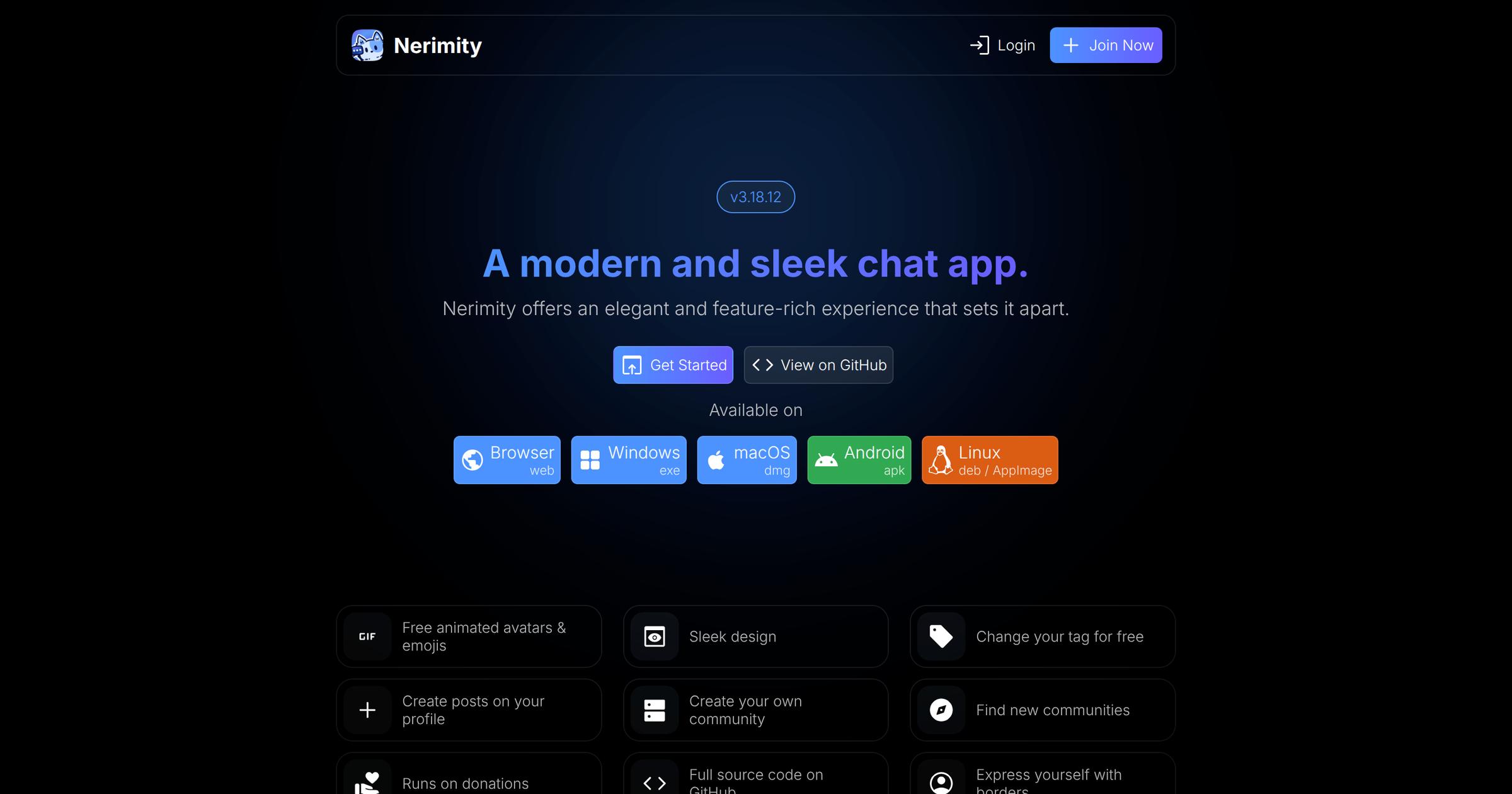
Server admins can upload custom emoji for use in messages. The Explore tab lets users browse public servers, discover community-built bots, and install themes. Bot support allows teams to extend Nerimity's functionality without building from scratch, and the theme system gives communities visual control over their interface.
Messages support Markdown formatting, file uploads, embeds, and emoji reactions. Users can edit messages after sending, and the mention system notifies specific members. Notification sounds, muting, and push notifications let members manage their own alert preferences per channel or server.
Nerimity tracks presence states visible in server member lists and direct message panels. The friends system lets users add contacts, exchange direct messages across servers, and block others. DM and server notifications are tracked separately so members can tune their alert volume independently.
All translations are managed through Weblate, with community contributors maintaining multiple locales. The README links directly to the hosted Weblate project page for anyone who wants to contribute a translation or improve an existing one, making the app viable for non-English communities from the start.
Features
- Organized server channels with moderation controls
- Custom emoji, bots, and theme discovery
- Rich messaging with Markdown and file uploads
- User presence and friends system
- i18n translations via Weblate
How to install
Clone the nerimity-web repository and set up the frontend. The backend (nerimity-server) must also be running; see its README for server setup.
git clone https://github.com/Nerimity/nerimity-web
cd nerimity-web
cp example.env .env
pnpm install
pnpm run dev
Recommended for this setup
Strengths
- GPL-3.0 with full source for both frontend and backend: Both nerimity-web (SolidJS frontend) and nerimity-server are open source under GPL-3.0. Communities that self-host own their server data, member history, and content outright. Discord provides no self-hosting path, so Nerimity is the only option in this category for teams that need data residency or want to avoid third-party moderation decisions.
- Active maintenance with a focused contribution model: The last commit to nerimity-web was on 2026-11-12, the same date as this research pack. The project has 300 stars and 83 forks. The README documents a focused contribution model (each PR must be small and easy to understand), which keeps the codebase approachable for external contributors without accumulating large, hard-to-review changes.
- Community translation support from day one: Weblate integration is documented in the README alongside the main feature list, not as a separate localization effort. This makes Nerimity viable for non-English communities immediately, which a homegrown chat deployment typically cannot match without significant localization work added after the fact.
Trade-offs
- Self-hosting requires running two separate repositories: Deploying Nerimity fully means setting up both nerimity-web (the frontend) and nerimity-server (the backend). The README documents a developer workflow rather than a production deployment guide. Teams without Node.js experience or server administration skills will face a steeper setup path than a single-Docker-command install.
- 67 open issues in the repository: The nerimity-web repository has 67 open issues. For a project with 300 stars this is a meaningful backlog. Before deploying, review open issues to understand which are feature requests and which are bugs that could affect your community's experience.
- Voice and video not documented in the README: The README's feature list covers text messaging, file uploads, notifications, and the bot and theme ecosystem. Voice and video channels, which are a primary draw of Discord for many communities, are not listed among Nerimity's documented features. Verify the current state of these capabilities before migrating a community that relies on voice chat.
Tech stack
FAQ
Nerimity covers the core Discord use cases for text-based communities: servers, channels, DMs, bots, custom emoji, and a theme system. Voice and video channels are not listed in the current README feature list. If voice chat is essential to your community, check the current release before migrating.
GPL-3.0. You can run it on your own server for personal, team, or community use without paying a licensing fee. If you modify it and run a public version as a service, GPL-3.0 requires distributing your source changes. Internal deployments and self-hosting for your own community are unaffected by this restriction.
The frontend is a TypeScript SolidJS application. The backend is a separate repository (nerimity-server). Realtime messaging uses Socket.io, as reflected in the GitHub topics. Translations are managed through Weblate.
Yes. The hosted app is at nerimity.com, where you can register and join or create servers without any self-hosting setup. Self-hosting requires configuring both the web frontend and the backend server separately.
Self-hosting Nerimity requires both the nerimity-web frontend and the nerimity-server backend. The web frontend's README documents a developer workflow: copy example.env to .env, run pnpm i and pnpm run dev. For a production instance, check the nerimity-server repository for backend requirements and production configuration before deploying.