
Minilytics
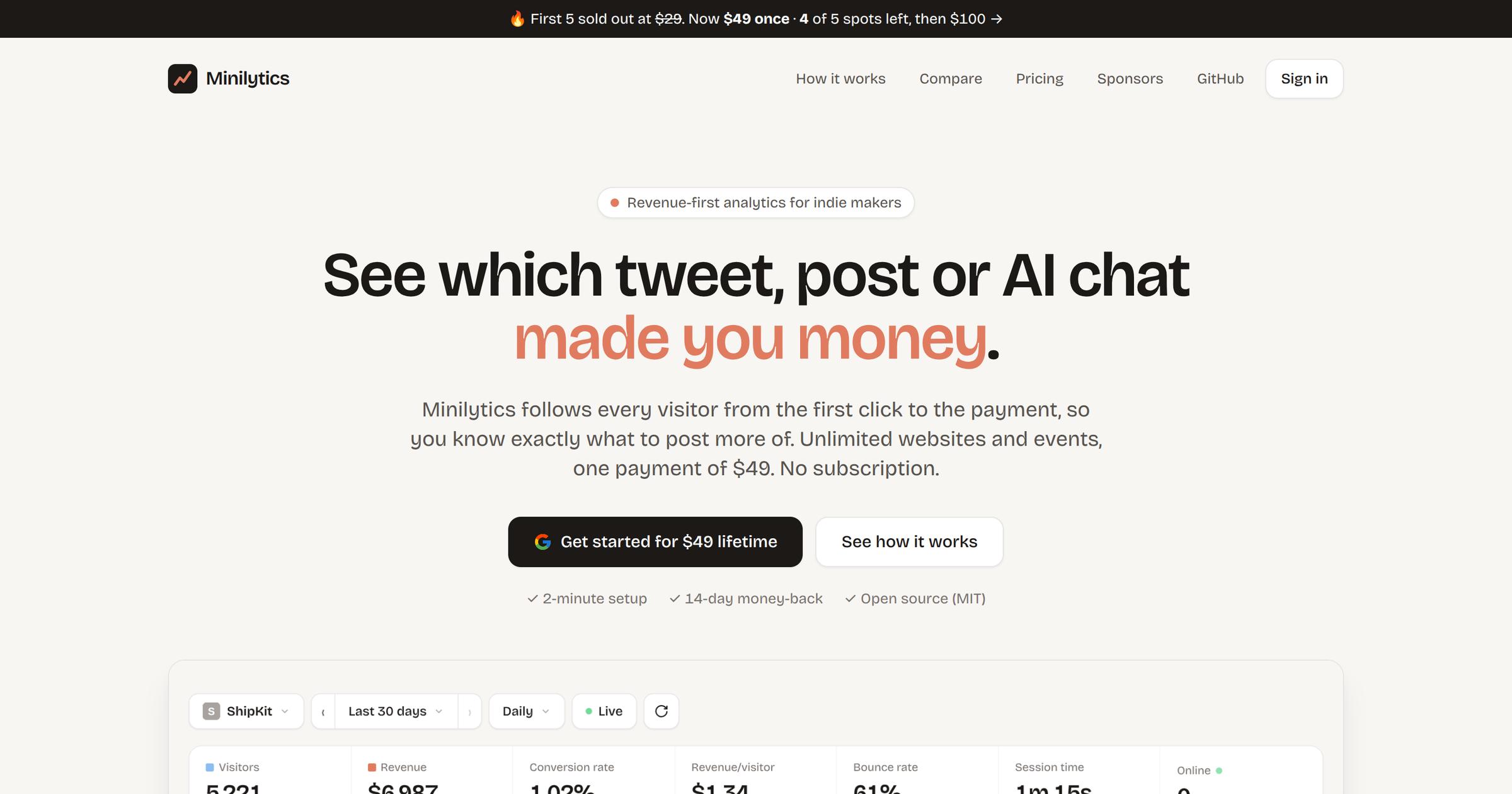
Revenue-first analytics for indie makers, self-hosted on Cloudflare
Replaces Datafast
Who it's for
During a Product Hunt launch or a newsletter mention, you need to know which specific post drove conversions, not just aggregate traffic. Minilytics tracks the exact source of every payment in real time, so you can tell your audience which channel is performing while the campaign is still live.
Skip if you are not collecting payments or do not have a Dodo Payments or Stripe integration. Without payment webhooks configured, Minilytics tracks traffic like any other analytics tool without its key differentiator.
Minilytics is MIT licensed and each person runs their own copy on their own Cloudflare account. You can inspect the tracking script, modify the attribution model, add custom events, or remove any feature. No visitor data leaves your account.
Skip if you need multi-tenant access where several team members from different organizations share one instance. Minilytics is single-user by default; the hosted SaaS mode adds Google Sign-In but requires additional wrangler configuration to set up.
If you are running ads or sponsorships and want to measure cost per conversion rather than cost per click, Minilytics connects payment events back to the source that drove them. The Journey list shows time to convert, so you can compare whether a Reddit post drives faster buyers than Google traffic.
Skip if your traffic volume exceeds roughly 10,000 pageviews per day on the Cloudflare free plan. High-traffic products will hit D1 write limits and need either the Workers Paid plan or a different analytics approach.
The problem
Standard web analytics tools track visits and page views, but they stop at the checkout. You can see that 200 people came from your launch tweet, but you cannot see that only 3 of them paid and 2 came from an untracked reply thread. This gap forces indie makers to manually reconcile analytics data with payment records every time they want to evaluate a campaign. The deeper problem is attribution drift. A visitor who clicks your tweet and returns a week later to buy looks like a direct transaction in most analytics tools. Their payment gets credited to the wrong source, or no source at all. Over time, your marketing decisions are based on patterns that do not reflect how your customers actually found you.
How it works
Connects every payment to the visitor's last real source using a last-non-direct-touch model. A customer who clicked a tweet and came back directly 17 days later credits the tweet. The Journey tab shows how each payment was matched, along with the full visitor timeline from first visit through pages and clicks to checkout.
Connects to Dodo Payments and Stripe via webhooks, recording payment.succeeded and refund.succeeded events. A generic REST API covers any other provider. Subscription renewals are credited to the original subscriber; refunds are subtracted from revenue totals.
Breaks down visitor sources by channel, exact referrer (X, Google, ChatGPT, Reddit), UTM campaign, UTM term, and ?ref= tags. X, Medium, and LinkedIn hide exact post referrers; Settings includes a link builder for tagging individual posts so you can see which launch tweet or article drove each visit.
Press M to open a 3D globe or 2D map showing every active visitor on your site right now. A live feed alongside it shows page views, goals, and payments as they happen. Map tiles come from OpenFreeMap, which requires no API key and is free.
Every user deploys their own isolated copy on their own Cloudflare account. The Worker handles event ingestion, stats queries, and serving the dashboard. D1 (SQLite) stores the data. At side-project traffic levels (5,000 to 10,000 visitors per month), the free Cloudflare plan covers everything; the Workers Paid plan is $5/month if you outgrow it.
Handles client-side navigation in Next.js, React Router, and other SPAs automatically. Visitors shared between app.yoursite.com and yoursite.com are unified because the cookie is set on the root domain. Button clicks and custom goals can be tracked with a data attribute or a window.minilytics() API call.
Features
- Revenue attribution to the exact source
- Dodo Payments, Stripe, and generic API support
- Referrer and campaign source breakdown
- Live globe with real-time visitor map
- Runs on Cloudflare Workers and D1 for free
- Single-page app and subdomain tracking
How to install
Deploy Minilytics on your own Cloudflare account using the wrangler CLI and npm.
git clone https://github.com/surendrapandar/minilytics.git
cd minilytics
npm install
npx wrangler login
npx wrangler d1 create minilytics
npx wrangler secret put ADMIN_PASSWORD
npx wrangler secret put SESSION_SECRET
npm run deploy
Recommended for this setup
Strengths
- Full data ownership with no third-party access: Because each user deploys their own Cloudflare account, visitor and payment data never reaches a shared server or third-party host. The MIT license lets you inspect, fork, or modify every line of code without restriction.
- Revenue and visitor data in one view: Most analytics tools and payment dashboards are separate products you cross-reference manually. Minilytics stores both in the same D1 database and renders them in a single dashboard, so revenue per visitor, conversion rate, and source attribution are all computed from the same data.
- Tracker is small and attribution has multiple fallbacks: The tracker script is 9 KB (3.5 KB gzipped). Attribution has three fallback layers for when visitor metadata is missing: the payment return page URL, earlier payments from the same customer email, and checkout timing. This reduces attribution gaps caused by ad blockers or browser privacy restrictions.
Trade-offs
- Cloudflare free plan has a daily event cap: The free Cloudflare plan allows 100,000 Worker requests per day, which covers roughly 100,000 tracked events. D1 row writes cap at 100,000 per day, meaning about 10,000 pageviews per day. Side projects at 5,000 to 10,000 monthly visitors stay well within limits, but a product launch or viral traffic spike can exhaust them. Cloudflare's Workers Paid plan at $5/month removes most of these constraints.
- Requires Cloudflare account and wrangler CLI setup: Deployment involves cloning the repo, running npm install, creating a D1 database, setting Cloudflare secrets via wrangler, and running npm run deploy. For developers already familiar with Cloudflare's tooling, this is about 10 minutes. For those new to Cloudflare Workers and wrangler, there is a learning curve that hosted analytics tools do not have.
- Safari visitor tracking resets after 7 days: Safari caps cookies set by JavaScript at 7 days. A Safari visitor who returns after more than a week is counted as a new visitor. The email identify() fallback can recover most return payments, but pageview counts for long-cycle repeat visitors will overcount new visits on sites with a high proportion of Safari users.
Tech stack
FAQ
Yes, the self-hosted version is MIT licensed and the Cloudflare free plan covers most side projects at no cost. The free plan handles roughly 10,000 pageviews per day across all tracked sites. If you outgrow it, Cloudflare's Workers Paid plan costs $5/month. There is no per-seat fee or subscription to Minilytics itself.
Yes. Add a webhook in Stripe pointing to your Minilytics host and subscribe to checkout.session.completed, invoice.paid, and charge.refunded. Pass the visitor cookies as metadata when creating a Checkout Session. Minilytics also handles Stripe Payment Links by putting the visitor ID in client_reference_id automatically when the link is clicked.
Payments are always recorded via the payment webhook, even when the visitor's browser blocked the tracking script. If the visitor ID metadata is missing, Minilytics tries to match via the payment return page URL, earlier payments from the same customer email, and checkout timing as fallbacks. The Journey tab shows which method was used for each payment.
Yes. Minilytics supports multiple websites from one deployment and one login. Each site gets its own tracking script snippet and its own dashboard view. Add a site from the Minilytics dashboard and copy the resulting script tag into that site's HTML.
Yes. Set the GOOGLE_CLIENT_ID, GOOGLE_CLIENT_SECRET, and ADMIN_EMAILS secrets, add a Dodo Payments checkout URL and product ID, then deploy. Minilytics adds a landing page with pricing, Google Sign-In, and a paid plan gate. Each customer sees only their own sites. The README lists all required secrets for hosted mode.