LittleJS
Tiny HTML5 game engine with no dependencies, MIT licensed
Replaces Construct 3, Gamemaker Studio, Cocos Creator
Who it's for
The dedicated JS13k branch builds the engine to a 7KB zip, leaving most of the 13KB budget for game logic and assets. Multiple prize-winning entries at JS13k competitions have used LittleJS, giving it a proven track record and a community with jam-specific knowledge.
If the jam has no size limit and allows framework bundles of any size, the size-coding branch offers no advantage over a full framework. Standard browser game jams without size constraints may benefit from a more feature-heavy engine.
Developers who already know JavaScript and TypeScript can be productive without learning a new scripting language or visual editor. The Vite starter template sets up hot reload in one command, and 60+ single-file example demos cover individual engine features in isolation.
If you prefer a visual editor where designers without code experience can contribute, LittleJS is not the right fit. Construct 3 serves that workflow better.
LittleJS outputs static HTML files that upload directly to Itch.io or Newgrounds with no export license required. Built-in Newgrounds medal tracking API integration is a first-class feature for developers targeting that community.
If your primary distribution target is a native desktop or mobile app store, LittleJS games run in a browser and would require wrapping in Electron or a similar shell, adding setup complexity beyond what a browser-native engine provides.
The problem
Building browser games from scratch means either assembling a dozen libraries for rendering, physics, audio, and input, or paying for a proprietary game engine that locks you into its export model. Commercial tools like Construct 3 and GameMaker Studio require paid licenses for the features and export targets that matter most to indie developers. The ongoing cost of proprietary tooling is a real barrier for game jam participants and solo developers. The JavaScript game engines that are genuinely free range from bare WebGL wrappers that require building everything from scratch, to heavyweight frameworks that ship large bundles for a simple 2D prototype. Neither extreme works well for someone who wants to move fast, understand every part of the stack, and keep the final build small enough for size-limited competitions like JS13k.
How it works
The renderer uses WebGL2 for batch-drawn sprites and Canvas2D for primitives, giving you GPU-accelerated rendering without manual shader management. You can apply Shadertoy-style GLSL shaders for post-processing effects like bloom or distortion. Sprite atlases load from TexturePacker or Aseprite exports at runtime.
The built-in arcade physics system handles collision detection and response for tilemap-based and object-based games. A Box2D plugin using wasm brings Box2D v2.3.1 into the browser for realistic physics simulations. A* pathfinding with optional smoothing is also available as a plugin.
ZzFX generates sounds from numeric parameters rather than audio files, so you can ship a complete game with zero audio assets. Standard mp3, ogg, and wave files are also supported when you need composed music. Spatial audio adds stereo panning for positional sounds.
Keyboard, mouse, gamepad, and touch inputs are all handled through a unified API. A customizable on-screen gamepad renders automatically for mobile devices, so the same game code runs on desktop and phone without separate input branches.
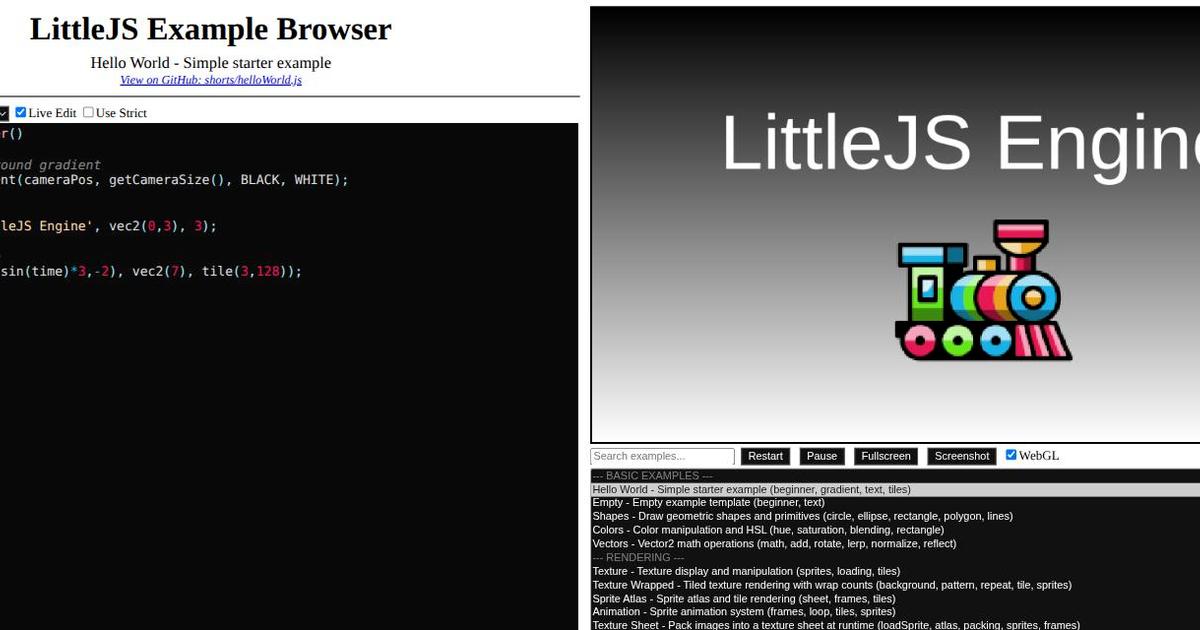
The particle effect system ships with a live browser-based designer in the LittleJS example browser, so you can tune emitter settings visually and copy the parameters directly into your game code. The system handles thousands of particles per frame on WebGL2.
A dedicated branch strips and compresses the engine to a 7KB zip for the JS13k competition, where the entire game including assets must fit in 13 kilobytes. Multiple prize-winning entries have been built on LittleJS, including Black Cat Squadron and The Way of the Dodo, both finishing 5th place.
Features
- WebGL2 and Canvas2D Hybrid Rendering
- Arcade Physics and Box2D Integration
- ZzFX Procedural Audio
- Full Input Handling for Desktop and Mobile
- Particle System with Visual Designer
- JS13k Size-Coding Branch
How to install
Install LittleJS via npm to add it as a project dependency.
npm install littlejsengineRecommended for this setup
Strengths
- MIT Licensed with No Runtime Dependencies: The engine is MIT licensed and ships as a self-contained JavaScript file with zero external dependencies. You can fork it, modify it, and use it commercially without restriction. Unlike Construct 3 or GameMaker Studio, there are no subscription fees, no export licenses, and no runtime royalties.
- Five Pre-Built Bundle Formats: LittleJS ships debug, release, minified, ESM debug, and ESM minified builds so you can match the right bundle to your dev workflow and production target. The ESM builds integrate with Vite or other bundlers; the standalone scripts drop into a single HTML script tag with no build step.
- Active Development with Over 4,000 Stars: The repo was last updated on 2026-08-17 and has accumulated over 4,000 GitHub stars since its 2021 launch. An annual LittleJS Game Jam now runs its third edition, and over 50 published example games are available in the LittleJS Arcade as starter projects.
- AI-Friendly API Surface: The full engine API is small enough that LLMs produce working code without hallucinating non-existent methods. Official LittleJS AI Tools and a LittleJS GPT custom model exist specifically for AI-assisted game development workflows using this engine.
Trade-offs
- Code-First: No Visual Editor: LittleJS has no drag-and-drop scene editor, no sprite-placement GUI, and no visual scripting system. All game logic is written in JavaScript or TypeScript. Developers who want to design levels without code need an external tool like Tiled and must import the JSON output.
- 2D Focus; 3D Requires a Plugin: The core engine targets 2D games. Three.js integration exists as a plugin that renders a 3D scene behind the 2D canvas, but this is an optional layer on top of the 2D system rather than a native 3D pipeline. Developers building primarily 3D browser games need a different engine.
Tech stack
FAQ
Yes. LittleJS is MIT licensed, which means you can use it in commercial games, modify the engine source, and distribute your game without paying fees or royalties. The license places no restrictions on commercial use.
Yes. The engine ships TypeScript definitions and the README documents example projects for both TypeScript and ESM module workflows. The Vite starter template is configured for modern JavaScript tooling with hot reload.
Install via npm with `npm install littlejsengine`, or scaffold a new project with `npx degit KilledByAPixel/LittleJS/examples/vite-starter my-game`. The Vite path gives you a hot-reloading dev server after one additional `npm install && npm run dev` step. You can also include the pre-built script directly in an HTML file from the dist folder, as shown in the README Hello World example.
Yes. LittleJS includes built-in support for importing level data from Tiled, the open source map editor, as well as any other tool that exports JSON. The developer tools section of the engine covers this workflow, and the platformer example game demonstrates it in practice.
LittleJS and Construct 3 both produce HTML5 browser games, but from opposite starting points. LittleJS is code-first: you write JavaScript or TypeScript, use any text editor, and deploy static HTML files with no licensing cost. Construct 3 uses a visual event-sheet editor and requires a commercial license. If your team writes JavaScript, LittleJS gives you more control at zero cost. If your team includes non-programmers who need a visual editor, Construct 3 serves that workflow better.