
LibreChat
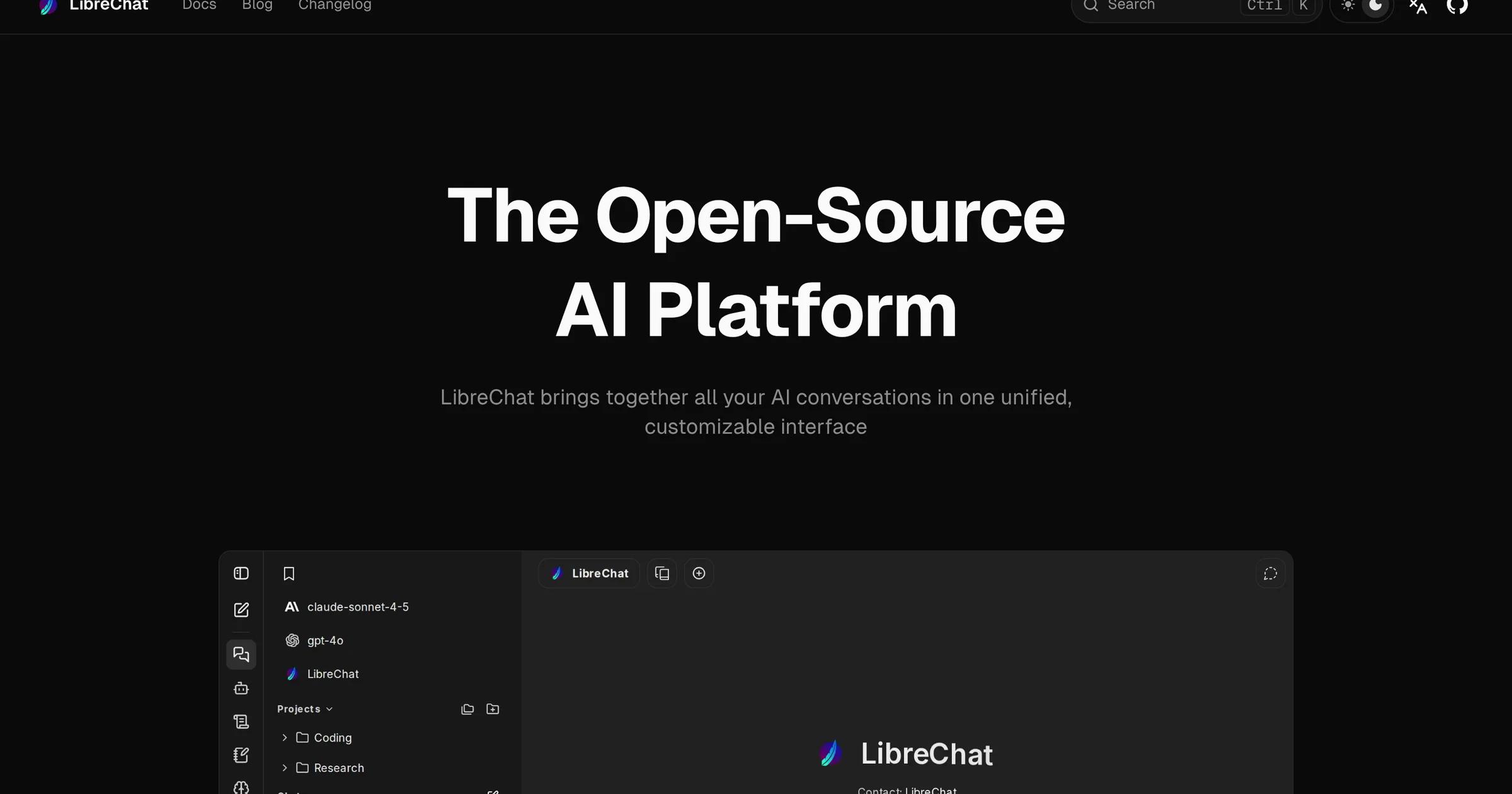
One self-hosted interface for every AI model you use
Replaces Chatgpt, Anthropic Claude
Who it's for
Organizations under regulatory constraints or NDA-heavy workflows get full conversation ownership: all history stays on your infrastructure under your data policies, with no vendor retention. You choose which providers to connect and can restrict users to private-endpoint models only.
Your team is comfortable with vendor data storage terms and prefers a managed service with no self-hosting overhead.
LibreChat lets you run the same prompt against Claude, GPT, Gemini, and DeepSeek in parallel sessions and compare outputs in a unified interface. Conversation forking lets you branch a thread to test different follow-ups without rebuilding your context.
You only use one model provider and have no need to compare outputs across vendors.
The admin panel controls which users and groups can access which models, sets token spend limits, and manages SSO through SAML or LDAP. Agents and presets share org-wide, giving everyone a consistent starting point without per-user manual configuration.
Your team is fewer than five people. The setup complexity pays off once you have multiple users with different access needs.
MCP support connects agents to external tools, file systems, and APIs. Skills bundle reusable instruction sets that agents invoke on demand. The attached code workspace lets agents inspect, edit, and run code in a managed environment without leaving the chat session.
You need a simple one-model chat interface. The agent and MCP features add configuration overhead that straightforward chat use does not require.
The problem
Most teams working with multiple AI models end up managing a separate tab for each provider. ChatGPT in one window, Claude in another, Gemini in a third. Conversation history stays siloed per service, files have to be re-uploaded for each provider, and there is no way to compare model responses or share a conversation across a team. Per-seat subscriptions stack quickly once a team needs access to more than one frontier model. The deeper pain is data control. Commercial AI chat services store conversation history on vendor infrastructure under vendor data policies, with limited export options. Teams handling confidential client work, internal knowledge, or regulated data cannot simply accept those terms, but building a custom multi-provider chat interface from scratch is weeks of engineering.
How it works
Connects Anthropic, OpenAI, Google, AWS Bedrock, Azure, Groq, Mistral, DeepSeek, Ollama, and any OpenAI-compatible endpoint. API keys configure per provider; model access assigns per user or group. Switching between models happens mid-conversation without losing context.
Executes code in Python, Node.js, Go, C/C++, Java, PHP, Rust, and Fortran inside an isolated environment. File uploads process directly in the sandbox, so you can run data analysis, generate plots, or process documents without leaving the chat. No external service required when self-hosting.
Custom agents combine model instructions, tool access, file search, and code execution into reusable workflows. Model Context Protocol support lets agents connect to any external tool or service. Agents are shareable across users and discoverable through a deployment marketplace.
Gives any connected model live internet access by combining search providers, content scrapers, and configurable Jina rerankers. Results inject into the model context without leaving the LibreChat interface, and the feature works across all configured AI providers.
Renders React components, HTML pages, and Mermaid diagrams directly in the chat window. Mermaid diagrams export as SVG or PNG. Full-screen preview lets you interact with rendered output without opening a separate tool.
Ships with OAuth2, SAML, LDAP, OpenID, and two-factor authentication. The bundled admin panel manages users, groups, roles, and permission overrides from a browser UI without redeploying the server. Token spend limits and built-in moderation tools are included.
Features
- Multi-Provider Model Routing
- Sandboxed Code Interpreter
- AI Agents with MCP Support
- Web Search with Reranking
- Code Artifacts and Generative UI
- Enterprise Authentication
How to install
Self-hosting uses Docker Compose with the official repository.
git clone https://github.com/danny-avila/LibreChat
cd LibreChat
docker compose up -d
Recommended for this setup
Strengths
- MIT license with no usage restrictions: The MIT license means you can deploy LibreChat commercially, modify the codebase, and run it for unlimited users with no licensing fees. You pay only for API calls to the model providers you connect, with no markup or subscription overhead.
- Unified conversation history across all providers: Every conversation, regardless of which model generated it, lives in your own database. Full-text search spans all providers at once, and export works in multiple formats including JSON, markdown, and plain text.
- Active codebase with 43,000+ GitHub stars: The repository received a push on 2026-09-15 and has shipped major features including MCP support, a code interpreter, and agent workspaces in recent releases. 411 contributors and 52.7 million Docker pulls indicate a production-grade install base.
- Bring-your-own-API-key model: No markup on API calls. You connect directly to Anthropic, OpenAI, Google, or any compatible endpoint using your own credentials, paying provider pricing without an intermediary. Local models via Ollama run at zero API cost.
Trade-offs
- You manage API keys and billing for each provider: LibreChat does not bundle model access. You need an API account with each provider you want to use and must manage billing, rate limits, and key rotation yourself. Teams expecting a turnkey subscription service will need to set up provider accounts before the first conversation.
- Self-hosting carries operational overhead: Running LibreChat in production means maintaining a server, a MongoDB or PostgreSQL database, and optionally Redis for horizontal scaling. Version upgrades occasionally include breaking changes that require reviewing the changelog before updating.
- 741 open GitHub issues at last check: The active issue count reflects a fast-moving codebase. Some edge cases in less common provider configurations or authentication setups take time to resolve. Checking GitHub Issues before deploying an uncommon integration is worthwhile.
Tech stack
FAQ
LibreChat is MIT licensed and free to self-host. You pay for the infrastructure you run it on and for API calls to whichever model providers you connect. There is no per-seat fee or platform subscription. Your costs are server and API usage only.
Yes. LibreChat connects to Ollama and other local model servers through its custom endpoints configuration. You can run entirely offline with no external API calls, or mix local and cloud providers in the same installation. Local models via Ollama run at zero API cost.
The primary path is Docker Compose. The official repository includes a Docker Compose file that starts the app, database, and optional services together. Railway, Zeabur, and Sealos offer one-click deployment templates if you prefer managed infrastructure. The quickstart guide at docs.librechat.ai covers both paths.
LibreChat supports multi-user deployments with role-based access, group permissions, and enterprise authentication (OAuth, SAML, LDAP, 2FA). The admin panel manages users and model access without redeploying. The project is designed for team and organizational use, not just individual installs.
LibreChat uses MongoDB by default for conversation and user storage. PostgreSQL is also supported. Redis is optional but recommended for horizontally scaled deployments, and it enables resumable stream support across multiple server instances.