
K-Meleon
Lightweight Windows browser built on Mozilla's Gecko engine
Replaces Island Enterprise Browser, Talonwork
Who it's for
K-Meleon fits administrators who need a small browser for older Windows systems, virtual machines, or internal tools.
You need full Chrome extension compatibility.
Macro customization can help technical users shape browser behavior around repeated tasks.
You want a browser that behaves exactly like mainstream Firefox or Chrome.
The problem
Modern browsers assume current hardware, frequent updates, and large memory budgets. That is painful for legacy Windows machines, virtual desktops, kiosks, and maintenance environments where opening a browser should not consume the workstation. Some teams also need browser behavior they can script or tune locally. A smaller Windows-native browser can be more practical than a full productivity suite when the job is browsing internal pages, dashboards, docs, and lightweight web apps.
How it works
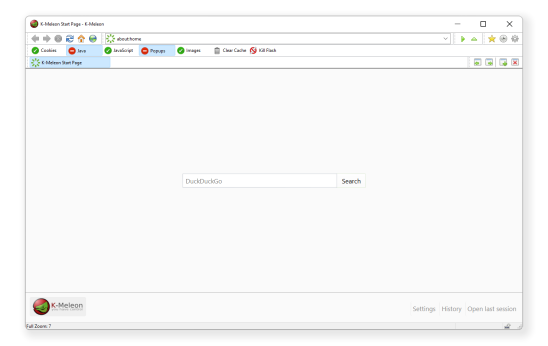
K-Meleon focuses on a native Windows footprint for users who need a browser that runs on older or resource-limited machines.
The browser uses Mozilla rendering technology, giving users an alternative to Chromium-only browser stacks.
K-Meleon supports macro-driven customization, which helps technical users tailor browser behavior for repetitive or constrained workflows.
Features
- Lightweight Windows browsing
- Gecko-based rendering
- Macro customization
Recommended for this setup
Strengths
- Useful for legacy environments: K-Meleon is strongest when a Windows system cannot justify the memory and update burden of a modern mainstream browser.
- Simple, focused browsing: The project keeps attention on browser basics rather than account sync, bundled services, or proprietary cloud features.
Trade-offs
- Not a modern browser suite: Users who need current browser extensions, cross-device sync, enterprise management, or the newest web APIs should validate compatibility before relying on it.
Tech stack
FAQ
K-Meleon is used as a lightweight web browser for Windows, especially on older or resource-constrained systems.
No. K-Meleon is known for using Mozilla Gecko rather than the Chromium browser engine.
K-Meleon is best for users who need a small Windows browser and are willing to trade modern browser-suite features for lower overhead.