
Fluxer
Self-hosted chat with voice, threads, and no ads
Replaces Discord
Who it's for
Groups that want Discord's feature set without its data collection can self-host Fluxer or use fluxer.com. Voice channels, threads, roles, and moderation are all present. Users can export their data and delete their messages at any time.
If your community is comfortable on Discord and data ownership is not a concern, migrating adds friction without a clear benefit.
Open source projects that want a self-hosted chat server for their contributor community can run a Fluxer instance and avoid dependence on a third-party communication platform. The AGPL license aligns with projects that value open source principles in their tooling.
If your project already has an active Discord server with established integrations and bots, migrating disrupts existing workflows. Evaluate whether the privacy benefits justify the migration cost.
Small to mid-size teams that need voice channels, organized text channels, and moderation without relying on a commercial communication platform can run a self-hosted Fluxer instance. The operator documentation covers setup and configuration.
Teams that need deep integration with productivity software such as calendar invites, ticket systems, or shared document editing will find Fluxer oriented toward community rather than workplace workflows.
The problem
Discord is a free service, but its business model relies on advertising revenue and data collection. Communities and groups cannot run their own instance, cannot verify how conversation data is stored, and have no guarantee of data portability if they need to migrate. For teams and communities that need organized channels, voice and video calls, and moderation tools in one application, the open source options have been limited. Building on voice-only or text-only tools means splitting communities across multiple applications, while some alternatives require significant infrastructure knowledge to set up and maintain.
How it works
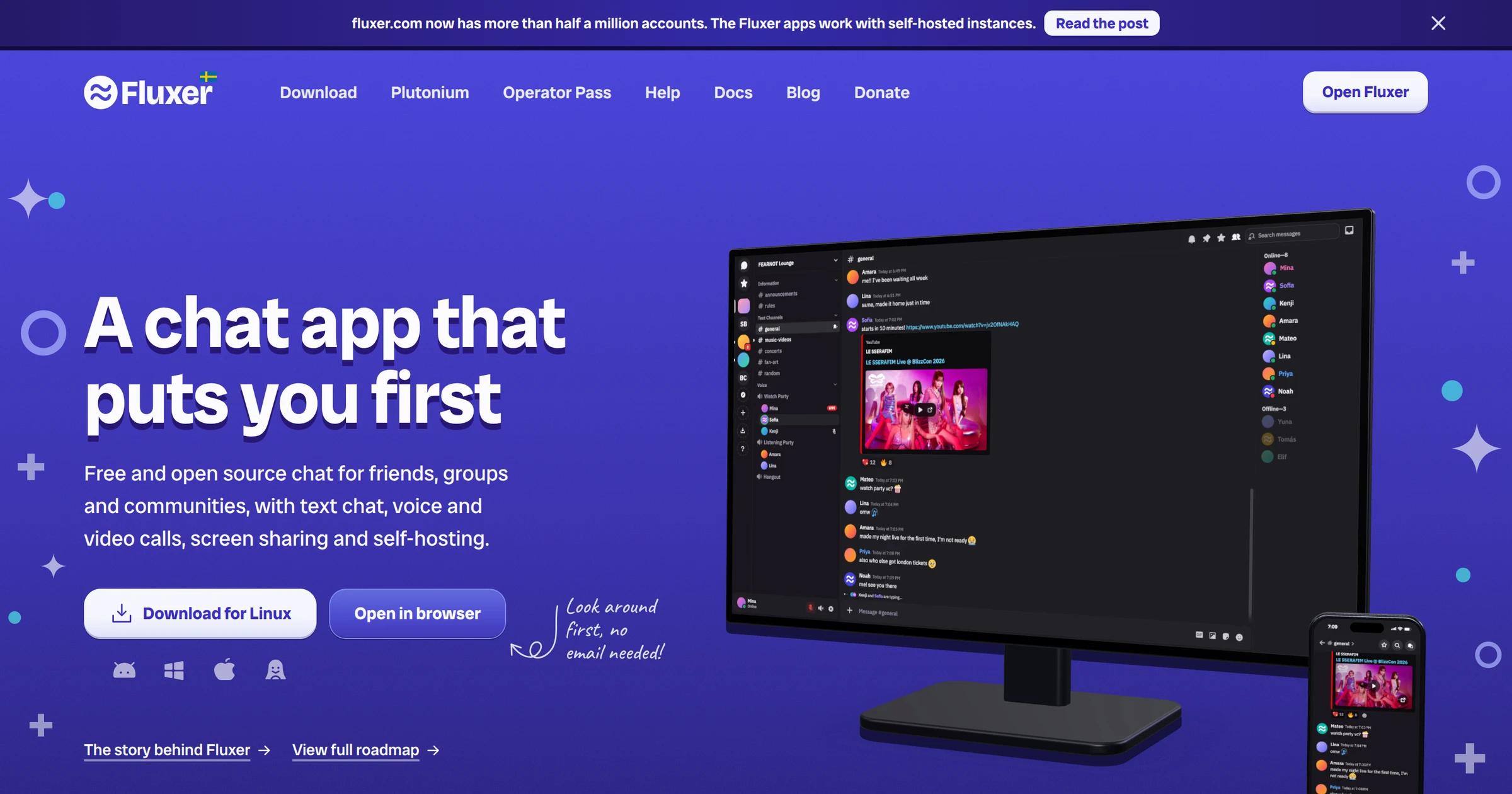
Communities can join persistent voice channels for audio calls, switch to video at any point, and share their screen with audio. The app runs voice servers in 16 geographic regions and assigns calls to the closest region automatically. Noise suppression and echo cancellation run client-side.
Channels cover standard chat, threaded discussions, forum-style boards, and announcement channels that members can follow without joining the full server. Messages support Markdown, code blocks, file attachments, link previews, and LaTeX math. Full-text message search with filters is included.
Operators can run their own Fluxer server instead of relying on the hosted service. Documentation at docs.fluxer.com/operator/get-started/ covers setup. Client apps connect to any instance, so self-hosted communities use the same desktop and mobile clients as the hosted service.
Fluxer does not sell user data, does not show advertising, and does not require ID verification or face scans to sign up. Users can export all their data and delete all their messages. A personal notes channel stores private notes in the same interface without leaving the app.
Fluxer ships signed packages for Flatpak, Flathub, Debian/Ubuntu (apt), Fedora/RHEL (dnf), and Arch Linux (pacman). The Flatpak repository gets updates the day they release. On Arch, the repository is key-signed so pacman verifies every update automatically.
Features
- Voice channels, video calls, and screen sharing
- Text chat with threads, forums, and announcements
- Self-hosting for private instances
- Privacy-first design with no ads or tracking
- Native packages for Linux with signed repositories
How to install
Install Fluxer on Linux via Flatpak; Windows and macOS installers are available from pkgs.fluxer.com.
flatpak install https://pkgs.fluxer.com/flatpak/fluxer.flatpakrefRecommended for this setup
Strengths
- No ads, no data selling, full data export included: Fluxer does not show ads, does not sell user data to third parties, and includes a data export feature. Users can also delete all their messages. These are written commitments from the product, not add-ons that could be removed later by a pricing change.
- AGPL-3.0 source with first-class self-hosting support: The source is available under AGPL-3.0, so anyone can audit the code, run their own instance, and verify what the server does with their data. Self-hosting is a first-class feature with dedicated operator documentation, not an afterthought.
- Active development across all major platforms: The repository has over 10,000 stars and 862 forks, with the last commit pushed on 2026-11-12. Client apps are available for Windows, macOS, Linux, and Android, with iOS in beta. The project was created in January 2026 and has been actively maintained since.
- 44 languages and 16 geographically distributed voice regions: Fluxer ships with 44 languages and runs voice servers in 16 regions including Frankfurt, Singapore, São Paulo, Seoul, and Sydney. Each call connects to the closest region to the first participant, or to a pinned region if the channel is configured for one.
Trade-offs
- iOS app is in beta with availability currently paused: The iOS TestFlight beta was paused as of late 2026. Android users have Google Play and APK options. iOS users can use the web app at fluxer.com as a workaround, but there is no native iOS app available until the beta resumes.
- AGPL-3.0 requires releasing modifications to hosted instances: If you run a modified version of Fluxer as a network service, you must release your source changes to users. This is standard AGPL behavior and not a limitation for most self-hosters running unmodified instances, but it matters for operators planning to build proprietary extensions on top of the server.
- Self-hosting requires maintaining a server backend: Fluxer is not a peer-to-peer application. Running a private instance means provisioning and maintaining a server. The operator documentation covers setup, but unlike desktop apps that run entirely locally, a self-hosted Fluxer instance is an ongoing infrastructure commitment.
Tech stack
FAQ
Yes. The hosted service at fluxer.com is free and requires no ID verification. You can browse without an account. Fluxer is also free to self-host: the AGPL-3.0 license allows anyone to run their own instance without paying licensing fees.
Yes. Fluxer supports self-hosting. The operator documentation at docs.fluxer.com/operator/get-started/ covers setup. Client apps connect to any instance, so users on a self-hosted server use the same desktop and mobile applications as the hosted service.
The iOS TestFlight beta was paused as of late 2026. Android is available on Google Play, via APK download, and through Obtainium for degoogled phones. The web app at fluxer.com works in a mobile browser as an interim option for iOS users.
Fluxer's source is licensed under AGPL-3.0-or-later. You can run it, modify it, and self-host it freely. If you distribute a modified version as a network service (a server others connect to), you must release your source changes. Artwork uses CC BY-SA 4.0.
Fluxer ships signed installers for Windows (x64 and ARM64), macOS (Apple silicon and Intel via the same disk image), and Linux (Flatpak, Flathub, deb, rpm, AppImage, tar.gz for x64 and ARM64). Android is available on Google Play and via APK. iOS is in beta with availability currently paused.